TL;DR
The best Synthesia alternatives depend on what the video is for. GuideClarity is the pick for SaaS teams that want product videos and launch content generated from the live product, with no avatar and no script. HeyGen is the closest avatar swap at a lower entry price. Colossyan and AI Studios suit training teams. Elai and D-ID cost the least to start, Veed adds an editor, and Arcade makes interactive product demos.
- GuideClarity, best for turning a live product feature into a demo video, docs, shorts and a blog post automatically, with no recording.
- HeyGen, best for realistic avatar videos at a lower entry price.
- Colossyan, best for training courses with quizzes and SCORM export.
- Elai, best for budget avatar videos priced per minute.
- D-ID, best for interactive avatars and the cheapest paid plan.
- AI Studios, best for unlimited avatar videos on one personal plan.
- Veed, best for social video editing with AI avatars added.
- Arcade, best for interactive product demos built from your real product.
Synthesia alternatives compared at a glance
The table compares the eight Synthesia alternatives on the things buyers check first. Starting price is the cheapest paid plan in US dollars. It is at monthly billing where the vendor shows it, and at annual billing where the cell says so. The free plan column gives the cap that matters most. We read every price on the vendor's own pricing page on September 24, 2026.
| Tool | Best for | Starting price | Free plan | Biggest limitation |
|---|---|---|---|---|
| GuideClarity | Multiple marketing assets from product features | $59 a month | Yes, 3 video guide recordings | Built for SaaS product content only |
| HeyGen | Realistic avatar videos | $29 a month | Yes, 3 videos a month | Credit-based usage |
| Colossyan | Training courses | $59 a month, annual | Yes, 20 minutes a month | Built around L&D, not marketing |
| Elai | Budget avatar videos | $29 a month | Yes, 1 minute | Minutes are tight on Creator |
| D-ID | Interactive avatars | $4.7 a month, annual | Trial only, 14 days | Watermark until Pro |
| AI Studios | Unlimited avatar videos | $24 a month, annual | Yes, 3 videos of 1 minute | Team plan is per seat |
| Veed | Social video editing | $10 per user a month, yearly | Yes, start for free | An editor first, avatars second |
| Arcade | Interactive product demos | $50 a month per seat | Yes, 1 published demo | Demos, not narrated videos |
Why people look for Synthesia alternatives
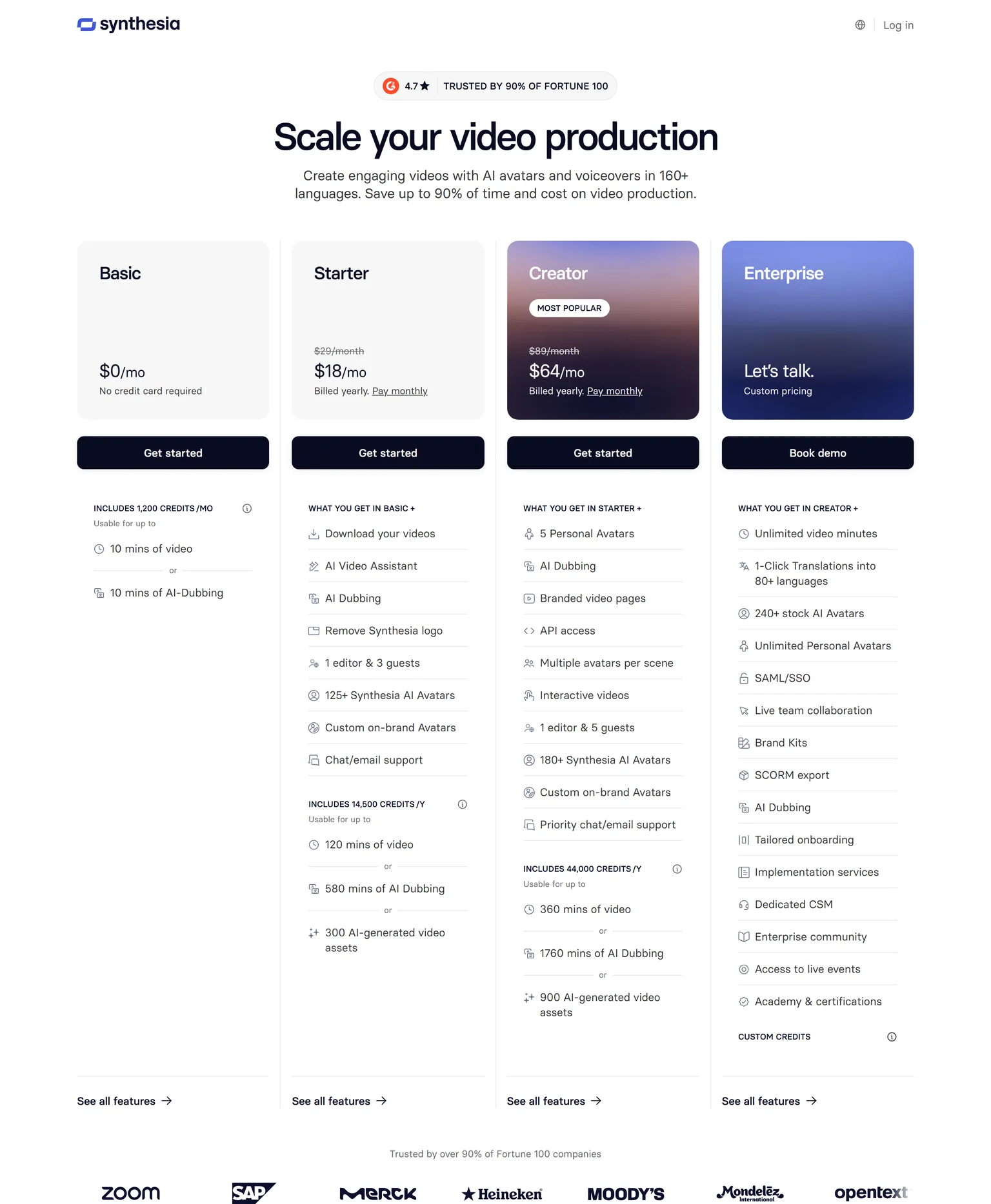
Synthesia describes itself as the number one rated AI video generation platform, creating videos with AI avatars, voiceovers and templates for training, marketing and communication. This page is about that Synthesia, not the piano app of the same name. Teams start looking elsewhere for three reasons. Video minutes are capped on every self-serve plan, the price steps up sharply, and team features sit on an Enterprise quote.
- Video minutes are capped. Basic and Starter include 10 minutes of video a month. Creator includes 30 minutes of video a month, and unlimited video minutes sit on the custom priced Enterprise plan.
- The price step is large. Starter costs $29 a month billed monthly and Creator costs $89 a month billed monthly. Yearly billing brings them to $18 and $64 a month with a commitment.
- One editor per plan. Starter includes 1 editor and 3 guests, and live team collaboration, SAML SSO and SCORM export are Enterprise features.
- Custom avatars cost extra. A studio avatar is a paid add-on at $1,000 a year for annual plan users. The free plan keeps the logo, since the Synthesia logo is removed on Starter.
- Desktop only. Synthesia is available on desktop, which its own pricing page says on mobile.
How we picked and checked these Synthesia alternatives
A tool qualified when it makes a business video from a script, a document or a product without a camera crew. We started from the tools that appear most often across the top search results for Synthesia alternatives and kept eight. Each one was judged on what it produces, how clear its pricing is, the caps on its cheapest plans, and the team it fits.
- Own screenshots. Every homepage and pricing screenshot on this page is ours, taken on September 24, 2026 at 1440 pixels wide.
- Verified facts. Every price, limit and plan detail comes from the vendor's own page, and a script re-checked each one on September 24, 2026. The Sources section lists each page.
- Dropped tools. Camtasia priced in euros from our location. Vyond is animation, Descript is a general editor, and Hour One, Synthesys and Akool appear only on a single vendor's list. The piano app called Synthesia is a different product.
- No affiliate links. No vendor on this page pays us for a mention or a click.
GuideClarity publishes this page and is listed first. We describe its weaknesses with the same directness as everyone else's, and the facts about it come from the same public pages.
1. GuideClarity: best for SaaS teams that want to automatically create multiple marketing assets directly from their product features
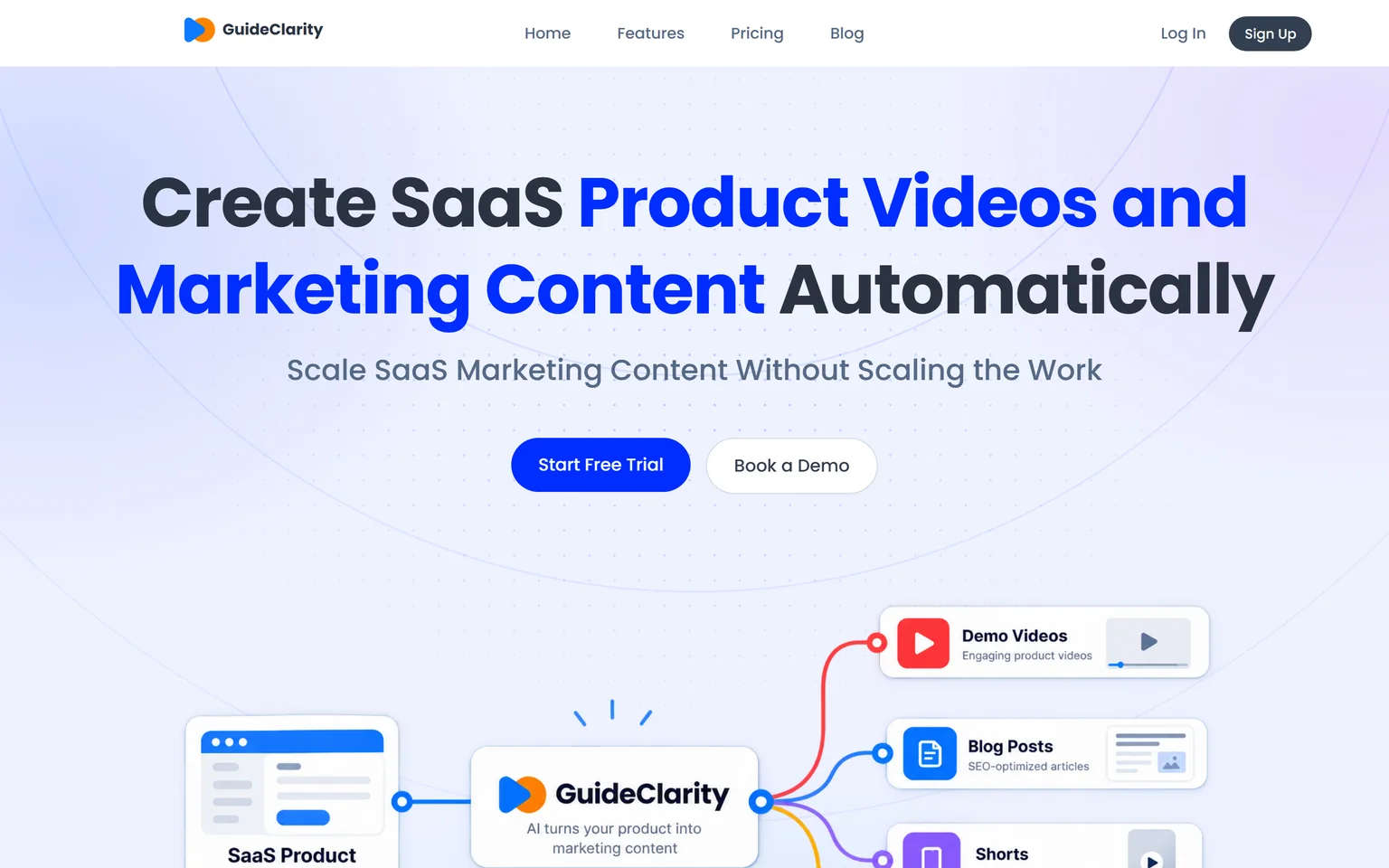
GuideClarity creates SaaS product videos and marketing content automatically. It is best for SaaS teams that want to turn product features into marketing content automatically, without manually recording, scripting, editing and recreating the same content for every channel. It understands your product and creates demo videos, feature explainers, shorts, blog posts, screenshots and launch assets. SaaS companies that ship features often get the most from it, from a single founder to a large marketing team.
What GuideClarity does
Synthesia starts from a script and an avatar. GuideClarity starts from your product. It generates the video automatically from your live product URL, so nobody writes a script or picks a presenter. From the same feature it produces the documentation, vertical shorts, an SEO blog post and social posts, a complete marketing package. Our guide on AI explainer videos for SaaS explains when an avatar helps and when the product itself is the better presenter.
GuideClarity pricing
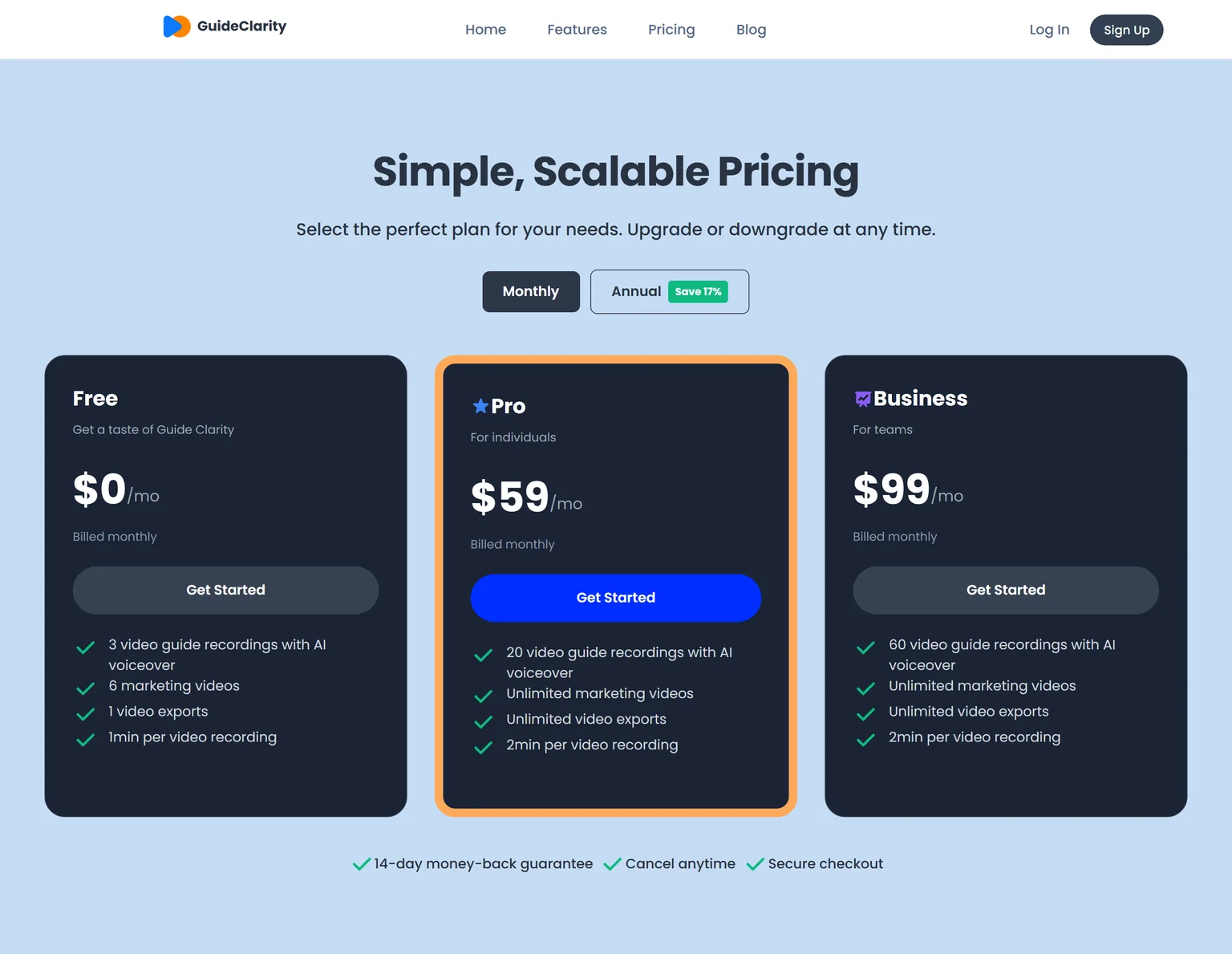
GuideClarity has three plans. The free plan includes 3 video guide recordings with AI voiceover and 6 marketing videos. Pro costs $59 a month billed monthly and includes 20 video guide recordings, or $49 a month billed annually. Business costs $99 a month and includes 60 video guide recordings. Every paid plan carries a 14-day money-back guarantee.
Strengths
- No script, no avatar and no editing step. Review and publish is the work.
- The product itself is on screen, which is what a SaaS buyer wants to see.
- One feature in, a whole launch kit out, with every asset shaped for its channel.
- A free plan to test on a real feature before paying.
Weaknesses
- Built for SaaS product and feature content, not for physical products or other non-software businesses.
- Made for marketing, product and founder teams. Teams that need a presenter reading a compliance script are better served by an avatar tool.
- Not for agencies that produce brand films or talking-head content.
Who GuideClarity is for
GuideClarity fits SaaS companies that ship features frequently, product marketing teams, founders and marketing teams of any size, and product teams that need marketing content without slowing down development. It is easy enough to start that small teams adopt it first, and it scales to large marketing teams. The GuideClarity features page lists every output.
GuideClarity vs Synthesia
Synthesia puts an AI presenter in front of slides and stock footage. GuideClarity generates the video automatically from your live product URL and produces the documentation, shorts, blog post and the complete marketing package from the same feature, with no recording step. Synthesia is the better pick for training scripts in many languages. GuideClarity is the better pick when the goal is showing and launching your own software.
2. HeyGen: best for realistic avatar videos at a lower entry price
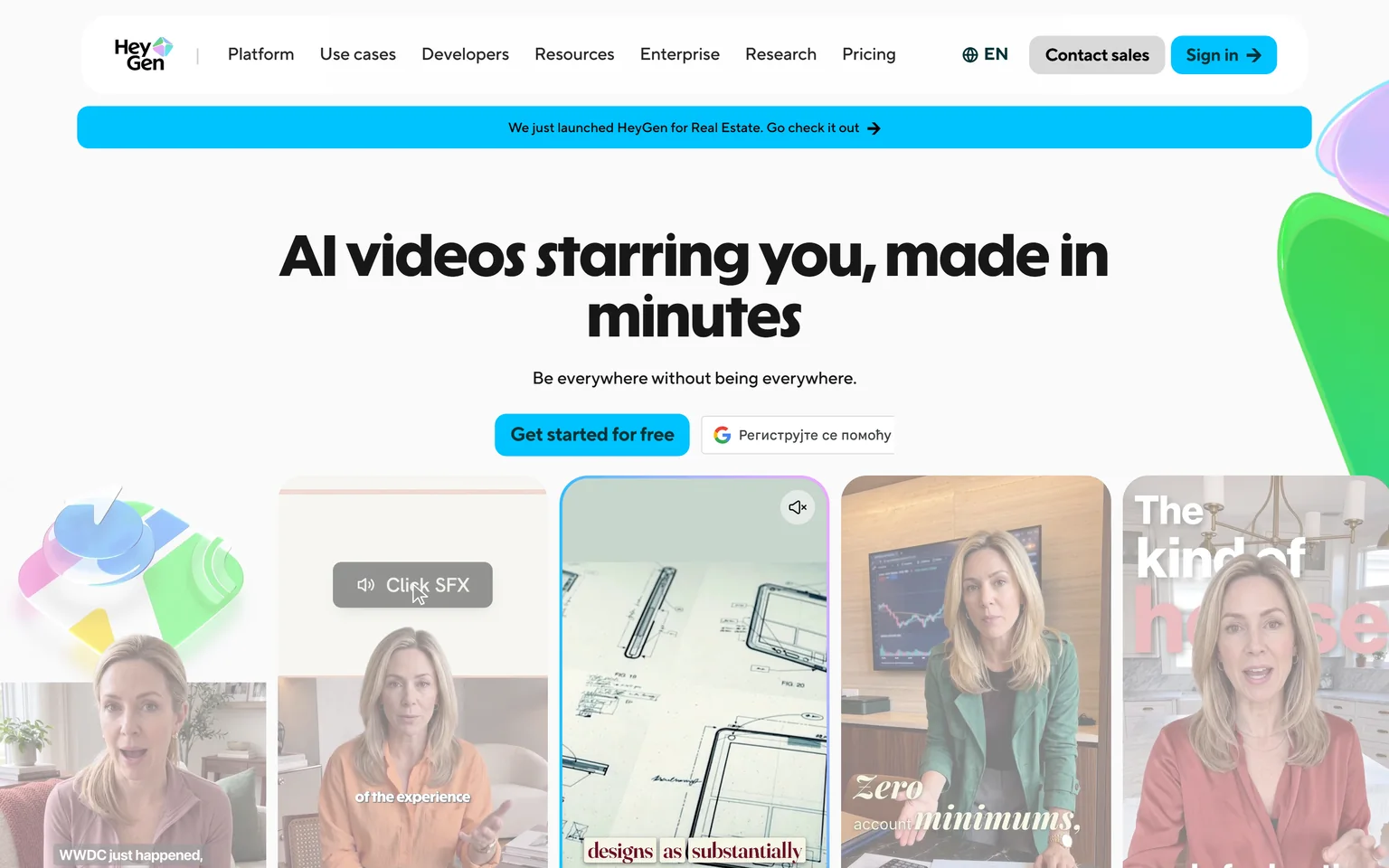
HeyGen is the Synthesia alternative most people name first. It makes the same kind of avatar video from a script. It also translates video into 175+ languages and dialects with lip sync and voice cloning. Creators, marketers and small teams that want a lifelike presenter without a studio get the most from it. It is not a fit for teams that want unlimited minutes at a flat price, because usage is metered in credits.
What HeyGen does
HeyGen turns a script, a document or a slide deck into a video with a stock or custom avatar. It then translates it with matching lip movement. Custom avatars require on-camera identity verification from the person depicted, which keeps the tool on the right side of consent. Photo avatars and voice cloning are included on paid plans.
HeyGen pricing
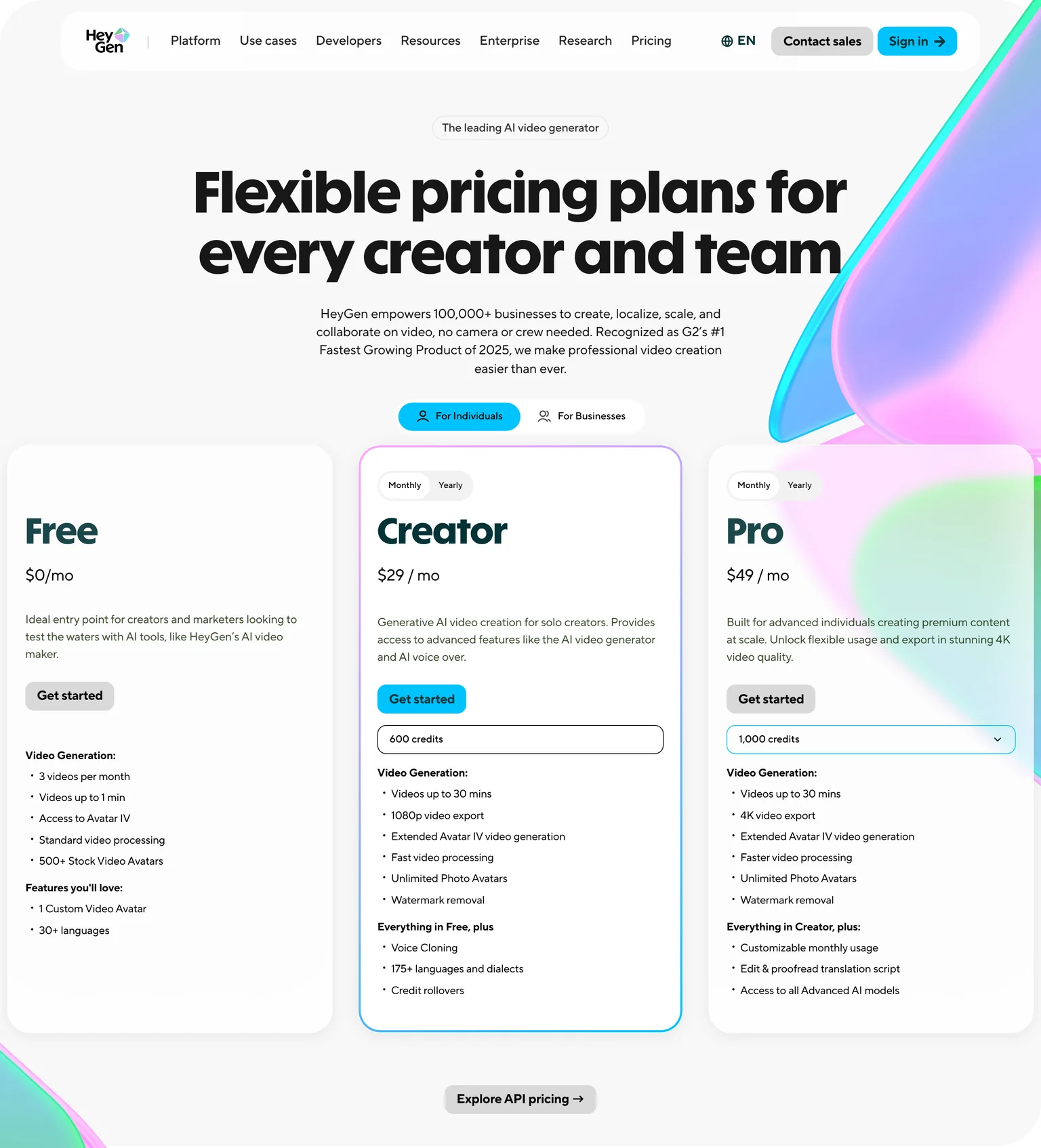
HeyGen's Free plan costs $0 a month with 3 videos a month of up to 1 minute. It includes 500+ stock video avatars, 1 custom video avatar and 30+ languages. Creator costs $29 a month billed monthly, with 600 credits, videos up to 30 minutes, 1080p export, watermark removal and 175+ languages and dialects. Pro costs $49 a month billed monthly, with 1,000 credits and 4K video export.
Strengths
- The same avatar workflow as Synthesia at the same entry price with more languages.
- Video translation with lip sync from an uploaded file or a link.
- A free plan with a custom avatar to test the output.
Weaknesses
- Credits are harder to budget than minutes.
- Free videos are capped at one minute.
- Team plans sit behind a separate business tab and a sales conversation.
Who HeyGen is for
HeyGen fits solo creators and marketing teams that publish presenter-led videos in several languages. Teams that want the product on screen rather than a presenter should look at GuideClarity or Arcade.
HeyGen vs Synthesia
Both make avatar videos from a script. HeyGen Creator costs $29 a month, the same as Synthesia Starter at $29 a month billed monthly, but HeyGen includes 175+ languages and dialects at that level and meters usage in credits instead of ten minutes. Synthesia wins on enterprise controls and SCORM. HeyGen wins on translation and on the free tier.
3. Colossyan: best for training courses with quizzes and SCORM export
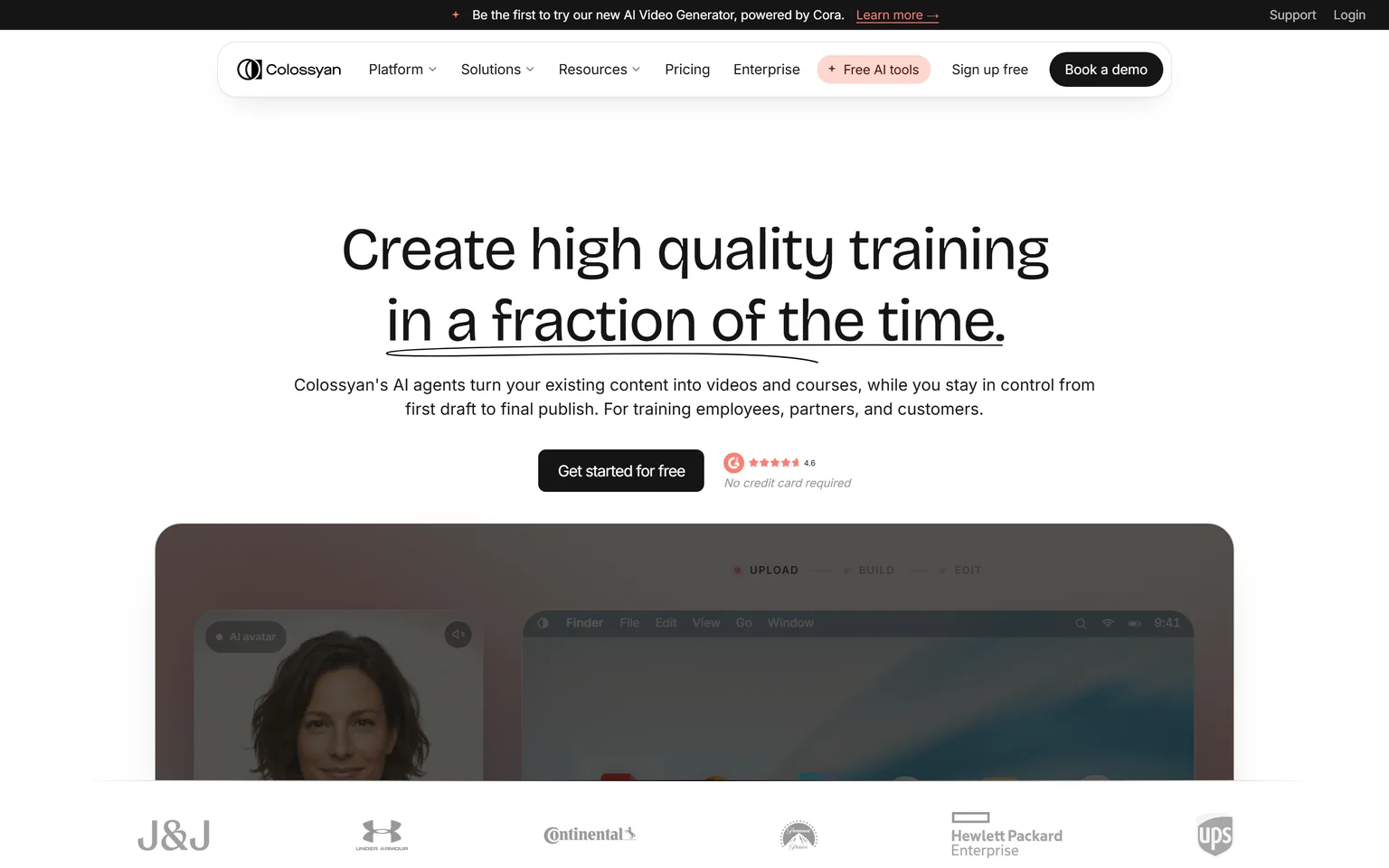
Colossyan builds videos and full courses with quizzes and SCORM export to an LMS, in 100+ languages. It is the Synthesia alternative for learning and development teams, because the course is the product, not just the video. L&D and enablement teams that publish to an LMS get the most from it. It is not a fit for marketing teams that want a launch video.
What Colossyan does
Colossyan turns a document, a deck or a script into an avatar video, then wraps it in a course with quizzes, branching and a SCORM package. Brand kits apply your logo, colours and avatars automatically. Video minutes are metered by avatar generation, with a standard and a premium engine.
Colossyan pricing
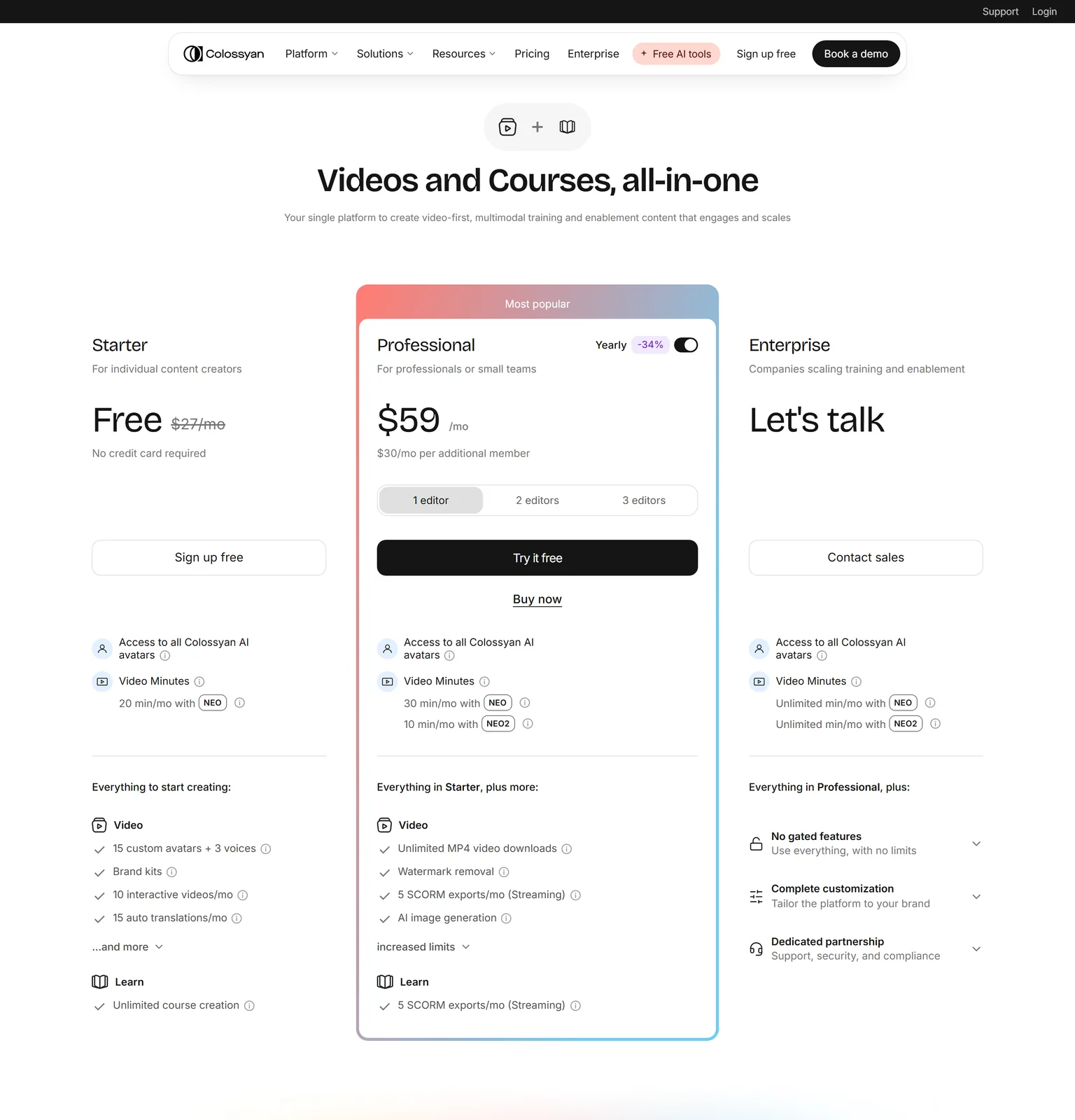
Colossyan's Starter plan is free, with 20 minutes a month of NEO video, 15 custom avatars and 3 voices, and no credit card required.
Professional costs $59 a month on an annual plan, with 30 minutes a month of NEO video and 10 minutes a month of NEO2, watermark removal and 5 SCORM exports a month, plus $30 a month per additional member. Enterprise has unlimited video minutes, unlimited custom avatars and voices and unlimited SCORM exports.
Strengths
- Courses, quizzes and SCORM from the same tool, not only videos.
- A free plan with real minutes and custom avatars.
- Brand kits apply your look automatically.
Weaknesses
- Built around training, so marketing formats are an afterthought.
- Two video engines with separate minute caps take reading to understand.
- The Professional price needs an annual plan.
Who Colossyan is for
Colossyan fits L&D, compliance and enablement teams that deliver training through an LMS. Product marketers should pick a tool that shows the product.
Colossyan vs Synthesia
Both make avatar videos for training. Colossyan adds course authoring, quizzes and SCORM on its $59 a month Professional plan, while Synthesia keeps SCORM export on Enterprise. Synthesia offers more avatars and languages. Colossyan is the better pick when the deliverable is a course.
4. Elai: best for budget avatar videos priced per minute
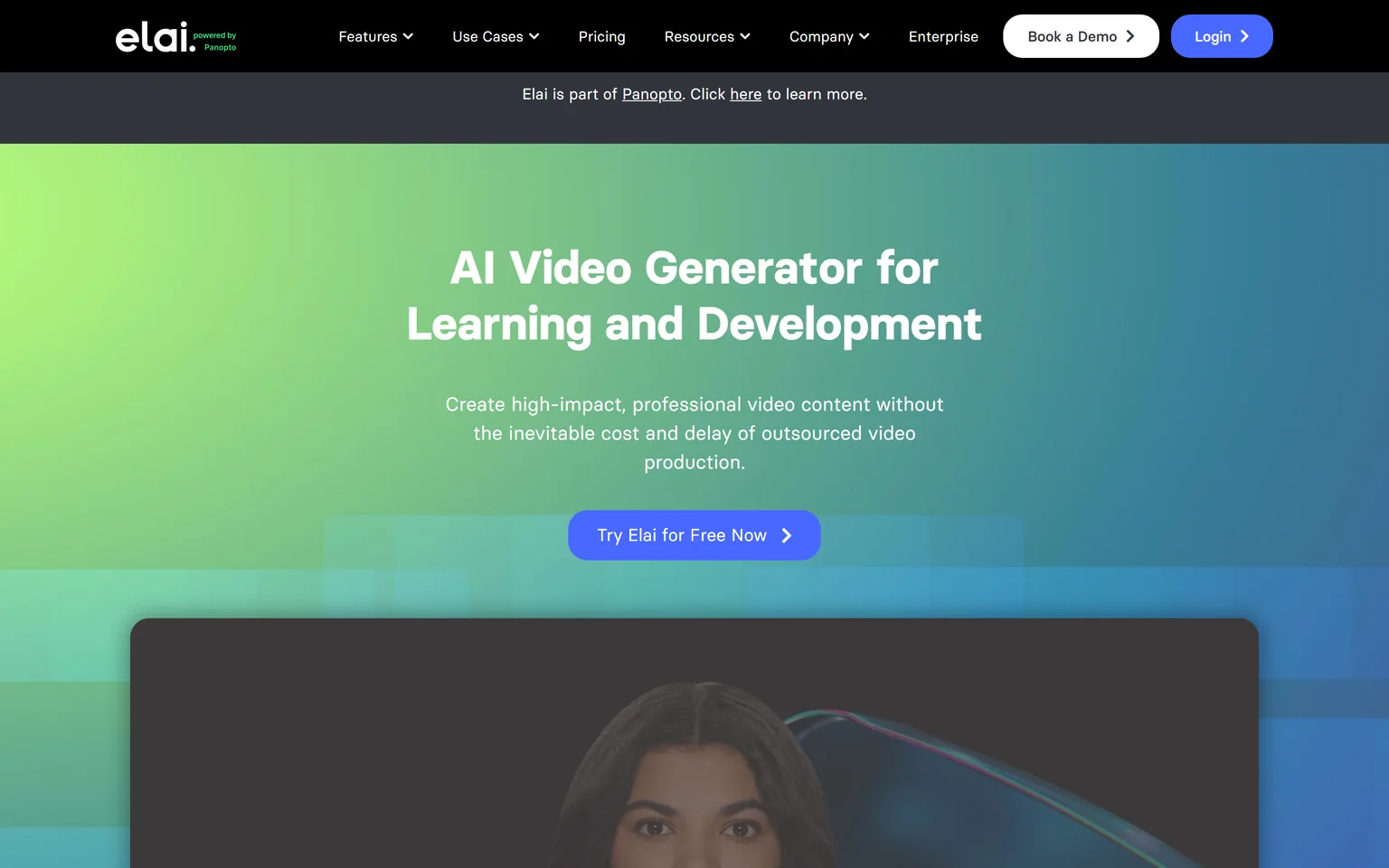
Elai is an AI video generator for learning and development that turns text, a URL or a PowerPoint into avatar video and clones a voice in 28 languages. It prices video by the minute and states the rate on the pricing page, which makes budgeting simple. Small training teams and course creators that need a few short avatar videos a month get the most from it. It is not a fit for high-volume producers.
What Elai does
Elai builds a slide-based avatar video from a script, a document, a web page or a deck, with the presenter reading the notes. Two avatars can share a scene for role-play. The tool is now part of Panopto, which its homepage banner states.
Elai pricing
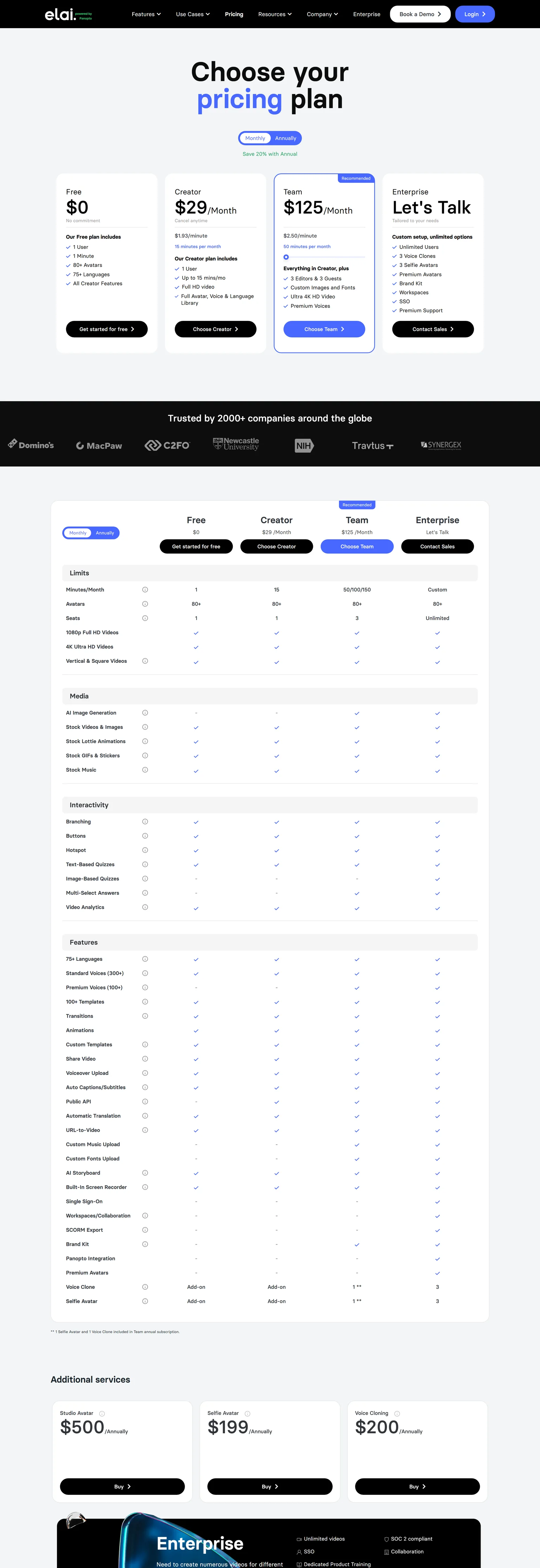
Elai's Free plan costs $0 and includes 1 user, 1 minute, 80+ avatars and 75+ languages.
Creator costs $29 a month for 15 minutes of video a month, which the page prices at $1.93 a minute. Team costs $125 a month for 50 minutes of video a month, with 3 editors and 3 guests and 4K video. Elai also sells a Studio Avatar at $500 a year and a Selfie Avatar at $199 a year as add-ons.
Strengths
- A clear per-minute price on the page.
- Deck, document and URL to video with the notes as the script.
- Custom avatars are cheaper than Synthesia's studio add-on.
Weaknesses
- Fifteen minutes a month on Creator runs out fast.
- The free plan is a single minute.
- Avatar quality trails HeyGen and Synthesia.
Who Elai is for
Elai fits course creators and small L&D teams that already have decks and scripts and want an avatar to present them. Teams that need many minutes should look at AI Studios.
Elai vs Synthesia
Both start from a script and an avatar. Elai Creator costs $29 a month for 15 minutes against Synthesia Starter at $29 a month billed monthly for 10 minutes of video a month. Synthesia has far more avatars and languages. Elai gives more minutes for the same money.
5. D-ID: best for interactive avatars and the cheapest paid plan
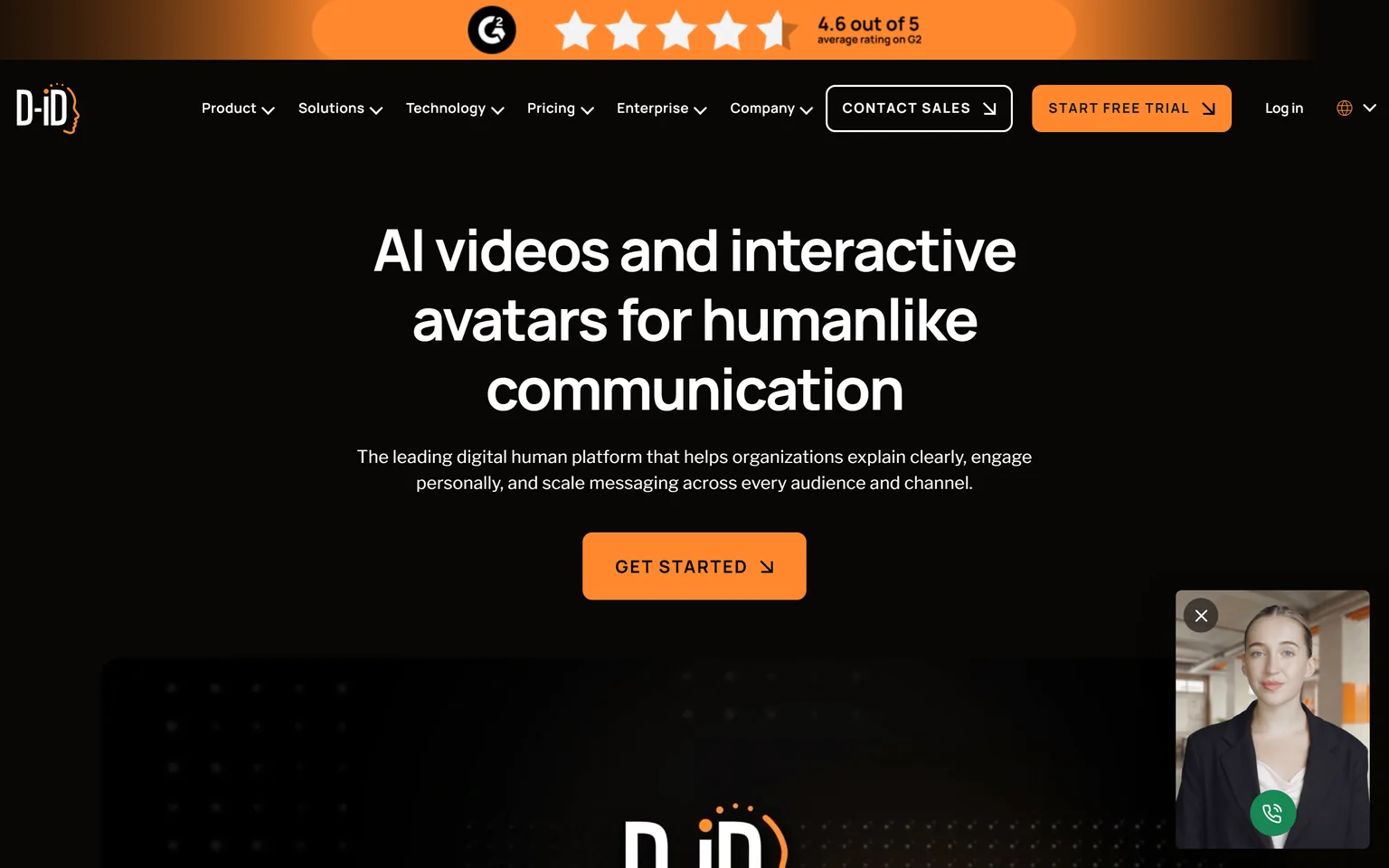
D-ID makes AI videos and interactive avatars for real-time conversations in 120+ languages. It is the Synthesia alternative for teams that want an avatar people can talk to on a website or in an app, and it has the lowest paid entry on this page. Support, sales and customer education teams that want a conversational agent get the most from it. It is not a fit for polished long-form training videos.
What D-ID does
D-ID animates a photo or a video avatar to speak a script, and it runs the same avatars as live agents that answer questions in real time. An API covers both. Plans are metered in minutes and credits shared across videos, agents and translation.
D-ID pricing
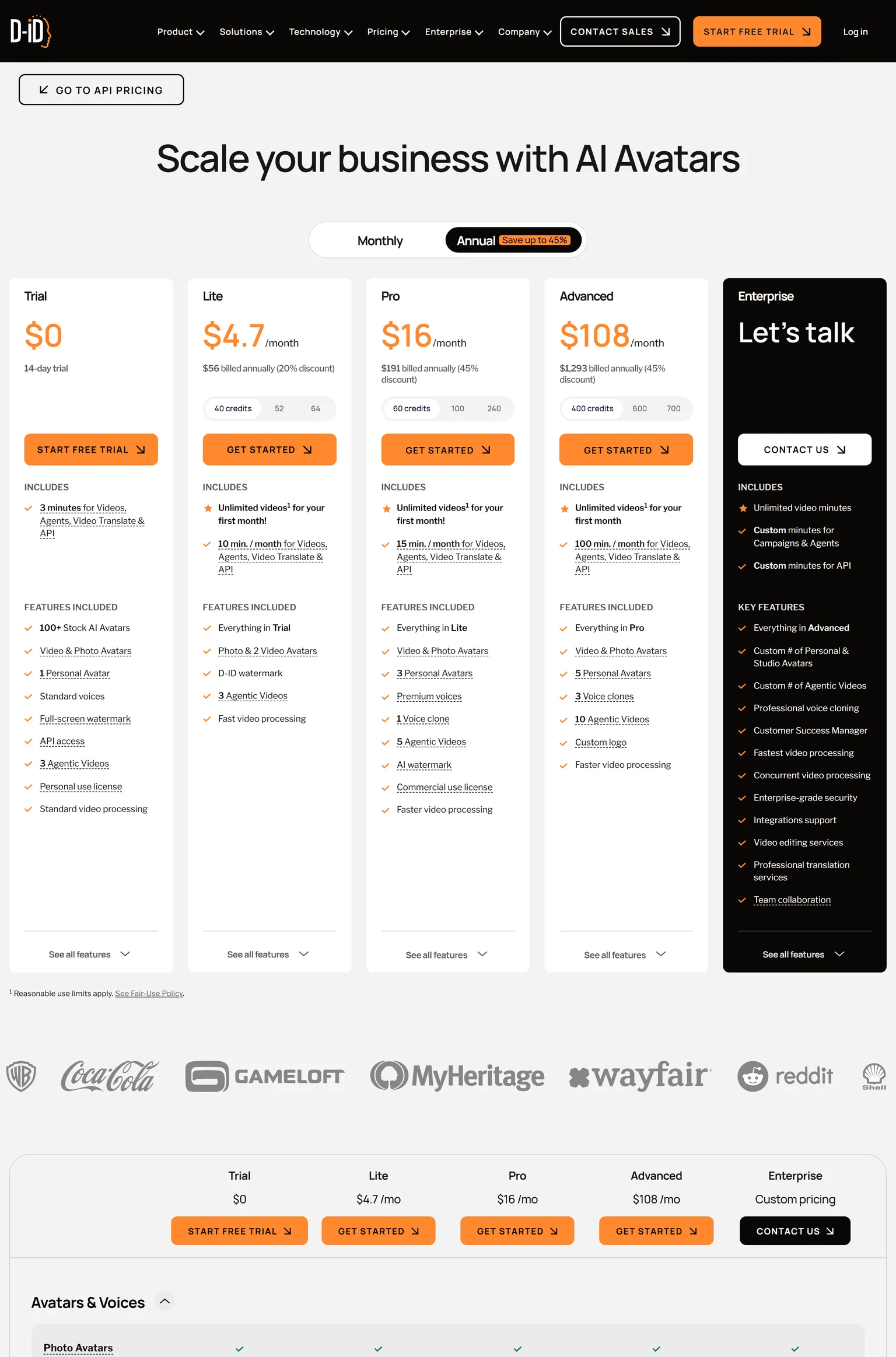
D-ID's trial costs $0 for 14 days with 3 minutes of video and a full-screen watermark. Lite costs $4.7 a month, $56 billed annually, with 10 minutes a month and a D-ID watermark. Pro costs $16 a month, $191 billed annually, with 15 minutes a month, 3 personal avatars and a commercial use license. Advanced costs $108 a month, $1,293 billed annually, with 100 minutes a month.
Strengths
- The cheapest paid plan on this page.
- Interactive agents and an API, which Synthesia's self-serve plans do not offer.
- Photo avatars, so a headshot becomes a presenter.
Weaknesses
- No permanent free plan, only a trial.
- A watermark stays until Pro, and commercial use starts there.
- Minutes are shared across videos, agents and translation.
Who D-ID is for
D-ID fits teams that want a talking avatar on a website, in support or in an app, and developers who need an API. Training teams that publish long modules should look at Colossyan or AI Studios.
D-ID vs Synthesia
Synthesia makes finished videos. D-ID makes videos and live agents. D-ID Lite at $4.7 a month billed annually costs a fraction of Synthesia Starter at $18 a month billed yearly, but it keeps a watermark and Synthesia's Starter removes it. Pick D-ID for conversational avatars. Pick Synthesia for polished presenter videos.
6. AI Studios: best for unlimited avatar videos on one personal plan
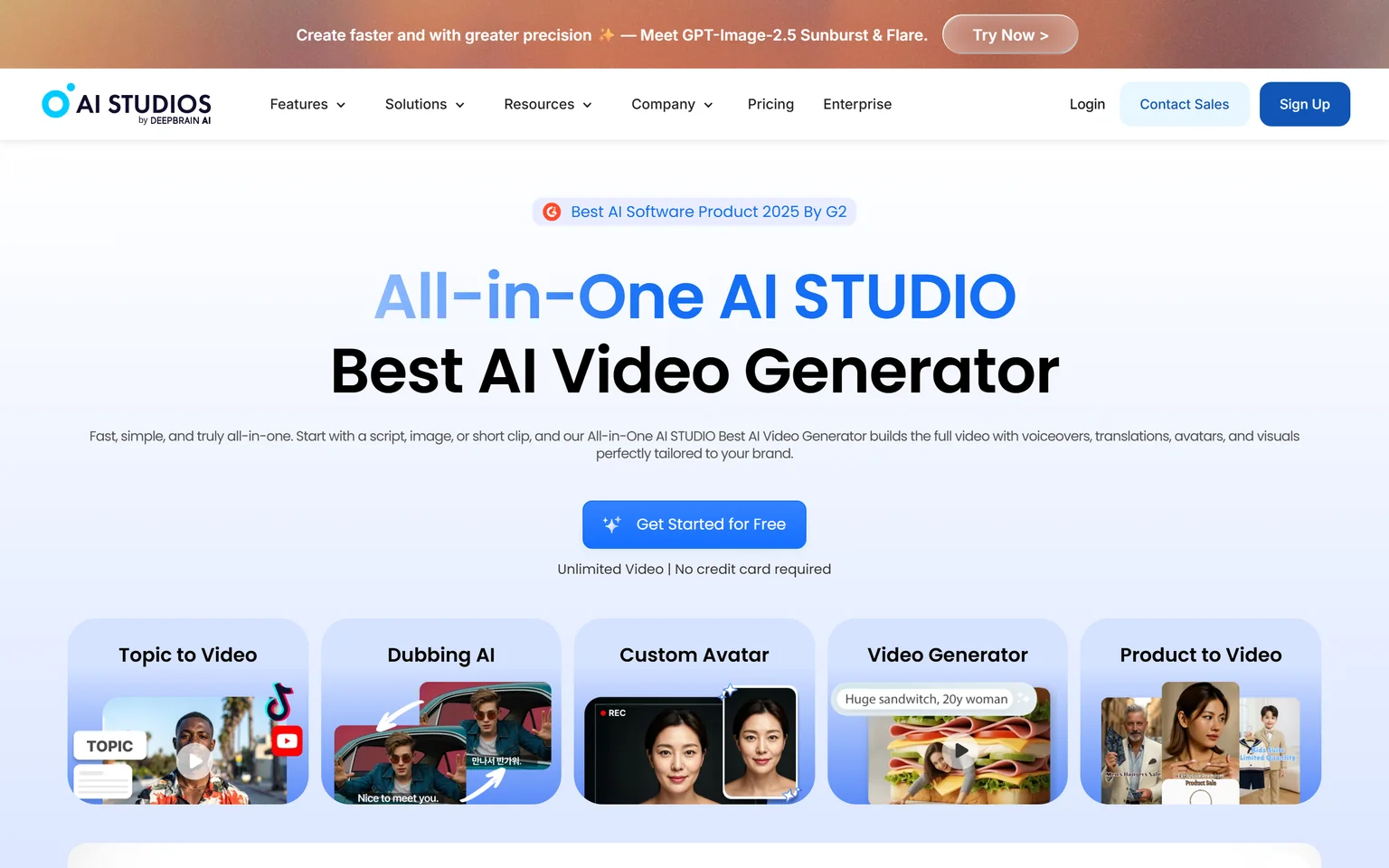
AI Studios by DeepBrain AI offers 2,000+ AI avatars, interactive avatars, and dubbing into 150+ languages, with SCORM-compliant course building. Its Personal plan removes the video count cap that drives people off Synthesia. Solo creators and training teams that publish many avatar videos a month get the most from it. It is not a fit for teams that want the product on screen instead of a presenter.
What AI Studios does
AI Studios turns a topic, a link, a document or a script into an avatar video with voiceover and visuals. Dubbing with lip sync, custom avatars from a short clip, and a course builder with quizzes come with the paid plans. Enterprise adds SAML SSO and unlimited custom avatars.
AI Studios pricing
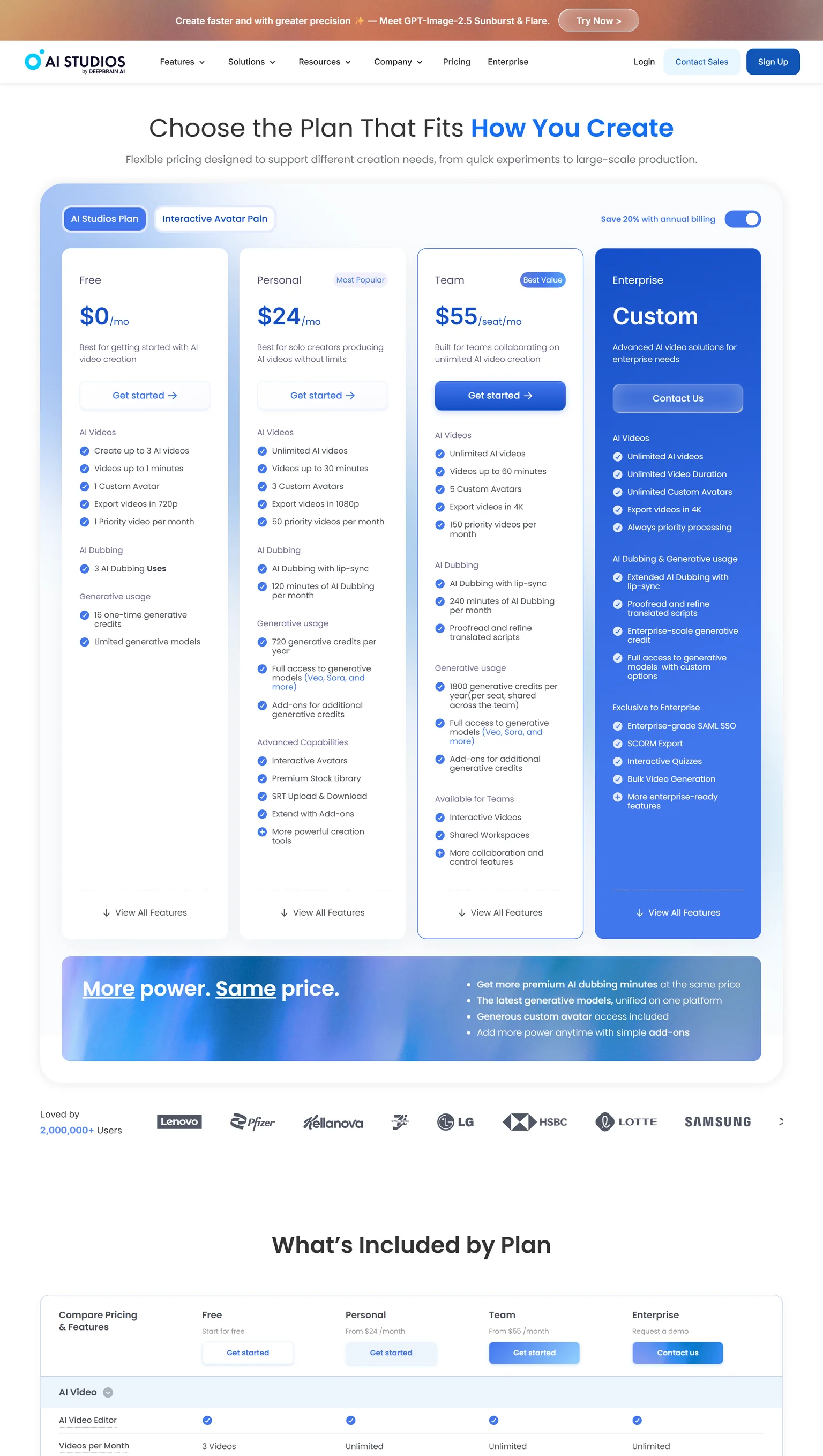
AI Studios' Free plan costs $0 a month with up to 3 AI videos of up to 1 minute, 1 custom avatar and 720p export. Personal costs $24 a month with annual billing, with unlimited AI videos up to 30 minutes, 3 custom avatars, 1080p export and 120 minutes of AI dubbing a month. Team costs $55 per seat a month with annual billing, with videos up to 60 minutes, 5 custom avatars and 4K export.
Strengths
- Unlimited videos on the Personal plan, with no minute cap to track.
- A large avatar library and dubbing in the base plans.
- SCORM and a course builder for training teams.
Weaknesses
- Generative extras run on a separate credit pool.
- The Team plan is priced per seat.
- A busy interface with many modes to learn.
Who AI Studios is for
AI Studios fits creators and training teams that publish avatar videos every week and want a flat monthly price. SaaS marketers who want feature launches should pick GuideClarity.
AI Studios vs Synthesia
Both generate presenter videos from a script. AI Studios Personal gives unlimited AI videos up to 30 minutes for $24 a month with annual billing, while Synthesia Starter caps you at 10 minutes of video a month. Synthesia wins on brand recognition and enterprise features. AI Studios wins on volume per dollar.
7. Veed: best for social video editing with AI avatars added
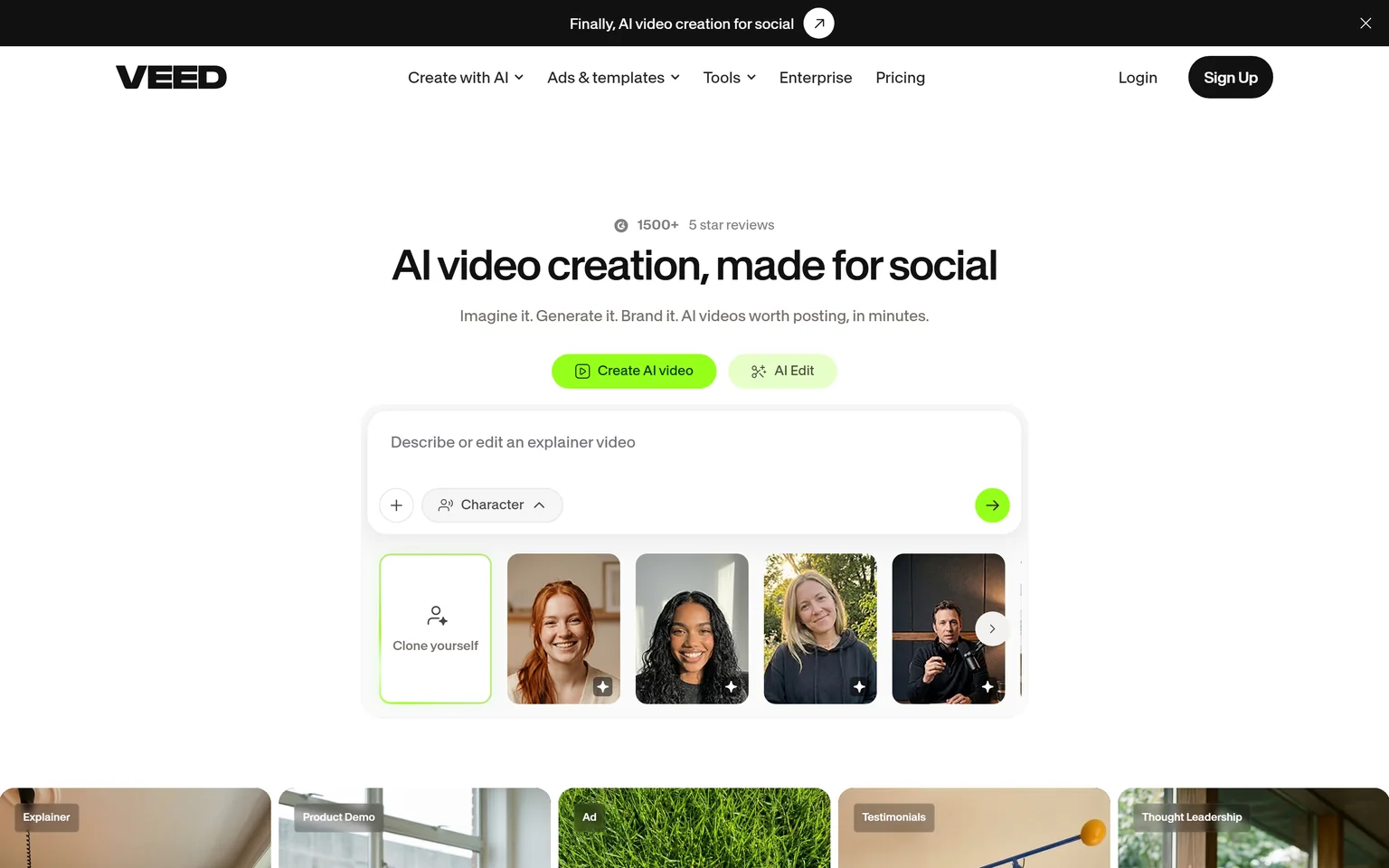
Veed generates and edits AI videos with avatars, templates and a Gen-AI studio. It is an online video editor first, with avatars as one of many tools, which makes it the Synthesia alternative for teams that also cut real footage. Social media and content teams get the most from it. It is not a fit for teams that only need a presenter reading a script.
What Veed does
Veed records, edits, subtitles and translates video in the browser, and its AI studio generates clips with avatars or a cloned version of you. Templates and brand kits keep social posts consistent. Usage is metered in credits that cover the AI features.
Veed pricing
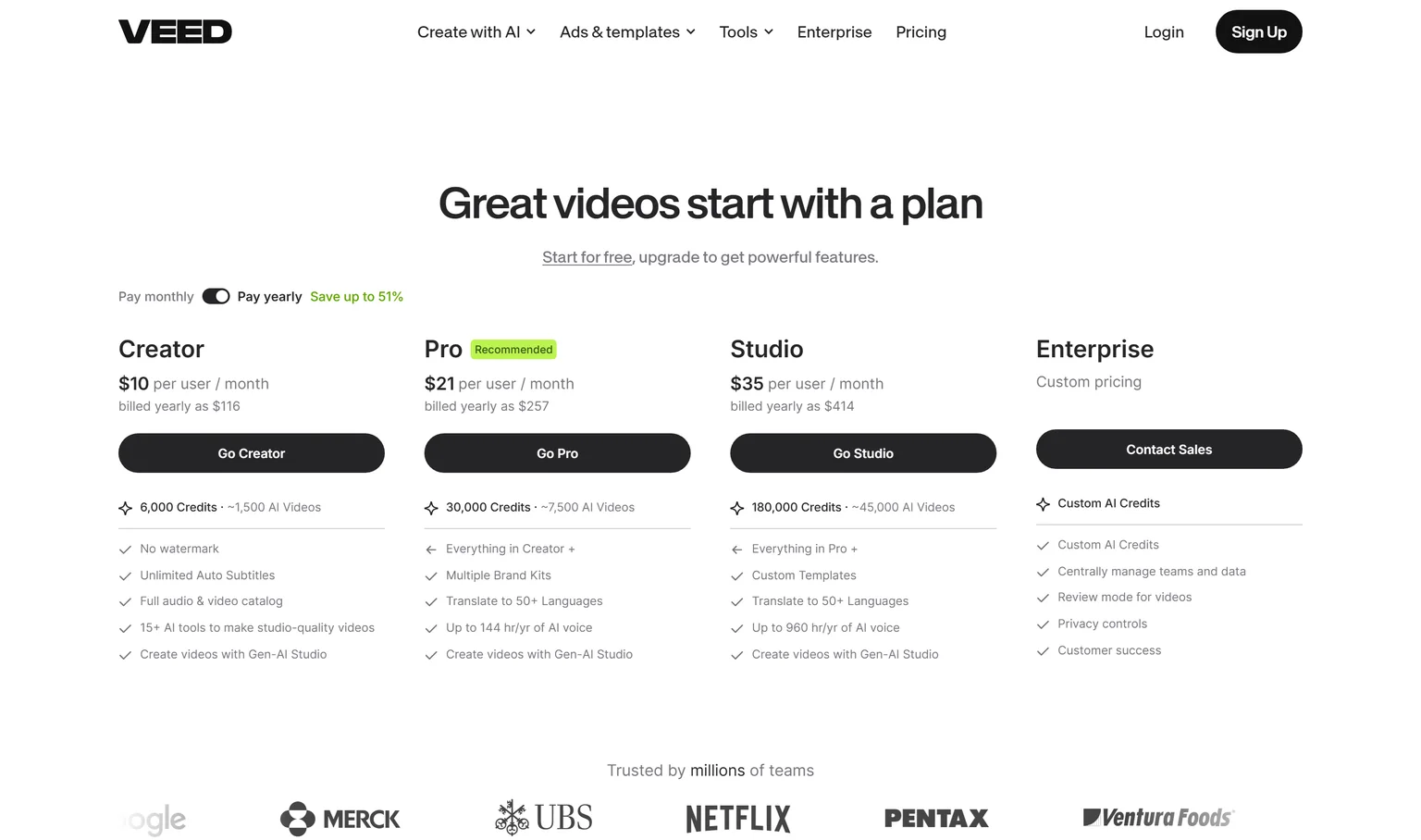
Veed lets you start for free and upgrade for paid features. Creator costs $10 per user a month billed yearly as $116, with no watermark and unlimited auto subtitles. Pro costs $21 per user a month billed yearly as $257 and adds translation to 50+ languages. Studio costs $35 per user a month billed yearly as $414, and Enterprise is custom priced.
Strengths
- A full editor, so real footage and AI clips live in one project.
- The lowest per-user price on this page for a paid plan.
- Subtitles, translation and templates for social output.
Weaknesses
- Avatars are a feature, not the focus, so the library is smaller.
- The low price needs yearly billing.
- Credits govern the AI features and need watching.
Who Veed is for
Veed fits social media managers and content teams that edit real footage and want AI clips in the same tool. Training teams that publish to an LMS should look at Colossyan.
Veed vs Synthesia
Synthesia is an avatar platform. Veed is an editor with avatars in it. Veed Creator at $10 per user a month billed yearly undercuts Synthesia Starter at $18 a month billed yearly, and it removes the watermark at that level. Synthesia wins on avatar quality and languages. Veed wins when you edit more than you generate.
8. Arcade: best for interactive product demos built from your real product
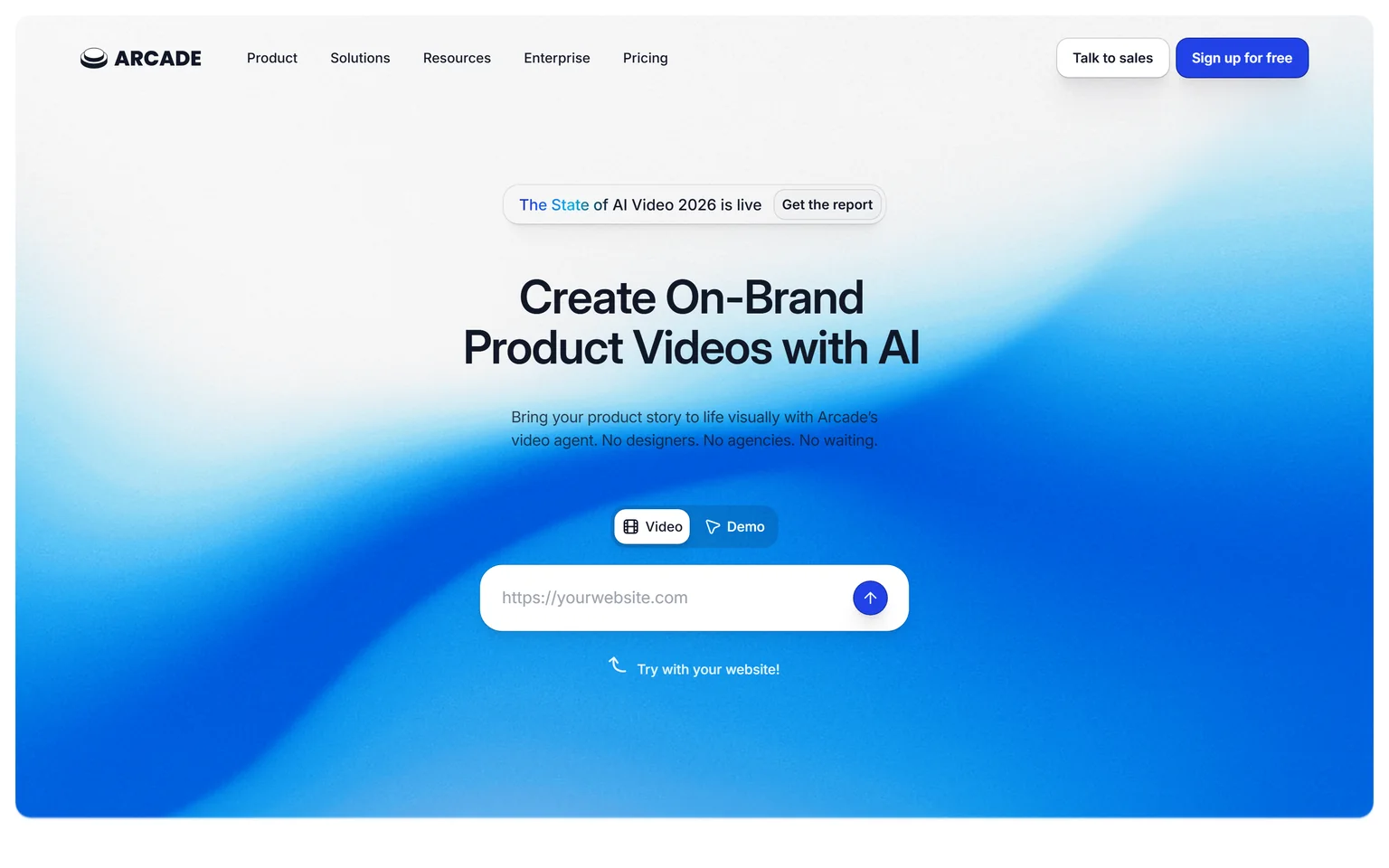
Arcade starts with your actual product and brand to create videos, visuals and interactive demos. It is the Synthesia alternative for software teams that want the product on screen rather than a presenter, and it makes click-through demos as well as videos. Product marketing and sales teams get the most from it. It is not a fit for training scripts or for anything that needs a human face.
What Arcade does
Arcade captures your product flow and turns it into a branded interactive demo, a video with AI voiceover, or visuals for a landing page. Demos are credit-free while videos cost 50 credits per 30 seconds. Our guide to making a SaaS product demo video covers when a demo beats a presenter.
Arcade pricing
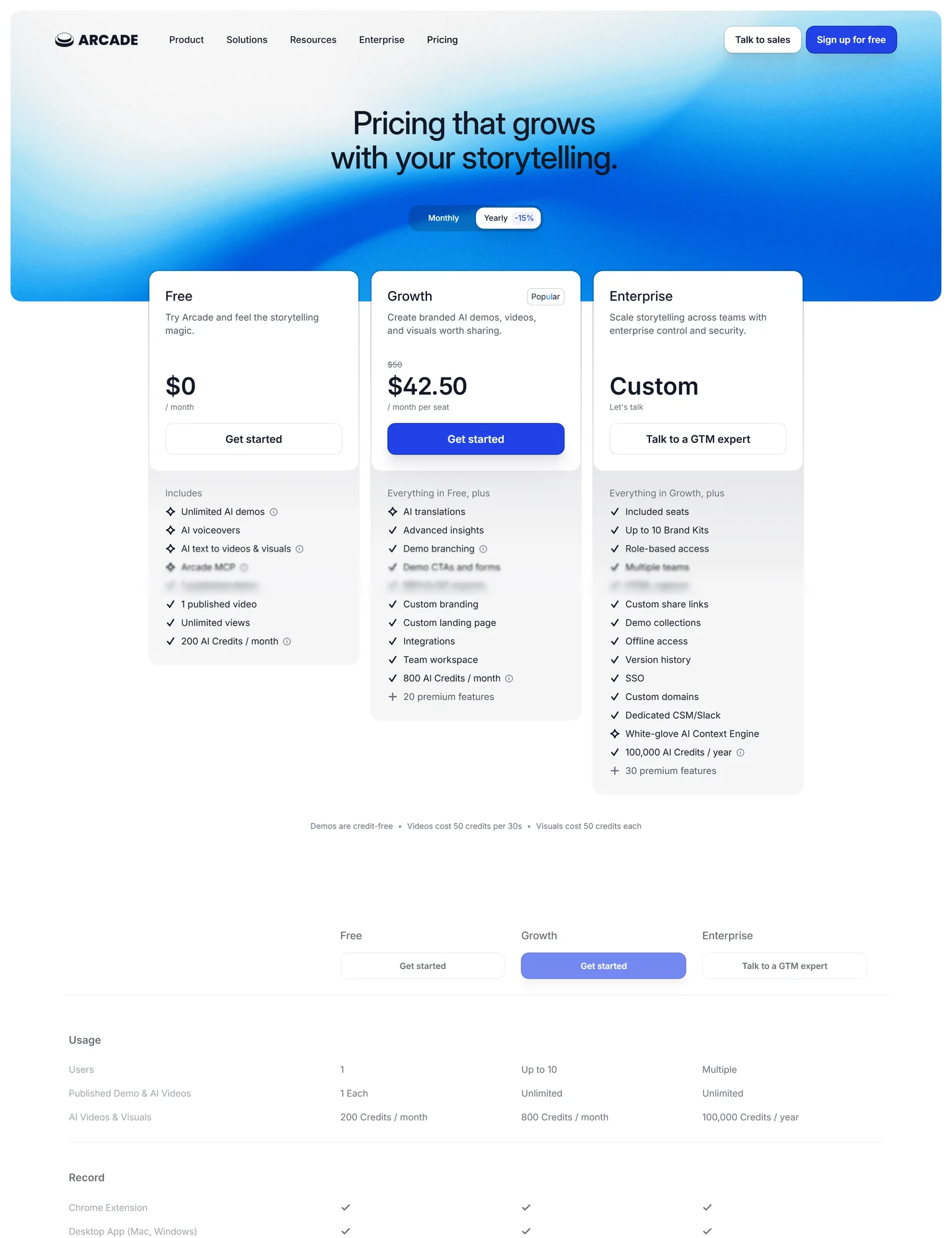
Arcade's Free plan costs $0 a month with unlimited AI demos, 1 published demo, 1 published video and 200 AI credits a month. Growth costs $50 a month per seat at monthly billing, or $42.50 a month per seat at yearly billing. Enterprise is custom priced with included seats and SSO.
Strengths
- The real product is on screen, with no avatar and no stock footage.
- Interactive demos and videos from the same capture.
- A permanent free plan with unlimited demo drafts.
Weaknesses
- No presenter, so training scripts do not fit.
- Only one published demo and one video on the free plan.
- Per-seat pricing for every editor.
Who Arcade is for
Arcade fits product marketing teams that embed demos on landing pages and sales teams that send them to prospects. Founders who want the whole launch kit, including the blog post and the shorts, should pick GuideClarity.
Arcade vs Synthesia
Synthesia shows a presenter talking about your product. Arcade shows the product. Arcade Growth costs $50 a month per seat against Synthesia Creator at $89 a month billed monthly. Pick Arcade for software demos on landing pages. Pick Synthesia for narrated training in many languages.
Which Synthesia alternative should you choose
Pick by what should be on screen. If it is your own software, GuideClarity generates the launch package from the product and Arcade makes interactive demos. If it is a presenter reading a script, HeyGen is the closest swap, AI Studios removes the video cap, and Elai or D-ID cost the least. If the deliverable is a course, Colossyan. If you also edit real footage, Veed.
- If you ship features regularly and want the launch content the same day, pick GuideClarity. One shipped feature becomes the video, the shorts, the blog post and the social posts, with no script and no avatar.
- If you want Synthesia's avatar workflow with more languages and a free tier, pick HeyGen.
- If your deliverable is a course in an LMS, pick Colossyan.
- If you need a few short avatar videos a month at a clear per-minute price, pick Elai.
- If you want an avatar people can talk to, pick D-ID.
- If you publish many avatar videos and want a flat price, pick AI Studios.
- If you edit real footage too, pick Veed.
- If prospects should click through your product, pick Arcade.
- If Synthesia's minutes and enterprise controls already fit, stay with Synthesia. Its avatar quality and language list remain among the strongest.
Frequently asked questions about Synthesia alternatives
What is better, Synthesia or HeyGen?
Neither is better in general. Both make avatar videos from a script and both start at $29 a month for the first paid plan. HeyGen includes 175+ languages and dialects and meters usage in credits. Synthesia caps Starter at 10 minutes of video a month and keeps SAML SSO and SCORM export on Enterprise. Pick HeyGen for translation and the free tier, Synthesia for enterprise controls.
Is there a free version of Synthesia?
Yes. Synthesia's Basic plan costs $0 and includes 10 minutes of video a month with 9 AI avatars, and the logo stays on until Starter. Several alternatives are also free to start. HeyGen gives 3 videos a month of up to 1 minute, Colossyan gives 20 minutes a month of NEO video, and GuideClarity's free plan includes 3 video guide recordings with AI voiceover.
What is the cheapest Synthesia alternative?
D-ID Lite is the cheapest paid plan on this page at $4.7 a month, $56 billed annually, though it keeps a watermark. Veed Creator costs $10 per user a month billed yearly with no watermark. AI Studios Personal at $24 a month with annual billing gives unlimited videos. Synthesia Starter costs $18 a month billed yearly for ten minutes.
Which Synthesia alternative shows my software instead of an avatar?
GuideClarity and Arcade both put the product on screen. GuideClarity generates the demo video, the shorts, the blog post and the social posts from your live product URL with no recording or script. Arcade captures the product and turns it into an interactive demo or a video with AI voiceover. Avatar tools such as HeyGen and Synthesia put a presenter in front of slides instead.
Is Synthesia worth it?
Synthesia is worth it for teams that need presenter-led training videos in many languages and can use the enterprise controls. It offers 160+ languages and voices on every plan. It is harder to justify for a SaaS marketing team, because the minute caps are tight and the product never appears on screen. Those teams get more from GuideClarity or Arcade.
Is this page about the piano app called Synthesia?
No. Two products share the name. This page compares alternatives to the AI video platform at synthesia.io, which makes avatar videos for business. The piano-learning app of the same name is a MIDI visualizer for practising sheet music, and open source projects such as Openthesia serve that need. If you came here for the piano app, none of the tools above will help.
How did you verify the prices on this page?
We opened each vendor's pricing page in a browser on September 24, 2026, saved its text, and ran a script that checks every quoted price and limit against that saved page, including billing toggles. Arcade's yearly price was read from our screenshot because its digits are animated. We took our own screenshots the same day, and the Sources section lists every page.
Sources and verification
Every fact above was read on the pages below on September 24, 2026. The vendor's own page wins over any third-party listing when they disagree. Prices change, so check the vendor before you buy.
- Synthesia pricing page, checked September 24, 2026.
- Synthesia homepage, checked September 24, 2026.
- GuideClarity pricing page, checked September 24, 2026.
- GuideClarity homepage, checked September 24, 2026.
- HeyGen pricing page, checked September 24, 2026.
- HeyGen homepage, checked September 24, 2026.
- Colossyan pricing page, checked September 24, 2026.
- Colossyan homepage, checked September 24, 2026.
- Elai pricing page, checked September 24, 2026.
- Elai homepage, checked September 24, 2026.
- D-ID pricing page, checked September 24, 2026.
- D-ID homepage, checked September 24, 2026.
- AI Studios pricing page, checked September 24, 2026.
- AI Studios homepage, checked September 24, 2026.
- Veed pricing page, checked September 24, 2026.
- Veed homepage, checked September 24, 2026.
- Arcade pricing page, checked September 24, 2026.
- Arcade homepage, checked September 24, 2026.
Leaving Synthesia because an avatar reading a script is not how you want to show your software? GuideClarity generates the demo video, the shorts, the blog post and the social posts from your live product, with no script and no avatar.
The free plan includes 3 video guide recordings with AI voiceover, so you can run a real feature through it before paying.