TL;DR
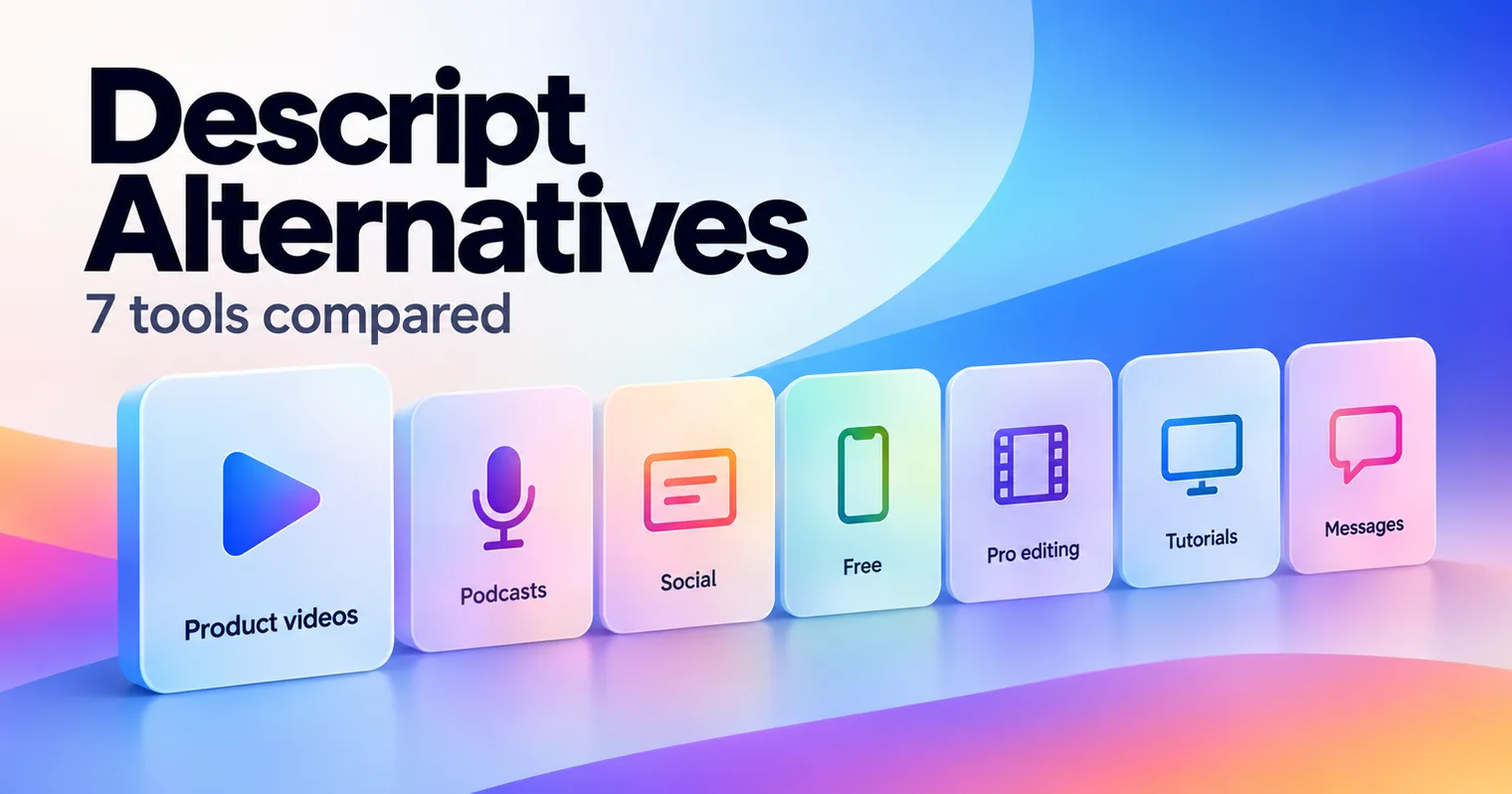
The best Descript alternatives depend on what you make. GuideClarity is the pick for SaaS teams that want product demo videos and explainer videos generated from the live product, plus the docs, shorts and blog post. Riverside suits podcasts, VEED suits social video, CapCut and DaVinci Resolve are free to start, Camtasia suits screen tutorials and Loom suits quick video messages.
- GuideClarity, best for generating product demo videos and explainer videos from a live product feature automatically, plus the docs, shorts and blog post.
- Riverside, best for podcasts and interviews with unlimited recording and transcription.
- VEED, best for social videos and subtitles in the browser.
- CapCut, best for free editing on desktop, web and mobile.
- DaVinci Resolve, best for a free professional editor with no usage meter.
- Camtasia, best for screen tutorials edited on a desktop timeline.
- Loom, best for quick video messages that need little editing.
Descript alternatives compared at a glance
The table compares the seven Descript alternatives on the points buyers check first. Starting price is the cheapest paid plan, at the billing period the cell names. Camtasia's store showed euros from our location, so we quote euros. The free plan column gives the cap that matters most. We read every price on the vendor's own page on September 30, 2026.
| Tool | Best for | Starting price | Free plan | Biggest limitation |
|---|---|---|---|---|
| GuideClarity | Product videos, explainers, blog posts and other marketing assets from product features | $59 a month | Yes, 3 video guide recordings | Built for SaaS product content only |
| Riverside | Podcasts and interviews | $24 a month, yearly | No, a 14-day trial | Track downloads capped on Pro |
| VEED | Social video and subtitles | $10 per user a month, yearly | Yes, start for free | No text-based podcast workflow |
| CapCut | Free editing everywhere | No public pricing page | Yes, no credit card | No public pricing page |
| DaVinci Resolve | Free professional editing | $295 once for Studio | Yes, up to Ultra HD 60 fps | Steep learning curve |
| Camtasia | Screen tutorials | 182.49 EUR a year, Essentials | Editor free, exports watermarked | Yearly billing only |
| Loom | Quick video messages | $18 per user a month | Yes, 25 videos, 5 minute recordings | Basic editing |
Why people look for Descript alternatives
Descript transcribes any recording and lets you edit the video by editing the text. That idea still works well for podcasts and talking-head videos. Teams look elsewhere as they publish more, for four reasons that all sit on Descript's own pricing page.
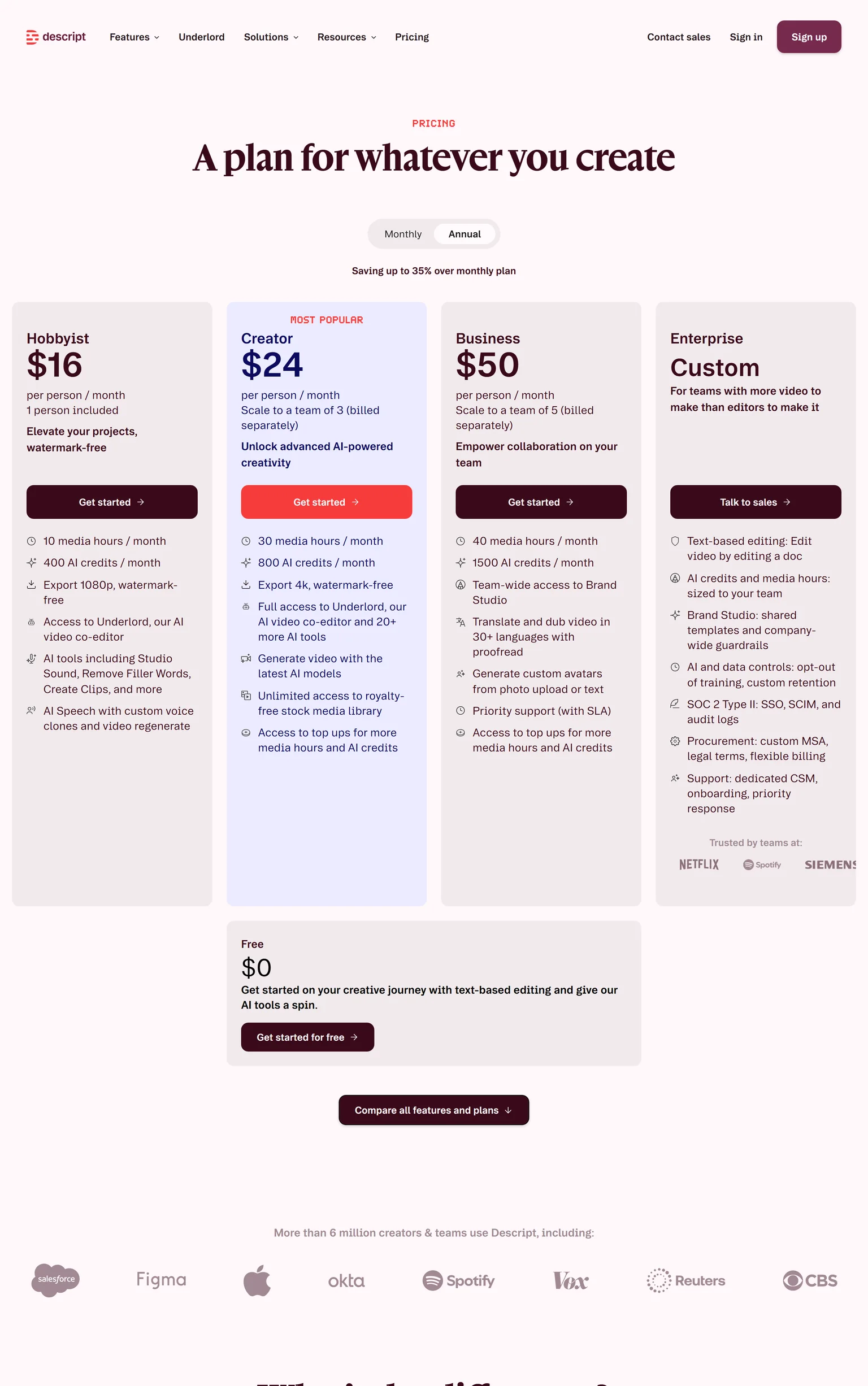
- Media hours run out. Hobbyist includes 10 media hours and 400 AI credits a month. Media hours count every upload and recording, so a weekly podcast with guests can use them up fast.
- AI features draw on credits. Hobbyist includes 400 AI credits a month, and Creator includes 800. Studio Sound, Underlord and avatars all draw on that pool.
- Every person is a paid plan. Hobbyist costs $16 per person a month on annual billing, or $24 monthly. Business costs $50 per person a month on annual billing.
- The free plan is small. The Free plan includes 60 media minutes a month, 100 one-time AI credits and 720p export. It is enough to learn the editor, not to publish weekly.
How we picked and checked these Descript alternatives
A tool qualified when it records, edits or generates video or podcast content that a Descript user makes today. We started from the tools that appear most often across the top search results for Descript alternatives and kept seven. Each one was judged on what it produces, how clear its pricing is, the caps on its cheapest plans, and the team it fits.
- Own screenshots. Every homepage and pricing screenshot on this page is ours, taken on September 30, 2026 at 1440 pixels wide.
- Verified facts. Every price, limit and plan detail comes from the vendor's own page, and a script re-checked each one on September 30, 2026. The Sources section lists each page.
- Dropped tools. Premiere Pro and Canva are broad suites covered elsewhere. Alitu, Reduct, Spokenly and Opus Clip appear on one or two lists each, usually their own.
- No affiliate links. No vendor on this page pays us for a mention or a click.
GuideClarity publishes this page and is listed first. We describe its weaknesses with the same directness as everyone else's, and the facts about it come from the same public pages.
1. GuideClarity: best for SaaS teams that want product demo videos, explainer videos, blog posts and other marketing assets generated automatically from their product features
GuideClarity creates SaaS product demo videos automatically. It is best for SaaS teams that want to turn product features into marketing content automatically, without manually recording, scripting, editing and recreating the same content for every channel. It creates demo videos, feature explainers, shorts, blog posts, screenshots and launch assets. SaaS companies that ship features often get the most from it, from a single founder to a large marketing team.
What GuideClarity does
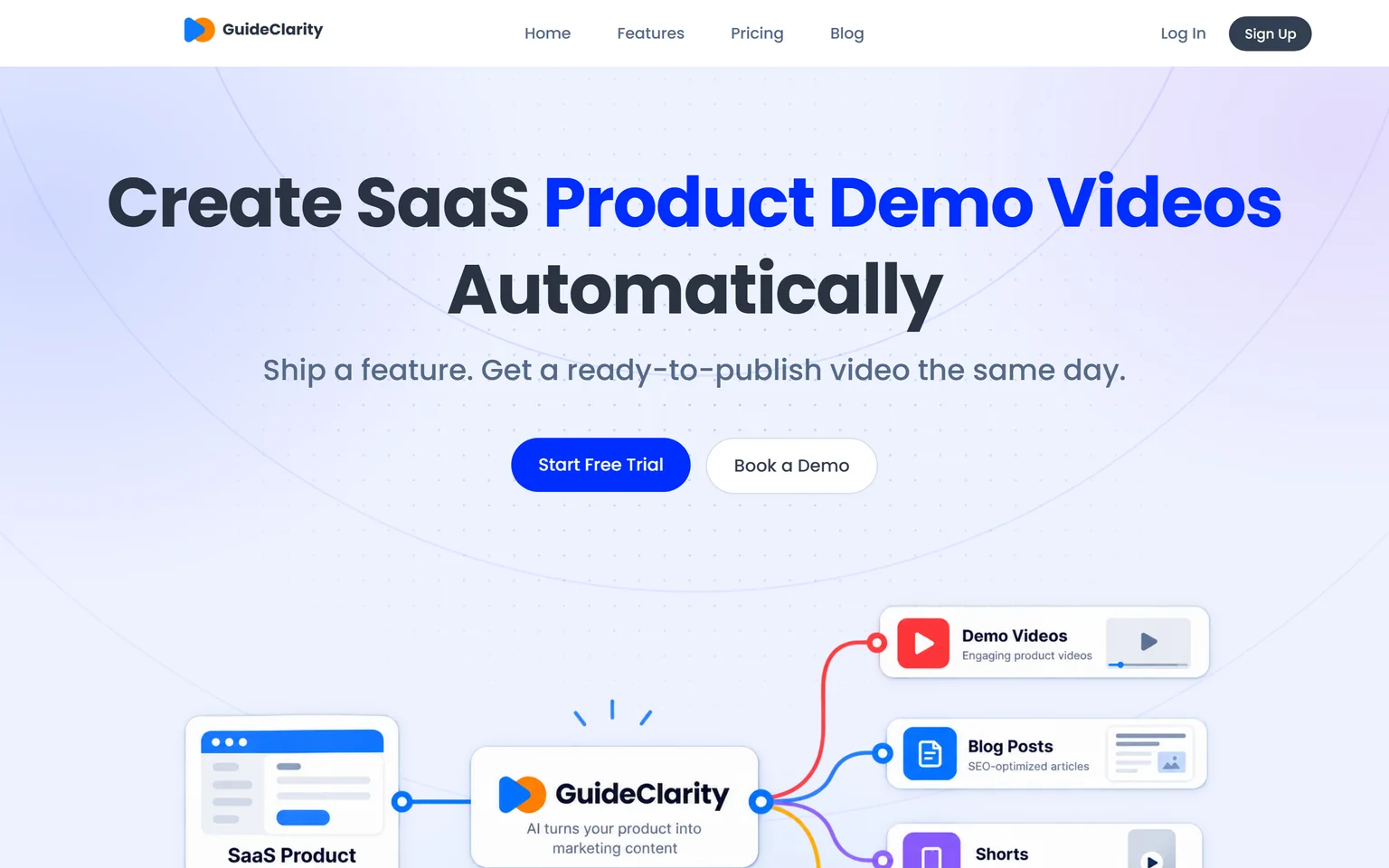
Descript needs a recording before you can edit anything. GuideClarity starts from your product. It generates the demo video and the explainer video automatically from your live product URL, so nobody records or edits. From the same feature it turns one release into a demo video, shorts, a blog post, social posts, screenshots and an announcement. Our guide on making a SaaS demo video that converts shows what a good one needs.
GuideClarity pricing
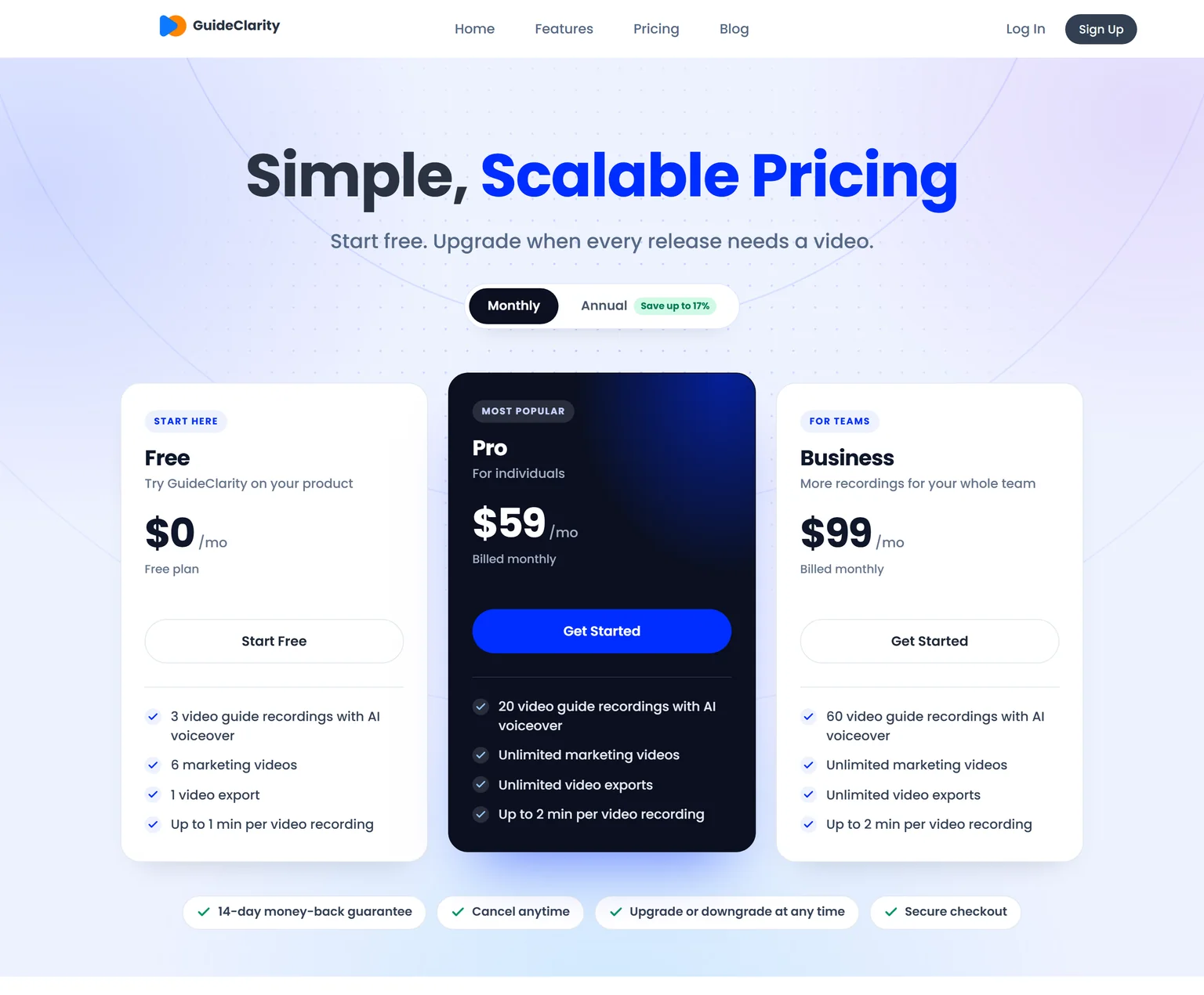
GuideClarity has three plans. The free plan includes 3 video guide recordings with AI voiceover and 6 marketing videos. Pro costs $59 a month billed monthly and includes 20 video guide recordings, or $49 a month billed yearly. Business costs $99 a month and includes 60 video guide recordings. Every paid plan carries a 14-day money-back guarantee.
Strengths
- No recording, script or editing. Review and publish is the work.
- One feature in, a whole launch kit out, with the videos, docs, shorts and blog post shaped for their channels.
- Plans are priced per workspace, not per person.
- Videos stay in step with what shipped.
- A free plan to test on a real feature before paying.
Weaknesses
- Built for SaaS product and feature content, not for podcasts, vlogs or other kinds of footage.
- Not a general video editor. Teams that edit interviews and talking-head videos are better served by an editor.
- Not for agencies that produce brand films.
Who GuideClarity is for
GuideClarity fits founders, heads of marketing, marketing teams and product marketers at SaaS companies, from a single founder to a large marketing team. It is easy enough to start that small teams adopt it first, and it scales to large marketing teams. The GuideClarity features page lists every output.
GuideClarity vs Descript
Descript edits a recording you already made by editing its transcript. GuideClarity generates the video automatically from your live product URL, and produces the documentation, shorts, blog post and the complete marketing package from the same feature. Descript is the better pick for podcasts and talking-head videos. GuideClarity is the better pick when the goal is a product video and the launch content around it.
2. Riverside: best for podcasts and interviews with unlimited recording and transcription
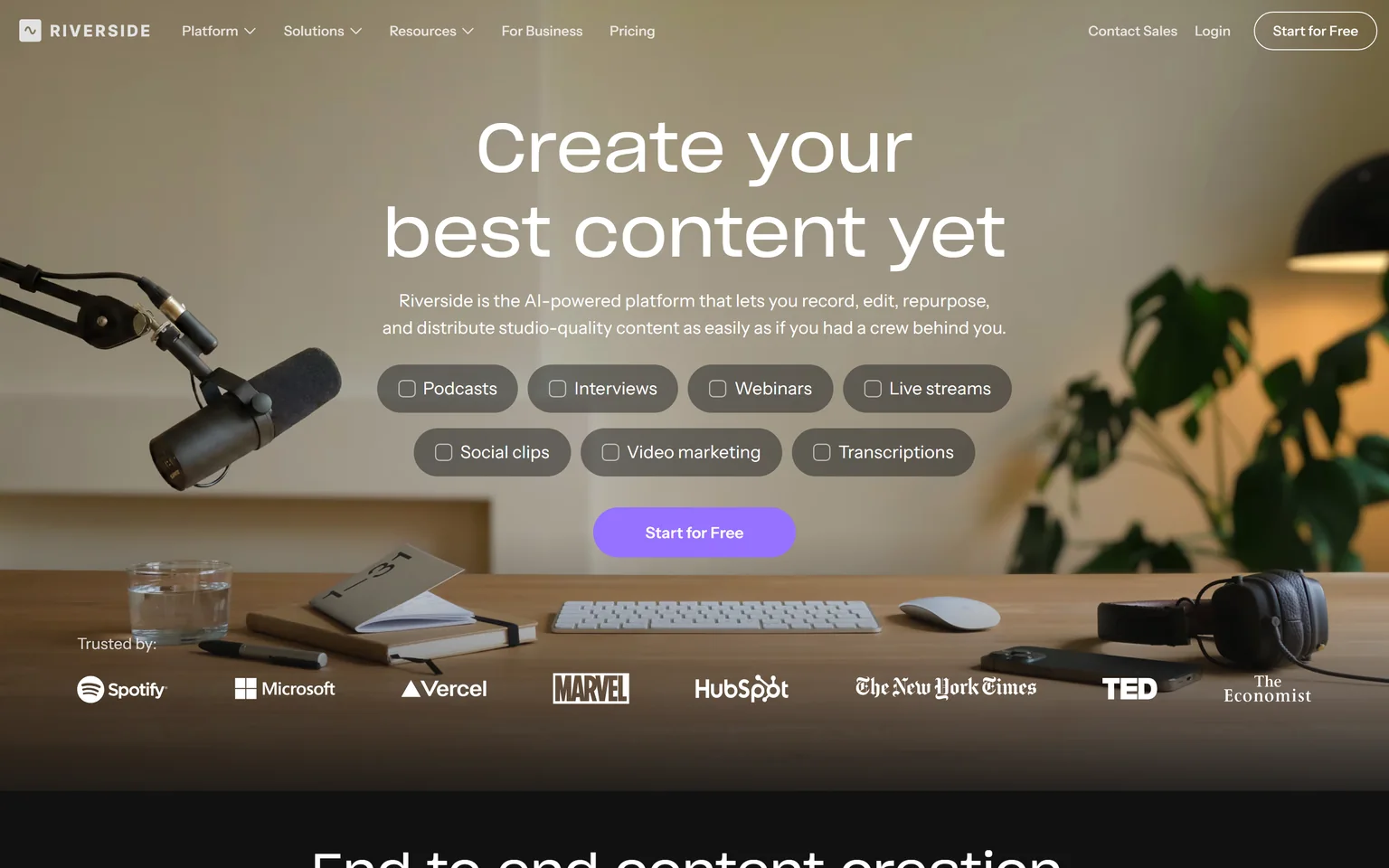
Riverside is an AI-powered platform to record, edit, repurpose and distribute content. It is one of the two tools named most often in search results for Descript alternatives, because it records guests in high quality and edits by text too. It lists unlimited recording hours on every plan. Podcasters, video interviewers and webinar hosts get the most from it.
What Riverside does
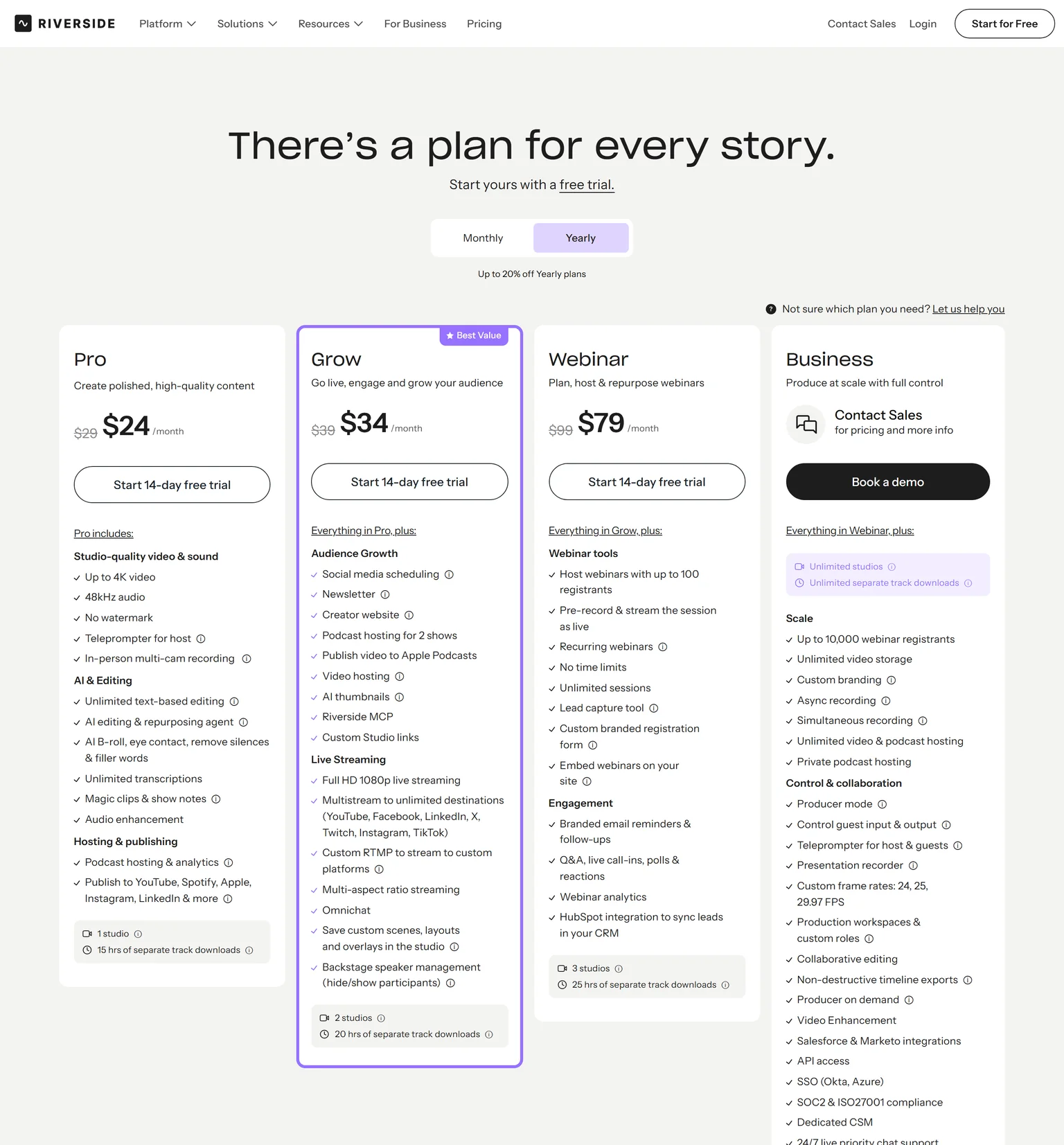
Riverside captures up to 4K video and uncompressed audio in separate tracks, unaffected by internet connection. Each guest records locally, so a weak connection does not ruin the file. Pro includes unlimited text-based editing and unlimited transcriptions, and adds magic clips and show notes.
Riverside pricing
Pro costs $29 a month billed monthly or $24 a month billed yearly, with a 14-day free trial. It includes 1 studio and 15 hours of separate track downloads a month. Grow costs $39 monthly or $34 yearly, and Webinar costs $99 monthly or $79 yearly.
Strengths
- Unlimited recording hours on every plan.
- Local recording in separate tracks.
- Unlimited text-based editing and transcription on Pro.
- Podcast hosting and publishing built in.
Weaknesses
- No free plan, only a trial.
- Separate track downloads are capped on Pro.
- Less suited to screen tutorials.
Who Riverside is for
Riverside fits podcasters and video interviewers who record guests every week and want the recording and the edit in one place. Teams that mostly edit screen recordings will get more from Camtasia or VEED.
Riverside vs Descript
Both edit by text. Riverside Pro costs $24 a month billed yearly with unlimited recording hours. Descript Hobbyist costs $16 per person a month on annual billing but caps you at 10 media hours a month. Descript wins on price for light use. Riverside wins for weekly guest shows.
3. VEED: best for social videos and subtitles in the browser
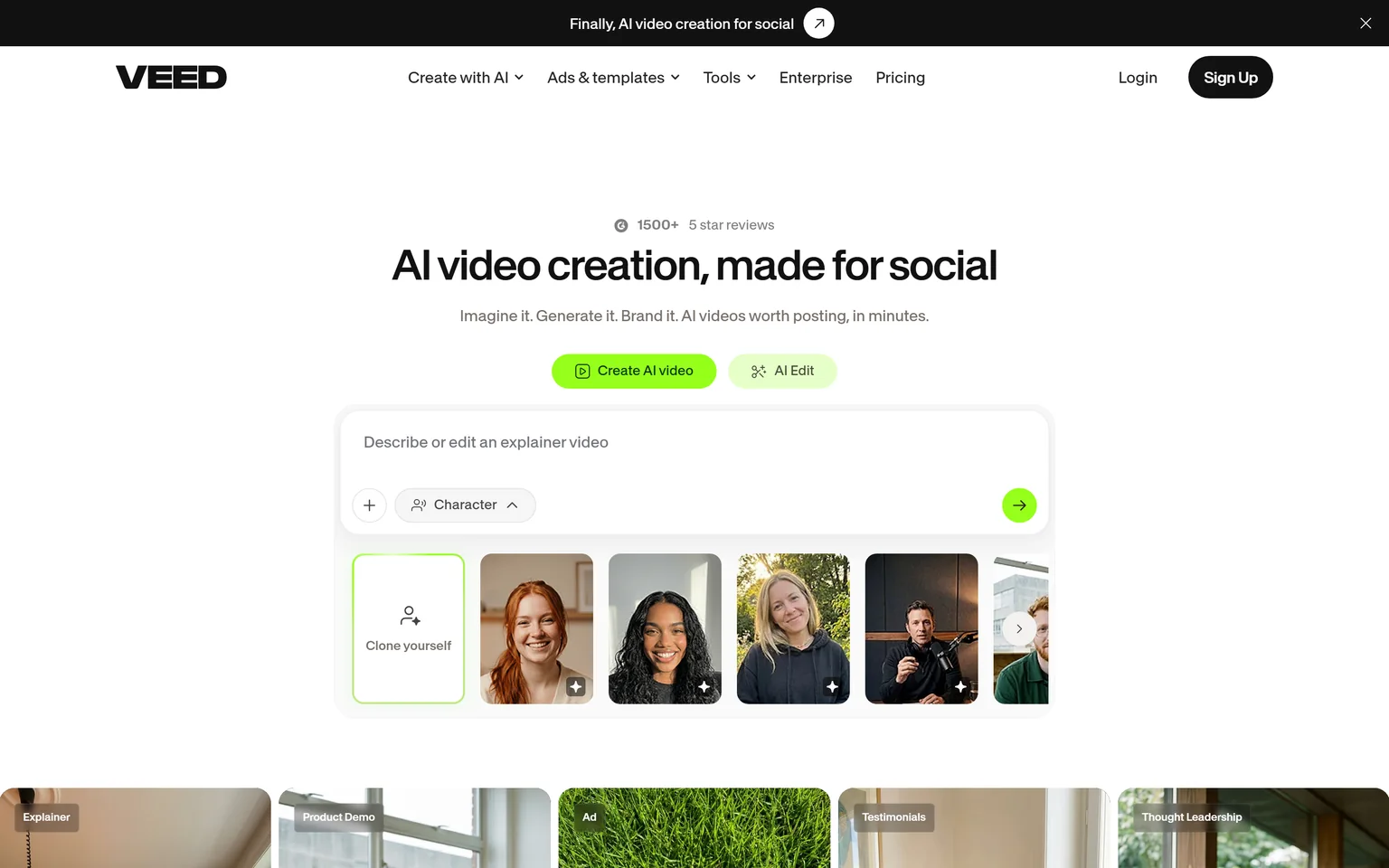
VEED describes itself as AI video creation made for social. It edits in the browser, adds subtitles and brand kits, and generates video from an idea. Marketers and creators who post clips every day get the most from it. Podcasters who edit long episodes by transcript may miss Descript's workflow.
What VEED does
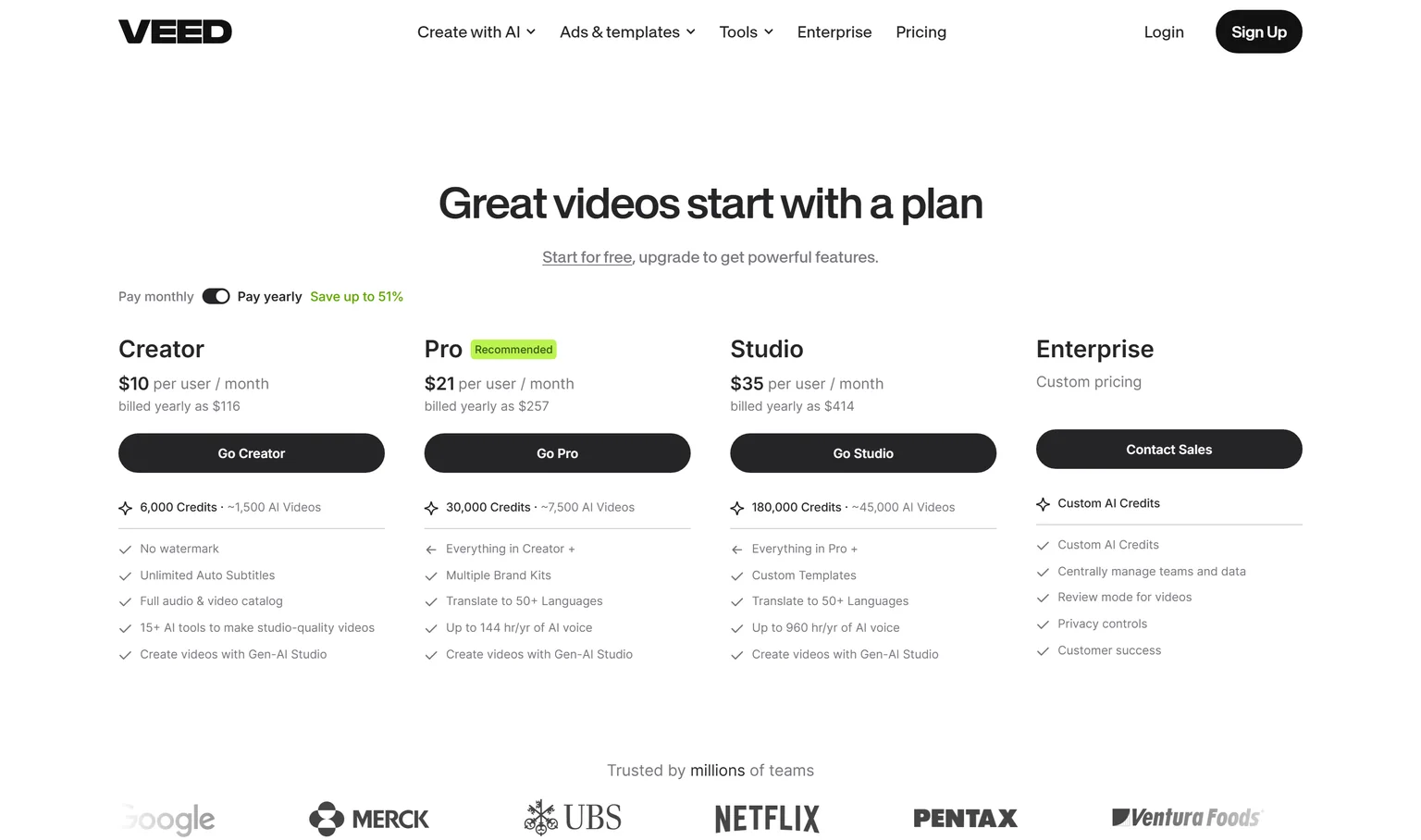
VEED Creator includes 15+ AI tools and the Gen-AI Studio. It includes unlimited auto subtitles and 6,000 credits, about 1,500 AI videos. VEED can correct eye movements and remove filler words, two jobs Descript users know well.
VEED pricing
Creator costs $10 per user a month billed yearly, $116 a year, with no watermark. Pro costs $21 per user a month billed yearly and adds translation into 50+ languages. VEED lets you start for free.
Strengths
- A lower entry price than Descript Hobbyist.
- Unlimited auto subtitles on Creator.
- Translation on Pro.
Weaknesses
- Priced per user.
- AI features draw on a credit pool.
- Built around short social video.
Who VEED is for
VEED fits social media teams and creators who make short, subtitled videos and ads. Our VEED vs Descript comparison calls an edge on each criterion.
VEED vs Descript
VEED Creator costs $10 per user a month billed yearly, against Descript Hobbyist at $16 per person a month. VEED Pro adds translation into 50+ languages, while Descript puts dubbing on Business. Descript wins for long-form and podcast editing. VEED wins for social clips on a budget. Our VEED alternatives page covers its other rivals.
4. CapCut: best for free editing on desktop, web and mobile
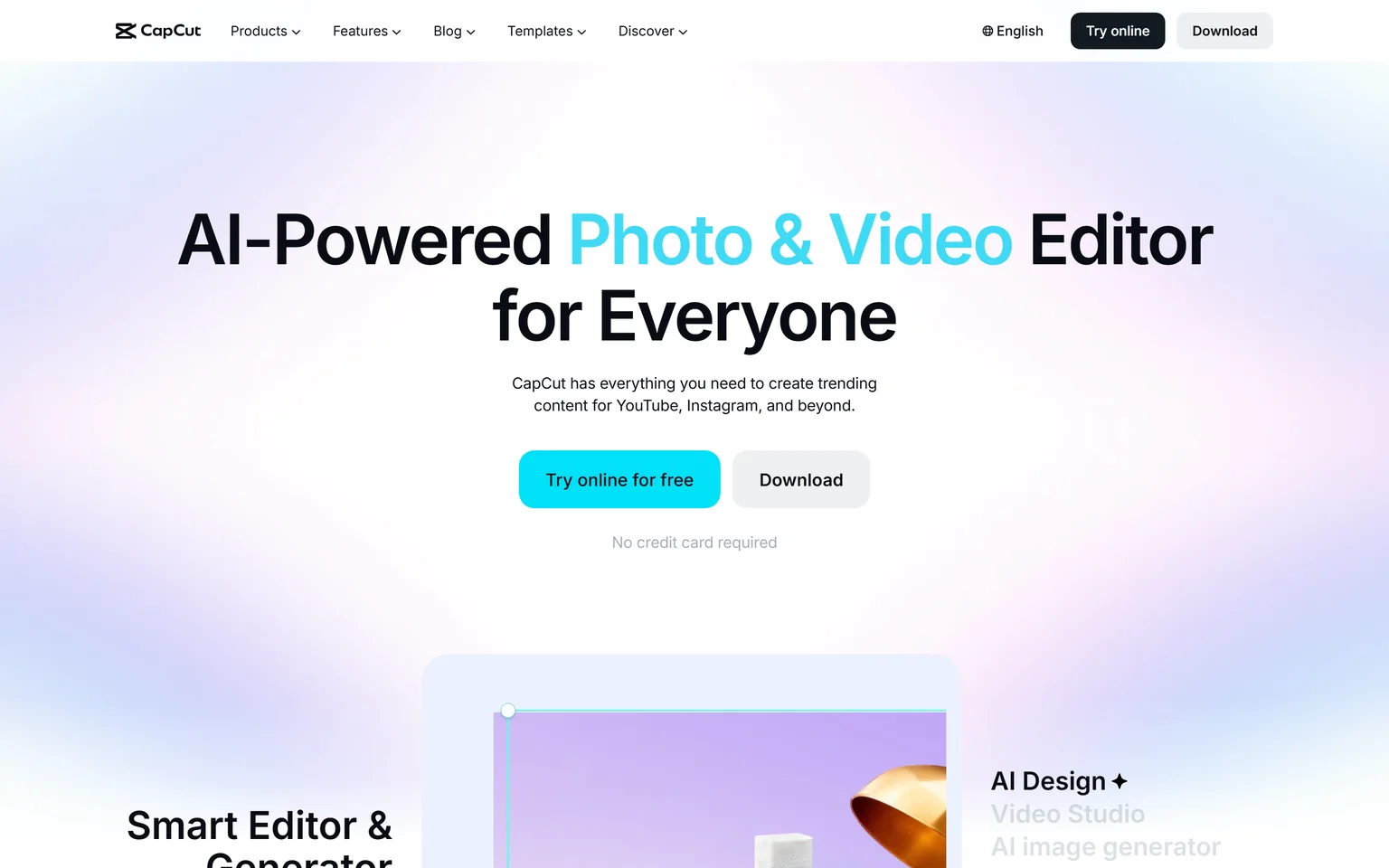
CapCut is an AI-powered photo and video editor for creating content for YouTube, Instagram and beyond. People often weigh it against Descript for free editing. You can try it online for free with no credit card. Creators who edit short social videos on a phone or a laptop get the most from it.
What CapCut does
CapCut comes as a desktop app, an online editor and a mobile app, so you can edit on whichever device is at hand. It lists auto captions, text to speech and video background removal, plus templates for social formats.
CapCut pricing
CapCut has no public pricing page, so we could not verify any paid plan. The editor is free to start. Check CapCut's current paid options yourself before you plan a budget around them.
Strengths
- Free to start with no credit card.
- Desktop, web and mobile apps.
- Auto captions and social templates.
Weaknesses
- No public pricing page for paid plans.
- No team or business plan listed on its website.
- Aimed at short social content.
Who CapCut is for
CapCut fits creators and small teams who post short videos and want to start free. Teams that need clear per-seat pricing, remote recording or long-form editing should look at Riverside or DaVinci Resolve.
CapCut vs Descript
Descript's Free plan includes 60 media minutes a month and 720p export, and it edits by transcript. CapCut is free to try with no credit card and leans on templates and auto captions. Pick CapCut for free social editing. Pick Descript for podcasts and talking-head videos where the transcript does the work.
5. DaVinci Resolve: best for a free professional editor with no usage meter
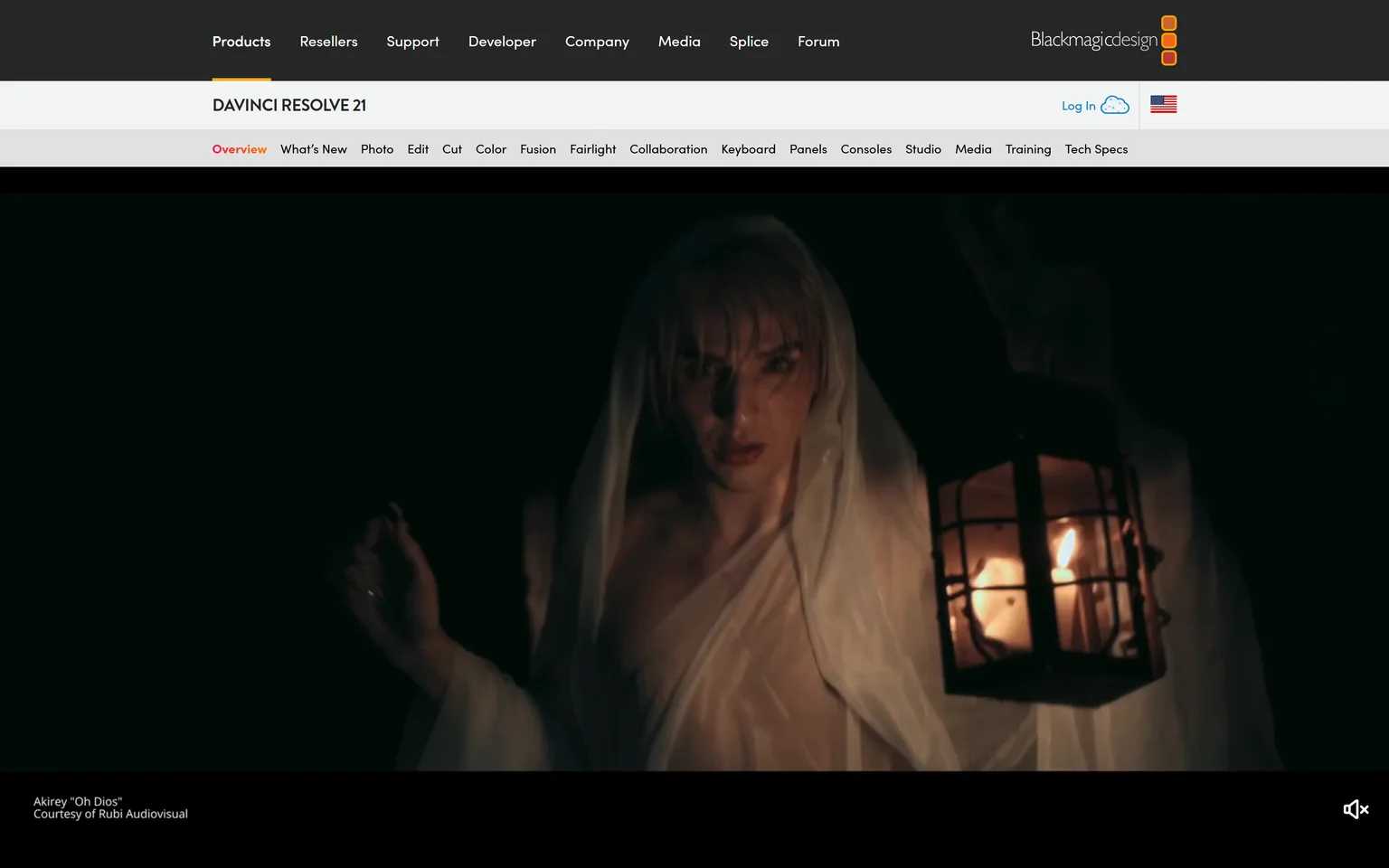
DaVinci Resolve is an all in one solution for editing, color, VFX, motion graphics and audio, with a free version. There are no media hours and no credits to count. Editors who want professional control and are ready to learn a complex tool get the most from it. People who liked Descript because it was simple may find it heavy.
What DaVinci Resolve does
DaVinci Resolve is a desktop editor used in film and TV. Its free version edits and finishes up to 60 fps in Ultra HD 3840 x 2160. It covers cutting, color grading, effects and audio mixing in one app.
DaVinci Resolve pricing
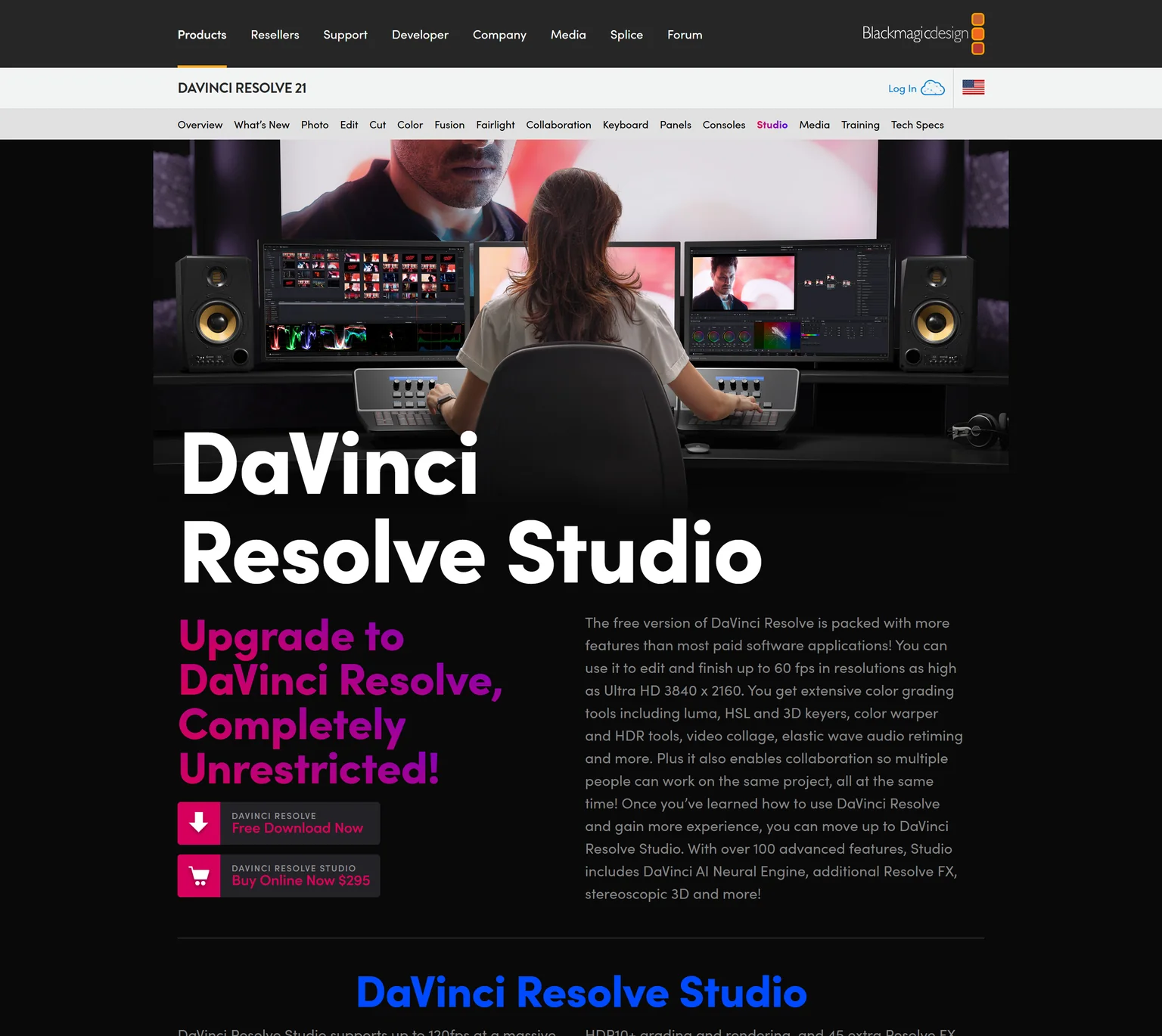
The main version is free. DaVinci Resolve Studio costs $295 as a one-time purchase, with more effects and AI tools. There is no monthly plan and no usage cap.
Strengths
- A free version with no media hours or credits.
- A one-time price for Studio.
- Professional color, effects and audio.
Weaknesses
- A steep learning curve.
- Needs a capable computer.
- No built-in remote recording.
Who DaVinci Resolve is for
DaVinci Resolve fits video editors and serious creators who want full control and no subscription. Beginners who want to cut a podcast by deleting words will move faster in Descript or Riverside.
DaVinci Resolve vs Descript
Descript charges $16 per person a month on annual billing and meters media hours and AI credits. DaVinci Resolve's free version edits up to Ultra HD with no meter, and Studio costs $295 once. Descript wins on speed and simplicity. DaVinci Resolve wins on control and long-term cost.
6. Camtasia: best for screen tutorials edited on a desktop timeline
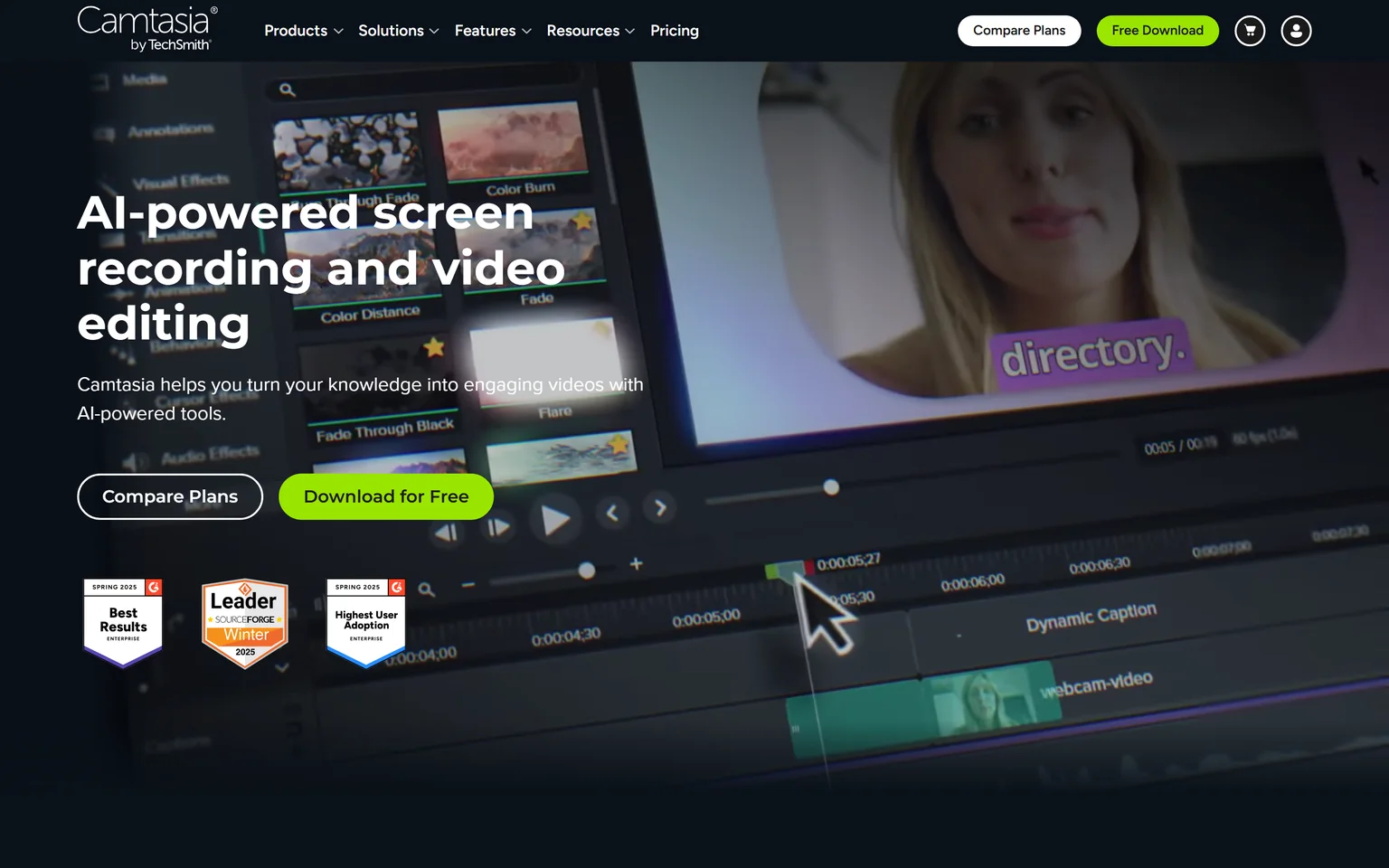
Camtasia is TechSmith's AI-powered screen recording and video editing software. It records screen, camera, system audio and microphone on separate tracks. Trainers, course builders and support teams that make screen tutorials get the most from it. We compare its rivals on our Camtasia alternatives page.
What Camtasia does
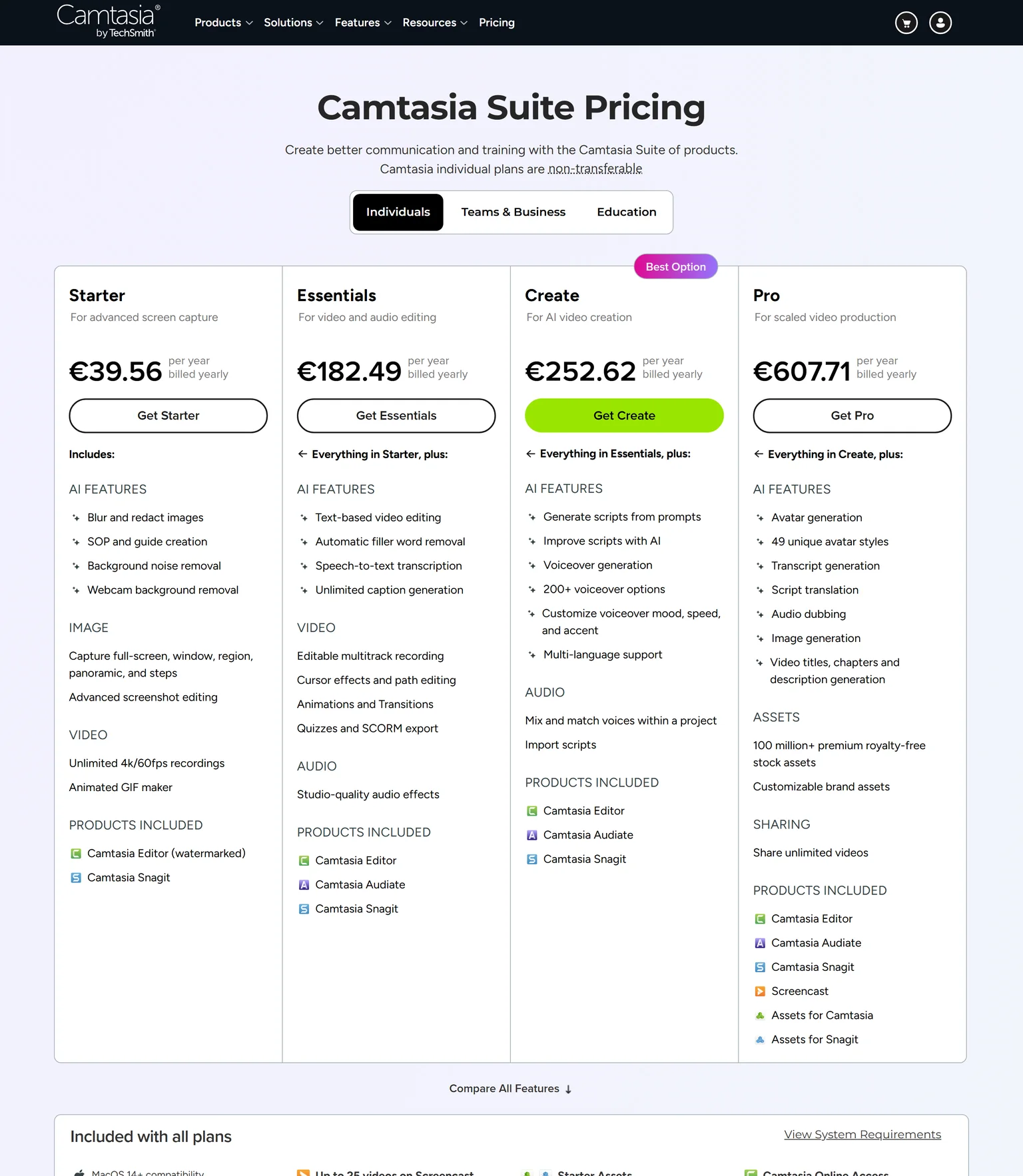
Camtasia records and edits on a timeline with cursor effects and callouts. It also transcribes your audio, so you can cut a mistake by deleting a word. Essentials adds quizzes and SCORM export for training systems. It works without an internet connection.
Camtasia pricing
Essentials costs 182.49 EUR a year and is the first plan with a watermark-free editor. Create costs 252.62 EUR a year and adds AI voiceover. Plans are billed yearly. The full editor is free to use, but exports carry a watermark until you upgrade.
Strengths
- A multitrack timeline built for screen tutorials.
- Quizzes and SCORM export on Essentials.
- Works offline on Windows and Mac.
Weaknesses
- Yearly billing only.
- AI voiceover needs the Create plan.
- No remote guest recording.
Who Camtasia is for
Camtasia fits trainers and support teams who build polished screen tutorials and courses. Podcasters should look at Riverside instead.
Camtasia vs Descript
Both let you cut by editing the transcript. Camtasia Essentials costs 182.49 EUR a year with no media hour meter, and records in 4K at 60fps. Descript puts 4K export on Creator and meters media hours. Pick Camtasia for screen tutorials. Pick Descript for podcasts and talking heads.
7. Loom: best for quick video messages that need little editing
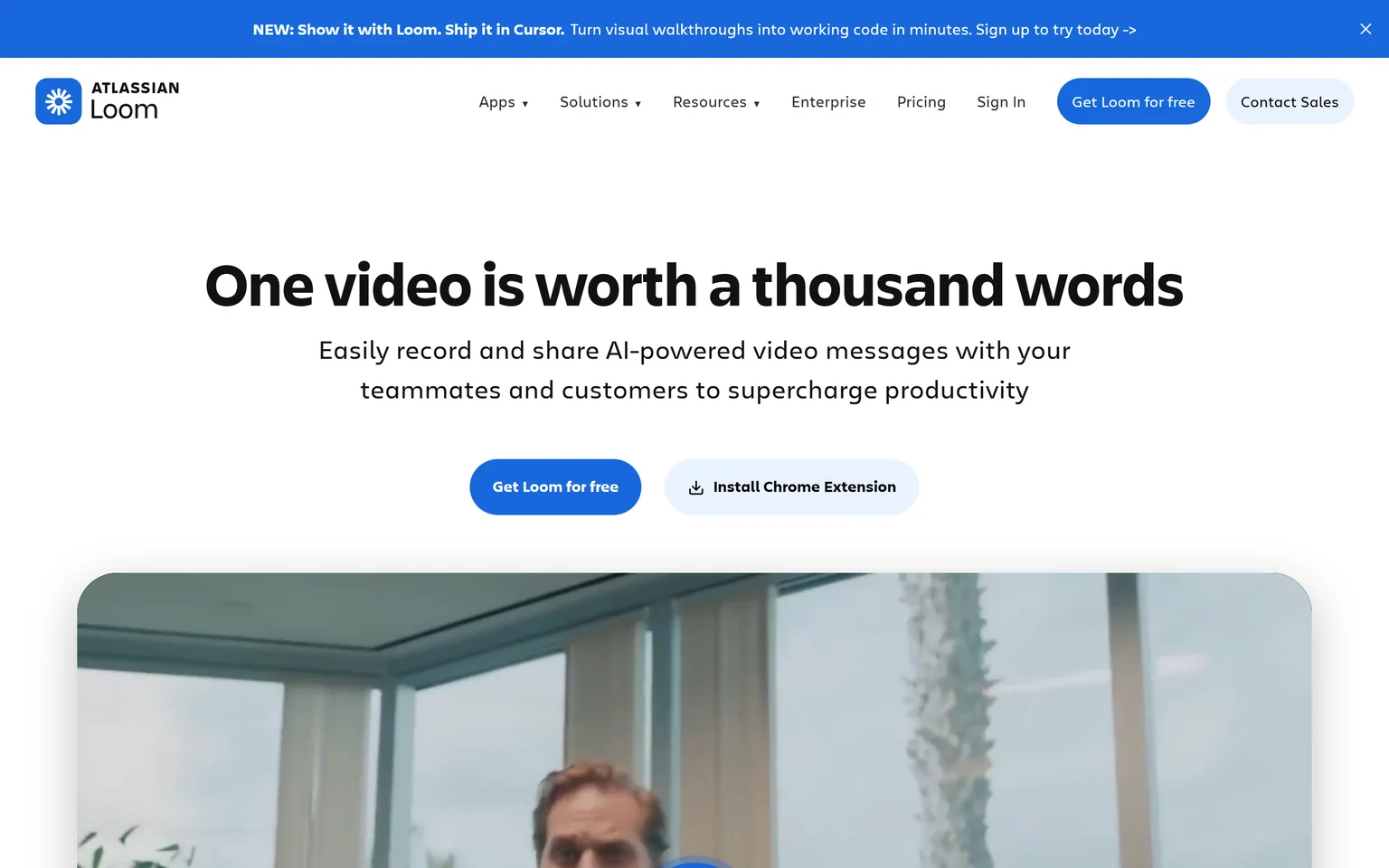
Loom lets you record and share AI-powered video messages with teammates and customers. It is the right switch when you used Descript mostly for quick screen videos. Teams that send walkthroughs, updates and feedback get the most from it. Anyone who edits long videos will find its editing too light.
What Loom does
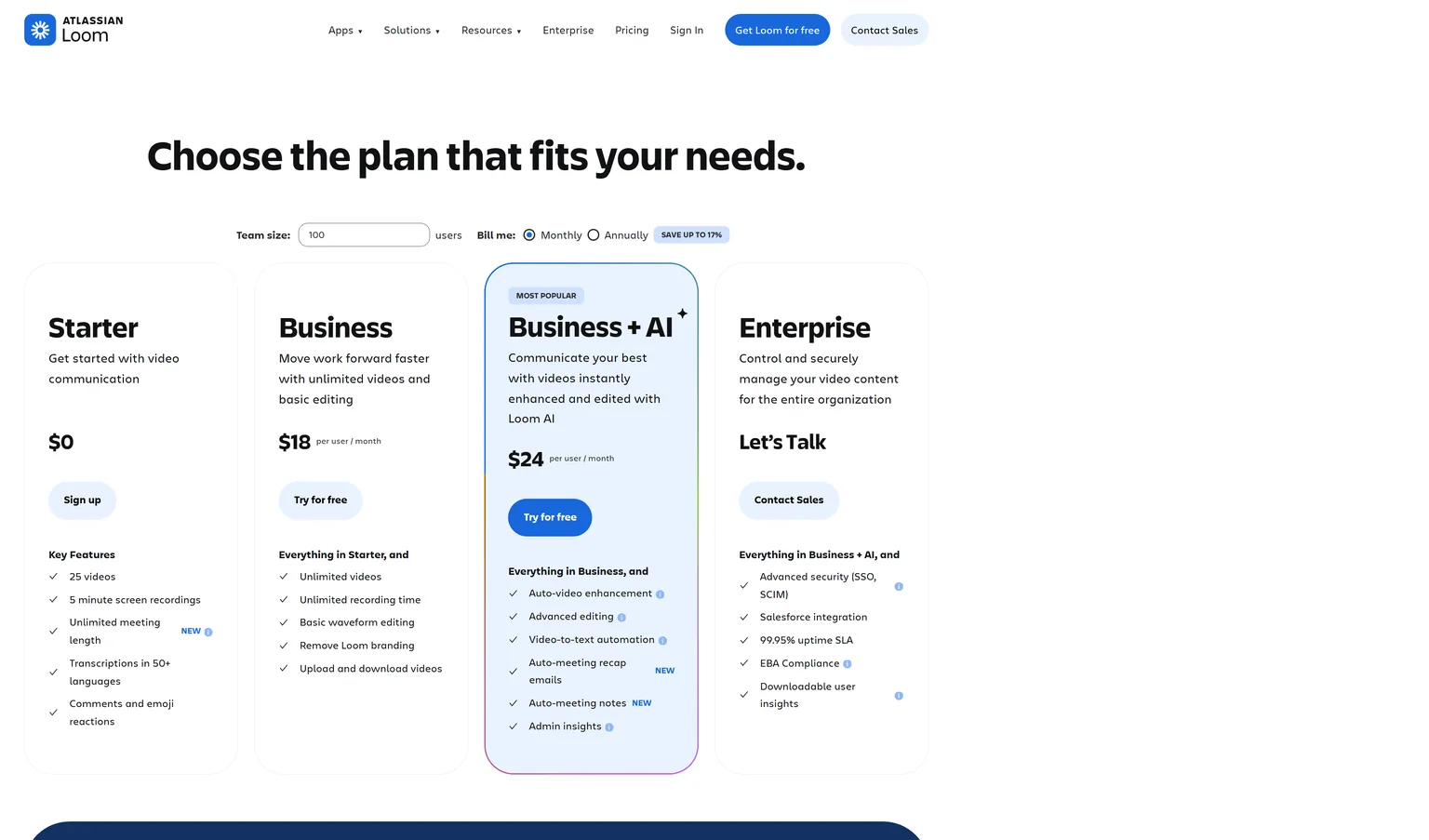
Loom records from a Chrome extension, desktop app or mobile app and shares a link at once. Viewers can leave comments and emoji reactions. Business includes basic waveform editing, and Loom lists editing by transcript.
Loom pricing
Starter is free with 25 videos per person and 5 minute screen recordings. Business costs $18 per user a month billed monthly, with unlimited videos and recording time. Business + AI costs $24 per user a month and adds filler word removal.
Strengths
- Record and share in seconds.
- Unlimited recording time on Business.
- Comments and reactions on every video.
Weaknesses
- Light editing next to Descript.
- Free recordings capped at 5 minutes.
- Priced per user.
Who Loom is for
Loom fits teams that talk through screens every day and rarely polish a video. Our Loom alternatives page covers its rivals.
Loom vs Descript
Loom Business costs $18 per user a month with unlimited recording time. Descript Hobbyist costs $16 per person a month on annual billing with 10 media hours, but it edits far more deeply. Pick Loom for quick messages. Pick Descript when the video needs real editing.
Which Descript alternative should you choose
Pick by what you make most. If it is a product demo video or explainer video and the launch content around it, GuideClarity generates all of it from your product. If you edit recordings, the right pick depends on whether you make podcasts, social clips, tutorials or quick messages.
- If you ship SaaS features and want the demo video, explainer video, shorts and blog post the same day, pick GuideClarity.
- If you record a podcast with guests every week, pick Riverside.
- If you make short social videos with subtitles, pick VEED.
- If you want a free editor on your phone and laptop, pick CapCut.
- If you want professional control and no subscription, pick DaVinci Resolve.
- If you build screen tutorials and training courses, pick Camtasia.
- If you mostly send quick screen messages, pick Loom.
- If you like editing by transcript and your media hours are enough, stay with Descript. Our Descript vs Trupeer comparison shows where it beats an AI walkthrough tool.
Frequently asked questions about Descript alternatives
Is there a free Descript?
Yes. Descript's Free plan includes 60 media minutes a month, 100 one-time AI credits and 720p export, and it needs no credit card. For more free editing, DaVinci Resolve's free version edits up to Ultra HD, and CapCut is free to try with no credit card.
Is Riverside better than Descript?
For podcasts with guests, often yes. Riverside records up to 4K video and uncompressed audio in separate tracks, and it lists unlimited recording hours. Descript is cheaper to start at $16 per person a month on annual billing, and its editor goes deeper. You can also record in Riverside and edit in either tool.
Is CapCut better than Descript?
For short social videos on a budget, CapCut is a strong pick. It is free to try with no credit card and runs on desktop, web and mobile. Descript is better for long-form and podcast editing, because you edit the video by editing the transcript. Pick by the length of what you make.
Is Descript better than Loom?
Descript is better when a video needs editing, with Studio Sound, filler word removal and clips. Loom is better for quick messages, with unlimited recording time on Business at $18 per user a month. Many teams record fast updates in Loom and produce finished videos in Descript.
Which Descript alternative has no media hour limits?
Riverside lists unlimited recording hours on every plan. DaVinci Resolve's free version has no usage meter at all, and Studio is a one-time $295. Loom Business includes unlimited recording time. Descript meters 10 media hours a month on Hobbyist, which suits lighter use.
Which Descript alternative makes product videos?
GuideClarity generates product demo videos and explainer videos from your live product URL, with the docs, shorts, blog post and social posts from the same feature. The editors on this page need a recording first. Our guide to AI explainer videos for SaaS compares the formats.
How did you verify the prices on this page?
We opened each vendor's pricing page in a browser on September 30, 2026 and saved its text. A script then checked every quoted price and limit against that saved page. CapCut has no public pricing page, so we quote no CapCut price. Our content repurposing workflow shows where each tool fits.
Sources and verification
Every fact above was read on the pages below on September 30, 2026. The vendor's own page wins over any third-party listing when they disagree. Prices change, so check the vendor before you buy.
- Descript pricing page, checked September 30, 2026.
- Descript homepage, checked September 30, 2026.
- GuideClarity pricing page, checked September 30, 2026.
- GuideClarity homepage, checked September 30, 2026.
- Riverside pricing page, checked September 30, 2026.
- Riverside homepage, checked September 30, 2026.
- VEED pricing page, checked September 30, 2026.
- VEED homepage, checked September 30, 2026.
- VEED screen recorder page, checked September 30, 2026.
- VEED enterprise page, checked September 30, 2026.
- CapCut homepage, checked September 30, 2026.
- DaVinci Resolve product page, checked September 30, 2026.
- DaVinci Resolve Studio page, checked September 30, 2026.
- Camtasia store and pricing, checked September 30, 2026.
- Camtasia homepage, checked September 30, 2026.
- Loom pricing page, checked September 30, 2026.
- Loom homepage, checked September 30, 2026.
Leaving Descript because recording and editing every product video takes too long? GuideClarity generates the demo video, the explainer video, the shorts, the blog post and the social posts from your live product, with nothing to record and nothing to edit.
The free plan includes 3 video guide recordings with AI voiceover, so you can run a real feature through it before paying.