TL;DR
The best Loom alternatives depend on why you are leaving. GuideClarity replaces the recording itself for SaaS teams that want launch content generated from the live product. Tella and Screen Studio make polished recordings, Cap is the free and open source pick, Clueso adds AI voice and docs, Vidyard serves sales teams, Scribe writes guides instead of video, and ScreenPal is the budget recorder.
- GuideClarity, best for turning a live product feature into a demo video, docs, shorts and a blog post automatically, with no recording.
- Tella, best for polished recordings with unlimited videos per user.
- Cap, best for a free and open source Loom replacement.
- Clueso, best for AI voiceover and documentation from a recording.
- Screen Studio, best for cinematic Mac recordings with automatic zoom.
- Vidyard, best for sales video messages with CRM integrations.
- Scribe, best for written step-by-step guides instead of video.
- ScreenPal, best for the lowest paid price with hosting included.
Loom alternatives compared at a glance
The table compares the eight Loom alternatives on the things buyers check first. Starting price is the cheapest paid plan in US dollars, at monthly billing where the vendor shows it and at annual billing where the cell says so. The free plan column gives the cap that matters most. We read every price on the vendor's own pricing page on September 24, 2026.
| Tool | Best for | Starting price | Free plan | Biggest limitation |
|---|---|---|---|---|
| GuideClarity | Multiple marketing assets from product features | $59 a month | Yes, 3 video guide recordings | Built for SaaS product content only |
| Tella | Polished recordings | $13 per user a month, annual | No free plan listed | Annual billing for the low price |
| Cap | Free and open source | $29 a year desktop license | Yes, personal use, no time limit | Cloud sharing needs Cap Pro |
| Clueso | AI voice and docs | $50 a month | Yes, 10 minutes of exports a month | Export minutes are capped |
| Screen Studio | Cinematic Mac recordings | $29 a month | No free plan listed | macOS only |
| Vidyard | Sales video messages | $59 per seat a month, annual | Yes, limited videos per month | Priced for revenue teams |
| Scribe | Written guides | $25 a seat, yearly billing shown | Yes, web apps only | No video output |
| ScreenPal | Budget recorder | $4.00 a month, annual | Yes, 15 minute limit, 10 hosted videos | Dated interface, education focus |
Why people look for Loom alternatives
Loom is the screen recorder most teams start with. It is built to record and share AI-powered video messages from a Chrome extension, desktop app or mobile app. People start looking elsewhere for three reasons. The free plan is small, every paid seat costs money, and Loom records what you do without polishing it or turning it into anything else. Each reason below links to the page that shows it.
- The free plan runs out fast. Starter includes 25 videos and 5 minute screen recordings, and workspaces hold up to 50 members. A five minute cap ends most tutorials mid-sentence.
- Paid plans are per user. Business costs $18 per user a month and Business + AI costs $24 per user a month. A team of ten pays for ten seats.
- Branding and polish cost extra. Loom branding is removed on Business, and auto-video enhancement and filler word removal sit on the AI tier.
- Loom records, it does not produce. The output is the recording you made. Tools like Clueso, Tella and GuideClarity add a clean voice track, zooms, documents or a whole launch package on top.
How we picked and checked these Loom alternatives
A tool qualified when it records a screen, or replaces the recording, and turns the result into something a team can share or publish. We started from the tools that appear most often across the top search results for Loom alternatives and kept eight. Each one was judged on what it produces, how clear its pricing is, the caps on its cheapest plans, and the team it fits.
- Own screenshots. Every homepage and pricing screenshot on this page is ours, taken on September 24, 2026 at 1440 pixels wide.
- Verified facts. Every price, limit and plan detail comes from the vendor's own page, and a script re-checked each one on September 24, 2026. The Sources section lists each page.
- Dropped tools. OBS Studio, ShareX and Screenity are free utilities with no plans to compare. Camtasia priced in euros from our location. Tango is covered on our Clueso page, and Descript and VEED are general editors rather than Loom replacements.
- No affiliate links. No vendor on this page pays us for a mention or a click.
GuideClarity publishes this page and is listed first. We describe its weaknesses with the same directness as everyone else's, and the facts about it come from the same public pages.
1. GuideClarity: best for SaaS teams that want to automatically create multiple marketing assets directly from their product features
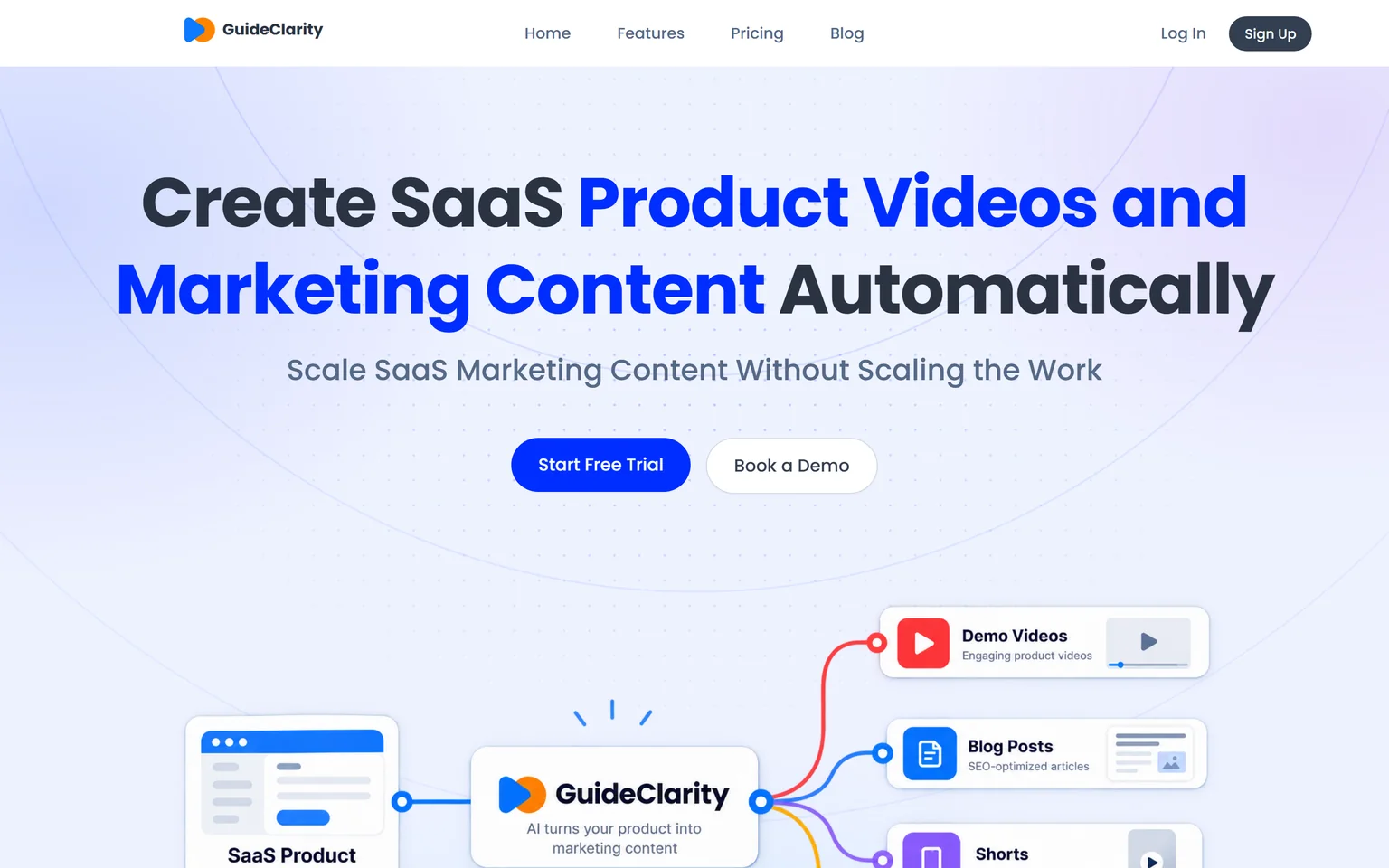
GuideClarity creates SaaS product videos and marketing content automatically. It is best for SaaS teams that want to turn product features into marketing content automatically, without manually recording, scripting, editing and recreating the same content for every channel. It understands your product and creates demo videos, feature explainers, shorts, blog posts, screenshots and launch assets. SaaS companies that ship features often get the most from it, from a single founder to a large marketing team.
What GuideClarity does
Loom starts when you press record. GuideClarity generates the video automatically from your live product URL, so nobody records a screen. From the same feature it produces the documentation, vertical shorts, an SEO blog post and social posts, a complete marketing package. The team reviews the package and publishes it. Our guide to making a SaaS product demo video shows what that output should look like.
GuideClarity pricing
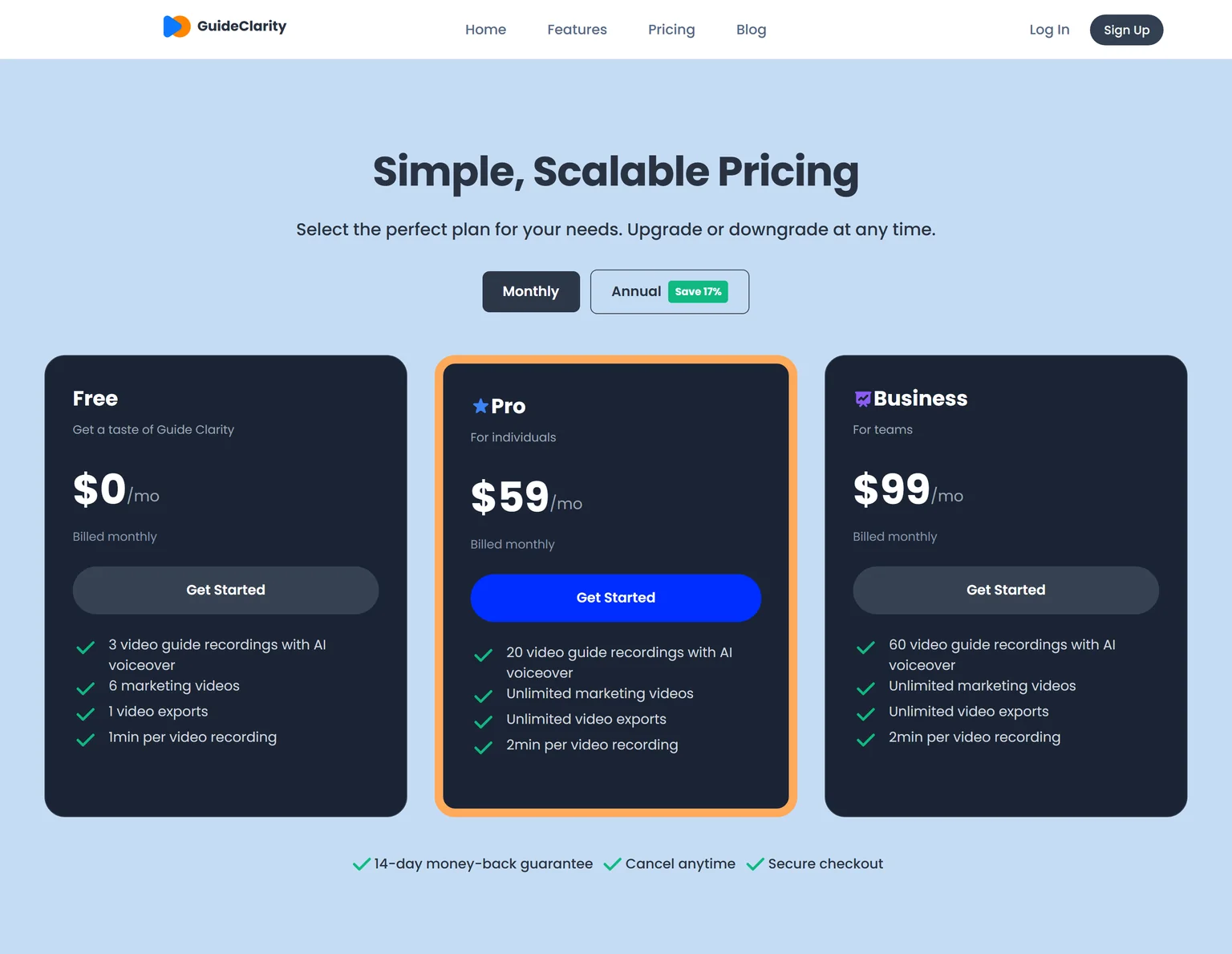
GuideClarity has three plans. The free plan includes 3 video guide recordings with AI voiceover and 6 marketing videos. Pro costs $59 a month billed monthly and includes 20 video guide recordings, or $49 a month billed annually. Business costs $99 a month and includes 60 video guide recordings. Every paid plan carries a 14-day money-back guarantee.
Strengths
- No recording, scripting or editing step. Review and publish is the work.
- One feature in, a whole launch kit out, with every asset shaped for its channel.
- Content is generated from the live product, so it matches what shipped.
- A free plan to test on a real feature before paying.
Weaknesses
- Built for SaaS product and feature content, not for physical products or other non-software businesses.
- Made for marketing, product and founder teams. Teams that record meetings or send quick video messages are better served by a recorder.
- Not for agencies that produce brand films or talking-head content.
Who GuideClarity is for
GuideClarity fits SaaS companies that ship features frequently, product marketing teams, founders and marketing teams of any size, and product teams that need marketing content without slowing down development. It is easy enough to start that small teams adopt it first, and it scales to large marketing teams. Teams that use Loom for internal updates should keep a recorder for that. The GuideClarity features page lists every output.
GuideClarity vs Loom
Loom records what you do and shares the link. GuideClarity generates the video automatically from your live product URL and produces the documentation, shorts, blog post and the complete marketing package from the same feature, with no recording step. Loom is the better pick for async messages and meeting recaps. GuideClarity is the better pick when the goal is launching your own features with content ready the same day.
2. Tella: best for polished recordings with unlimited videos per user
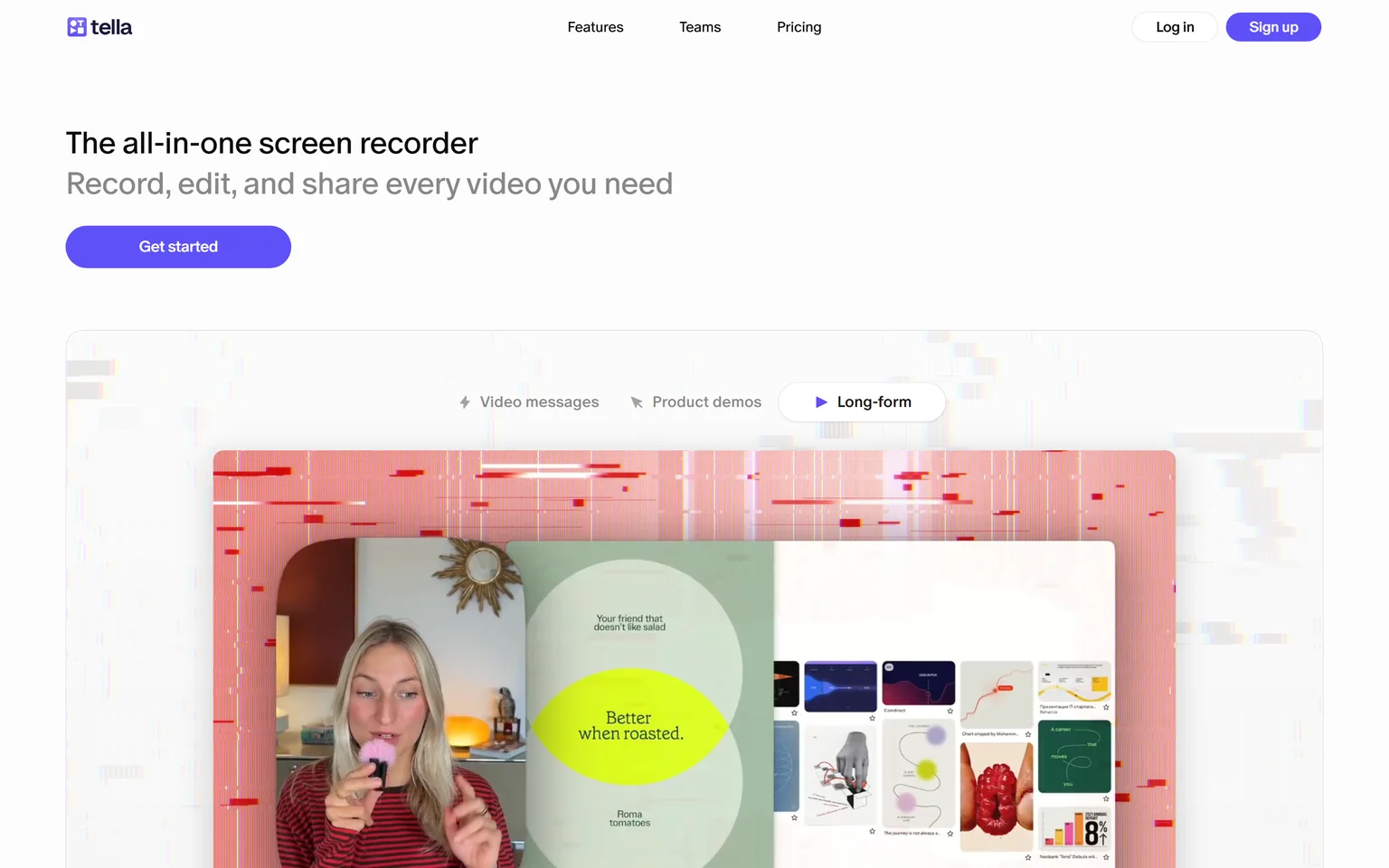
Tella is an all-in-one screen recorder for Mac, Windows and Chrome that records, edits and shares video. It is the Loom alternative most people name first, because it does the same job with better looking output and no video cap on paid plans. Creators, founders and small teams that publish product demos and course videos get the most from it. It is not a fit for teams that want a free plan.
What Tella does
Tella records the screen and camera, then lets you change the layout, background and clip order after recording. It records up to 6 hours per clip in up to 4K, with transcription in 106 languages. Videos publish to a share page or export to YouTube and other channels. Our SaaS demo software buyer's guide puts Tella in the recording-first category.
Tella pricing
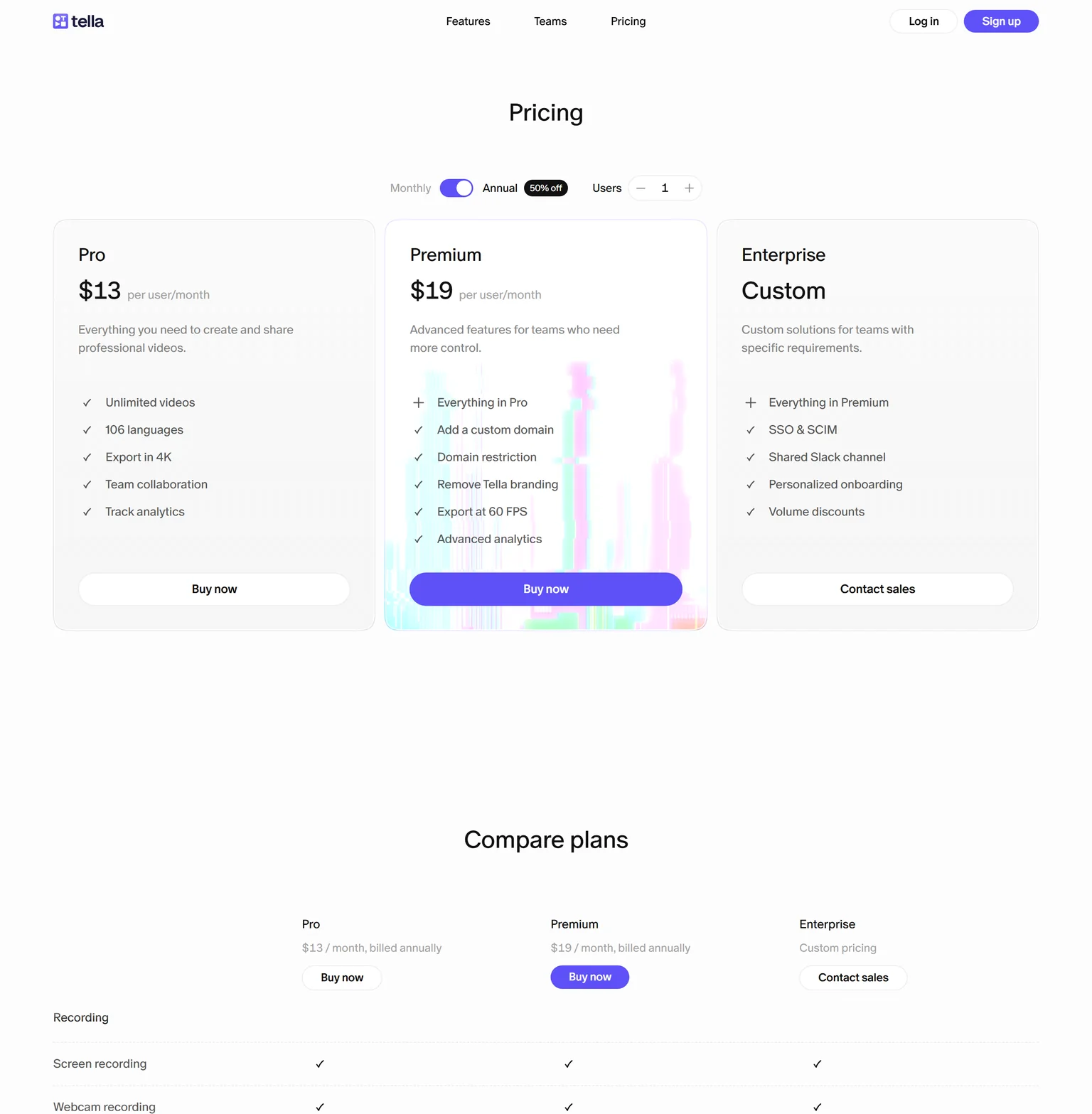
Tella's pricing page shows annual billing by default with a 50% off badge, and monthly billing costs more. Pro costs $13 per user a month billed annually, with unlimited videos, 106 languages and 4K export. Premium costs $19 per user a month billed annually and adds a custom domain, Tella branding removed, 60 FPS export and advanced analytics. Enterprise is custom priced and adds SSO and SCIM.
Strengths
- Unlimited videos on Pro, with no recording cap in minutes.
- Layouts, backgrounds and clip stitching without a separate editor.
- Cheaper per user than Loom Business at annual billing.
Weaknesses
- No free plan on the pricing page.
- The low price needs annual billing.
- Tella branding stays until Premium.
Who Tella is for
Tella fits solo creators, founders and small marketing teams that publish videos people watch in public. Teams that only send quick internal messages will pay for polish they do not need.
Tella vs Loom
Both record the screen and camera and share a link. Tella Pro costs $13 per user a month billed annually with unlimited videos, while Loom Business costs $18 per user a month. Loom keeps a free plan and Tella does not. Pick Tella when the videos are public and looks matter. Stay with Loom when the free plan covers your volume.
3. Cap: best for a free and open source Loom replacement
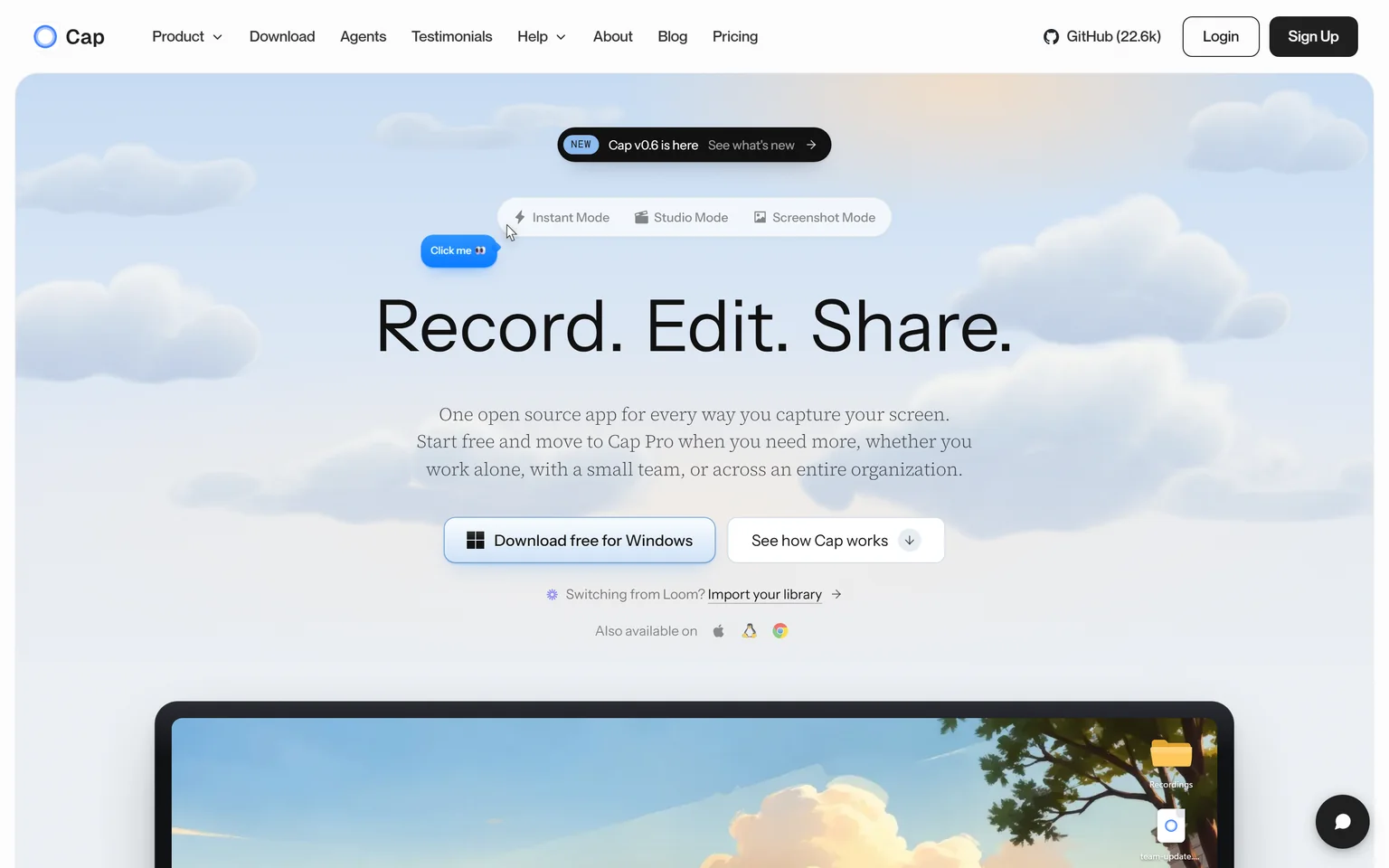
Cap is an open source screen recorder for Windows, Mac and Linux with Instant, Studio and Screenshot modes and a Loom library importer. It is the answer to the most common Loom search, a free alternative with no time limit. Individuals and small teams that want local recording and a lightweight share link get the most from it. It is not a fit for teams that need managed cloud video from day one without paying.
What Cap does
Cap records locally in Instant Mode for a quick link or in Studio Mode for an edited video with backgrounds, padding and zoom segments. Recordings stay on your machine until you share. Cap Pro adds unlimited cloud storage and a Loom video importer, so an existing Loom library moves across.
Cap pricing
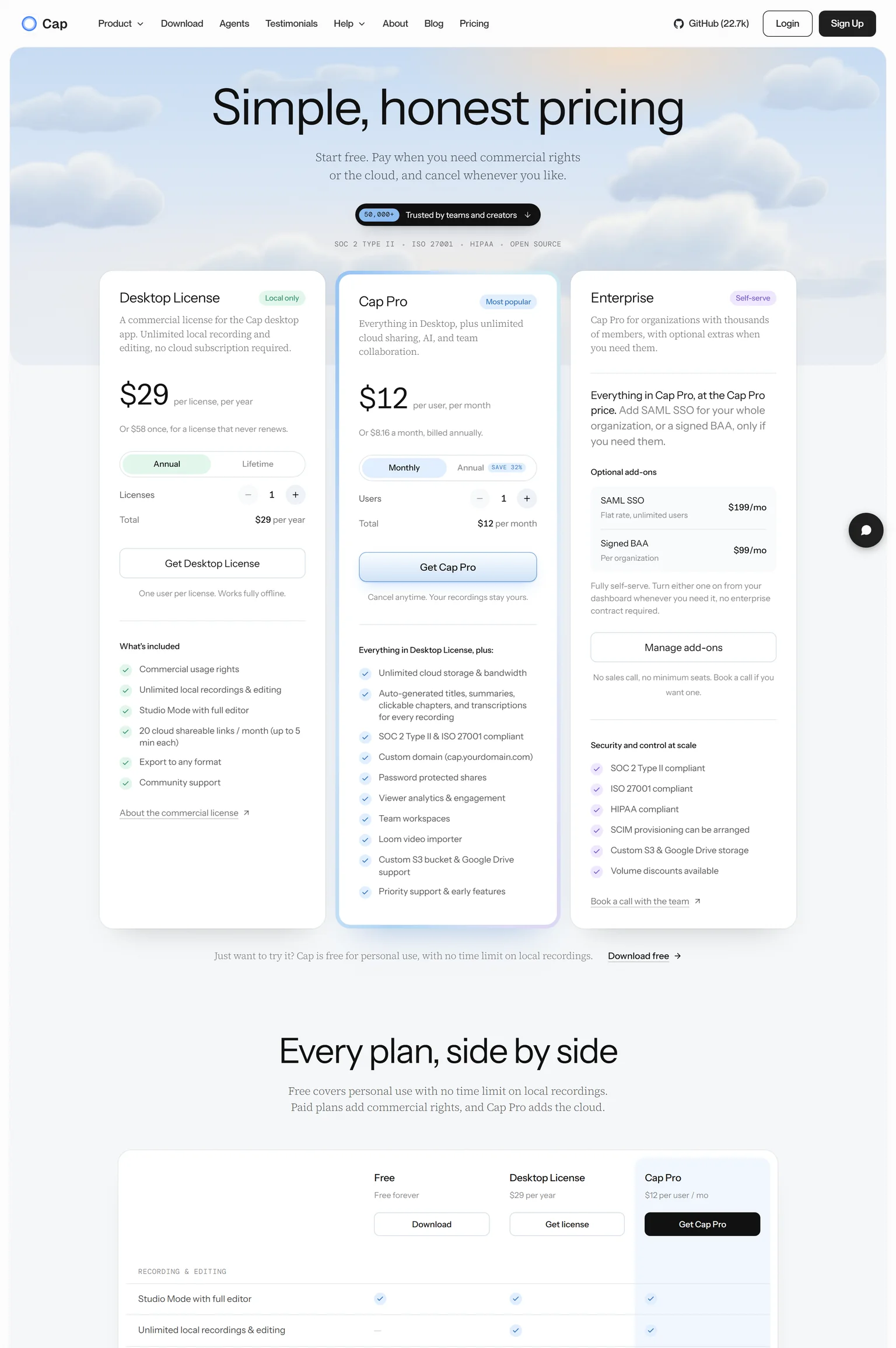
Cap is free for personal use with no time limit on local recordings. The Desktop License costs $29 per year, or $58 once for a license that never renews, and includes commercial usage rights and unlimited local recordings. It includes 20 cloud shareable links a month of up to 5 minutes each.
Cap Pro costs $12 per user a month billed monthly, or $8.16 a month billed annually. The SAML SSO add-on costs $199 a month flat and is self-serve.
Strengths
- Free for personal use with no recording time limit.
- Open source, with a one-time license option for commercial use.
- A Loom importer, so switching keeps your library.
Weaknesses
- Unlimited cloud sharing needs Cap Pro.
- No AI script cleanup or voice replacement.
- Cloud links on the desktop license are capped in count and length.
Who Cap is for
Cap fits developers, freelancers and small teams that record often, want their files local, and are happy to pay a small yearly fee for commercial rights. Teams that need central admin and analytics from the start should look at Vidyard or Loom Enterprise.
Cap vs Loom
Loom is cloud first and free until you hit the caps. Cap is local first and free with no time limit for personal use. Cap Pro at $12 per user a month undercuts Loom Business at $18 per user a month and adds the importer. Pick Cap for privacy, price and open source. Stay with Loom for the larger installed base and the AI tier.
4. Clueso: best for AI voiceover and documentation from a recording
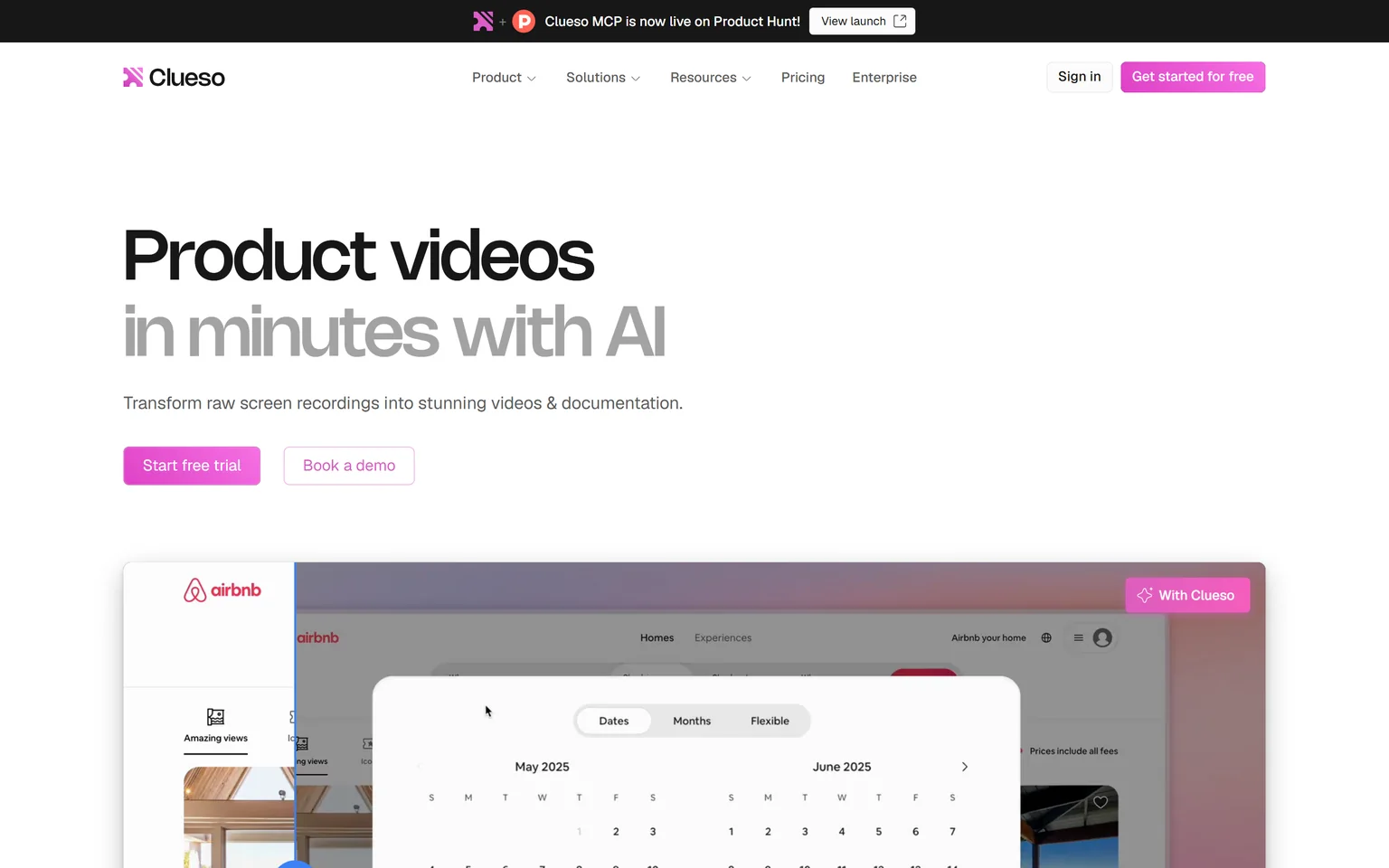
Clueso turns raw screen recordings into videos and documentation, with AI voiceovers and auto-generated SOPs. It is the Loom alternative for teams whose recordings need to look and sound professional without an editor. Customer education and product marketing teams get the most from it. It is not a fit for teams that record many long videos, because exports are metered in minutes.
What Clueso does
Clueso takes a rough recording, rewrites the script, swaps your voice for an AI voice, adds zooms and captions, and writes a step-by-step document from the same recording. That is the part Loom does not do. We compare Clueso against seven tools on our Clueso alternatives page.
Clueso pricing
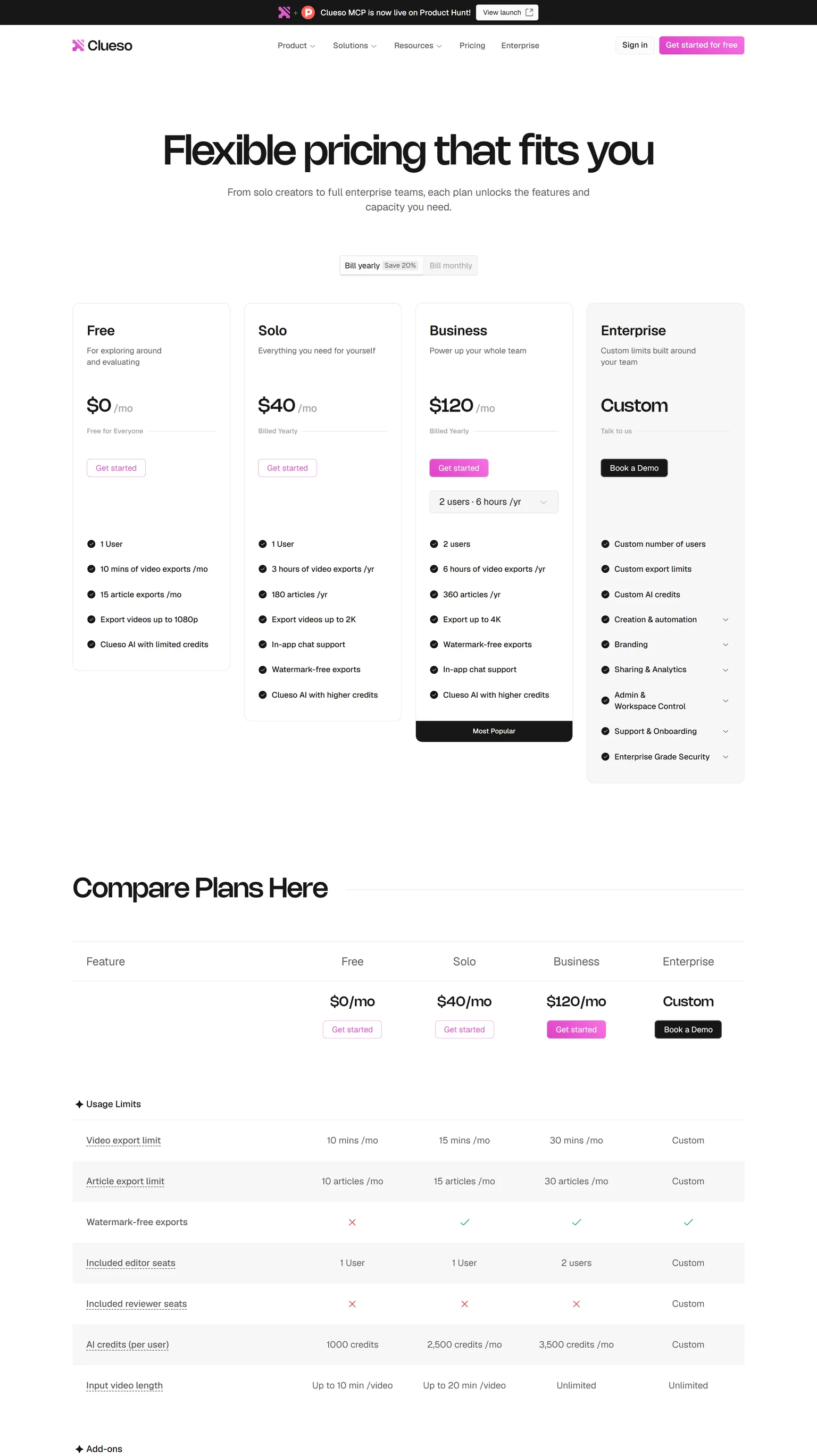
Clueso's Free plan costs $0 and includes 10 minutes of video exports a month and 15 article exports a month. Solo costs $50 a month billed monthly, with 15 minutes of video exports a month, or $40 a month billed yearly, with 3 hours of video exports a year. Business costs $120 a month billed yearly for 2 users, or $150 billed monthly.
Strengths
- A clean AI voice track and rewritten script from a rough recording.
- A document generated next to every video.
- A permanent free plan to test the output.
Weaknesses
- Export minutes are capped on every self-serve plan.
- Solo is the most expensive single seat on this page at monthly billing.
Who Clueso is for
Clueso fits customer education and product marketing teams that publish a few polished tutorials a month and want a help article from each. Teams that send dozens of quick messages a week should stay with a recorder.
Clueso vs Loom
Loom shares the recording as it is. Clueso turns it into a narrated, captioned video plus a document. Loom Business gives unlimited videos and unlimited recording time for $18 per user a month, while Clueso Solo gives 15 minutes of exports a month for $50. Pick Clueso for polish and docs. Stay with Loom for volume.
5. Screen Studio: best for cinematic Mac recordings with automatic zoom
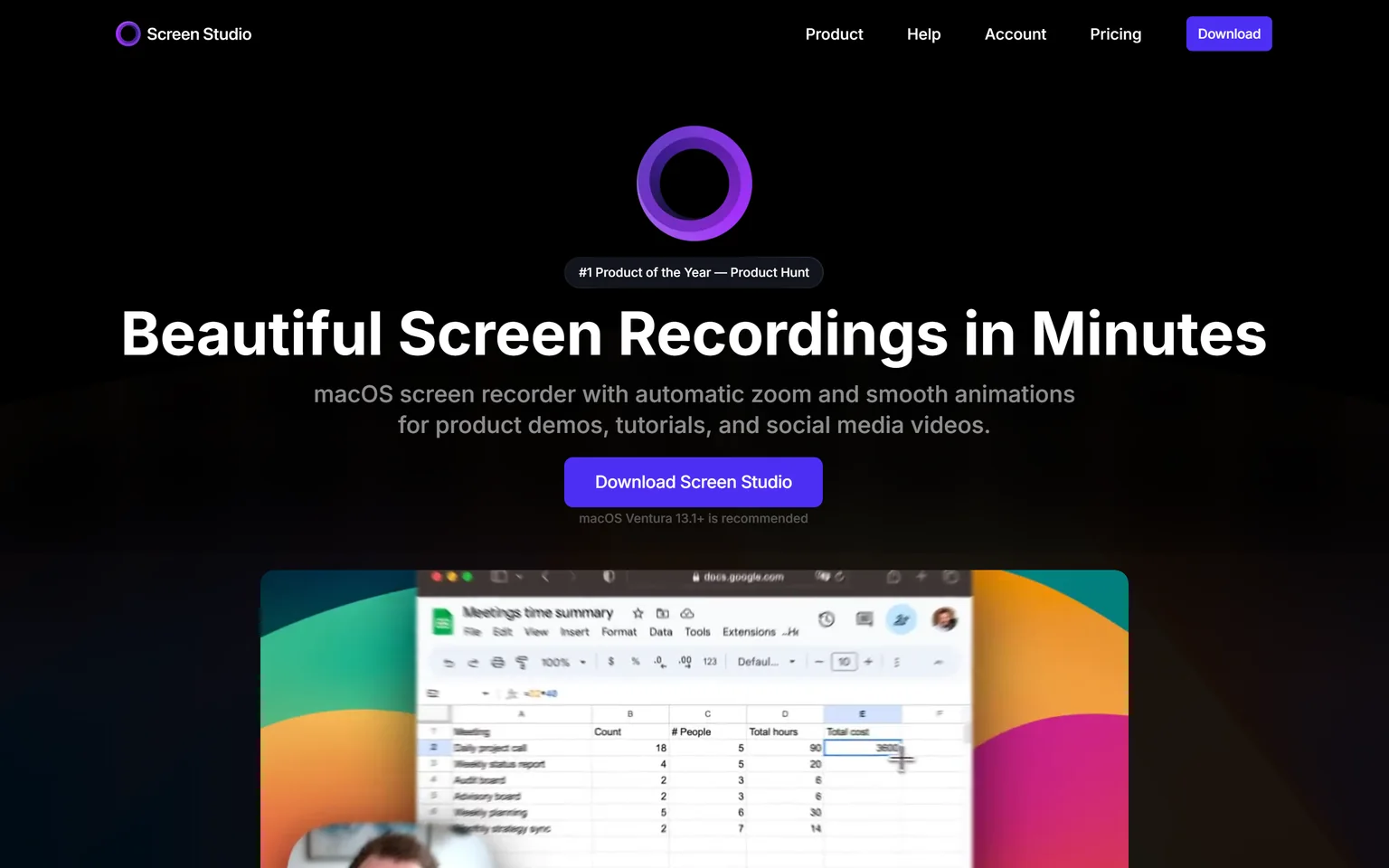
Screen Studio is a macOS screen recorder with automatic zoom and smooth animations. It makes a plain recording look like a product launch video with almost no editing. Founders, designers and marketers on a Mac who post product clips on social media get the most from it. It is not a fit for Windows users or for teams that need cloud hosting and comments.
What Screen Studio does
Screen Studio zooms in on your cursor automatically, smooths its movement, adds a background and padding, and exports the result. It exports horizontal and vertical video and records webcam, microphone, system audio and iOS devices. The site says macOS Ventura 13.1 or newer is recommended.
Screen Studio pricing
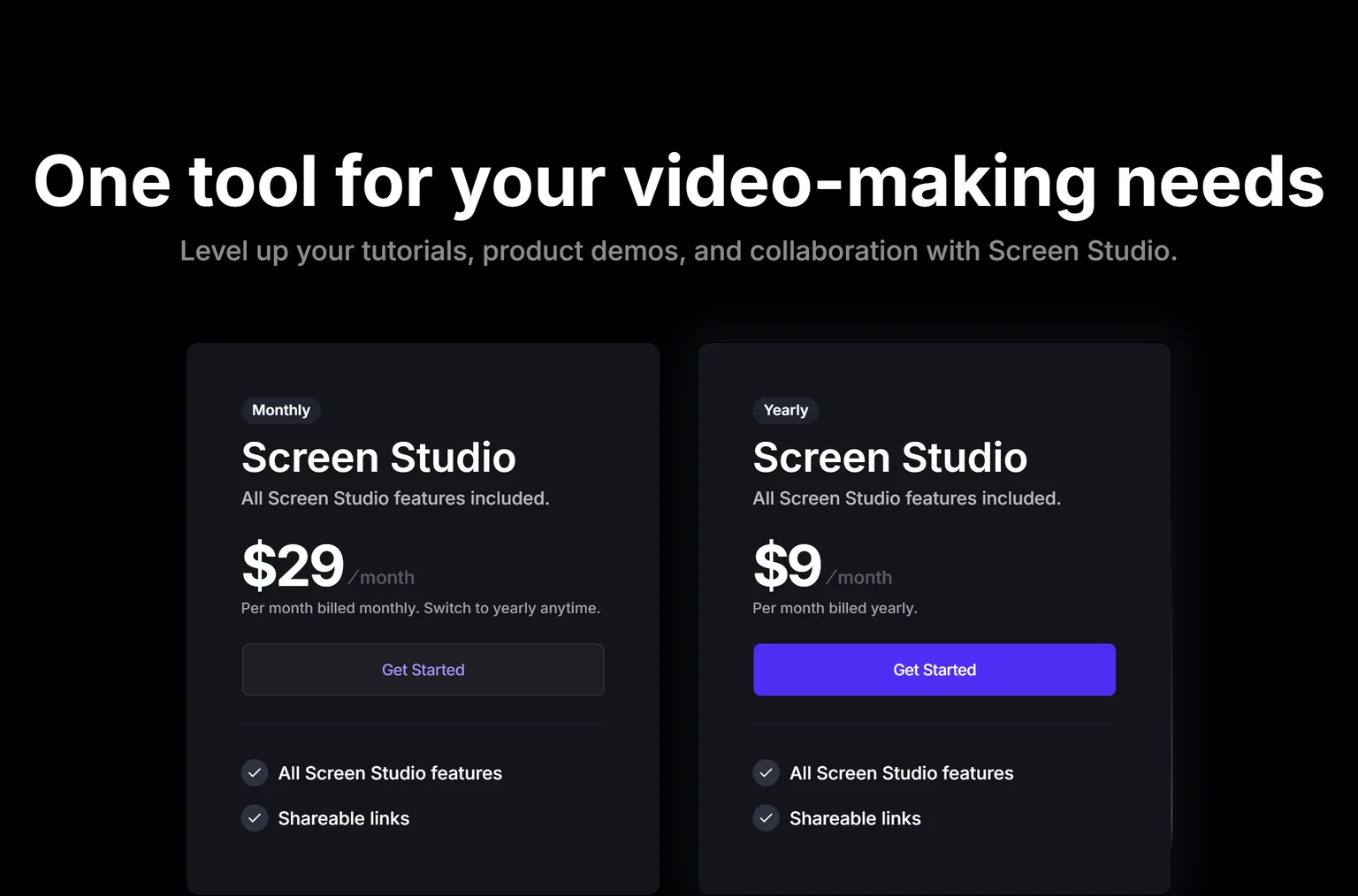
Screen Studio sells one plan. It costs $29 per month billed monthly, with all features and shareable links included, or $9 per month billed yearly, which the page shows as the yearly plan billed per month at a lower rate. The pricing block sits on the homepage rather than a separate page.
Strengths
- The best looking output on this page with the least editing.
- Vertical export for social clips from the same recording.
- One plan, no per-seat math for a solo user.
Weaknesses
- macOS only.
- No free plan and no team workspace features.
- A local editor, so sharing and comments are not the focus.
Who Screen Studio is for
Screen Studio fits Mac users who publish product clips on X, LinkedIn and YouTube and want them to look designed. Teams that use Loom for internal async video will find it too heavy for that job.
Screen Studio vs Loom
Loom optimises for speed of sharing. Screen Studio optimises for how the video looks. Screen Studio costs $29 a month for one user against Loom Business at $18 per user a month, and it runs only on a Mac. Pick Screen Studio for public product clips. Stay with Loom for quick messages and Windows users.
6. Vidyard: best for sales video messages with CRM integrations
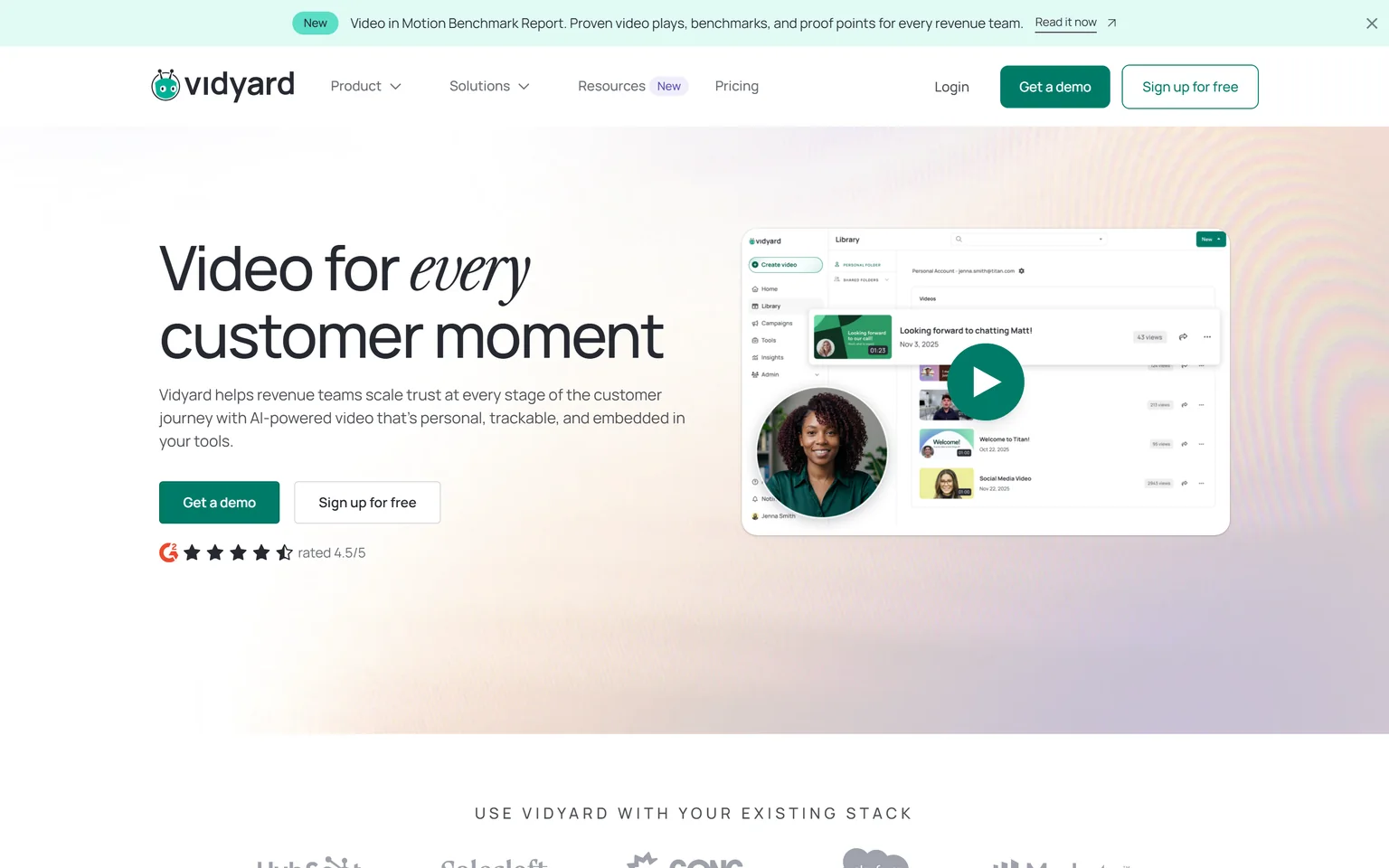
Vidyard is built for revenue teams, with video that is personal, trackable and embedded in sales tools. It records the same kind of message Loom does, then adds viewer tracking, calls to action and CRM sync. Sales and customer success teams that send outreach video every day get the most from it. It is not a fit for product or support teams that want tutorials.
What Vidyard does
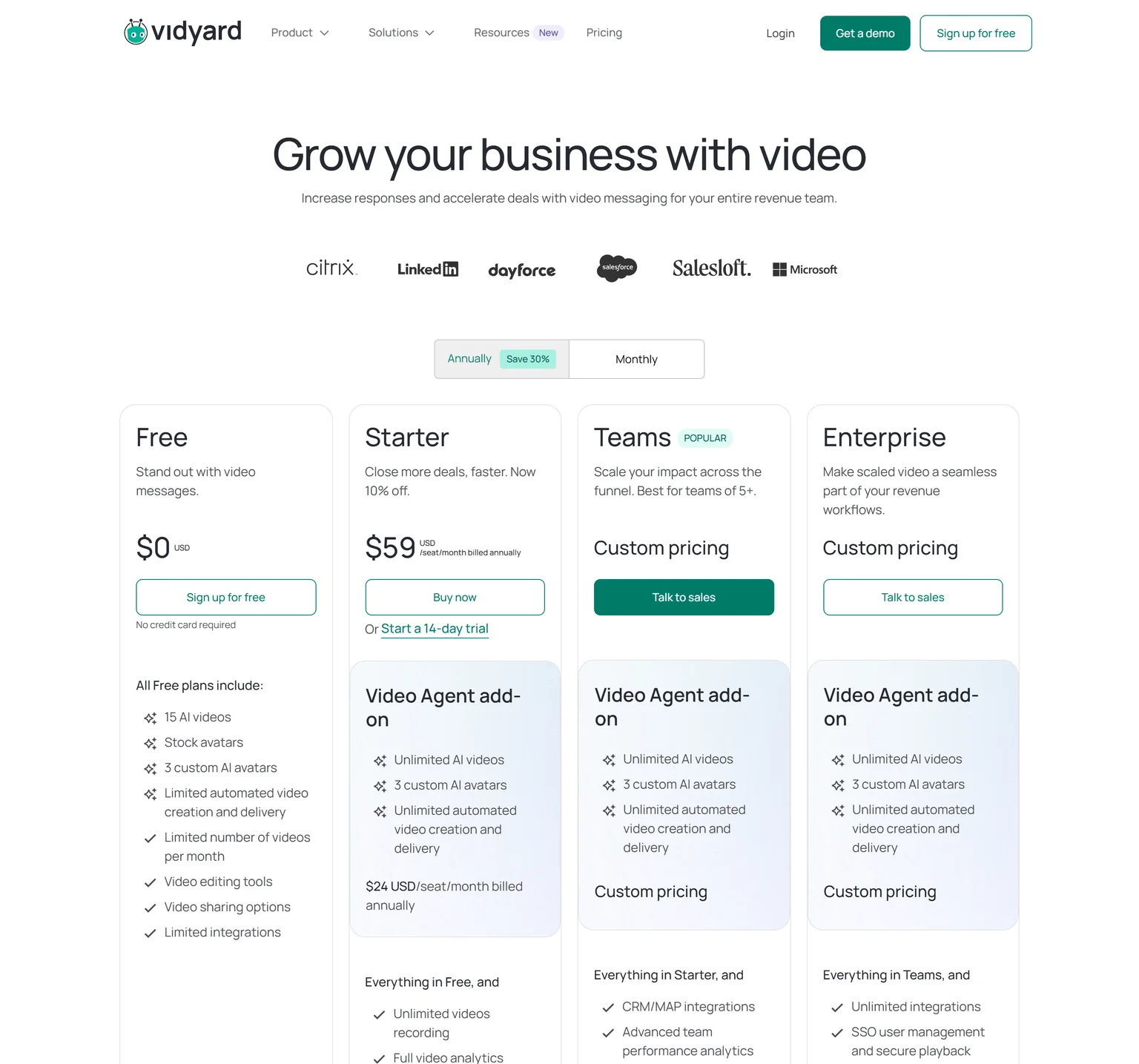
Vidyard records screen and camera, hosts the video on a branded page, and reports who watched and for how long. Teams adds CRM and marketing automation integrations. The Video Agent add-on costs $24 per seat a month billed annually on Starter and sends personalised AI videos automatically.
Vidyard pricing
Vidyard's Free plan costs $0, includes 15 AI videos and a limited number of videos per month, and needs no credit card. Starter costs $59 per seat a month billed annually, with a 14-day trial, unlimited video recording and full video analytics. Teams and Enterprise are custom priced.
Strengths
- Viewer analytics and CRM sync built for outbound sales.
- Branded sharing pages and calls to action on every video.
- A free plan with no credit card to try the recorder.
Weaknesses
- Priced per seat for revenue teams, the highest starting price here.
- Team features need a sales conversation.
- No documentation or script cleanup.
Who Vidyard is for
Vidyard fits sales teams of five or more that live in Salesforce or HubSpot and measure reply rates. Founders and product teams should look at a cheaper recorder or at GuideClarity.
Vidyard vs Loom
Both record video messages. Vidyard adds CRM integrations and outreach analytics, and it charges for them. Vidyard Starter costs $59 per seat a month billed annually against Loom Business at $18 per user a month. Pick Vidyard when video is a sales channel. Stay with Loom for everything else.
7. Scribe: best for written step-by-step guides instead of video
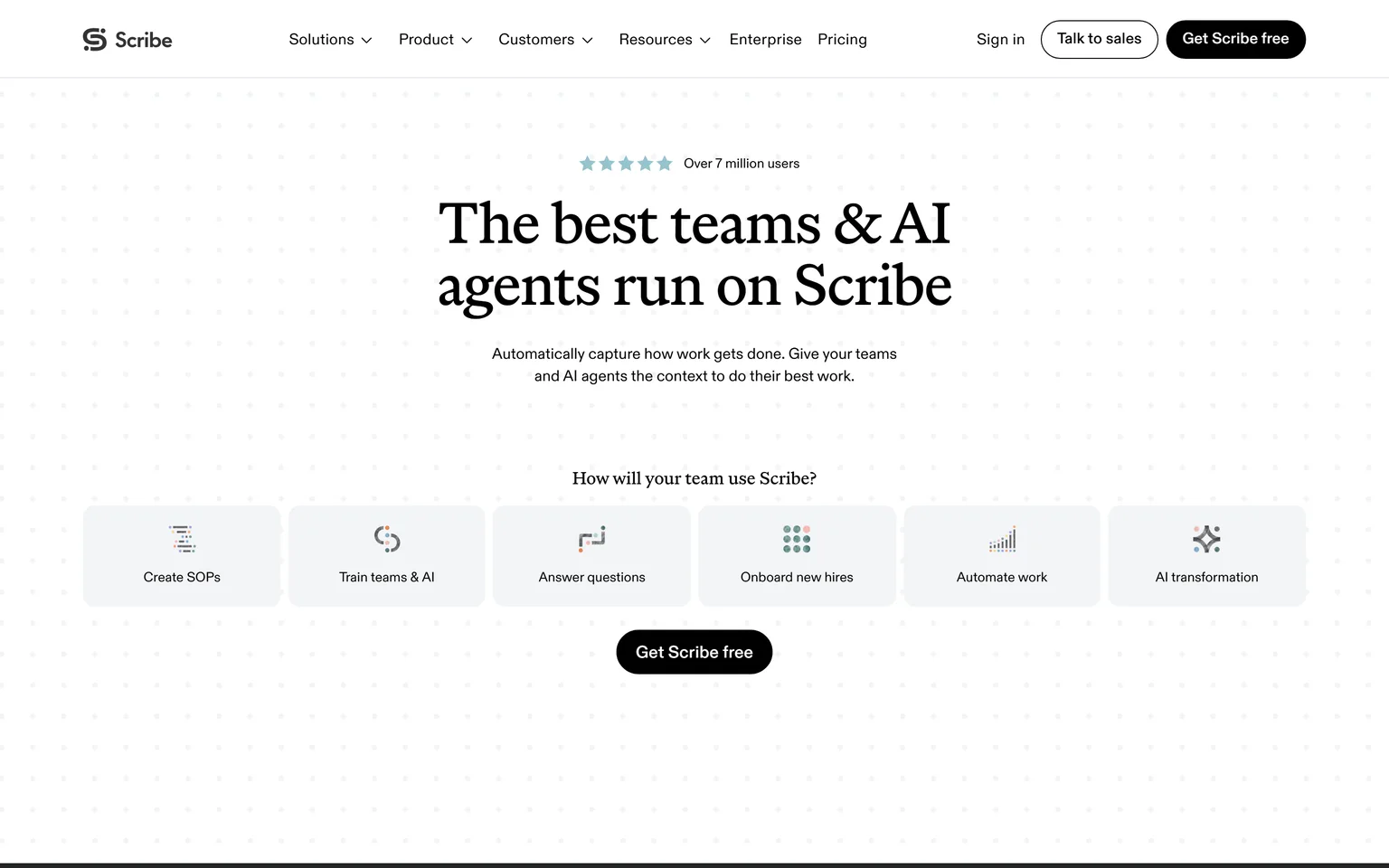
Scribe automatically captures how work gets done as step-by-step guides. Many teams use Loom to explain a process, and Scribe answers that need with a document instead of a video. Operations, IT and HR teams that maintain procedures get the most from it. It is not a Loom replacement for anyone who needs a video, because Scribe produces no video.
What Scribe does
Scribe watches your clicks during a task and writes a guide with a screenshot per step. Paid plans work with web, mobile and desktop apps and export to PDF, HTML and Markdown. The guide lives in a help center or an internal wiki where a video would go stale.
Scribe pricing
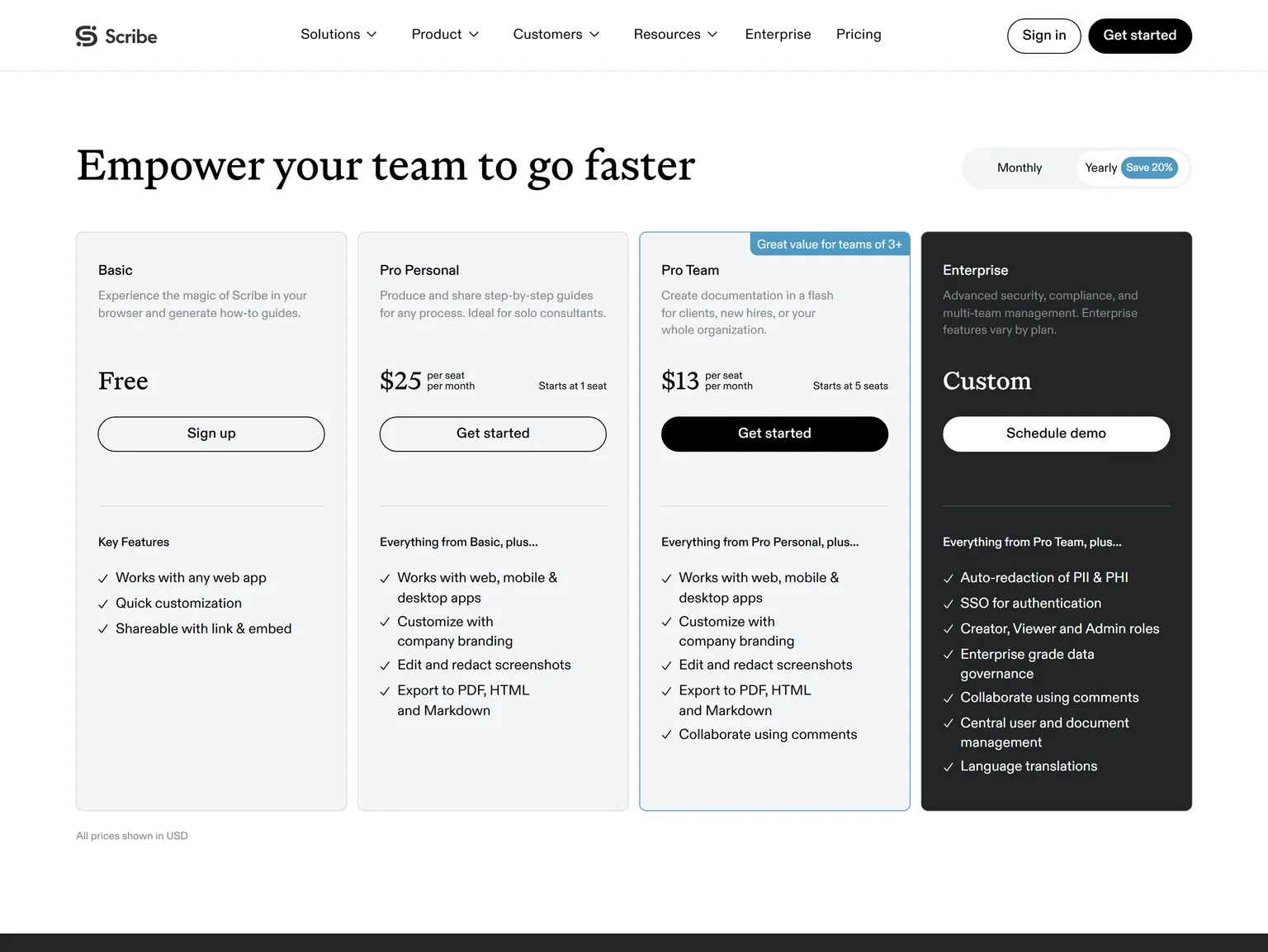
Scribe's Basic plan is free and works with any web app. Its pricing page shows yearly billing by default and the monthly toggle did not respond in our check, so the prices here are yearly. Pro Personal costs $25 per seat a month, starting at 1 seat. Pro Team costs $13 per seat a month and starts at 5 seats.
Strengths
- The fastest way to get a written process guide.
- Cheap per seat for teams of five or more.
- Guides are searchable and easy to update, unlike a video.
Weaknesses
- No video output at all.
- Pro Team needs at least five seats.
Who Scribe is for
Scribe fits operations and IT teams whose colleagues read instructions rather than watch them. Anyone who records Loom videos for customers should pick a video tool from this list.
Scribe vs Loom
Loom explains a process with a video. Scribe explains it with a document. Scribe Pro Personal costs $25 per seat a month on yearly billing, more than Loom Business, but the output lasts longer and is easier to search. Pick Scribe for procedures. Stay with Loom for anything that needs a voice and a face.
8. ScreenPal: best for the lowest paid price with hosting included
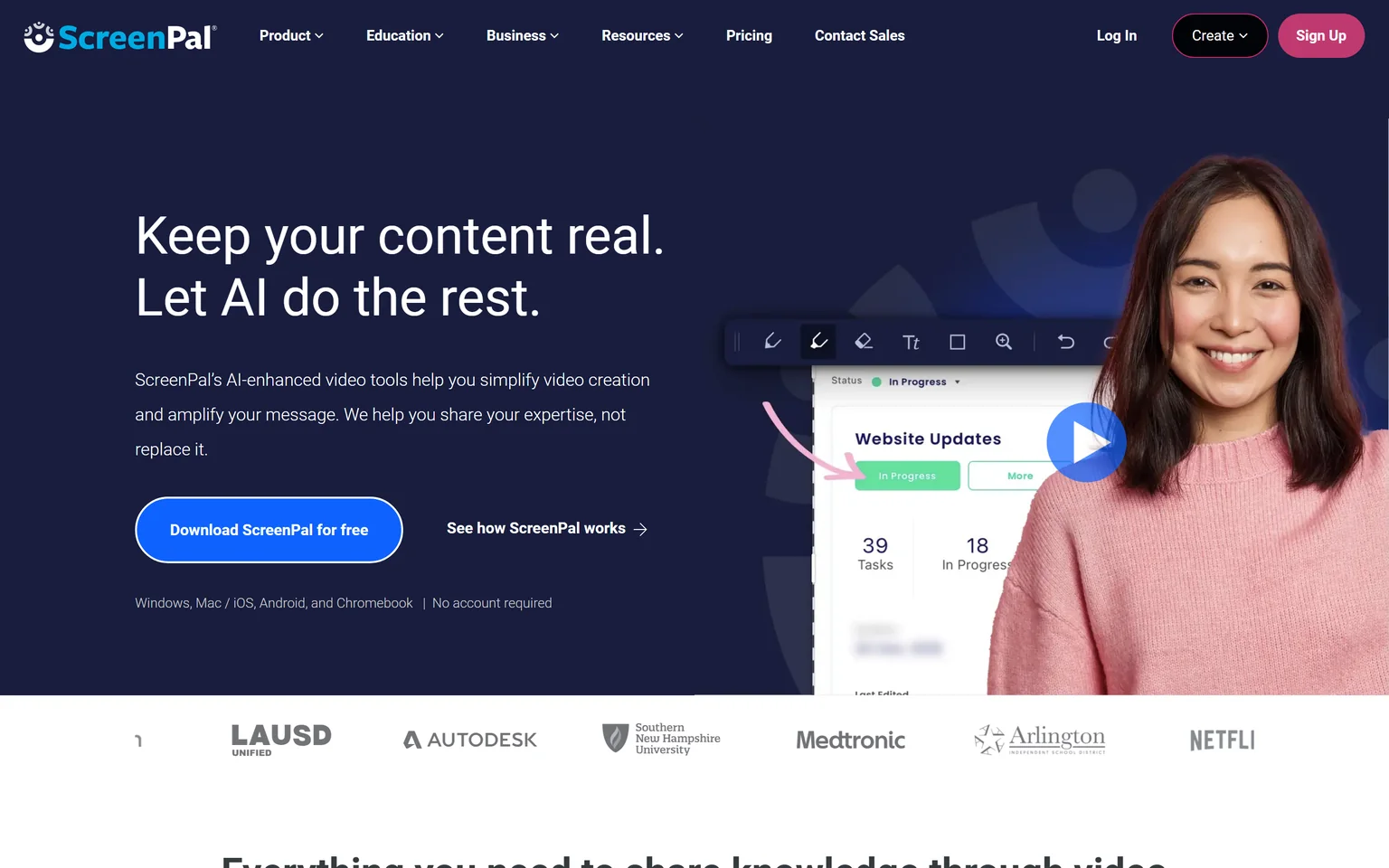
ScreenPal is a screen recorder and video editor that runs on Windows, Mac, iOS, Android and Chromebook and needs no account to start. It has been around for years under its older name and it is the cheapest paid recorder on this page. Teachers, trainers and small businesses that want recording, editing and hosting for a few dollars a month get the most from it. It is not a fit for teams that want a modern, minimal interface.
What ScreenPal does
ScreenPal records screen and webcam, edits with text and overlays, hosts the result, and adds quizzes for training. It translates videos into 100+ languages with AI voiceovers and adds interactive quizzes. Our guide to AI explainer videos for SaaS explains when a recorder like this is enough and when it is not.
ScreenPal pricing
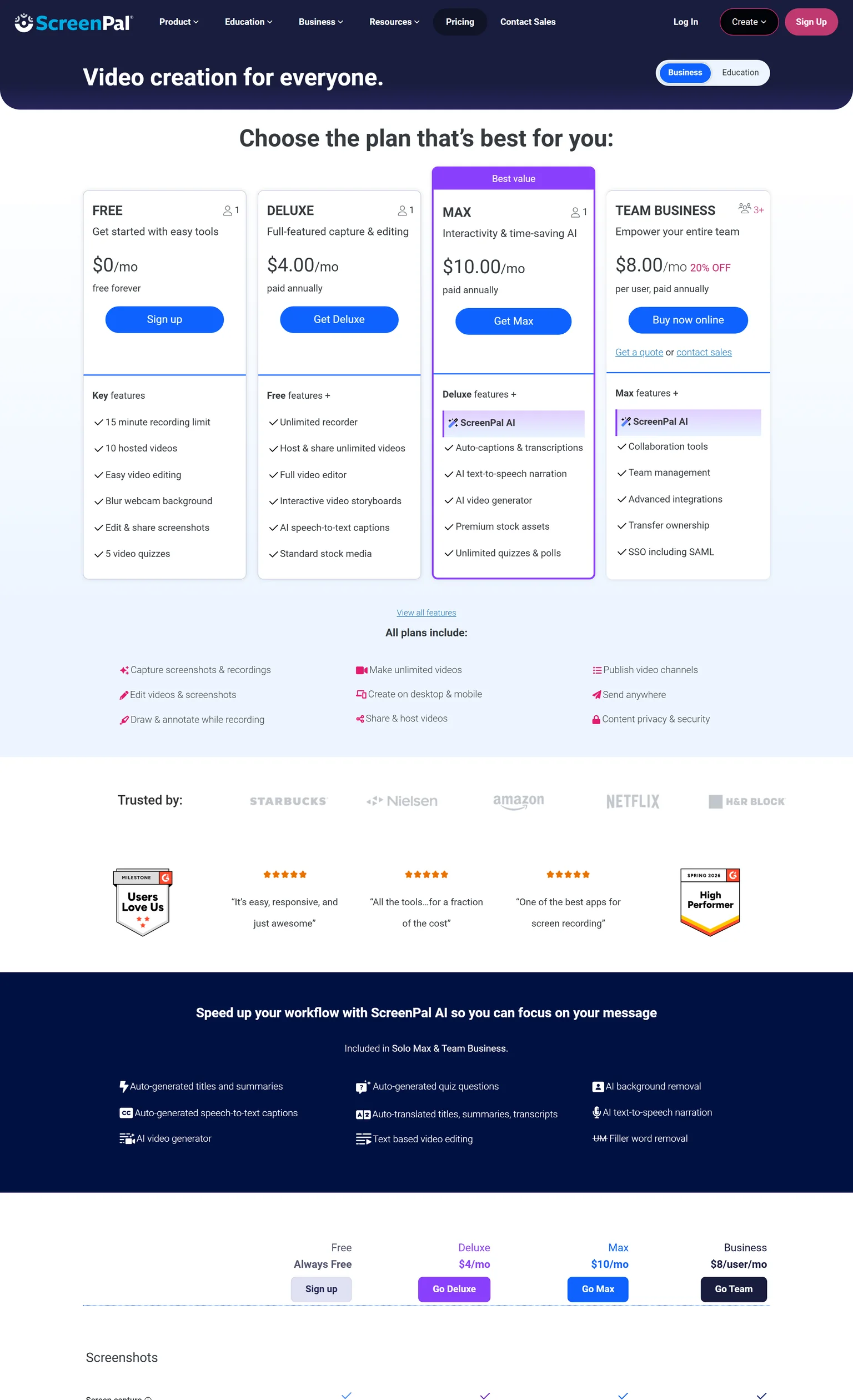
ScreenPal's Free plan costs $0 forever with a 15 minute recording limit and 10 hosted videos. Deluxe costs $4.00 a month paid annually with an unlimited recorder and unlimited hosted videos. Max costs $10.00 a month paid annually and adds ScreenPal AI captions, narration and unlimited quizzes. Team Business costs $8.00 per user a month paid annually, for 3 or more users, with team management and SSO.
Strengths
- The lowest paid price on this page, with hosting included.
- Runs on every desktop and mobile platform.
- Quizzes and translation for training use.
Weaknesses
- The interface looks dated next to Loom and Tella.
- The free plan caps recordings at fifteen minutes and ten hosted videos.
- Built with education in mind first.
Who ScreenPal is for
ScreenPal fits educators, trainers and small businesses that want to record, edit and host without a per-seat bill. Product marketing teams should pick a tool with better looking output.
ScreenPal vs Loom
Loom is faster to share and looks cleaner. ScreenPal is far cheaper and includes an editor. ScreenPal Deluxe costs $4.00 a month paid annually against Loom Business at $18 per user a month. Pick ScreenPal when price decides. Stay with Loom when the team already uses it and speed matters more.
Which Loom alternative should you choose
Pick by the reason you are leaving Loom. If you never want to record again, GuideClarity generates the content from the product. If you want better looking recordings, Tella or Screen Studio. If you want free with no limits, Cap. If you want a voice track and docs, Clueso. If video is a sales channel, Vidyard. If people should read instead of watch, Scribe. If price decides, ScreenPal.
- If you ship features regularly and want the launch content the same day, pick GuideClarity. One shipped feature becomes the video, the shorts, the blog post and the social posts, with no recording.
- If you publish product videos in public and want them to look designed, pick Tella, or Screen Studio on a Mac.
- If Loom's free plan caps are the only problem, pick Cap. Free for personal use with no time limit, and it imports your Loom library.
- If your recordings need a clean voice and a help article, pick Clueso.
- If sales reps send video to prospects every day, pick Vidyard.
- If your team documents processes, pick Scribe.
- If you want the cheapest paid recorder with hosting, pick ScreenPal.
- If Loom's free plan or Business plan fits your volume, stay with Loom. Nothing here shares a link faster.
Frequently asked questions about Loom alternatives
Is there a free version of Loom?
Yes. Loom Starter is free with 25 videos and 5 minute screen recordings, and a workspace holds up to 50 members. The caps are the main reason people search for a free Loom alternative. Cap is free for personal use with no time limit on local recordings, and GuideClarity, Vidyard, Clueso, Scribe and ScreenPal all keep a free plan.
What is the best free Loom alternative?
Cap is the strongest free Loom alternative for recording, because it is open source, has no time limit for personal use, and can import a Loom library. ScreenPal's free plan allows a 15 minute recording limit and 10 hosted videos. For a free plan that produces launch content rather than a recording, GuideClarity's free plan includes 3 video guide recordings with AI voiceover.
How much does Loom cost per month?
Loom Business costs $18 per user a month and Business + AI costs $24 per user a month, both at monthly billing on the pricing page we checked. Starter is free. Enterprise is custom priced and adds SSO and SCIM and a Salesforce integration. Every plan is priced per user, so a team of ten pays for ten seats.
What is a better alternative to Loom for product videos?
For product videos people watch in public, Tella and Screen Studio produce better looking recordings than Loom, and Clueso adds an AI voice and a document. For SaaS teams that want the video and the rest of the launch content generated from the product itself, GuideClarity replaces the recording step. Loom remains the fastest tool for quick internal messages.
Is there an open source Loom alternative?
Cap is an open source screen recorder for Windows, Mac and Linux with Instant, Studio and Screenshot modes and a Loom library importer. It is free for personal use with no time limit on local recordings, and commercial use needs a Desktop License at $29 per year, or $58 once. OBS Studio is also open source but records locally with no sharing product.
Which Loom alternative works on Windows?
Tella, Cap, Clueso, Vidyard, Scribe and ScreenPal all run on Windows. Cap runs on Windows, Mac and Linux, and ScreenPal runs on Windows, Mac, iOS, Android and Chromebook. Screen Studio is the exception, because it is a macOS screen recorder. GuideClarity runs in the browser and needs no recorder at all.
How did you verify the prices on this page?
We opened each vendor's pricing page in a browser on September 24, 2026, saved its text, and ran a script that checks every quoted price and limit against that saved page, including billing toggles. Screen Studio's price was read from our screenshot because its digits are animated. We took our own screenshots the same day, and the Sources section lists every page.
Sources and verification
Every fact above was read on the pages below on September 24, 2026. The vendor's own page wins over any third-party listing when they disagree. Prices change, so check the vendor before you buy.
- Loom pricing page, checked September 24, 2026.
- Loom homepage, checked September 24, 2026.
- GuideClarity pricing page, checked September 24, 2026.
- GuideClarity homepage, checked September 24, 2026.
- Tella pricing page, checked September 24, 2026.
- Tella homepage, checked September 24, 2026.
- Cap pricing page, checked September 24, 2026.
- Cap homepage, checked September 24, 2026.
- Clueso pricing page, checked September 24, 2026.
- Clueso homepage, checked September 24, 2026.
- Screen Studio homepage and pricing, checked September 24, 2026.
- Vidyard pricing page, checked September 24, 2026.
- Vidyard homepage, checked September 24, 2026.
- Scribe pricing page, checked September 24, 2026.
- Scribe homepage, checked September 24, 2026.
- ScreenPal plans page, checked September 24, 2026.
- ScreenPal homepage, checked September 24, 2026.
Leaving Loom because recording and re-recording every feature is the slow part? GuideClarity generates the demo video, the shorts, the blog post and the social posts from your live product, with no recording.
The free plan includes 3 video guide recordings with AI voiceover, so you can run a real feature through it before paying.