TL;DR
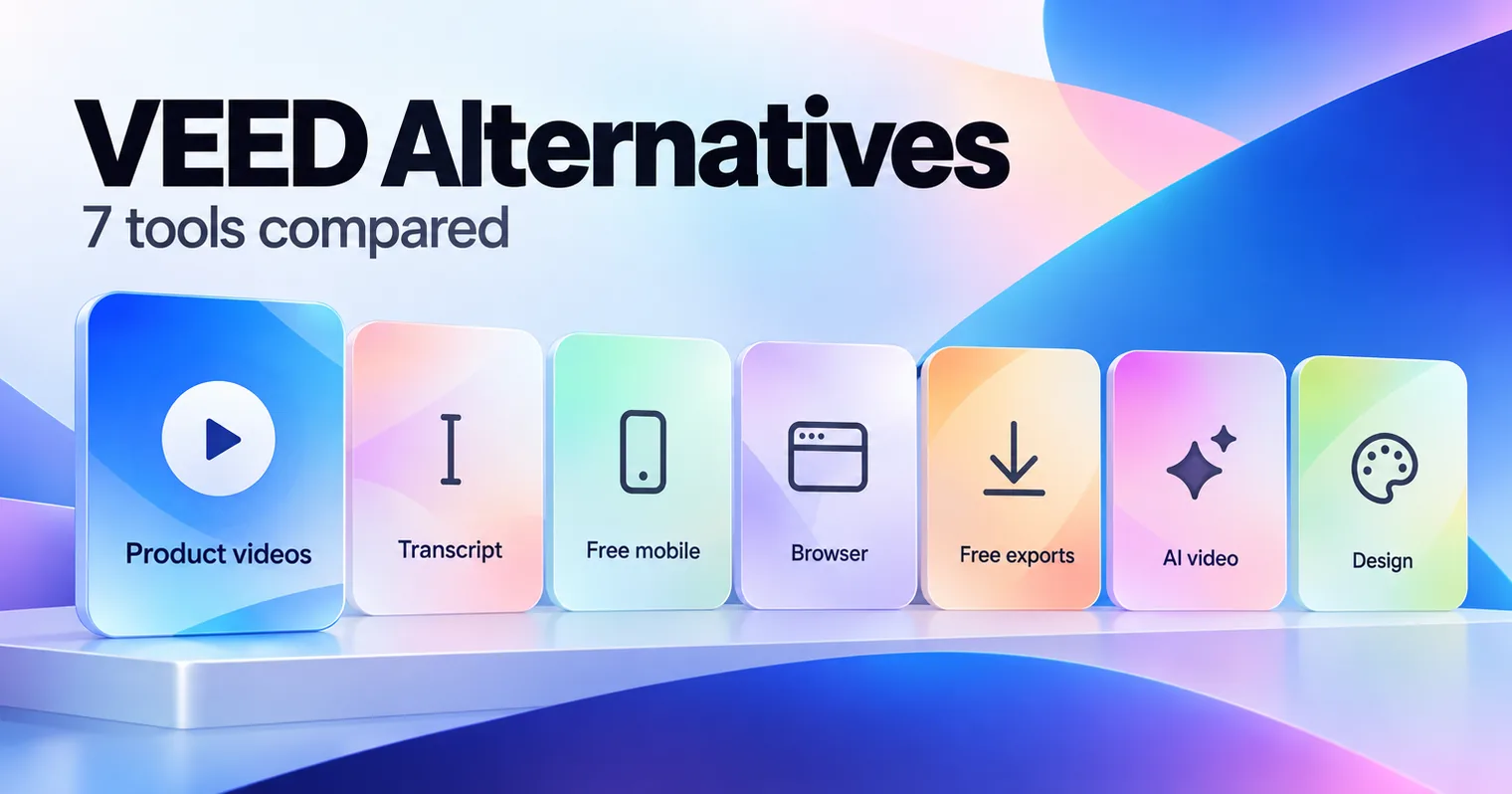
The best VEED alternatives depend on how you like to edit. GuideClarity is the pick for SaaS teams that want product demo videos and explainer videos generated from the live product, plus the docs, shorts and blog post. Descript suits transcript editing, CapCut and Clipchamp are free to start, Kapwing is the closest browser editor, InVideo generates video from a prompt and Canva suits design-led clips.
- GuideClarity, best for generating product demo videos and explainer videos from a live product feature automatically, plus the docs, shorts and blog post.
- Descript, best for editing talking-head and podcast videos by editing the transcript.
- CapCut, best for free social editing on desktop, web and mobile.
- Kapwing, best for a browser editor with subtitles and dubbing, close to VEED.
- Clipchamp, best for free, watermark-free 1080p exports.
- InVideo, best for AI video generation at a low entry price.
- Canva, best for design-led social clips next to your other graphics.
VEED alternatives compared at a glance
The table compares the seven VEED alternatives on the points buyers check first. Starting price is the cheapest paid plan, at the billing period the cell names. Canva showed Serbian dinars from our location, so we quote dinars. The free plan column gives the cap that matters most. We read every price on the vendor's own page on September 30, 2026.
| Tool | Best for | Starting price | Free plan | Biggest limitation |
|---|---|---|---|---|
| GuideClarity | Product videos, explainers, blog posts and other marketing assets from product features | $59 a month | Yes, 3 video guide recordings | Built for SaaS product content only |
| Descript | Transcript editing | $16 per person a month, annual | Yes, 60 media minutes a month | Media hours and AI credits run out |
| CapCut | Free social editing | No public pricing page | Yes, no credit card | Paid plans not listed on its website |
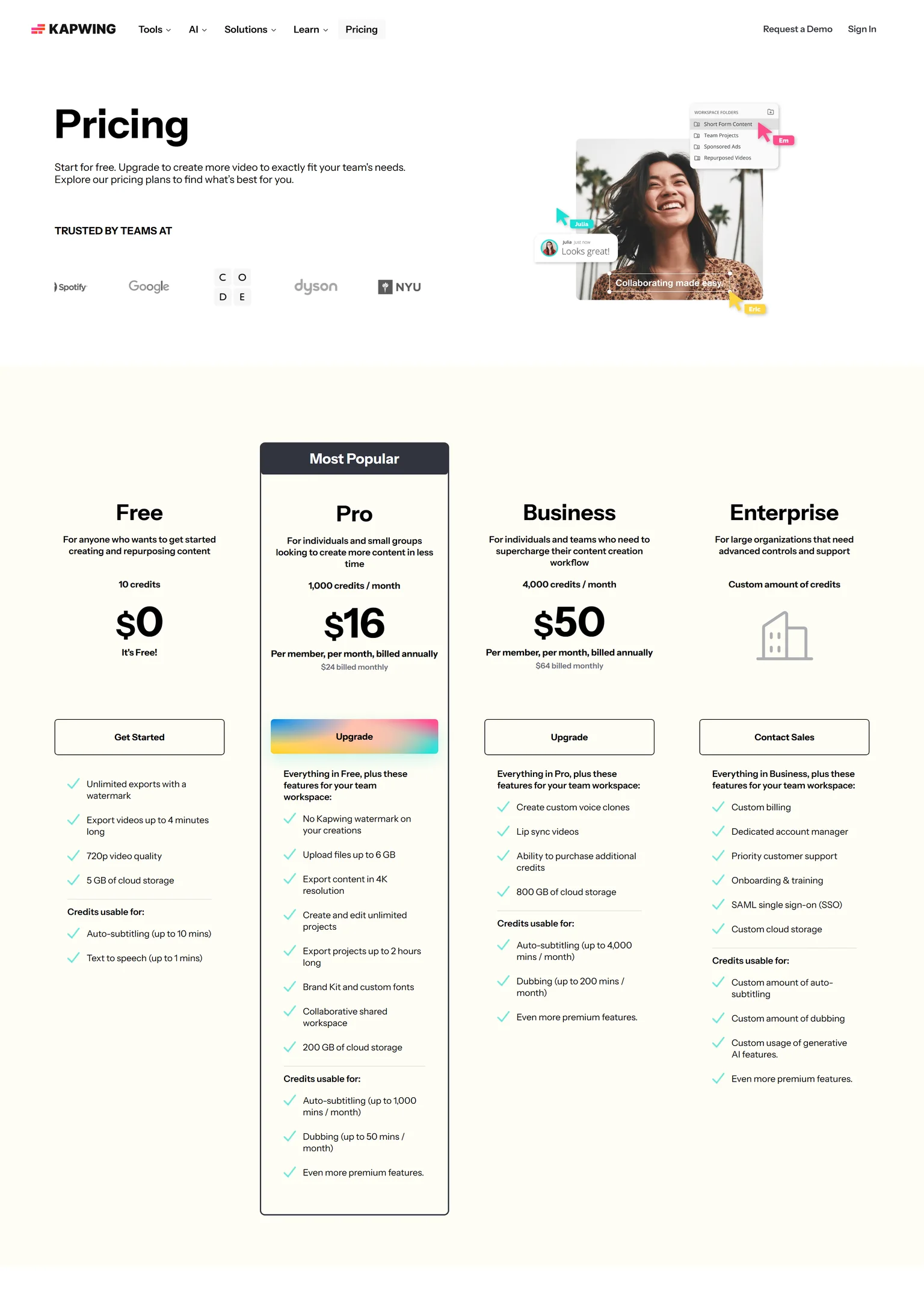
| Kapwing | Browser editing and dubbing | $16 per member a month, annual | Yes, 720p with a watermark | Priced per member |
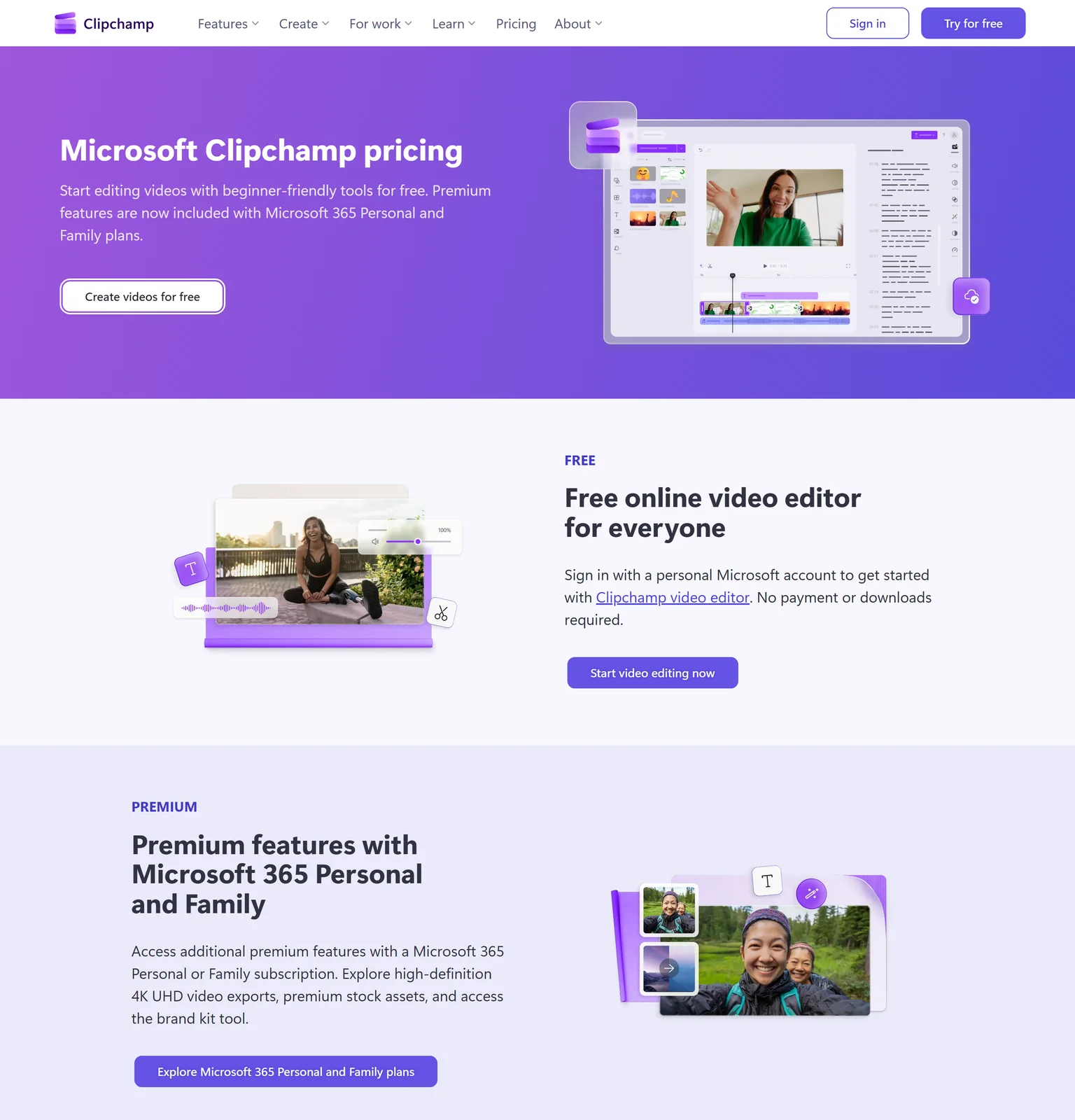
| Clipchamp | Free clean exports | Premium with Microsoft 365 | Yes, 1080p with no watermark | 4K needs Microsoft 365 |
| InVideo | AI video generation | $9 per seat a month, annual | Not listed | Generation runs on credits |
| Canva | Design-led clips | 12,000 RSD a year | Yes, 1.6M+ templates | A design tool first |
Why people look for VEED alternatives
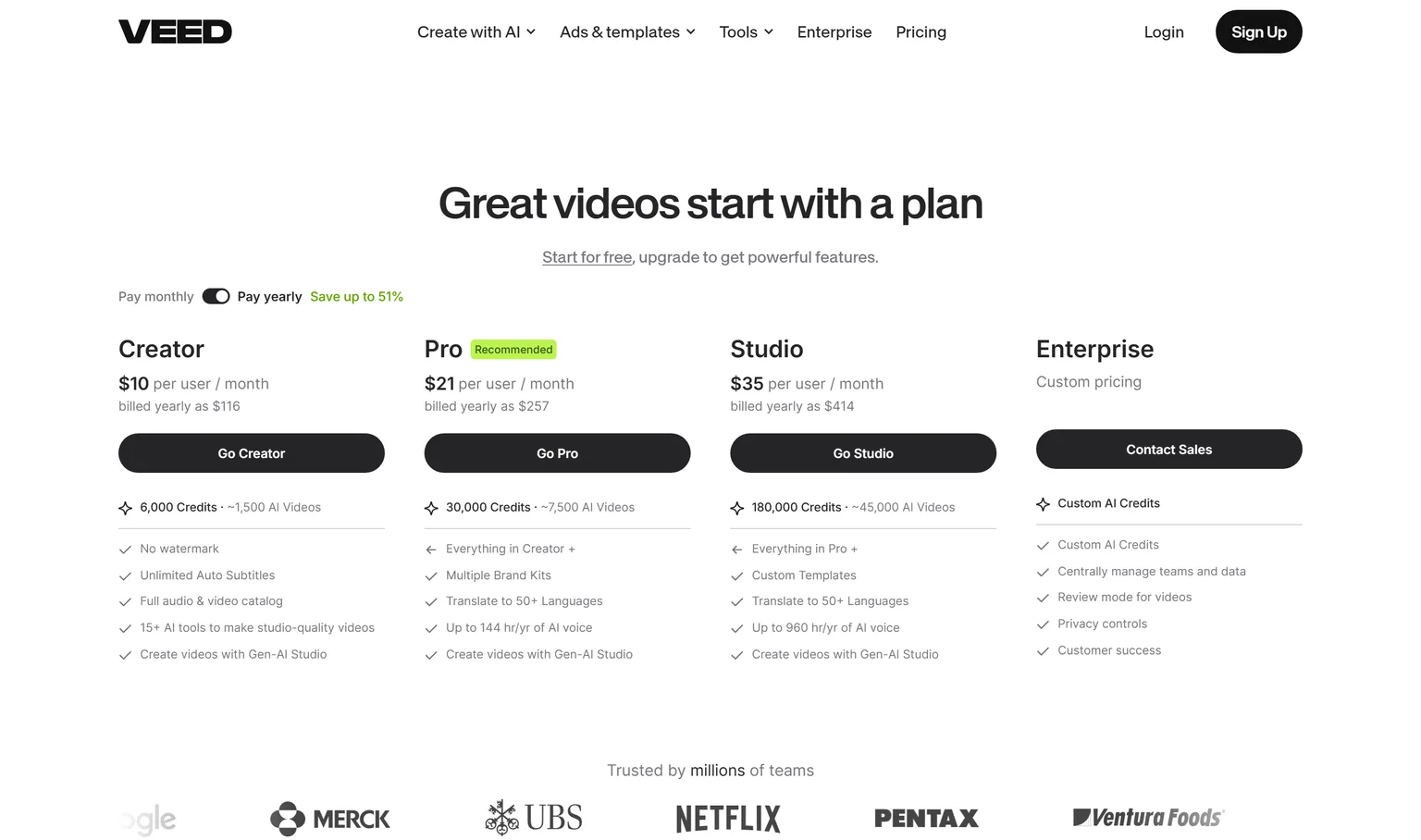
VEED describes itself as AI video creation made for social. It is a quick browser editor with subtitles, brand kits and AI generation. Teams look elsewhere for four reasons as their use grows, and all of them sit on VEED's own pricing page.
- Every user is a paid plan. Creator costs $10 per user a month billed yearly, and Pro costs $21 per user a month billed yearly. A team of five pays five times.
- AI generation draws on credits. Creator includes 6,000 credits, about 1,500 AI videos, and Pro includes 30,000 credits. Heavy AI users need a higher plan.
- Translation and AI voice start on Pro. Pro adds translation into 50+ languages, and includes up to 144 hours a year of AI voice.
- Team controls need Enterprise. Enterprise adds central team management, review mode and privacy controls, and it is custom priced.
How we picked and checked these VEED alternatives
A tool qualified when it edits or generates the kind of video a VEED user makes today, from social clips to talking-head videos. We started from the tools that appear most often across the top search results for VEED alternatives and kept seven. Each one was judged on what it produces, how clear its pricing is, the caps on its free plan, and the team it fits.
- Own screenshots. Every homepage and pricing screenshot on this page is ours, taken on September 30, 2026 at 1440 pixels wide.
- Verified facts. Every price, limit and plan detail comes from the vendor's own page, and a script re-checked each one on September 30, 2026. The Sources section lists each page.
- Dropped tools. ChatCut, Vizard, Klap, Exemplary and PuppyDog appear mainly on their own lists. HeyGen is an avatar tool covered on our HeyGen alternatives page.
- No affiliate links. No vendor on this page pays us for a mention or a click.
GuideClarity publishes this page and is listed first. We describe its weaknesses with the same directness as everyone else's, and the facts about it come from the same public pages.
1. GuideClarity: best for SaaS teams that want product demo videos, explainer videos, blog posts and other marketing assets generated automatically from their product features
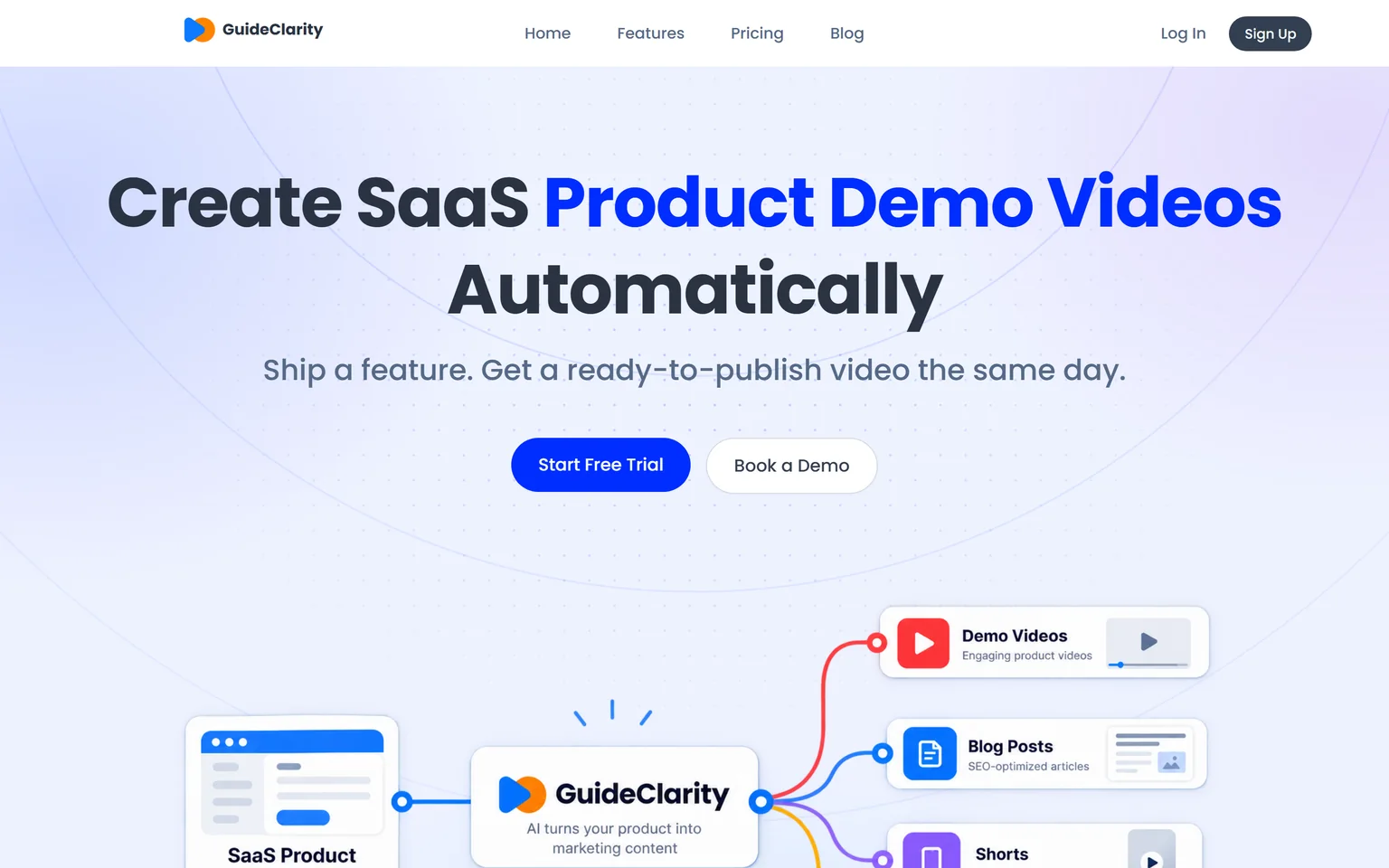
GuideClarity creates SaaS product demo videos automatically. It is best for SaaS teams that want to turn product features into marketing content automatically, without manually recording, scripting, editing and recreating the same content for every channel. It creates demo videos, feature explainers, shorts, blog posts, screenshots and launch assets. SaaS companies that ship features often get the most from it, from a single founder to a large marketing team.
What GuideClarity does
VEED edits footage you bring or generates clips from a prompt. GuideClarity starts from your product. It generates the demo video and the explainer video automatically from your live product URL, so nobody records or edits. From the same feature it turns one release into a demo video, shorts, a blog post, social posts, screenshots and an announcement. Our guide on making a SaaS demo video that converts shows what a good one needs.
GuideClarity pricing
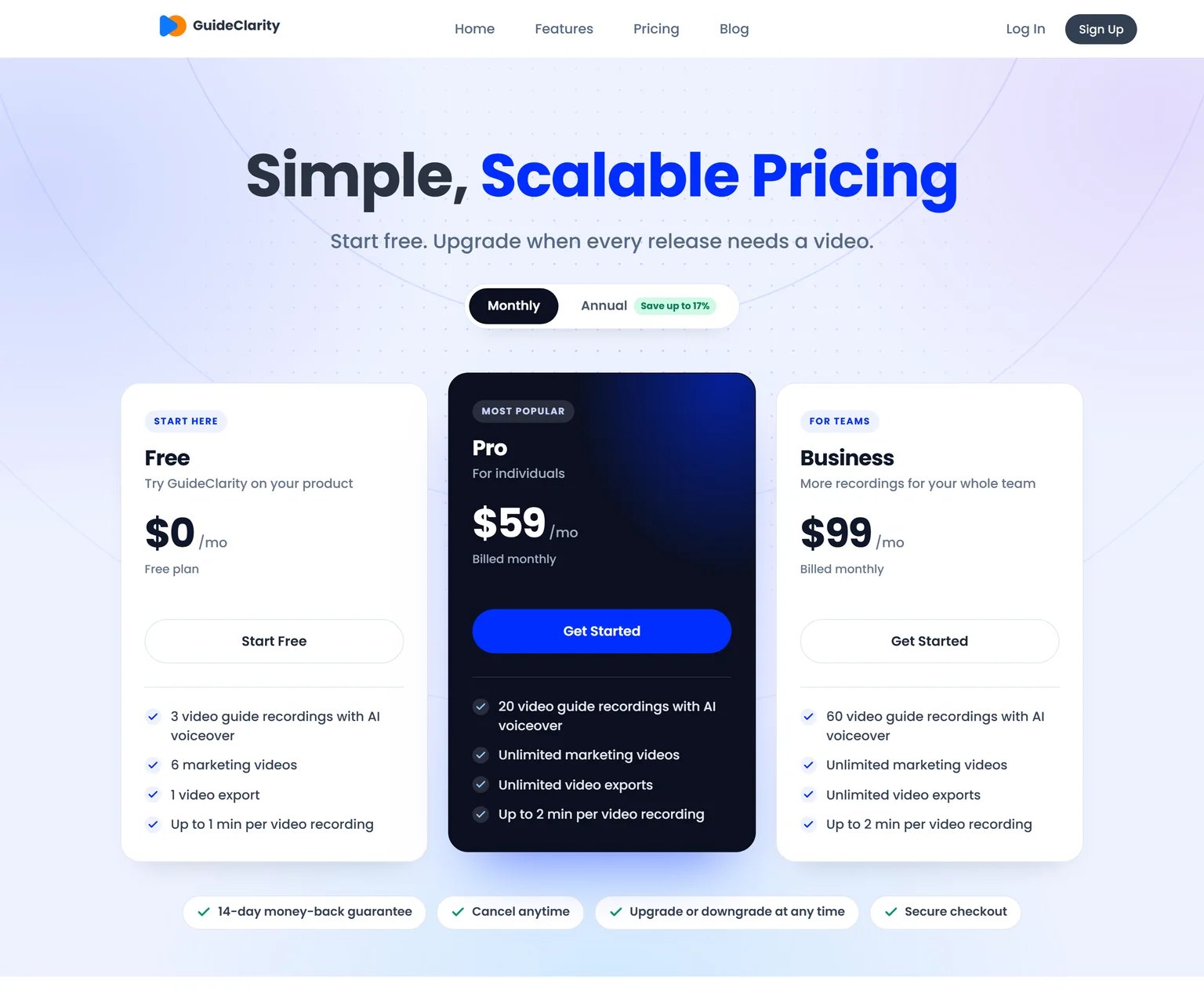
GuideClarity has three plans. The free plan includes 3 video guide recordings with AI voiceover and 6 marketing videos. Pro costs $59 a month billed monthly and includes 20 video guide recordings, or $49 a month billed yearly. Business costs $99 a month and includes 60 video guide recordings. Every paid plan carries a 14-day money-back guarantee.
Strengths
- No recording, script or editing. Review and publish is the work.
- One feature in, a whole launch kit out, with the videos, docs, shorts and blog post shaped for their channels.
- Plans are priced per workspace, not per user.
- Videos stay in step with what shipped.
- A free plan to test on a real feature before paying.
Weaknesses
- Built for SaaS product and feature content, not for vlogs, ads for physical products or other footage.
- Not a general video editor. Creators who cut their own footage are better served by an editor.
- Not for agencies that produce brand films.
Who GuideClarity is for
GuideClarity fits founders, heads of marketing, marketing teams and product marketers at SaaS companies, from a single founder to a large marketing team. It is easy enough to start that small teams adopt it first, and it scales to large marketing teams. The GuideClarity features page lists every output.
GuideClarity vs VEED
VEED edits and generates social video from your footage and prompts. GuideClarity generates the video automatically from your live product URL, and produces the documentation, shorts, blog post and the complete marketing package from the same feature. VEED is the better pick for general social editing. GuideClarity is the better pick when the goal is a product video and the launch content around it. Our VEED vs Trupeer comparison covers another product video angle.
2. Descript: best for editing talking-head and podcast videos by editing the transcript
Descript transcribes any recording and lets you edit the video by editing the text. It is one of the two VEED alternatives named most often in search results. Podcasters, YouTubers and marketing teams that talk to camera get the most from it. People who make short template-driven social clips may find VEED or CapCut faster. We compare its rivals on our Descript alternatives page.
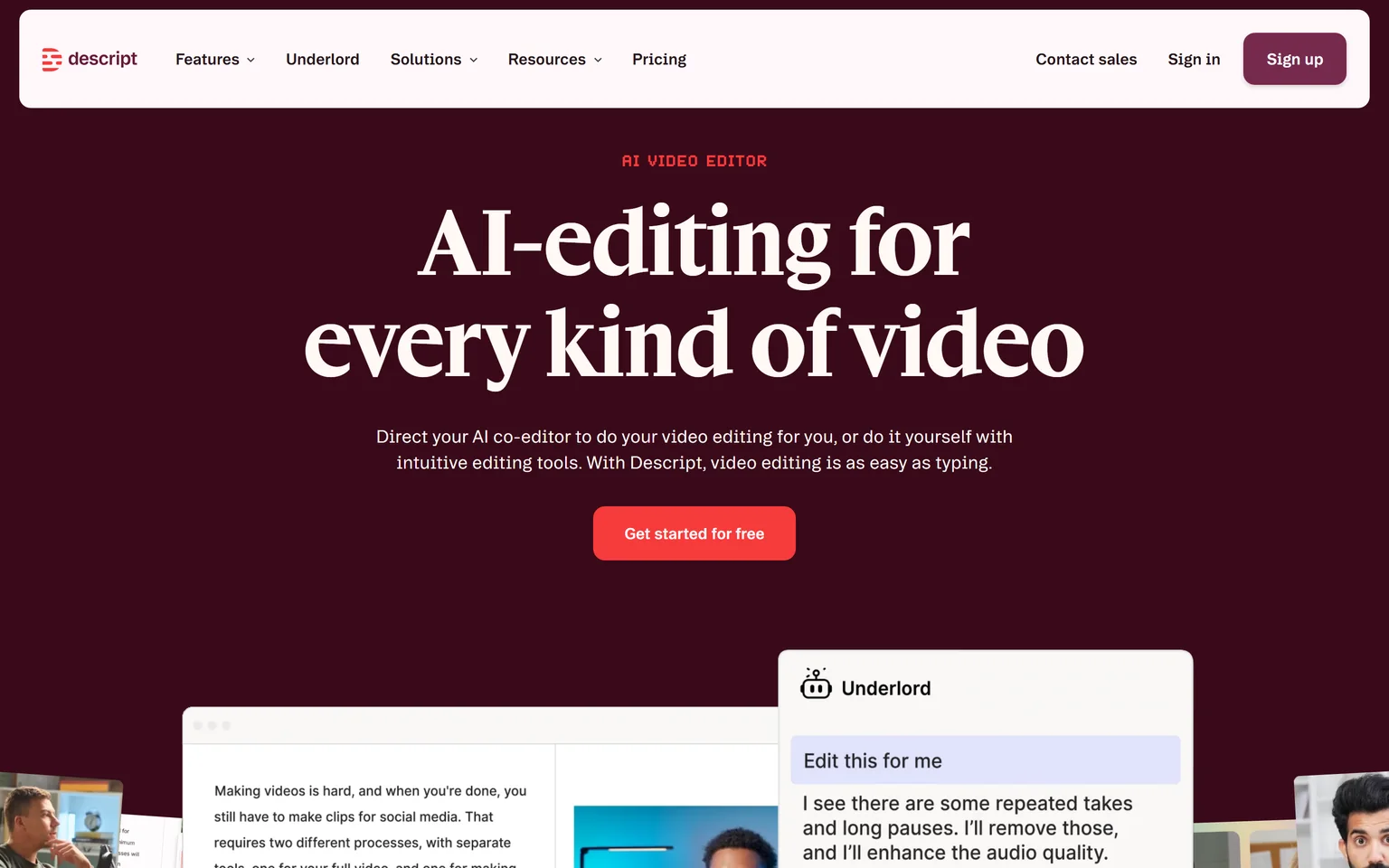
What Descript does
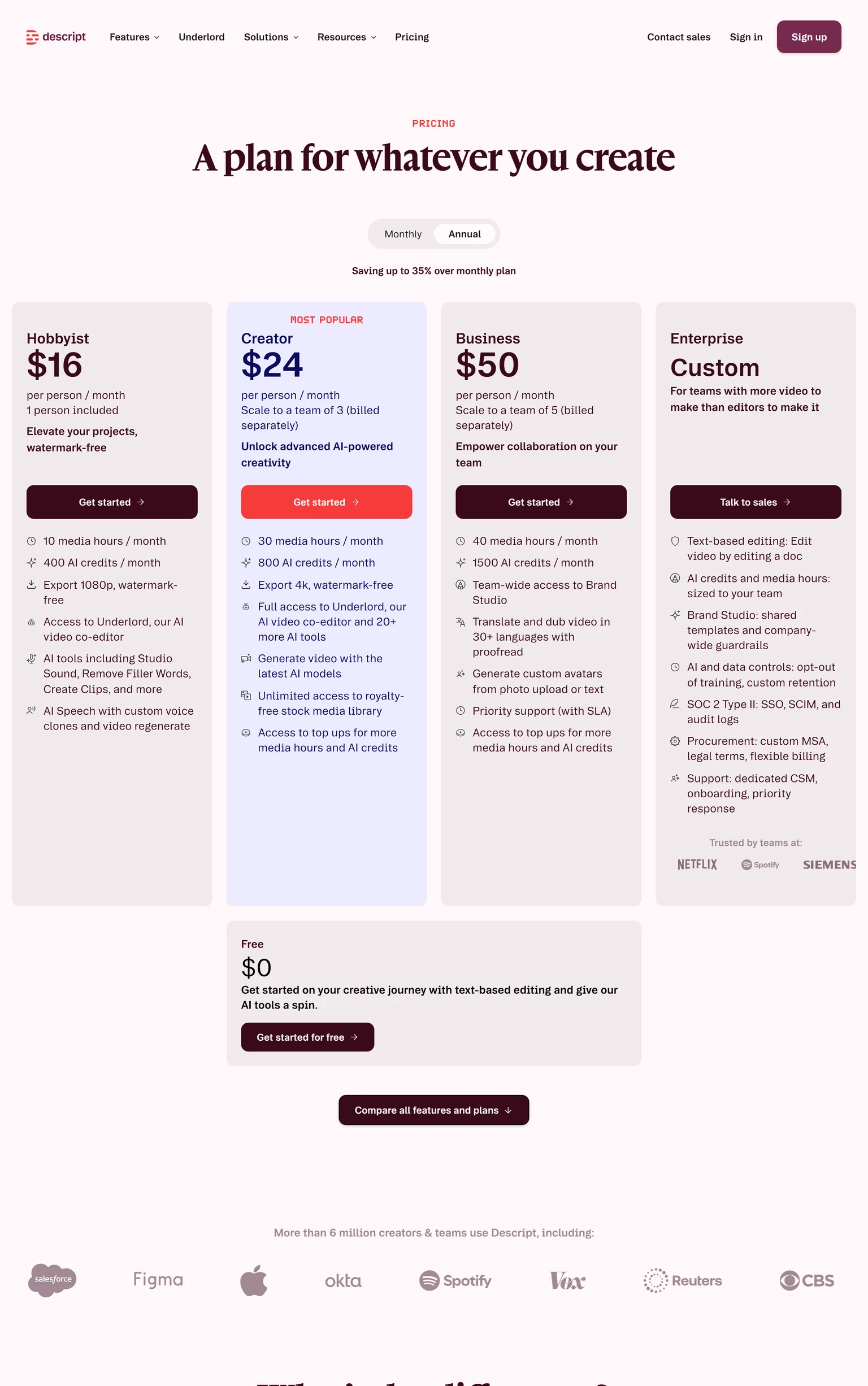
You record in Descript or drag in a file, then cut by deleting words. Its Underlord AI editor turns a raw recording into a tight cut. Hobbyist includes Studio Sound, Remove Filler Words and Create Clips.
Descript pricing
Hobbyist costs $16 per person a month on annual billing, or $24 monthly. It includes 10 media hours and 400 AI credits a month and exports 1080p. The Free plan includes 60 media minutes a month and 720p export.
Strengths
- Edit video by editing the transcript.
- Studio Sound and filler word removal.
- Remote and screen recording built in.
Weaknesses
- Media hours and AI credits run out.
- Priced per person.
- Fewer social templates than VEED.
Who Descript is for
Descript fits podcasters and creators whose videos are mostly speech. Social teams that live on templates and trends should look at CapCut or Canva.
Descript vs VEED
Descript Hobbyist costs $16 per person a month on annual billing, and VEED Creator costs $10 per user a month billed yearly. Descript edits by transcript. VEED leans on templates and unlimited auto subtitles. Our VEED vs Descript comparison calls an edge on each criterion.
3. CapCut: best for free social editing on desktop, web and mobile
CapCut is an AI-powered photo and video editor for creating content for YouTube, Instagram and beyond. You can try it online for free with no credit card. It is the VEED alternative named most often in search results, mostly for free short social video. Creators who edit on a phone or a laptop get the most from it.
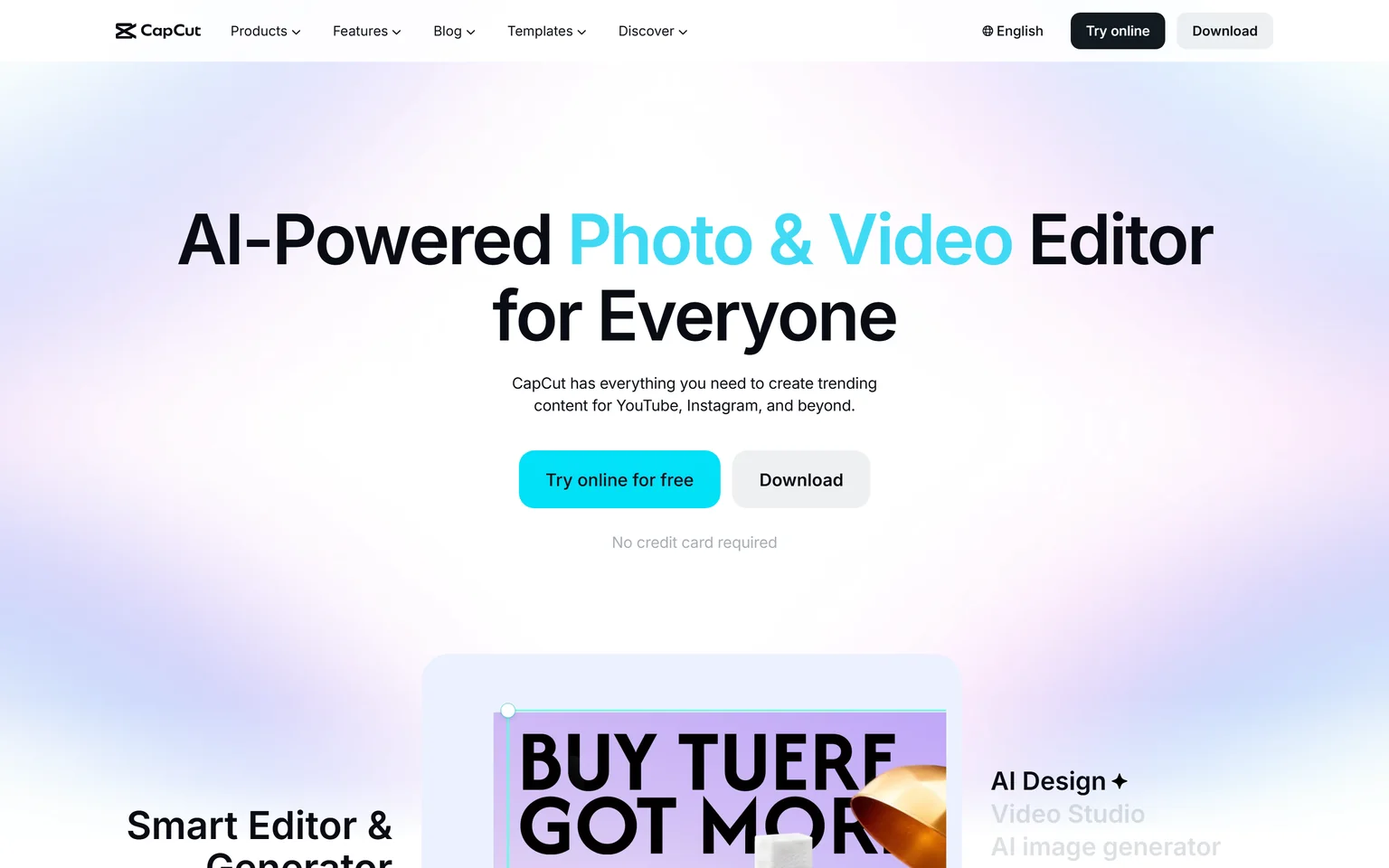
What CapCut does
CapCut comes as a desktop app, an online editor and a mobile app, so you can edit on whichever device is at hand. It lists auto captions, text to speech and video background removal, plus templates for social formats.
CapCut pricing
CapCut has no public pricing page, so we could not verify any paid plan. The editor is free to start. Check CapCut's current paid options yourself before you plan a budget around them.
Strengths
- Free to start with no credit card.
- Desktop, web and mobile apps.
- Auto captions and social templates.
Weaknesses
- No public pricing page for paid plans.
- No team or business plan listed on its website.
- Aimed at short social content.
Who CapCut is for
CapCut fits creators and small teams who post short videos and want to start free. Teams that need clear per-seat pricing and brand controls should compare VEED, Kapwing or Canva.
CapCut vs VEED
Both suit short social video with captions and templates. VEED lets you start for free and prices paid plans per user from $10 a month billed yearly. CapCut is free to try and runs on phones too. Pick CapCut to start free on mobile. Pick VEED for clear team pricing and brand kits.
4. Kapwing: best for a browser editor with subtitles and dubbing, close to VEED
Kapwing creates multimedia-rich videos from simple prompts and is built for creative teams. It is the closest like-for-like VEED alternative, a browser editor with subtitles, dubbing and team workspaces. Marketing and training teams that edit together get the most from it. Solo creators on a tight budget may prefer a free tool.
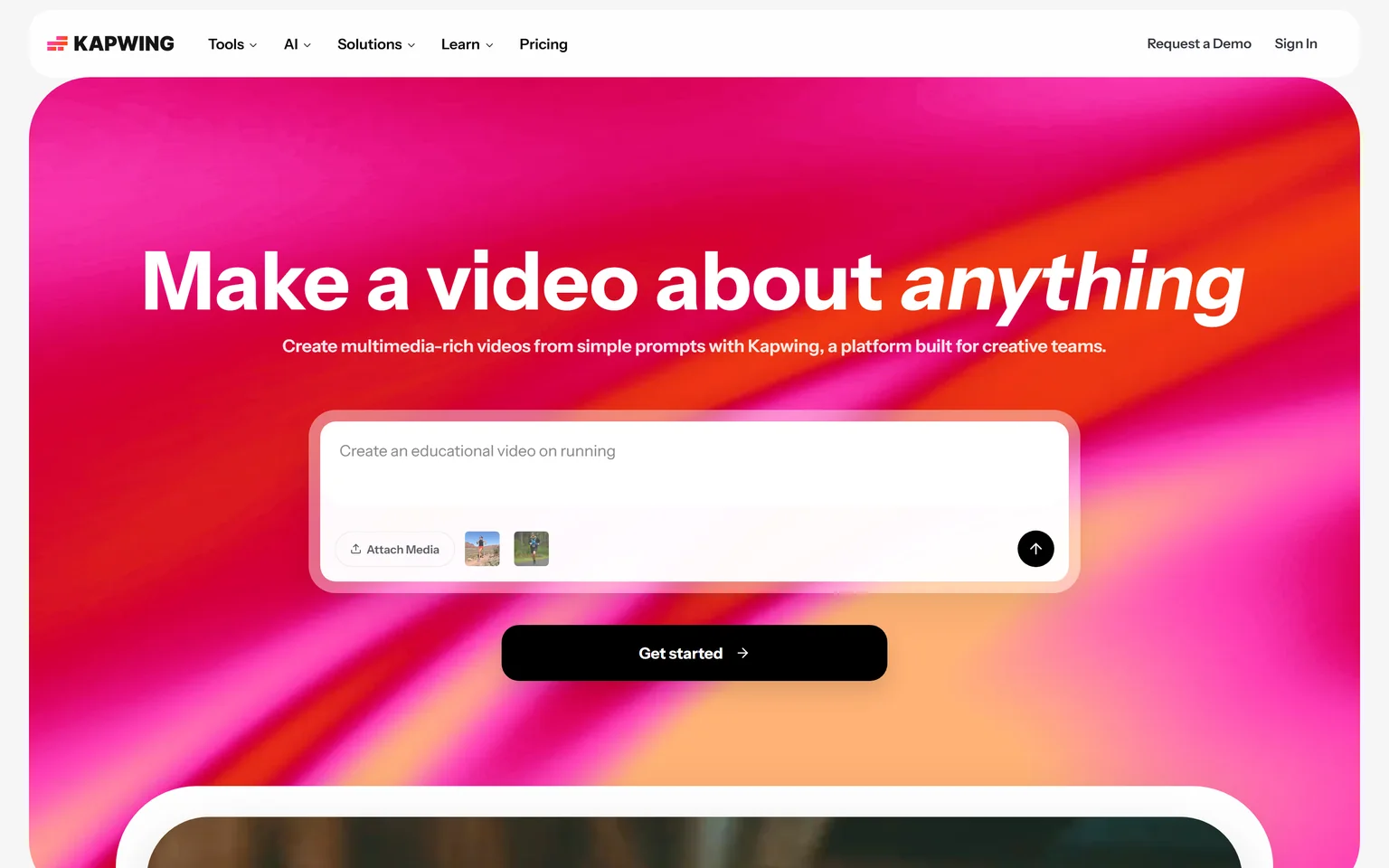
What Kapwing does
Kapwing edits in the browser on a timeline and also edits videos by editing text, and dubs dialogue into 40+ languages. Pro removes the watermark, exports in 4K and adds a shared workspace. Pro includes up to 1,000 minutes of auto-subtitling and 50 minutes of dubbing a month.
Kapwing pricing
Free costs $0 with 10 credits, exports with a watermark, videos up to 4 minutes and 720p quality. Pro costs $16 per member a month billed annually, or $24 billed monthly. Business costs $50 per member a month billed annually and adds custom voice clones and lip sync.
Strengths
- Dubbing included on Pro.
- 4K export and a shared workspace on Pro.
- Transcript editing as well as a timeline.
Weaknesses
- The free plan adds a watermark and caps quality at 720p.
- Priced per member.
- A higher entry price than VEED Creator.
Who Kapwing is for
Kapwing fits marketing and training teams that edit together in the browser and publish in several languages. Our guide to a content repurposing workflow shows where browser editors fit.
Kapwing vs VEED
Both are browser editors with subtitles. Kapwing Pro costs $16 per member a month billed annually and includes 50 minutes of dubbing a month. VEED Creator costs $10 per user a month billed yearly, and translation starts on Pro. Pick VEED for price. Pick Kapwing for dubbing on its first paid plan.
5. Clipchamp: best for free, watermark-free 1080p exports
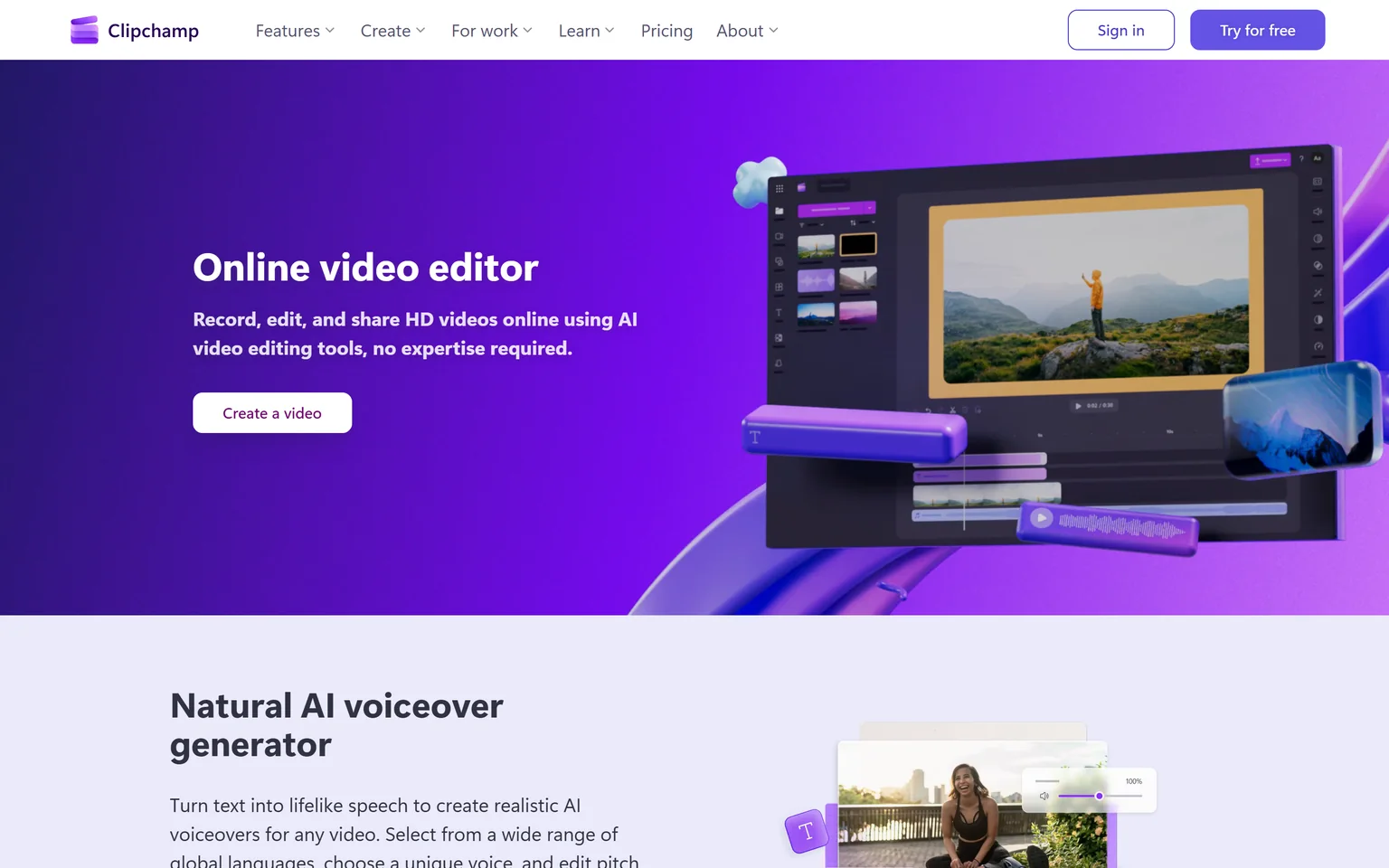
Clipchamp is Microsoft's online video editor. It starts free with a personal Microsoft account, with no payment or downloads, and free exports carry no watermark and go up to 1080p. Students, home users and small teams on Windows get the most from it. Teams that need 4K or brand kits should budget for Microsoft 365.
What Clipchamp does
Clipchamp includes a screen, camera and voice recorder on the free plan. It generates AI captions in over 80 languages. It runs in the browser and sits in the Start menu on Windows 11.
Clipchamp pricing
Clipchamp is free to start, and premium features are included with Microsoft 365 Personal and Family plans. Premium raises exports to 4K. The Clipchamp page does not list a separate price.
Strengths
- Free, watermark-free 1080p exports.
- Screen, camera and voice recording built in.
- AI captions in many languages.
Weaknesses
- 4K exports need Microsoft 365.
- Tied to a Microsoft account.
- Fewer AI generation tools than VEED.
Who Clipchamp is for
Clipchamp fits students, teachers and home users who want a free editor with clean exports. Our ScreenPal alternatives page covers more free recording options.
Clipchamp vs VEED
Both edit in the browser with captions. Clipchamp's free plan exports 1080p with no watermark. VEED Creator costs $10 per user a month billed yearly and has no watermark. Pick Clipchamp for free clean exports. Pick VEED for AI generation and social templates.
6. InVideo: best for AI video generation at a low entry price
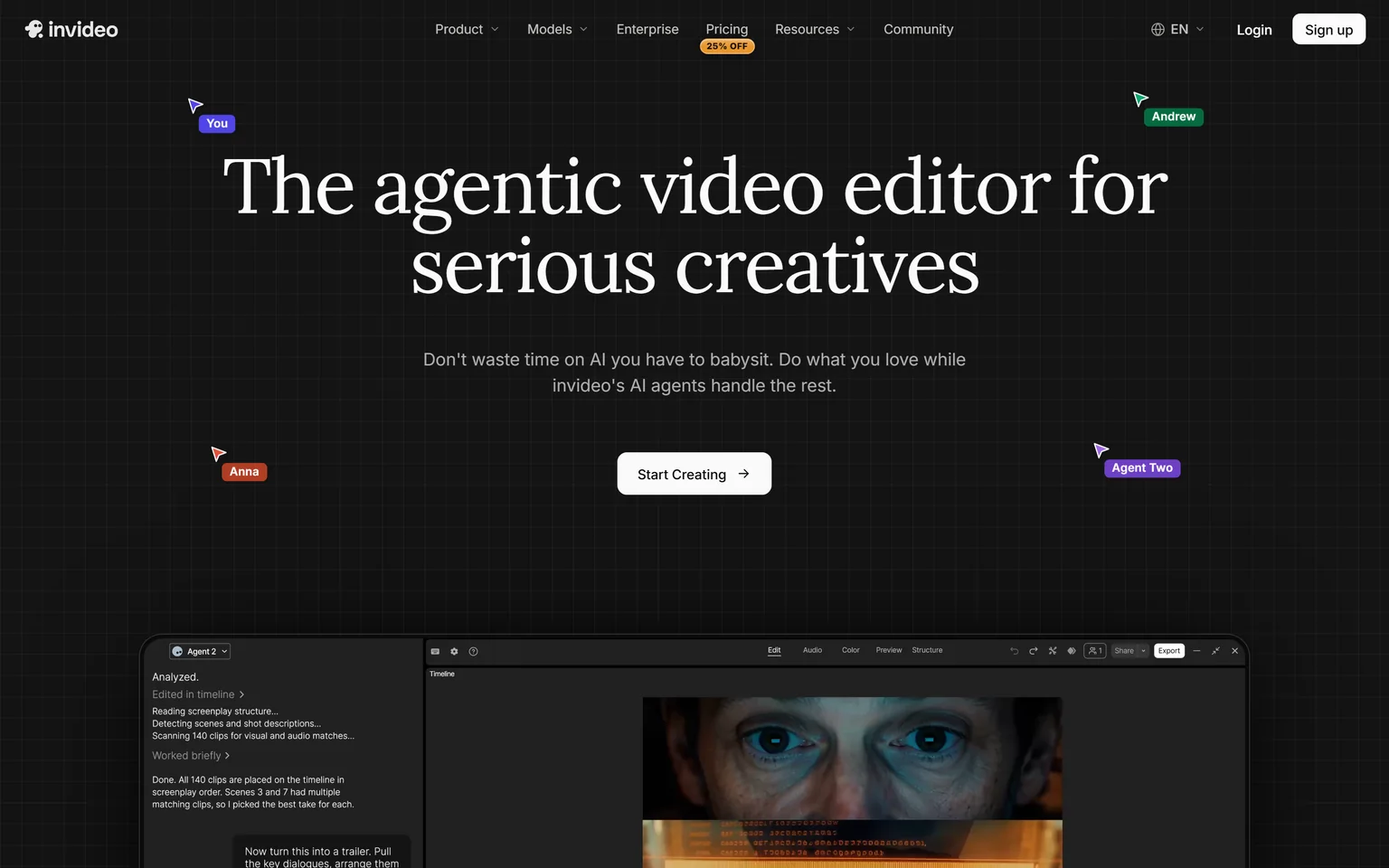
InVideo calls itself the agentic video editor for serious creatives, where you describe the edit in plain words. Its AI agents cut and generate video from prompts on a real timeline. Creators and marketers who want AI to do most of the editing get the most from it. People who prefer manual control may find the credit system in the way.
What InVideo does
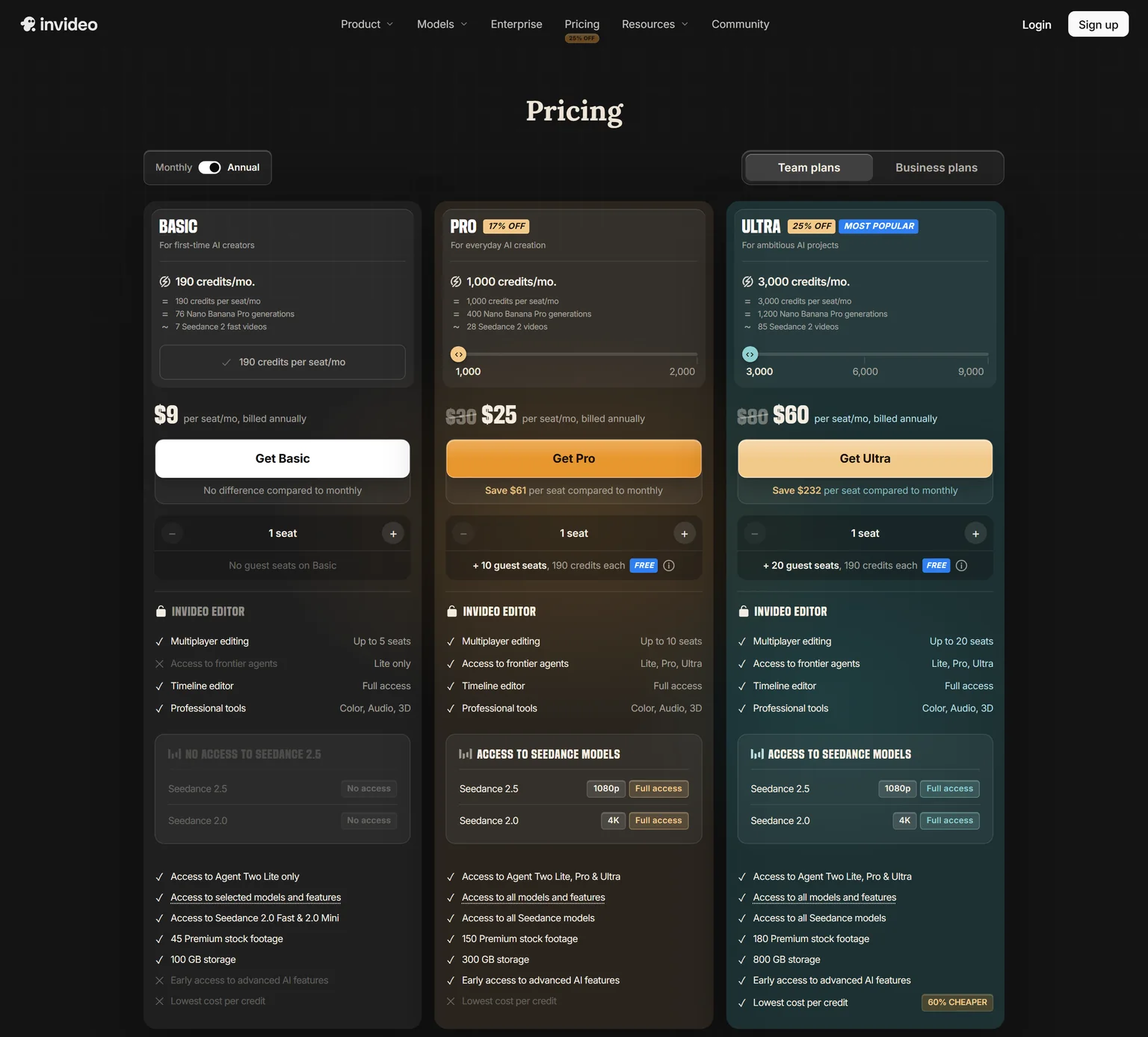
Every InVideo plan includes multiplayer editing, a timeline editor and professional color, audio and 3D tools. AI generation draws on a monthly credit pool that grows with each plan.
InVideo pricing
Basic costs $9 per seat a month billed annually, with 190 credits a month. Pro costs $25 per seat a month billed annually, with 1,000 credits a month. Ultra costs $60 per seat a month billed annually, with 3,000 credits a month.
Strengths
- A low entry price for AI generation.
- A full timeline editor on every plan.
- Describe edits in plain words.
Weaknesses
- Generation runs on a credit pool.
- Priced per seat.
- Basic includes a small monthly credit pool.
Who InVideo is for
InVideo fits creators and small marketing teams that want AI to draft and cut most of each video. Our guide to AI explainer videos for SaaS covers where generated video works.
InVideo vs VEED
Both generate video with AI. InVideo Basic costs $9 per seat a month billed annually, and VEED Creator costs $10 per user a month billed yearly. VEED includes unlimited auto subtitles and social templates. Pick InVideo for AI-led editing. Pick VEED for social formats and subtitles.
7. Canva: best for design-led social clips next to your other graphics
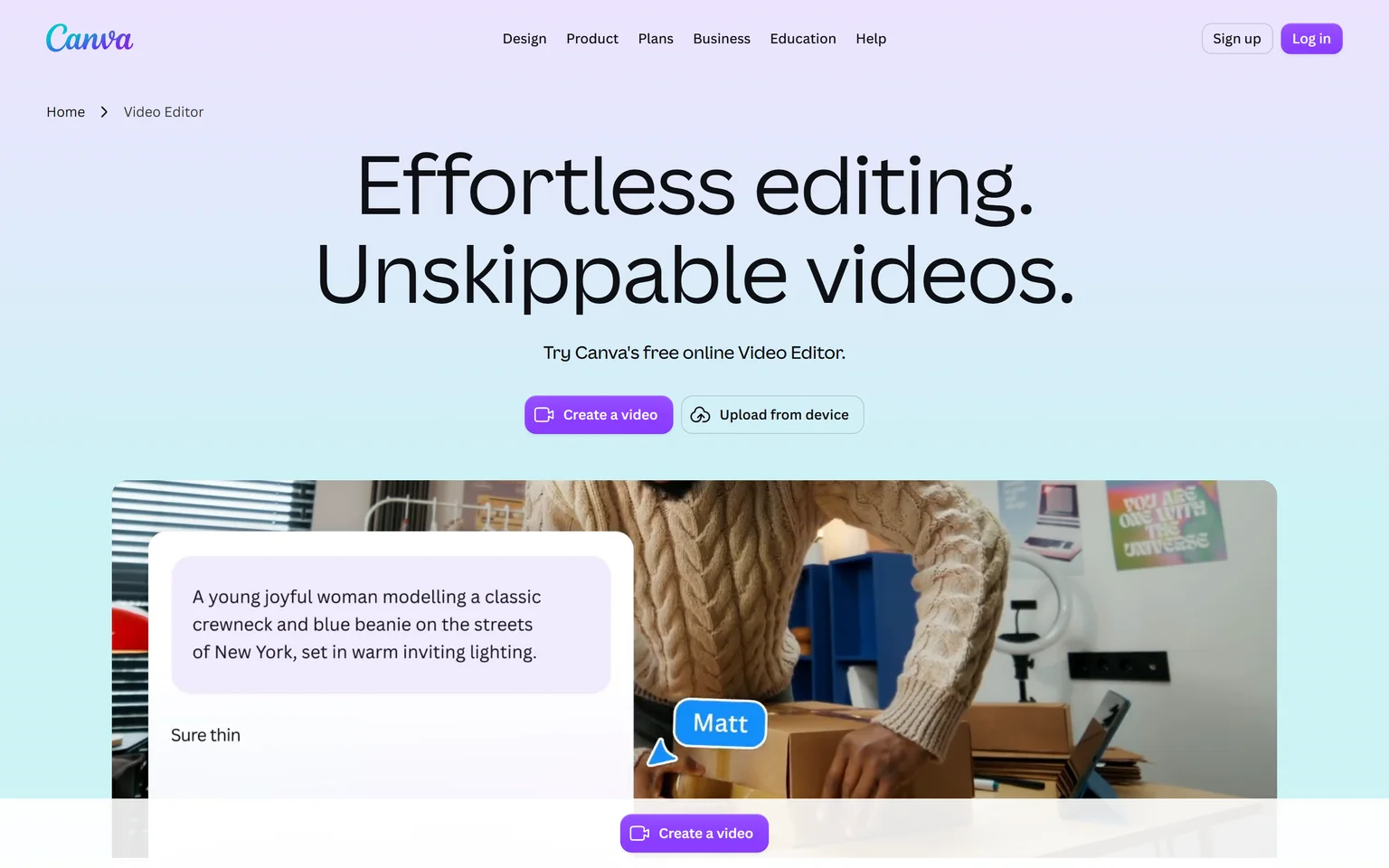
Canva is a design platform with a video editor built in. Its video editor has a multi-layered timeline, one-click captions and resizing for every channel. Marketing teams that already make their graphics in Canva get the most from it. Editors who need deep video tools will find it light.
What Canva does
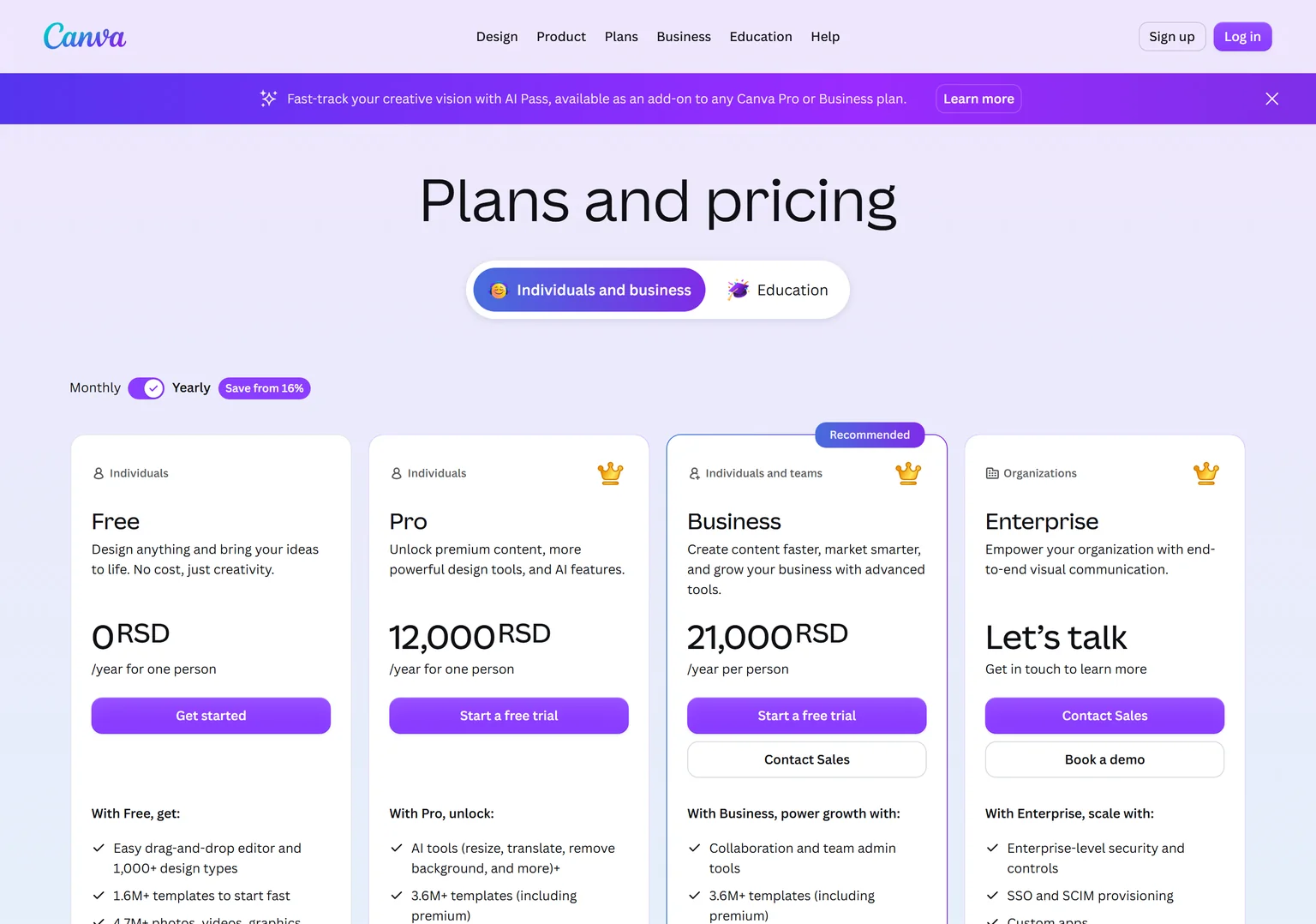
Canva puts video next to posts, slides and ads, so a campaign shares one brand. Pro includes 5 Brand Kits and 100GB of cloud storage. The free plan includes 1.6M+ templates.
Canva pricing
Canva showed Serbian dinars from our location. Pro costs 12,000 RSD a year for one person, with a free trial. Business costs 21,000 RSD a year per person and adds team admin tools. Enterprise adds SSO and SCIM provisioning.
Strengths
- Video next to all your other brand designs.
- A large template library, even on the free plan.
- Brand kits on Pro.
Weaknesses
- A design tool first, with lighter video editing.
- AI features share an allowance with design work.
- Prices vary by country.
Who Canva is for
Canva fits marketing and social teams that want one tool for graphics and short video. Teams that edit long videos should look at Descript or Kapwing.
Canva vs VEED
Both make short social video. Canva adds captions and resizing inside its design editor. VEED is video-first, with unlimited auto subtitles on Creator and AI generation. Pick Canva when video is one part of a design workflow. Pick VEED when video is the main job.
Which VEED alternative should you choose
Pick by how you edit and what you make. If it is a product demo video or explainer video and the launch content around it, GuideClarity generates all of it from your product. If you edit your own footage, the right pick depends on budget, device and whether you talk or template.
- If you ship SaaS features and want the demo video, explainer video, shorts and blog post the same day, pick GuideClarity.
- If your videos are mostly speech, pick Descript.
- If you want to start free and edit on your phone, pick CapCut.
- If you want a browser editor with dubbing included, pick Kapwing.
- If you want free exports with no watermark, pick Clipchamp.
- If you want AI to do most of the editing, pick InVideo.
- If video is one part of your design work, pick Canva.
- If you want social templates, subtitles and AI in one browser tool at a low price, stay with VEED. Its Creator plan still covers most social teams.
Frequently asked questions about VEED alternatives
How much does VEED cost?
VEED Creator costs $10 per user a month billed yearly, $116 a year. Pro costs $21 per user a month billed yearly, and Studio costs $35 per user a month billed yearly. Enterprise is custom priced. You can start for free before you pick a plan.
What is the best completely free video editor?
It depends on your device. Clipchamp's free plan exports 1080p with no watermark, which suits Windows users. CapCut is free to try with no credit card and runs on phones. Kapwing's free plan adds a watermark and caps quality at 720p, so it suits testing more than publishing.
Can VEED.IO be trusted?
VEED is an established browser editor. It says it practices data protection by design and complies with GDPR and the CPPA, and it runs daily security sweeps and uses third parties for security tests. Its pages do not mention a SOC audit report. Teams with strict security reviews should ask VEED for its reports.
Is Descript better than VEED?
For talking-head videos and podcasts, often yes, because Descript lets you edit the video by editing the text. For short social clips, VEED is faster, with unlimited auto subtitles and templates. Descript starts at $16 per person a month on annual billing, against $10 per user a month for VEED Creator.
Is CapCut better than VEED?
CapCut is better for free editing on a phone, because it runs on desktop, web and mobile and is free to try. VEED is better for teams, with your colours, fonts, logos and voice applied to every video and clear per-user pricing. Pick by where and with whom you edit.
Which VEED alternative makes product videos?
GuideClarity generates product demo videos and explainer videos from your live product URL, with the docs, shorts, blog post and social posts from the same feature. The editors on this page need footage or a prompt first. Our SaaS demo software buyers guide compares the formats.
How did you verify the prices on this page?
We opened each vendor's pricing page in a browser on September 30, 2026 and saved its text. A script then checked every quoted price and limit against that saved page. CapCut has no public pricing page, so we quote no CapCut price. Canva showed Serbian dinars from our location.
Sources and verification
Every fact above was read on the pages below on September 30, 2026. The vendor's own page wins over any third-party listing when they disagree. Prices change, so check the vendor before you buy.
- VEED pricing page, checked September 30, 2026.
- VEED homepage, checked September 30, 2026.
- VEED screen recorder page, checked September 30, 2026.
- VEED enterprise page, checked September 30, 2026.
- GuideClarity pricing page, checked September 30, 2026.
- GuideClarity homepage, checked September 30, 2026.
- Descript pricing page, checked September 30, 2026.
- Descript homepage, checked September 30, 2026.
- CapCut homepage, checked September 30, 2026.
- Kapwing pricing page, checked September 30, 2026.
- Kapwing homepage, checked September 30, 2026.
- Clipchamp pricing page, checked September 30, 2026.
- Clipchamp homepage, checked September 30, 2026.
- InVideo pricing page, checked September 30, 2026.
- InVideo homepage, checked September 30, 2026.
- Canva pricing page, checked September 30, 2026.
- Canva video editor page, checked September 30, 2026.
Editing every product video by hand? GuideClarity generates the demo video, the explainer video, the shorts, the blog post and the social posts from your live product, with nothing to record and nothing to edit.
The free plan includes 3 video guide recordings with AI voiceover, so you can run a real feature through it before paying.