TL;DR
Vidyard vs Trupeer comes down to sales video messages against software walkthroughs. Vidyard is better for sales and revenue teams, because it tracks who watches each video and feeds that into the CRM. Trupeer is better for training and support teams, because its AI turns a rough screen recording into a narrated video and a written guide, at a lower paid price.
- Pick Vidyard if you send personal videos to buyers and want viewer alerts, analytics, AI avatars and CRM integrations.
- Pick Trupeer if you record software walkthroughs and want an AI voice and a step-by-step guide without editing.
- Pick GuideClarity if you want product demo videos and explainer videos generated from your live SaaS product, plus the docs, shorts and blog post.
Vidyard vs Trupeer at a glance
The table compares Vidyard and Trupeer on the points buyers check first. Starting price is the cheapest paid plan in US dollars a month, with yearly billing on both. Vidyard charges per seat. A tinted cell marks the side with the edge. We read every price and limit on each vendor's own page on September 29, 2026.
| Criterion | Vidyard | Trupeer |
|---|---|---|
| Best for | Sales video messages and hosting | AI-narrated walkthroughs with guides |
| Workflow | Record and send from the browser | Record, then AI rebuilds it |
| Starting price | $59 per seat a month, annually | $40 a month, yearly |
| Free plan | 5 videos a month, no time limit | Lasts 10 days |
| Viewer analytics | Full video analytics on Starter | Viewer analytics on Enterprise |
| AI avatars | 3 custom AI avatars on Free | Avatar clones on Enterprise |
| Hosting and sharing | Video hosting and branded Hubs | Share links and embeds |
| Written guides | Not offered | DOC, PDF and Markdown |
| Languages | Caption translation add-on | 100+ languages and accents |
| Security | SOC Type II compliant | ISO 27001, SOC 2 and GDPR |
| Biggest limitation | No guides, CRM links need Teams | Short recordings on Pro |
How we compared Vidyard and Trupeer
Vidyard is a video messaging and hosting platform for revenue teams, and Trupeer rebuilds a screen recording into a narrated video and a guide. Both record screens in the browser, so they meet on demos and customer videos. We compared them on eight things buyers weigh. Those are workflow, price, viewer analytics, AI avatars, hosting, documentation, languages and security.
- Own screenshots. Every homepage and pricing screenshot on this page is ours, taken on September 29, 2026 at 1440 pixels wide.
- Verified facts. Every price, limit and plan detail comes from the vendor's own page, and a script re-checked each one on September 29, 2026. The Sources section lists each page.
- An edge on every criterion. Each section ends with the side that wins it and the one fact that decides it.
- No affiliate links. No vendor on this page pays us for a mention or a click.
GuideClarity publishes this page. It is not one of the two tools compared, but it competes with both for product videos. Where it fits and where it does not is stated in its own section, with the same directness as the strengths and weaknesses of Vidyard and Trupeer.
What Vidyard and Trupeer are
Vidyard in brief
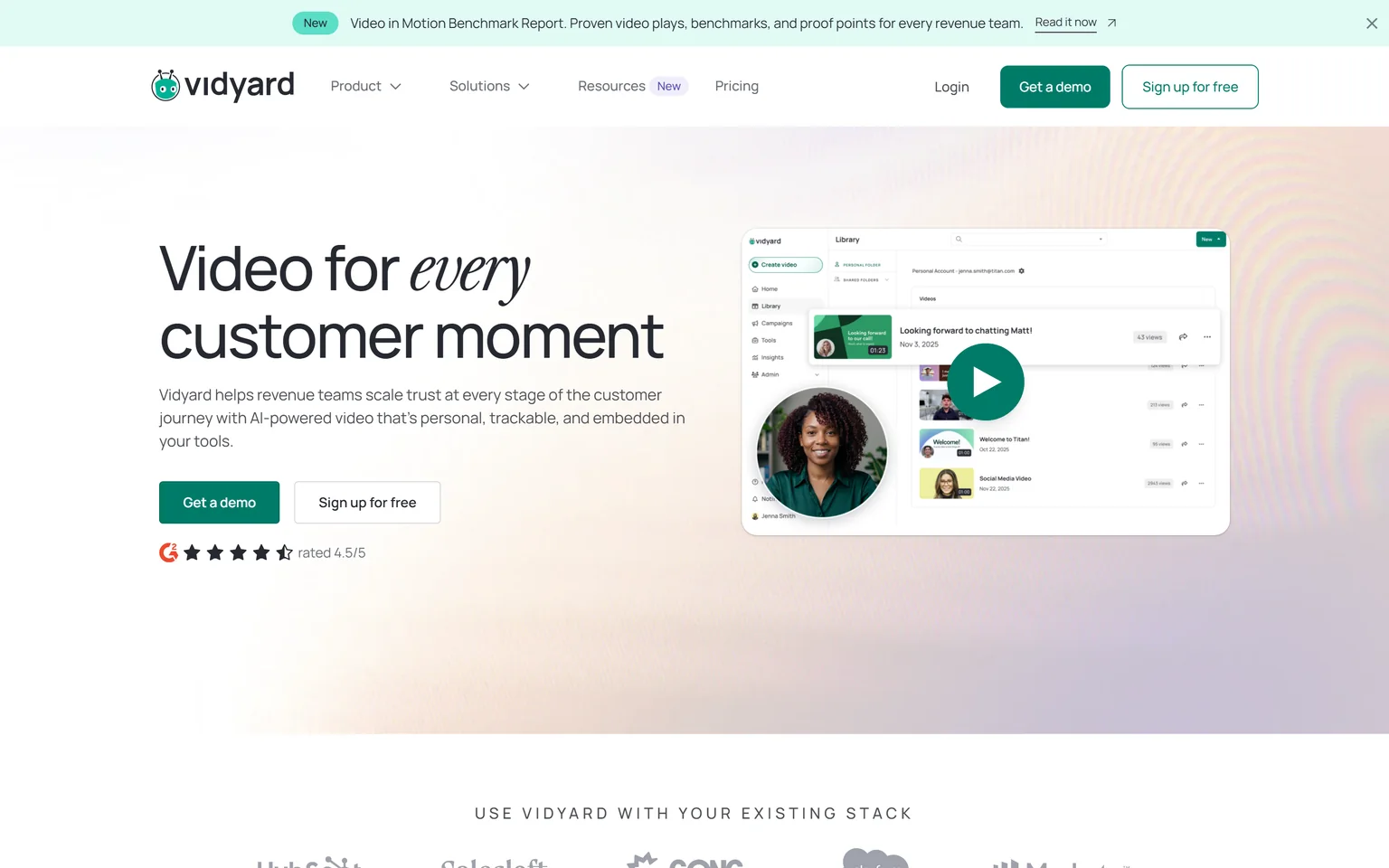
Vidyard helps revenue teams scale trust across the customer journey with AI-powered video. Reps record and send videos from the browser and get notified who is watching. It also hosts video libraries and runs AI avatars. Sales, marketing and customer success teams use it. Our Loom alternatives page covers similar video messaging tools.
Trupeer in brief
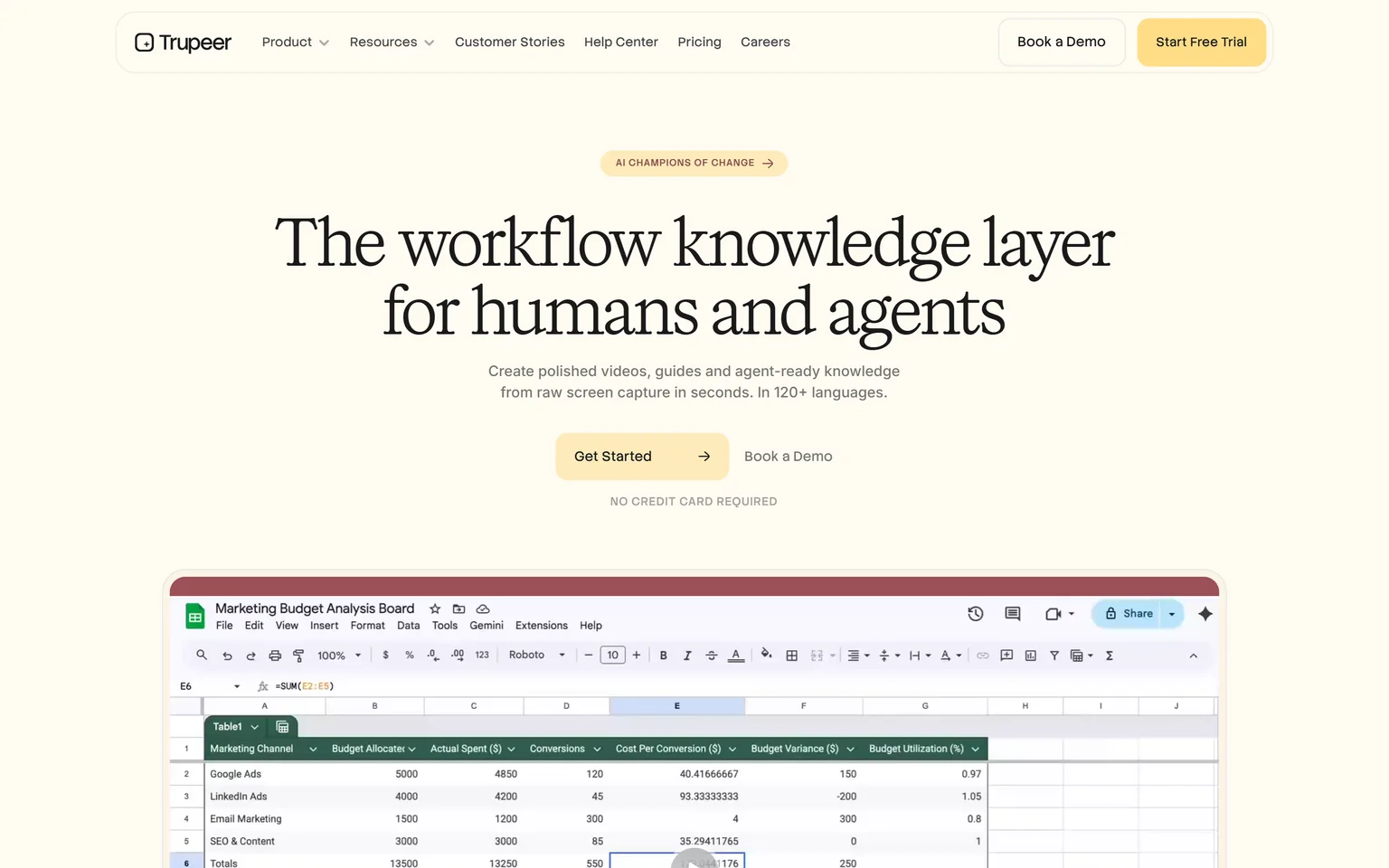
Trupeer creates polished videos, guides and agent-ready knowledge from raw screen capture, in 120+ languages. You record a rough walkthrough, and its AI fixes the script, adds a voice and builds a document. Training, support and product teams use it. We compare its rivals on our Trupeer alternatives page.
Vidyard vs Trupeer workflow
Trupeer wins on workflow for polished walkthroughs. You hit record on a screen and talk through it, using the Chrome extension or an upload. Trupeer then polishes the script and voices it for you. Vidyard records a personal video and sends it as it is. That is faster for a quick note to one buyer, but the result is not a polished tutorial.
How a Vidyard video runs
You record and send directly from your browser, then Vidyard tells you who watched. The point is a personal touch, so your own face and voice stay in. Its Video Agent can also create and deliver personalized videos based on buyer actions.
How a Trupeer video runs
You record a rough take, and Trupeer does the rest. It adds an AI voiceover, AI captions and auto zoom, and it builds a written guide from the same clicks. A stumble never needs a retake, because you fix the script text and regenerate the voice.
Which fits your work
A quick follow-up to a prospect fits Vidyard. A tutorial that many customers will watch fits Trupeer. Our guide on making a SaaS demo video that converts covers what a good walkthrough needs.
Edge Trupeer, because it turns a rough recording into a narrated, polished walkthrough.
Vidyard vs Trupeer pricing
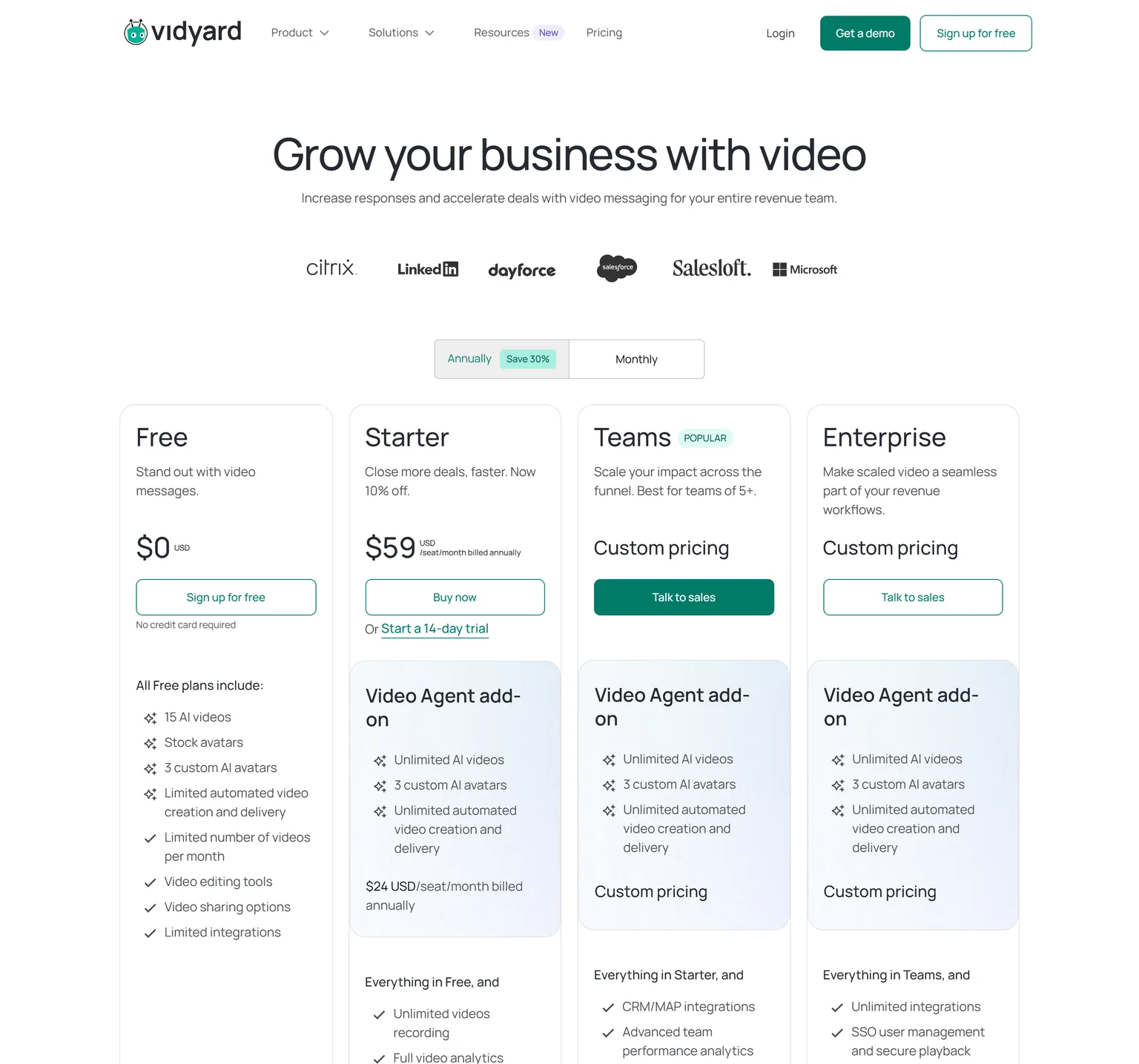
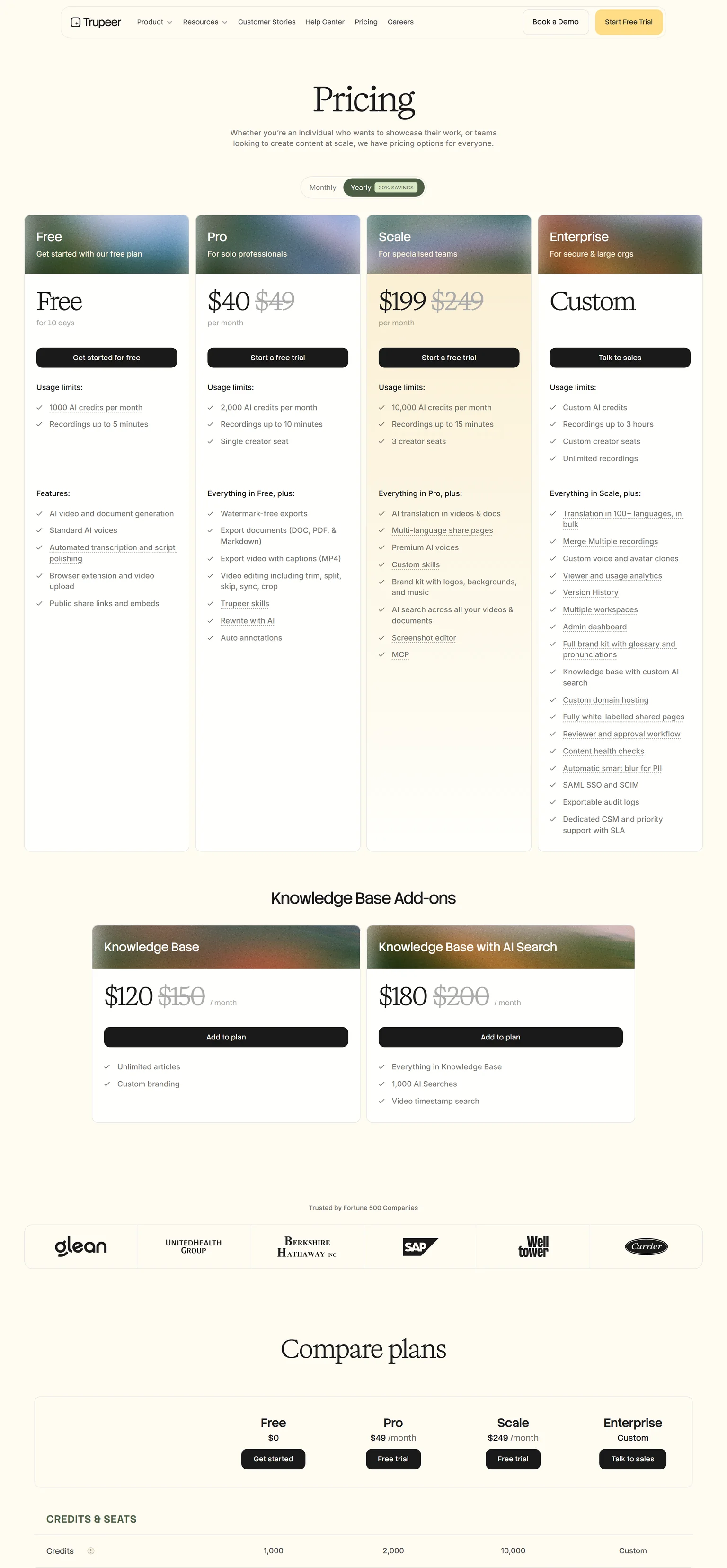
Trupeer wins on paid pricing. Trupeer Pro costs $40 a month billed yearly, or $49 billed monthly. Vidyard Starter costs $59 per seat a month billed annually, or $89 per seat billed monthly. Vidyard's free plan is the stronger one, though, because it does not end after a trial.
Vidyard pricing
Vidyard's Free plan costs $0, needs no credit card and includes 15 AI videos and 3 custom AI avatars. Its plan table lists 5 videos a month and recordings up to 30 minutes on Free. The Video Agent add-on costs $24 per seat a month billed annually. Teams is custom priced and best for teams of 5+.
Trupeer pricing
Trupeer Pro includes 2,000 AI credits a month, recordings up to 10 minutes and a single creator seat. AI video costs 100 credits per minute, so Pro covers about twenty minutes of new video a month. Trupeer's Free plan lasts 10 days.
What the same money buys
Vidyard Starter buys unlimited video recording and full analytics for one seat. Trupeer Pro buys AI narration, guides and a monthly pool of credits. A rep who sends many short videos gets more from Vidyard's unlimited recording.
Edge Trupeer, because its paid plan costs less per month than Vidyard Starter.
Vidyard vs Trupeer viewer analytics
Vidyard wins on viewer analytics, because tracking is its core. Vidyard notifies you who is watching, and Starter adds full video analytics and team performance analytics. It offers detailed video analytics and CRM integrations. Trupeer puts viewer and usage analytics on Enterprise, so most teams on Pro or Scale see far less.
Why sales teams care
A rep who knows a buyer watched twice can call at the right moment. Vidyard Teams adds CRM and MAP integrations, and Video Agent works with Salesloft, Salesforce, HubSpot, Marketo and Zapier. That links each view to the deal record.
Where Trupeer's focus lies
Trupeer measures content, not deals. Its analytics help a training team see which guides get used. For pipeline tracking, it is not the right tool.
Edge Vidyard, because it tracks every viewer and links views to the CRM.
Vidyard vs Trupeer AI avatars
Vidyard wins on AI avatars and personalization. Its Free plan includes 3 custom AI avatars, and it equips every rep with an AI avatar that engages buyers automatically. The Video Agent add-on adds unlimited AI videos. Trupeer offers lifelike avatars without a camera, but custom voice and avatar clones wait for Enterprise.
What each AI does
Vidyard's AI personalizes outreach at scale, so each buyer gets a video in the rep's likeness. Trupeer's AI rewrites and voices a walkthrough. Its Free plan includes automated script polishing and standard AI voices, and Scale adds premium AI voices.
Which matters to you
If you want one rep to send many personal videos, Vidyard fits. If you want one clear tutorial for many viewers, Trupeer fits better.
Edge Vidyard, because custom AI avatars come on its free plan.
Vidyard vs Trupeer hosting and sharing
Vidyard wins on hosting. Vidyard hosts, shares and controls your videos in one place, and Hubs put a library on one branded page free of ads. Starter adds a branded sharing page, CTA templates and password-protected videos. Trupeer shares through public share links and embeds, and sells a Knowledge Base add-on for $120 a month billed yearly.
What this means for marketing
A marketing team that hosts webinars, demos and case study videos wants one library with calls to action. Vidyard is built for that job. Trupeer's knowledge base fits a help center, where guides and videos sit together. Pick the tool that matches where your viewers already go.
Edge Vidyard, because hosting, branded pages and calls to action come on Starter.
Vidyard vs Trupeer documentation
Trupeer wins on documentation, because Vidyard does not make step-by-step guides. Trupeer's Free plan includes AI video and document generation, and Pro exports documents to DOC, PDF and Markdown. Vidyard's output is the video and its sharing page. For a written guide next to each video, a Vidyard team needs a second tool.
How Trupeer builds a guide
Trupeer detects each step, adds smart screenshots and annotations, and follows your own template. An AI document costs 50 credits. Trupeer also lists SCORM export for training systems.
Who needs this
Customer success and support teams want a written guide next to each video, so customers can skim the steps. A sales rep sending a quick video will not need one. Our SaaS onboarding video playbook covers when a guide helps.
Edge Trupeer, because it turns each recording into a formatted guide as well.
Vidyard vs Trupeer languages
Trupeer wins on languages. Trupeer generates voiceovers and translations in 100+ languages and accents, and Scale adds AI translation in videos and docs. Vidyard lists caption translations as an add-on billed on usage, and video captions start on Teams. Vidyard does not list voice translation on its pricing page.
What translation costs
Trupeer translation costs 100 AI credits per minute for each target language, and Scale includes two languages. Scale also adds multi-language share pages. Machine translation still needs a native speaker to check product terms.
What this means for global teams
A sales team selling in one market will rarely need translation. A support team serving customers in several countries needs each video and guide in their language, and Trupeer covers that from one recording.
Edge Trupeer, because it translates the voice and the guide, not just captions.
Vidyard vs Trupeer security
Trupeer wins on security by a small margin. Trupeer's homepage says it is ISO 27001, SOC 2 and GDPR certified. Vidyard says it is SOC Type II compliant and adheres to frameworks like NIST and ISO27001, which is not the same as holding the ISO certificate. Vidyard encrypts data in transit and at rest.
Enterprise controls
Vidyard Enterprise adds SSO user management, secure playback and custom permissions. Trupeer Enterprise adds SAML SSO with SCIM, and it blurs personal data in recordings automatically. Ask each vendor for its reports during a security review. Both sell to large companies, so both are used to security questionnaires.
Edge Trupeer, because it lists an ISO 27001 certificate and automatic PII blur.
Vidyard vs Trupeer: which should you choose
Choose by who watches. If the viewer is a buyer and you want to know when they watch, Vidyard wins. If the viewer is a customer or employee learning software, Trupeer wins at a lower paid price. Some companies give sales reps Vidyard and give the support team Trupeer.
Vidyard strengths and weaknesses
Strengths
- Alerts on who watched each video.
- Full analytics and CRM links for sales.
- Custom AI avatars on the free plan.
- Video hosting, Hubs and branded pages.
- A free plan with no time limit.
Weaknesses
- No written step-by-step guides.
- CRM integrations start on Teams.
- A higher per-seat price than Trupeer Pro.
Trupeer strengths and weaknesses
Strengths
- Turns a rough recording into a narrated video.
- Guides in DOC, PDF and Markdown.
- 100+ languages and translation on Scale.
- ISO 27001 and PII blur on Enterprise.
Weaknesses
- The free plan lasts 10 days.
- Viewer analytics only on Enterprise.
- No CRM-driven video outreach.
- If you send personal videos to prospects, pick Vidyard.
- If you need to know when a buyer watches, pick Vidyard.
- If you record software walkthroughs for customers, pick Trupeer.
- If every video needs a written guide next to it, pick Trupeer.
- If you are weighing Trupeer against other tools, see our Loom vs Trupeer and VEED vs Trupeer comparisons.
- If you ship SaaS features and want the launch videos and content generated from the product, pick GuideClarity.
Where GuideClarity fits between Vidyard and Trupeer
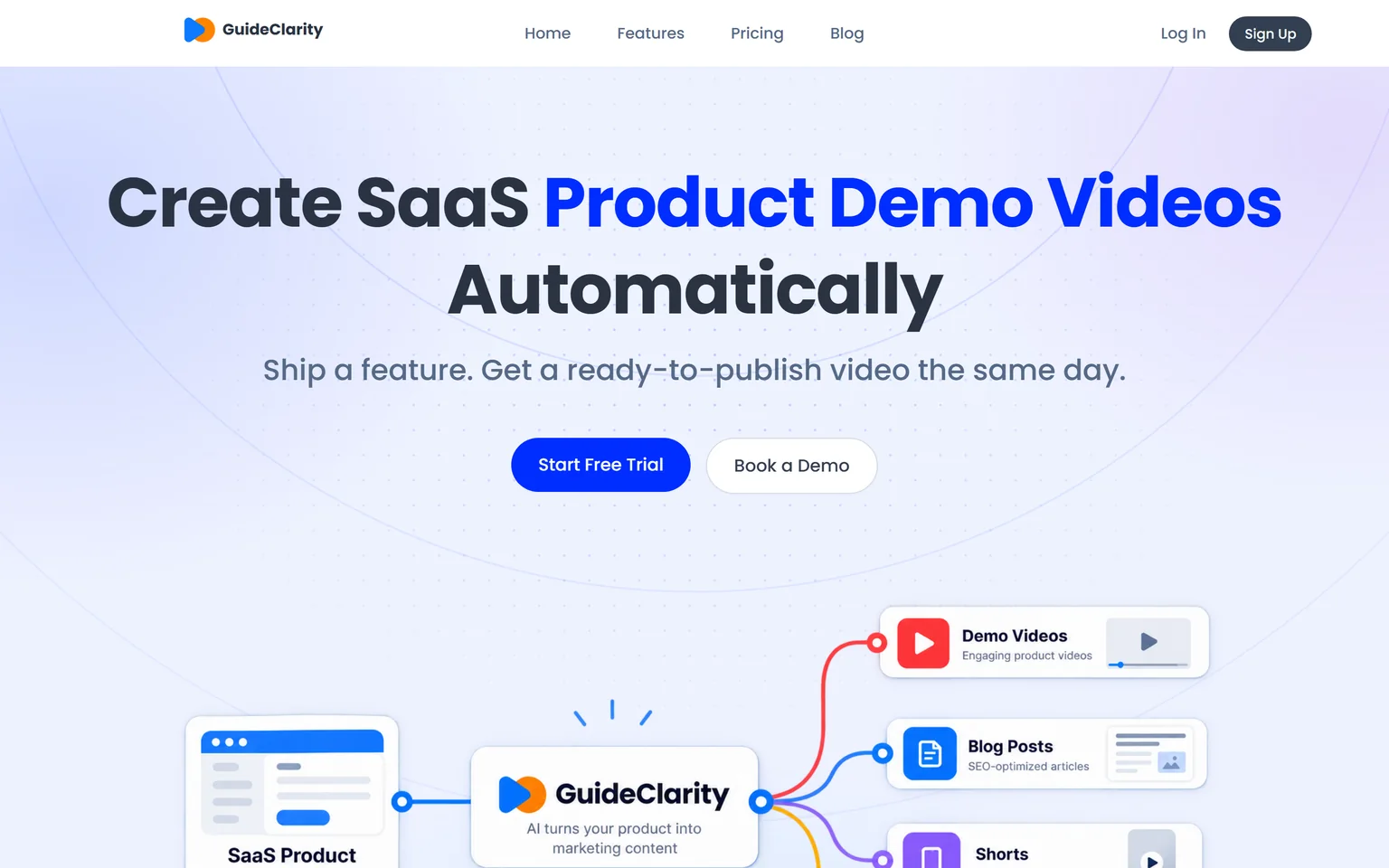
Vidyard and Trupeer both start from a recording. GuideClarity starts from your product. It generates the product demo video and the explainer video automatically from your live product URL, then the docs, shorts, blog post and social posts. It suits SaaS teams that ship often. Teams sending personal sales videos or documenting third-party software should pick Vidyard or Trupeer.
GuideClarity pricing
The free plan includes 3 video guide recordings with AI voiceover and 6 marketing videos. Pro costs $59 a month billed monthly, or $49 a month billed yearly. Business costs $99 a month. Paid plans carry a 14-day money-back guarantee.
Strengths
- Builds the product demo video and explainer video from the product.
- One feature in, a whole launch kit out, with shorts, docs and a blog post.
- No recording, scripting or editing step for the team.
- A free plan to test on a real feature.
Weaknesses
- Not a sales messaging tool. Personal prospect videos fit Vidyard.
- Focused on your own SaaS product, not on training for third-party tools.
GuideClarity vs Vidyard and Trupeer
GuideClarity creates SaaS product demo videos automatically. It turns one release into a demo video, shorts, a blog post, social posts, screenshots and an announcement. Nobody records or edits the screen. The GuideClarity features page lists every output. Our guide to personalized video demos shows how product videos support sales.
Frequently asked questions about Vidyard vs Trupeer
Is Trupeer better than Vidyard?
Trupeer is better for software walkthroughs, because it adds an AI voiceover, captions and zooms and exports guides on Pro. Vidyard is better for sales outreach, because it notifies you who is watching and offers detailed analytics and CRM integrations. So in Trupeer vs Vidyard, who watches the video decides.
How much does Vidyard cost per month?
Vidyard Starter costs $59 per seat a month billed annually, or $89 per seat billed monthly. The Video Agent add-on costs $24 per seat a month billed annually. Teams is custom priced, and so is Enterprise. A Free plan costs $0 and needs no credit card.
Does Vidyard have a free version?
Yes. Vidyard's Free plan costs $0 and includes 15 AI videos and 3 custom AI avatars. Its plan table lists 5 videos a month and recordings up to 30 minutes on Free. By contrast, Trupeer's Free plan lasts 10 days. GuideClarity's free plan includes 3 video guide recordings with AI voiceover.
What is Vidyard used for?
Vidyard is used by sales, marketing and customer success teams. Reps record and send personal videos from the browser, and marketers host and share video libraries on branded pages. Its Video Agent sends personalized videos based on buyer actions. It is not built for step-by-step training guides.
What are some alternatives to Vidyard?
Loom is the closest video messaging tool. Trupeer fits teams that want polished walkthroughs and guides. GuideClarity generates product demo videos from a live SaaS product. Our Loom alternatives page and Loom vs Trupeer comparison cover the messaging side with verified prices.
How did you verify the prices on this page?
We opened each vendor's pricing page in a browser on September 29, 2026 and saved its text. A script then checked every quoted price and limit against that saved page. We clicked Monthly on Vidyard to read its monthly price, and each billing toggle on Trupeer.
Sources and verification
Every fact above was read on the pages below on September 29, 2026. The vendor's own page wins over any third-party listing when they disagree. Prices change, so check the vendor before you buy.
- Vidyard pricing page, checked September 29, 2026.
- Vidyard homepage, checked September 29, 2026.
- Vidyard video messages page, checked September 29, 2026.
- Vidyard security page, checked September 29, 2026.
- Trupeer pricing page, checked September 29, 2026.
- Trupeer homepage, checked September 29, 2026.
- GuideClarity pricing page, checked September 29, 2026.
- GuideClarity homepage, checked September 29, 2026.
Tired of recording and editing every product video? GuideClarity generates the demo video, the explainer video, the shorts, the blog post and the social posts from your live product.
The free plan includes 3 video guide recordings with AI voiceover, so you can run a real feature through it before paying.