TL;DR
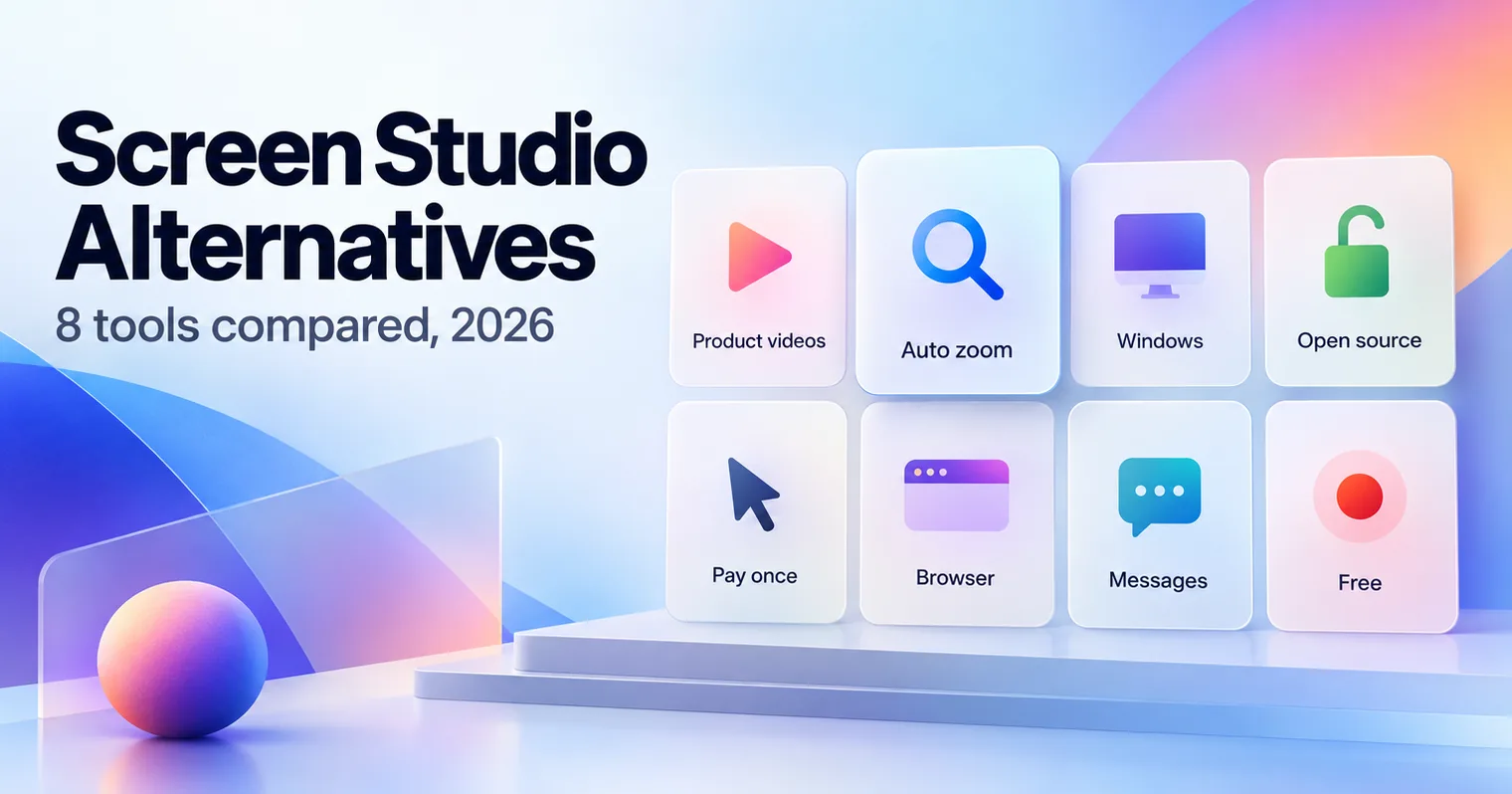
The best Screen Studio alternatives depend on your computer, your budget and whether you want to record at all. GuideClarity is the pick for SaaS teams that want product demo videos and explainer videos generated from the live product with no recording. FocuSee and Canvid bring auto zoom to Windows, Cap is free and open source, and CursorClip is the Mac app you pay for once. Tella suits teams, Loom suits quick messages, and OBS Studio is free.
- GuideClarity, best for generating product demo videos and explainer videos from a live product feature automatically, plus the docs, shorts and blog post.
- FocuSee, best for auto zoom on Windows and Mac with a one-time option.
- Canvid, best for a low price on Windows and Mac.
- Cap, best for a free, open source recorder with zoom.
- CursorClip, best for a Mac app you pay for once.
- Tella, best for teams that record in the browser and share links.
- Loom, best for quick video messages to a team.
- OBS Studio, best for free recording with full manual control.
Screen Studio alternatives compared at a glance
The table compares the eight Screen Studio alternatives on the points buyers check first. Starting price is the cheapest paid plan, in the currency the vendor showed us, at the billing period its page shows by default. The cell says which one. The platform column matters because Screen Studio is a Mac app. We read every price on the vendor's own page on September 26, 2026.
| Tool | Best for | Starting price | Free plan | Platform | Biggest limitation |
|---|---|---|---|---|---|
| GuideClarity | Product videos, explainers, blog posts and other marketing assets from product features | $59 a month | Yes, 3 video guide recordings | Web | Built for SaaS product content only |
| FocuSee | Auto zoom on Windows and Mac | 49.99 EUR a year | No | Windows and Mac | AI features cost credits |
| Canvid | Low price on Windows and Mac | $7 a month, billed yearly | No | Windows and Mac | Team features still coming |
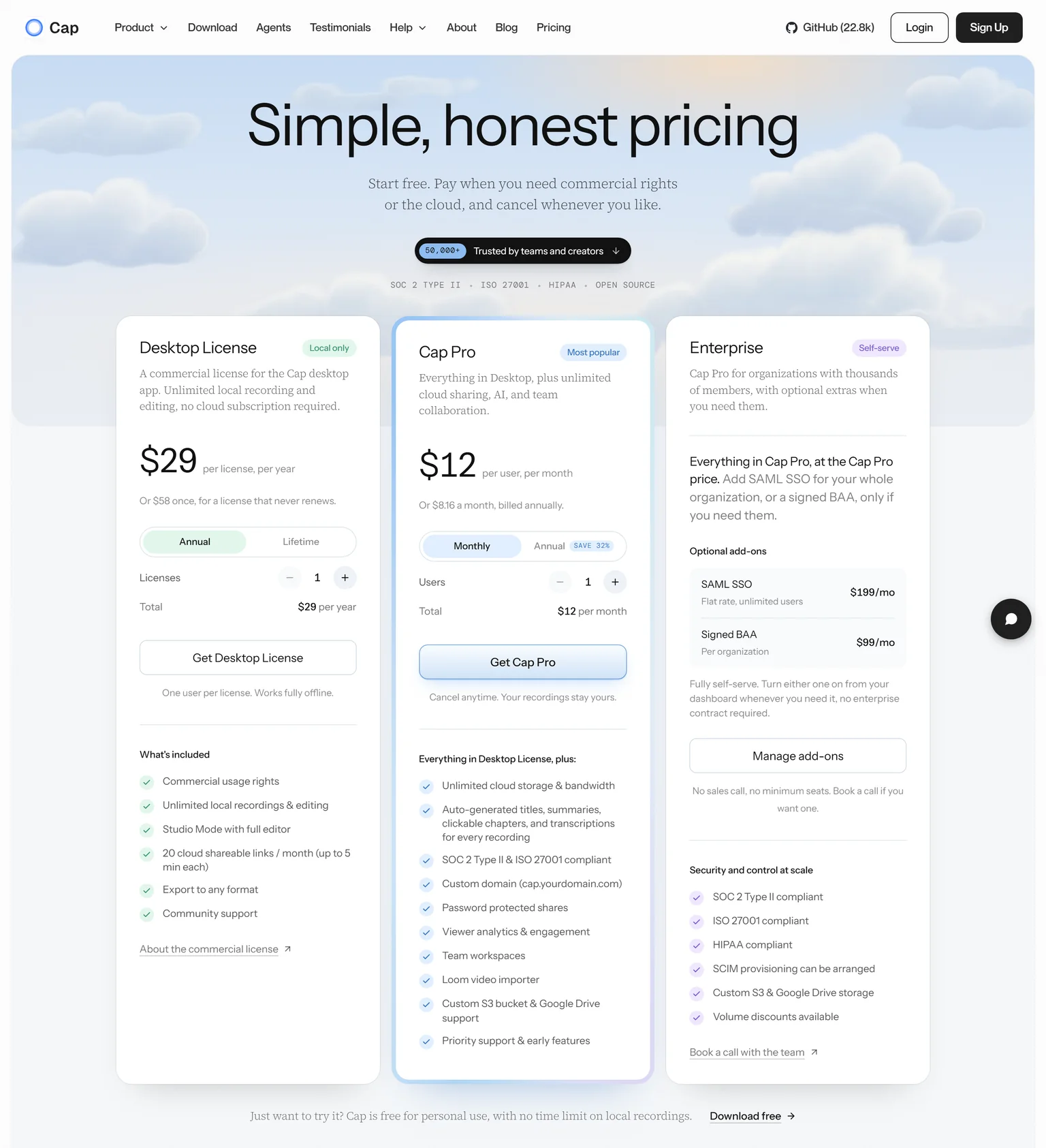
| Cap | Free and open source | $29 a year | Yes, for personal use | Windows and macOS | Commercial use needs a license |
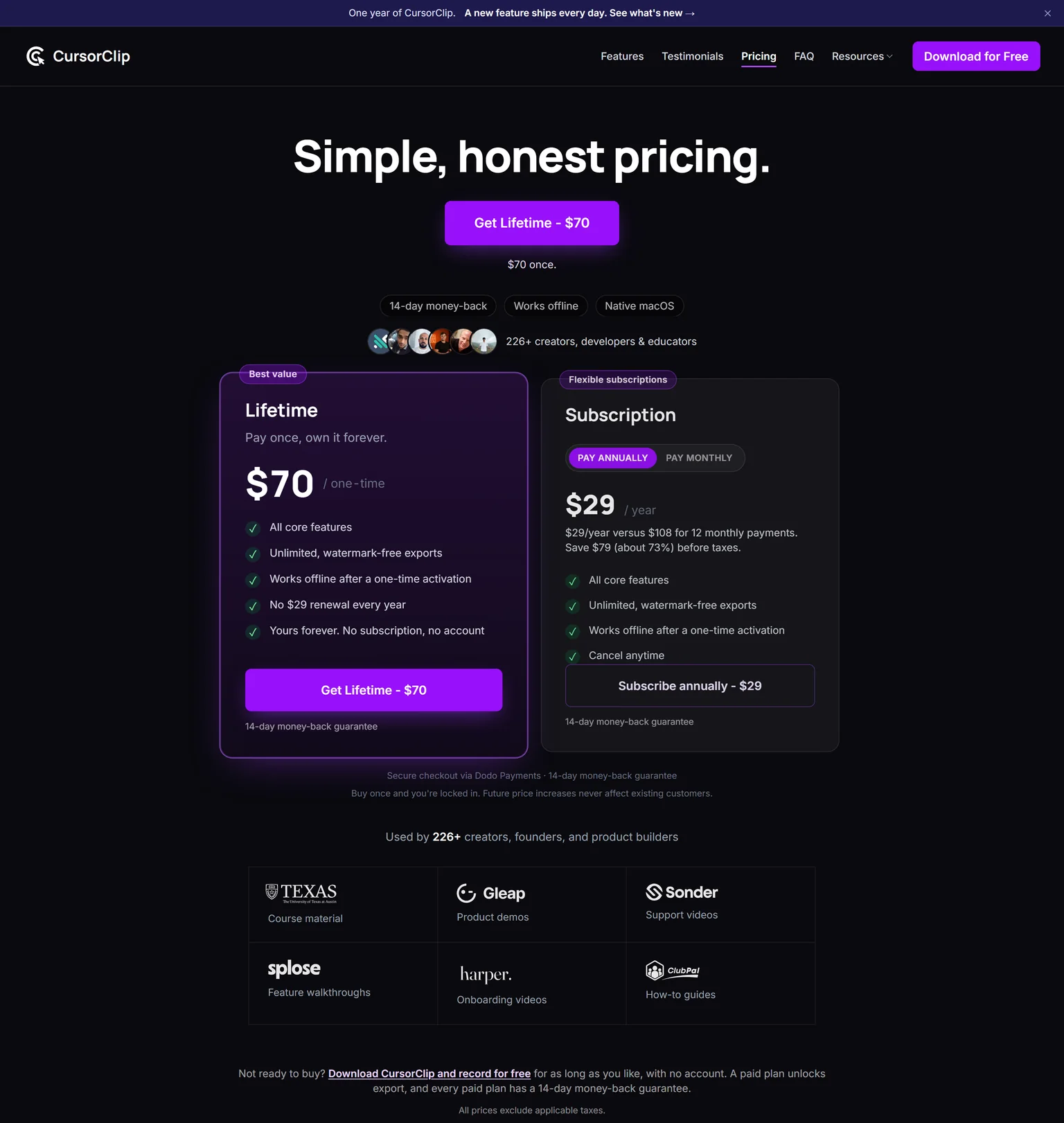
| CursorClip | Mac app you pay for once | $29 a year | Record free, pay to export | macOS | Mac only, like Screen Studio |
| Tella | Browser recording for teams | $13 per user a month, annual | No | Mac, Windows, browser | Priced per user |
| Loom | Quick video messages | $18 per user a month | Yes, 25 videos of 5 minutes | Web and desktop | Little visual polish |
| OBS Studio | Free manual recording | Free | Yes, fully free | Windows, Mac, Linux | No automatic zoom |
Why people look for Screen Studio alternatives
Screen Studio is popular for good reason. It automatically zooms in on your cursor, increases the cursor size and smooths its movements. Product makers, teachers and YouTubers use it to record demos and tutorials that look edited. People still look elsewhere for three reasons, and each one comes from Screen Studio's own site.
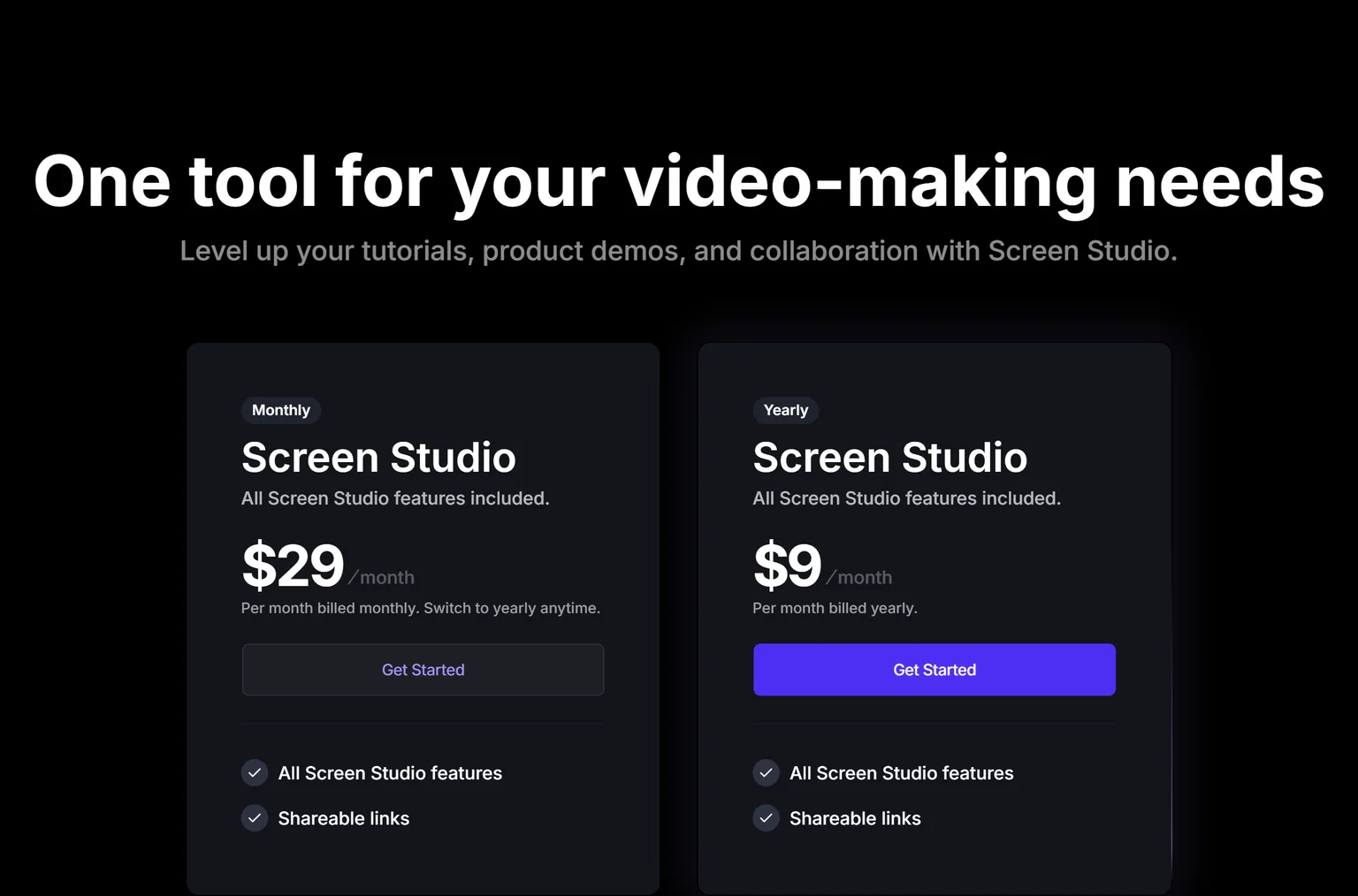
- It is a subscription. Screen Studio sells one plan with all features and shareable links, billed monthly or yearly. It costs $29 a month billed monthly, or $9 a month billed yearly.
- The one-time license is gone. The site's FAQ now answers customers who purchased a one-time license in the past. The top Reddit thread for this search is about the price, and several tools below still sell a license you pay for once.
- It runs only on a Mac. Screen Studio is a macOS screen recorder, offers a download for macOS and recommends macOS Ventura 13.1 or newer. Windows users need another tool, and "Screen Studio for Windows" is a common search.
How we picked and checked these Screen Studio alternatives
A tool qualified when it turns a screen recording into a clean video with little editing, or when it removes the recording step for product videos. We started from the tools that appear most often across the top search results and the AI answer for Screen Studio alternatives, and kept eight. Each one was judged on its price model, its platforms, its zoom and cursor polish, and the person it fits.
- Own screenshots. Every homepage and pricing screenshot on this page is ours, taken on September 26, 2026 at 1440 pixels wide.
- Verified facts. Every price, limit and platform comes from the vendor's own page, and a script re-checked each one on September 26, 2026. Screen Studio draws its prices as animated digits, so we read them from our screenshot. The Sources section lists each page.
- Currency. FocuSee showed us prices in euros, so we quote euros and do not convert.
- Dropped tools. Descript and Camtasia are full video editors rather than auto zoom recorders. ScreenSnap Pro, Screenhance and ngram appear mainly on their own lists.
- No affiliate links. No vendor on this page pays us for a mention or a click.
GuideClarity publishes this page and is listed first. We describe its weaknesses with the same directness as everyone else's, and the facts about it come from the same public pages.
1. GuideClarity: best for SaaS teams that want product demo videos, explainer videos, blog posts and other marketing assets generated automatically from their product features
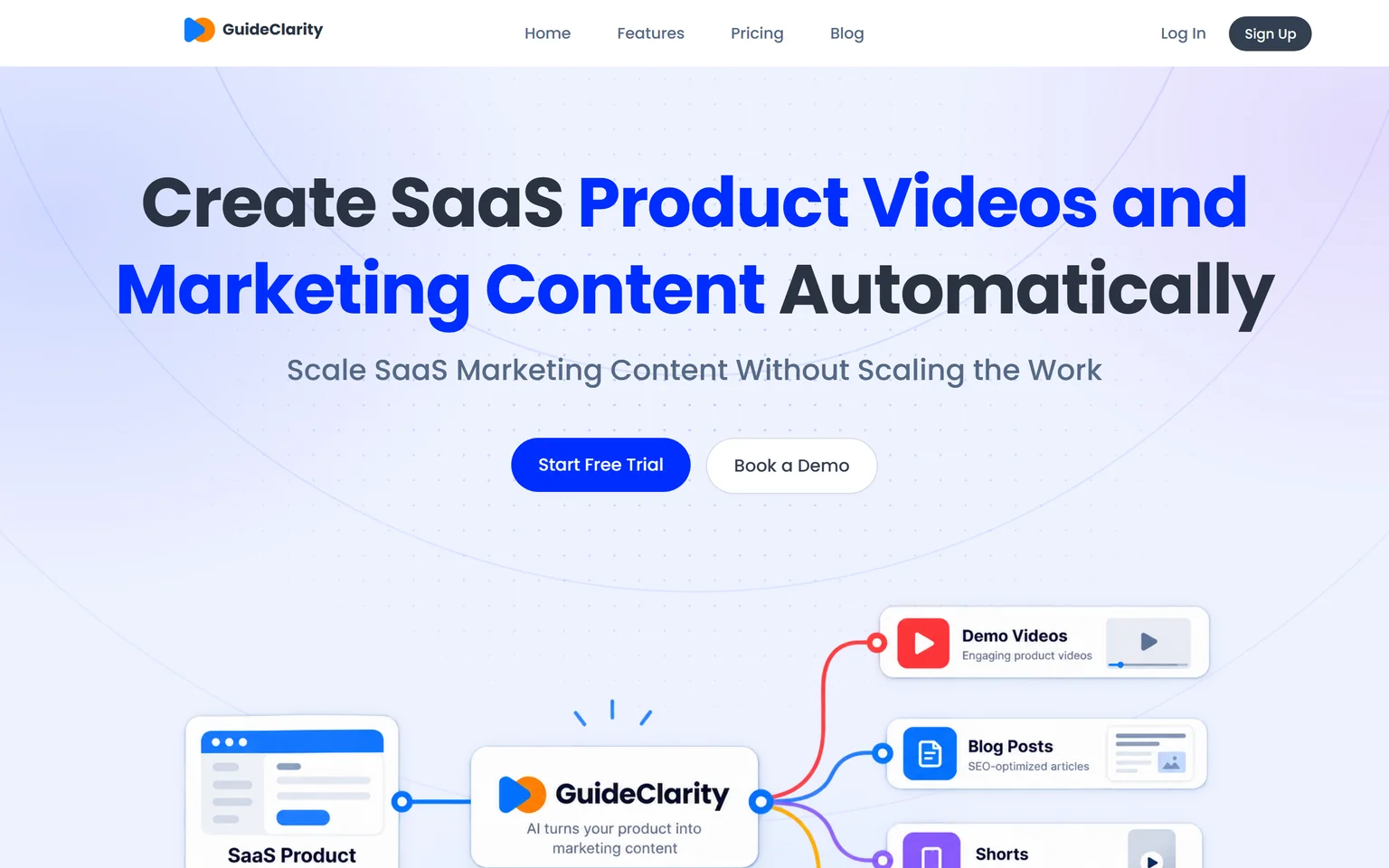
GuideClarity creates SaaS product videos and marketing content automatically. It is best for SaaS teams that want to turn product features into marketing content automatically, without manually recording, scripting, editing and recreating the same content for every channel. It creates demo videos, feature explainers, shorts, blog posts, screenshots and launch assets. SaaS companies that ship features often get the most from it, from a single founder to a large marketing team.
What GuideClarity does
Screen Studio makes your recording look good. GuideClarity skips the recording. It generates the demo video and the explainer video automatically from your live product URL, so nobody records a screen or drags zooms on a timeline. From the same feature it turns one release into a demo video, a short, a blog post, social posts, screenshots and a release announcement. Our guide on making a SaaS demo video that converts shows what a good one needs.
GuideClarity pricing
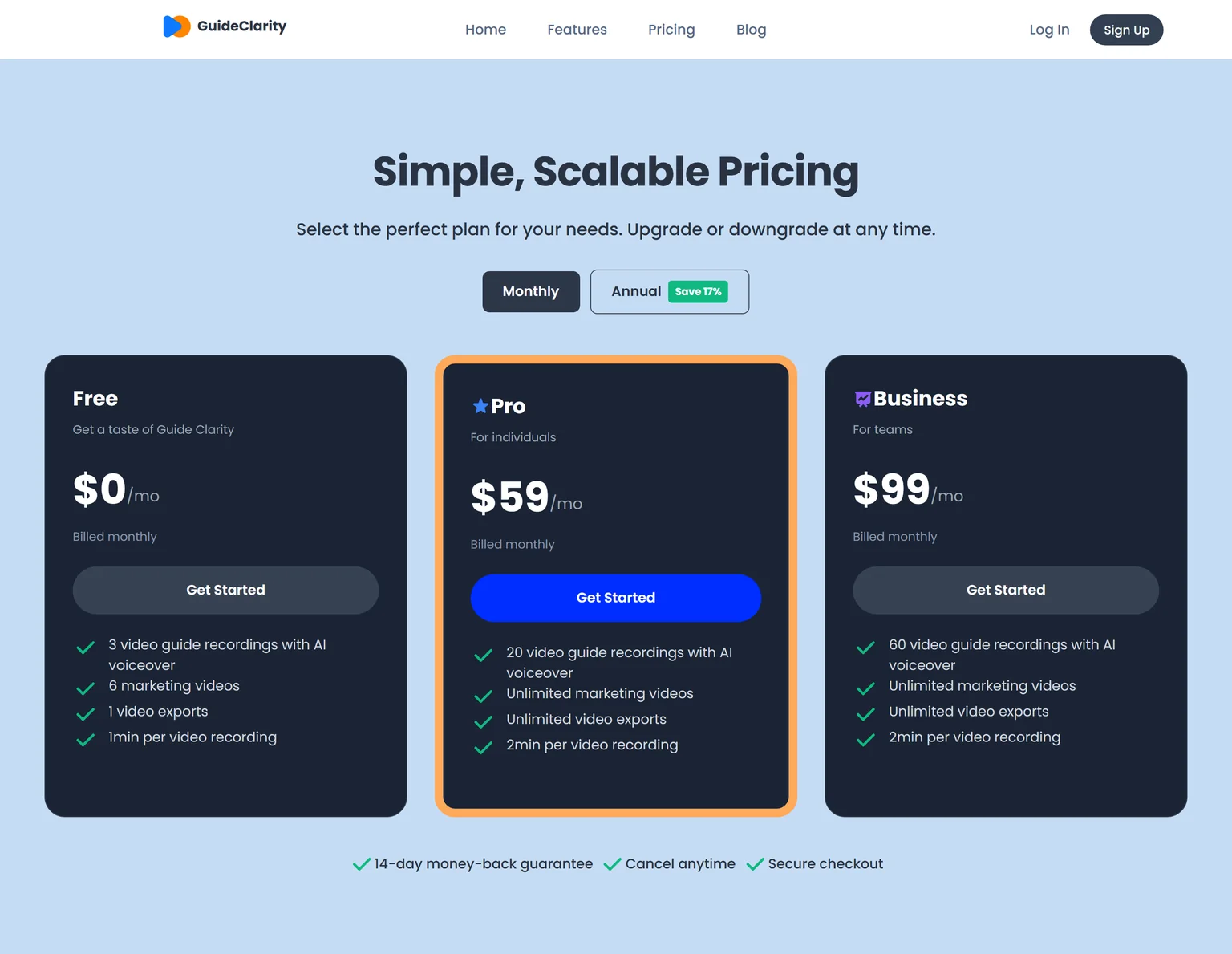
GuideClarity has three plans. The free plan includes 3 video guide recordings with AI voiceover and 6 marketing videos. Pro costs $59 a month billed monthly and includes 20 video guide recordings, or $49 a month billed annually. Business costs $99 a month and includes 60 video guide recordings. Every paid plan carries a 14-day money-back guarantee.
Strengths
- No recording, no zoom editing and no script. Review and publish is the work.
- One feature in, a whole launch kit out, with the videos, docs, shorts and blog post shaped for their channels.
- Runs in the browser, so Mac and Windows users get the same tool.
- Videos stay in step with what shipped.
- A free plan to test on a real feature before paying.
Weaknesses
- Built for SaaS product and feature content, not for physical products or other non-software businesses.
- Not a general screen recorder. Course creators, YouTubers and teams recording other software are better served by a recorder.
- Not for agencies that produce brand films or talking-head videos.
Who GuideClarity is for
GuideClarity fits founders, heads of marketing, marketing teams and product marketers at SaaS companies, from a single founder to a large marketing team. It is easy enough to start that small teams adopt it first, and it scales to large marketing teams. The GuideClarity features page lists every output.
GuideClarity vs Screen Studio
Screen Studio polishes a recording you make on a Mac. GuideClarity generates the video automatically from your live product URL, and produces the documentation, shorts, blog post and the complete marketing package from the same feature. Screen Studio is the better pick for tutorials, courses and anything outside your own product. GuideClarity is the better pick when the goal is a product video and the launch content around it.
2. FocuSee: best for auto zoom on Windows and Mac with a one-time option
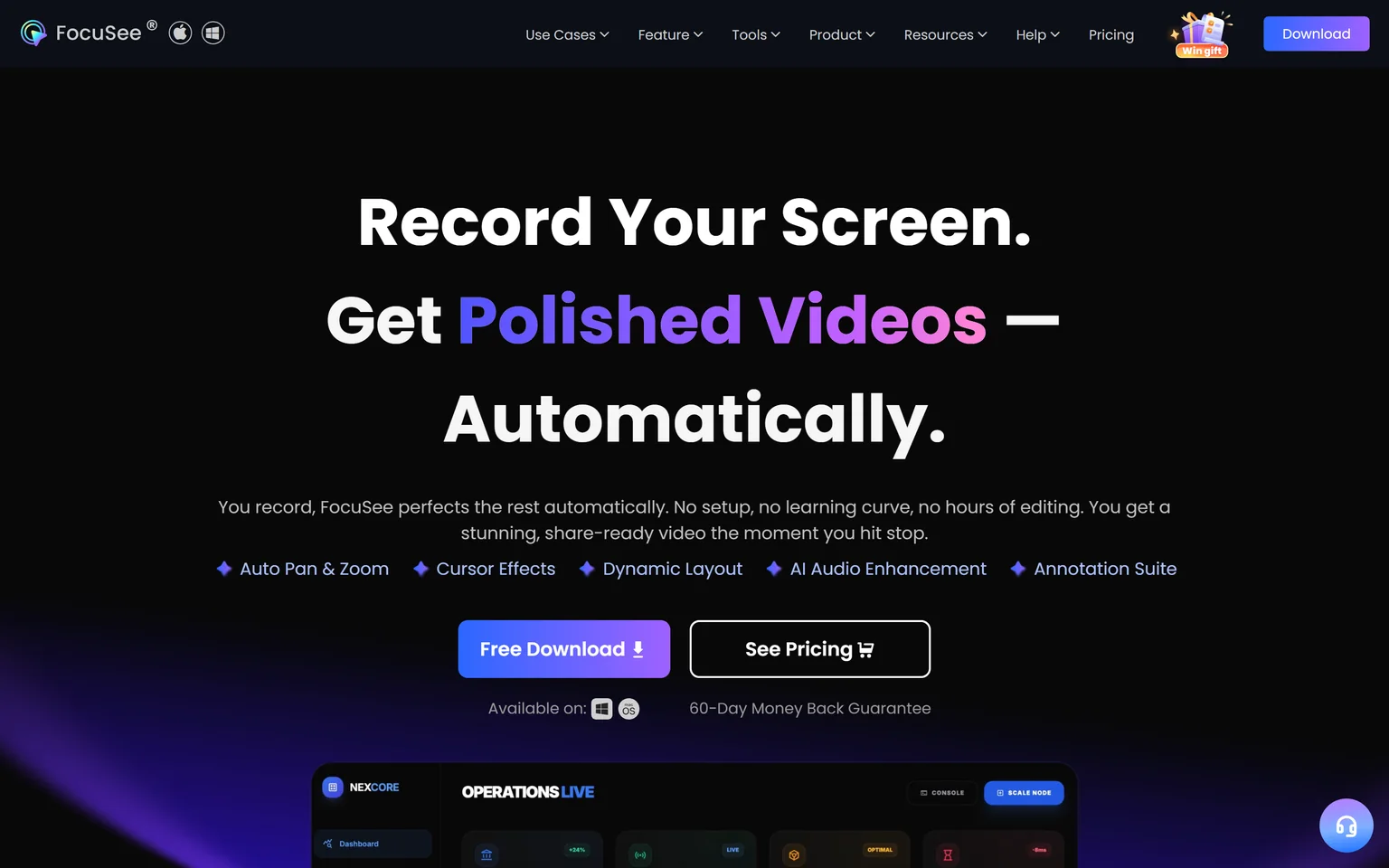
FocuSee is the closest match to Screen Studio that also runs on Windows. Its auto zoom follows clicks and typing to emphasize key actions, and it adds cursor effects, webcam layouts and AI clean up. It sells a yearly license and a one-time purchase. Creators who switch between Windows and Mac, or who dislike subscriptions, get the most from it.
What FocuSee does
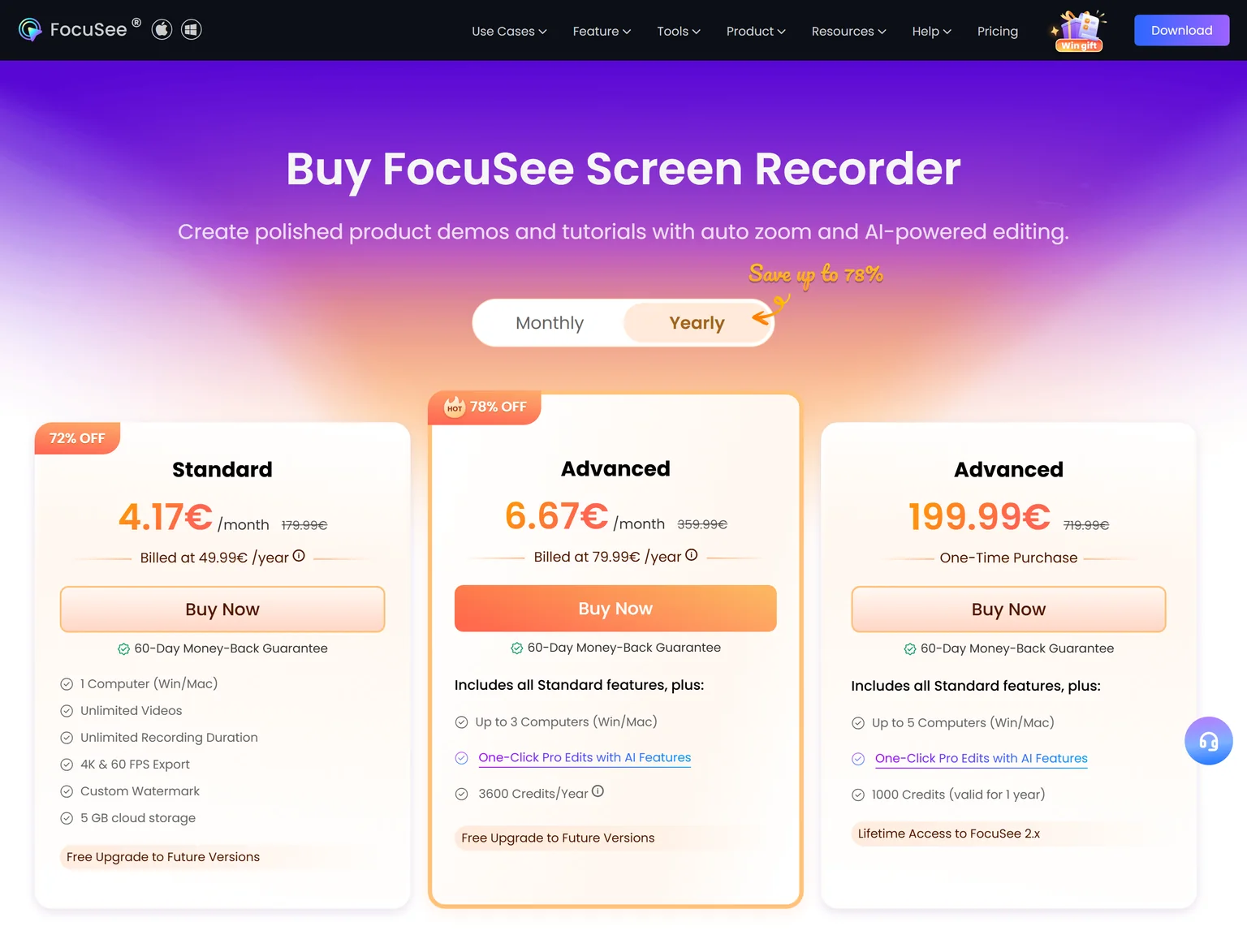
FocuSee records your screen, webcam and audio, then adds zooms, cursor effects and backgrounds on its own. Standard includes unlimited videos, unlimited recording duration and 4K export at 60 FPS. Standard includes no AI credits, and AI features such as filler word removal consume credits.
FocuSee pricing
FocuSee showed us prices in euros. Standard costs 49.99 EUR a year for 1 computer on Windows or Mac. Advanced is also sold as a one-time purchase of 199.99 EUR for up to 5 computers. Every plan carries a 60-day money-back guarantee.
Strengths
- Auto zoom and cursor effects on Windows and Mac.
- A one-time purchase is still on offer.
- A long money-back window.
Weaknesses
- AI features need credits the Standard plan does not include.
- Standard covers one computer.
- No free plan to try exports.
Who FocuSee is for
FocuSee fits a creator or product marketer on Windows who wants Screen Studio style results. It also fits a Mac user who wants to pay once. People who only record now and then can start free with Cap.
FocuSee vs Screen Studio
Screen Studio costs $9 a month billed yearly and runs on macOS. FocuSee Standard costs 49.99 EUR a year and runs on Windows or Mac, and a one-time license of 199.99 EUR is also available. Both zoom on your actions without keyframes. Pick FocuSee for Windows or a one-time license.
3. Canvid: best for a low price on Windows and Mac
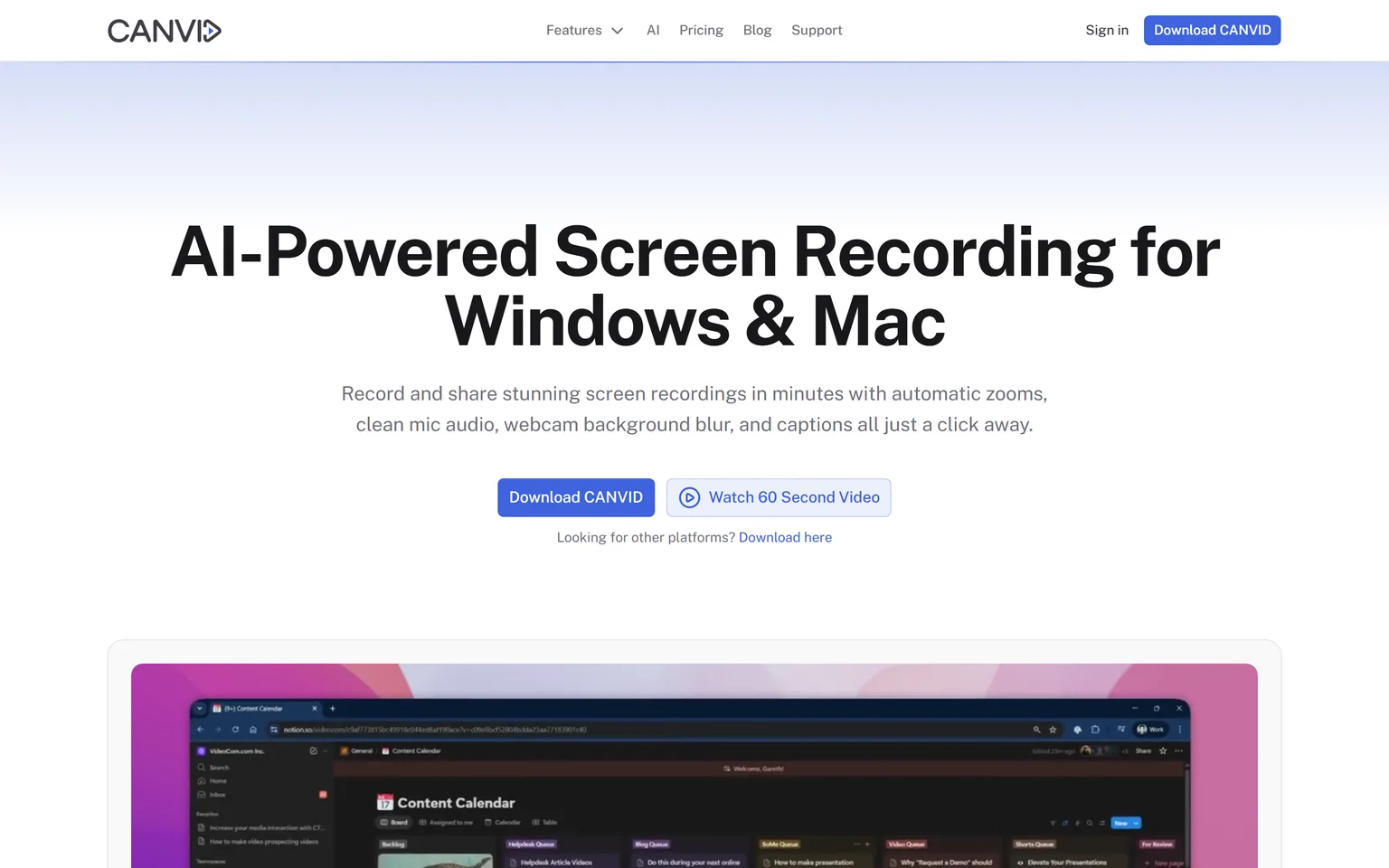
Canvid is an AI enhanced screen recorder for Windows and Mac, with automatic zooms, cursor polish and captions. Its subscription costs less than Screen Studio's, and it also sells a lifetime license. Windows users who search for "Screen Studio for Windows" and want to spend little get the most from it.
What Canvid does
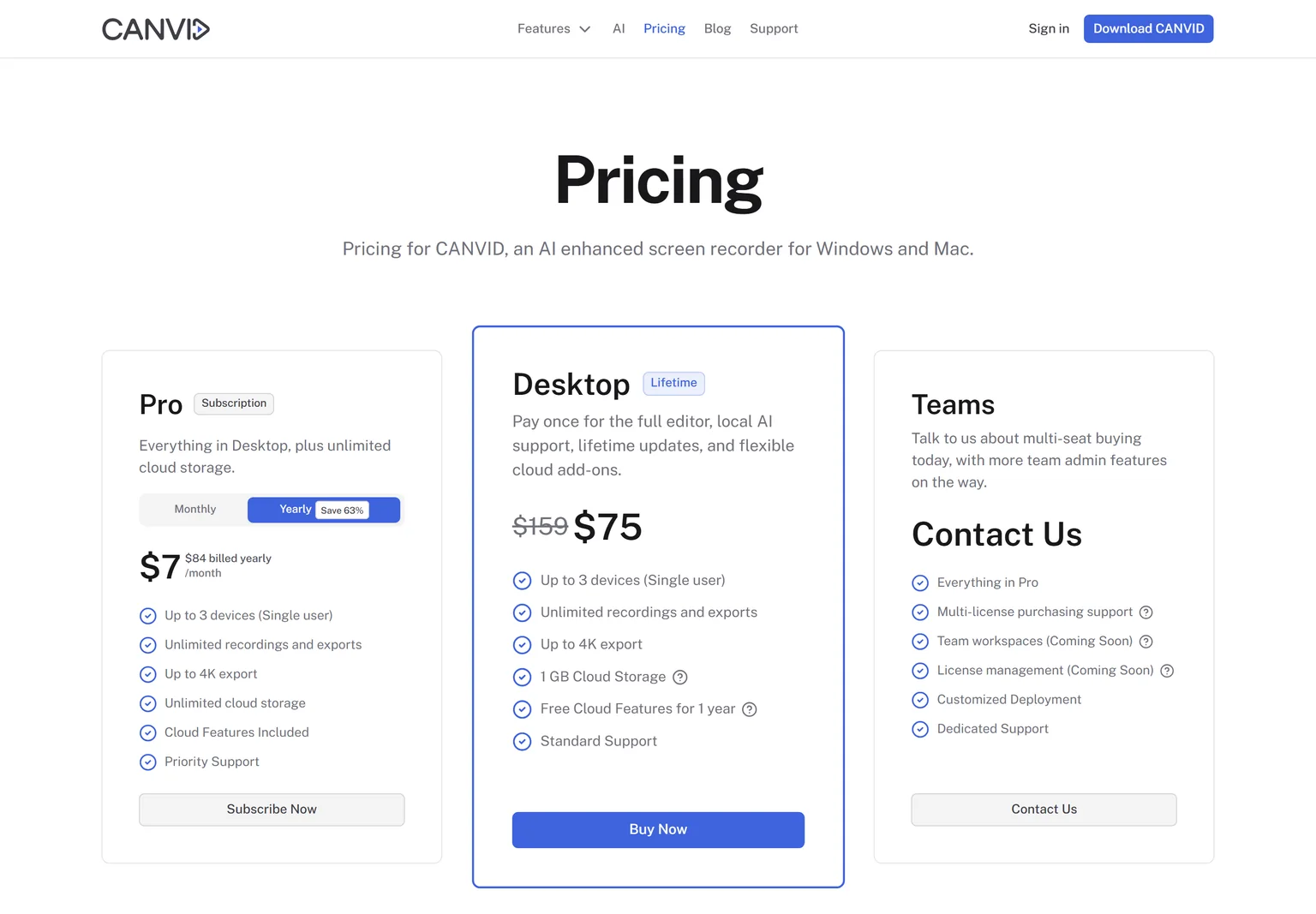
Canvid records the screen and webcam, then adds zooms, background blur and captions for you. Its plans cover up to 3 devices for a single user and export up to 4K. The Pro plan adds unlimited cloud storage for sharing.
Canvid pricing
Pro costs $7 a month, $84 billed yearly. Desktop is a one-time purchase of $75, shown down from $159. A Teams plan is sold through the sales team.
Strengths
- A subscription that costs less than Screen Studio's yearly plan.
- A lifetime license for people who want to pay once.
- Three devices per user, on Windows or Mac.
Weaknesses
- No free plan listed on the pricing page.
- Team workspaces are still marked as coming soon.
- The lifetime price is shown as a discount that may change.
Who Canvid is for
Canvid fits a single creator on Windows or Mac who wants polished recordings for little money. Teams that need shared workspaces today should look at Tella or Loom.
Canvid vs Screen Studio
Canvid Pro costs $7 a month billed yearly, against Screen Studio at $9 a month billed yearly. Canvid Desktop is a one-time purchase of $75, which Screen Studio no longer sells. Canvid also runs on Windows.
4. Cap: best for a free, open source recorder with zoom
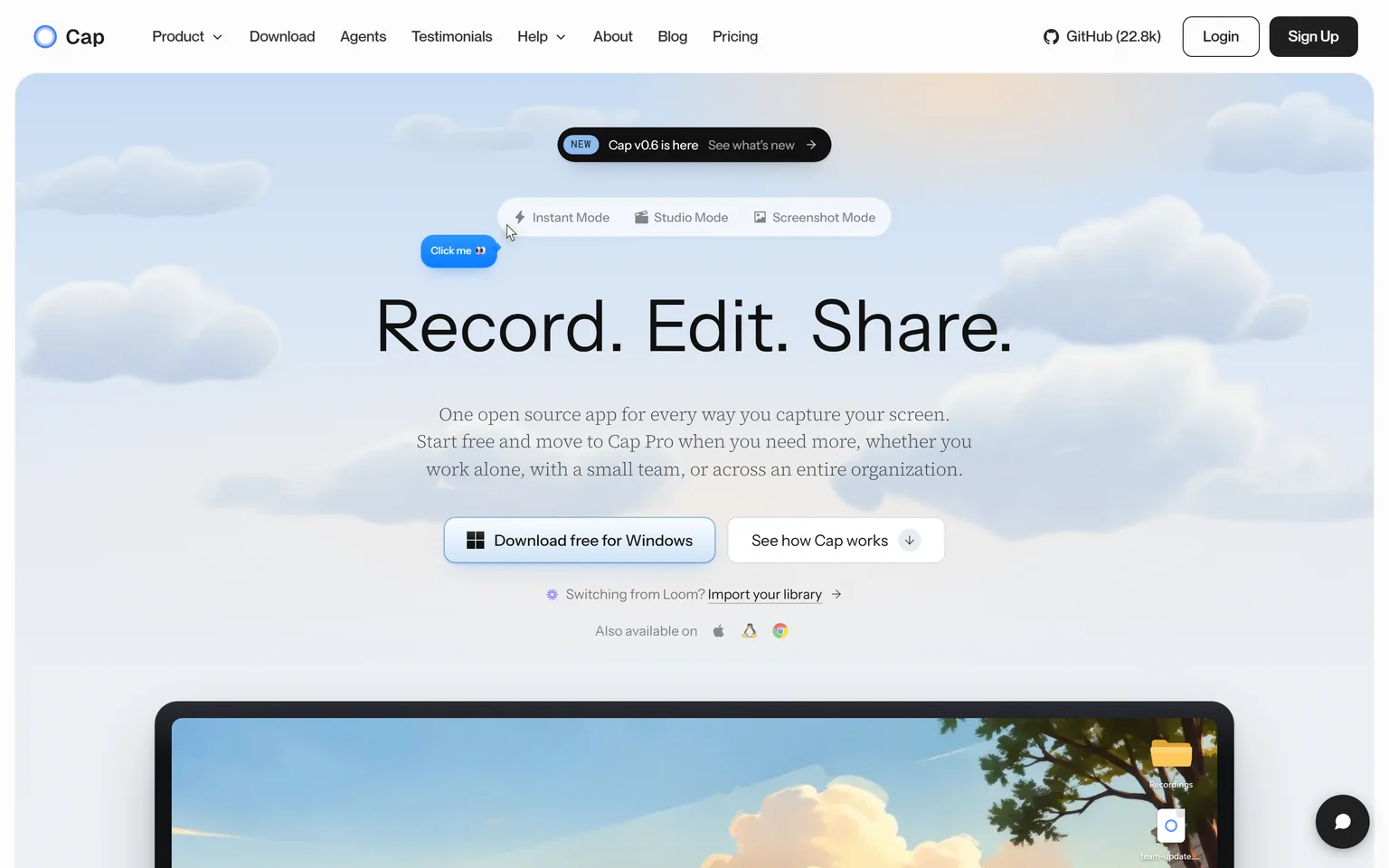
Cap is one open source app for recording your screen, with downloads for Windows and macOS. It is free for personal use, with no time limit on local recordings, and it lets you click to generate zoom segments. People who want Screen Studio style videos without paying, and developers who like open source, get the most from it.
What Cap does
Cap has an Instant mode for quick shared links and a Studio mode with a full editor for polished videos. The Desktop License includes 20 cloud shareable links a month of up to 5 minutes each. Cap Pro adds unlimited cloud sharing, AI titles and team workspaces.
Cap pricing
Personal use is free. The Desktop License costs $29 per year, or $58 once for a license that never renews. Cap Pro costs $12 per user a month, or $8.16 a month billed annually.
Strengths
- Free for personal use with no time limit.
- Open source, on Windows and macOS.
- A cheap one-time license for commercial work.
Weaknesses
- Commercial use needs a paid license.
- Zooms are placed by click rather than fully automatic.
- Cloud links are capped on the Desktop License.
Who Cap is for
Cap fits hobby creators, students and developers who want polish for free, and freelancers who want one cheap license. Teams that share many videos each week will need Cap Pro or Loom.
Cap vs Screen Studio
Screen Studio has no free plan and costs $9 a month billed yearly. Cap is free for personal use, and $58 once buys a commercial license that never renews. Screen Studio zooms more automatically and smooths the cursor for you. Cap wins on price, on Windows and on openness.
5. CursorClip: best for a Mac app you pay for once
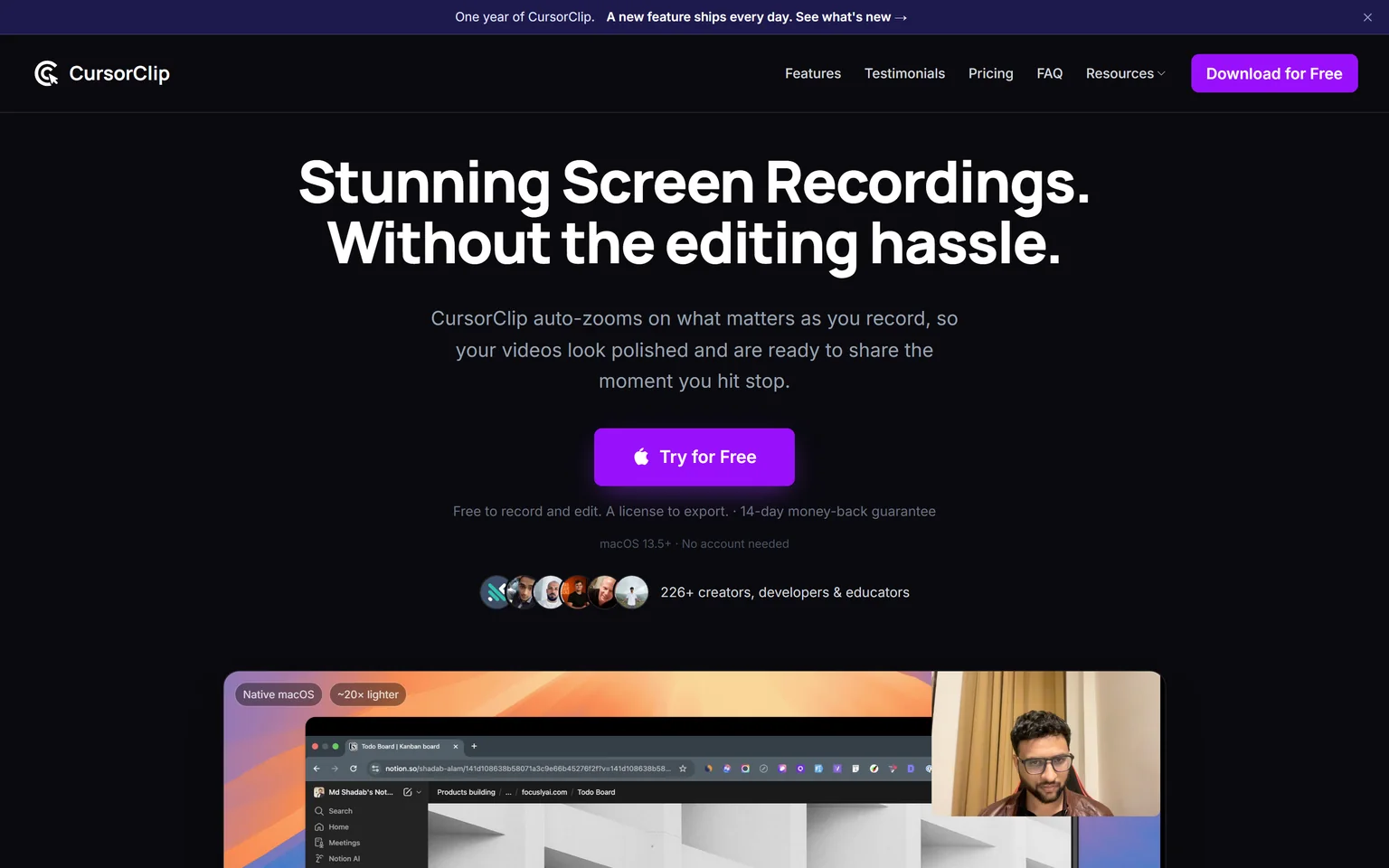
CursorClip is the nearest like-for-like pick for Mac users who miss Screen Studio's old one-time license. It auto-zooms on what matters as you record, and its Lifetime license costs $70 once. Mac users who want Screen Studio style polish without a subscription get the most from it. Windows users should look at FocuSee or Canvid.
What CursorClip does
CursorClip records the screen and webcam, then zooms and smooths the cursor so the video is ready when you stop. It is free to record, and a paid plan unlocks export. It is a native macOS app with a 14-day money-back guarantee.
CursorClip pricing
Lifetime costs $70 once. The subscription costs $29 a year. Both plans include the same core features.
Strengths
- A one-time license at a low price.
- Automatic zoom and cursor polish like Screen Studio.
- Try recording and editing before you pay.
Weaknesses
- Mac only, like Screen Studio.
- Export needs a paid plan.
Who CursorClip is for
CursorClip fits indie makers, educators and product people on a Mac who record demos often and want to pay once. Teams that need shared libraries and comments should look at Tella or Loom.
CursorClip vs Screen Studio
Both are Mac apps that zoom and smooth the cursor for you. Screen Studio costs $9 a month billed yearly. CursorClip costs $29 a year, or $70 once. Screen Studio adds shareable links. CursorClip wins on price and on owning the license.
6. Tella: best for teams that record in the browser and share links
Tella records screen, camera, microphone and system audio on Mac, Windows or in the browser. It automatically adds layouts, backgrounds, zoom effects and subtitles, then hosts the video behind a share link. Teams that record demos and updates on mixed computers get the most from it. Solo creators who want local files may prefer a desktop app.
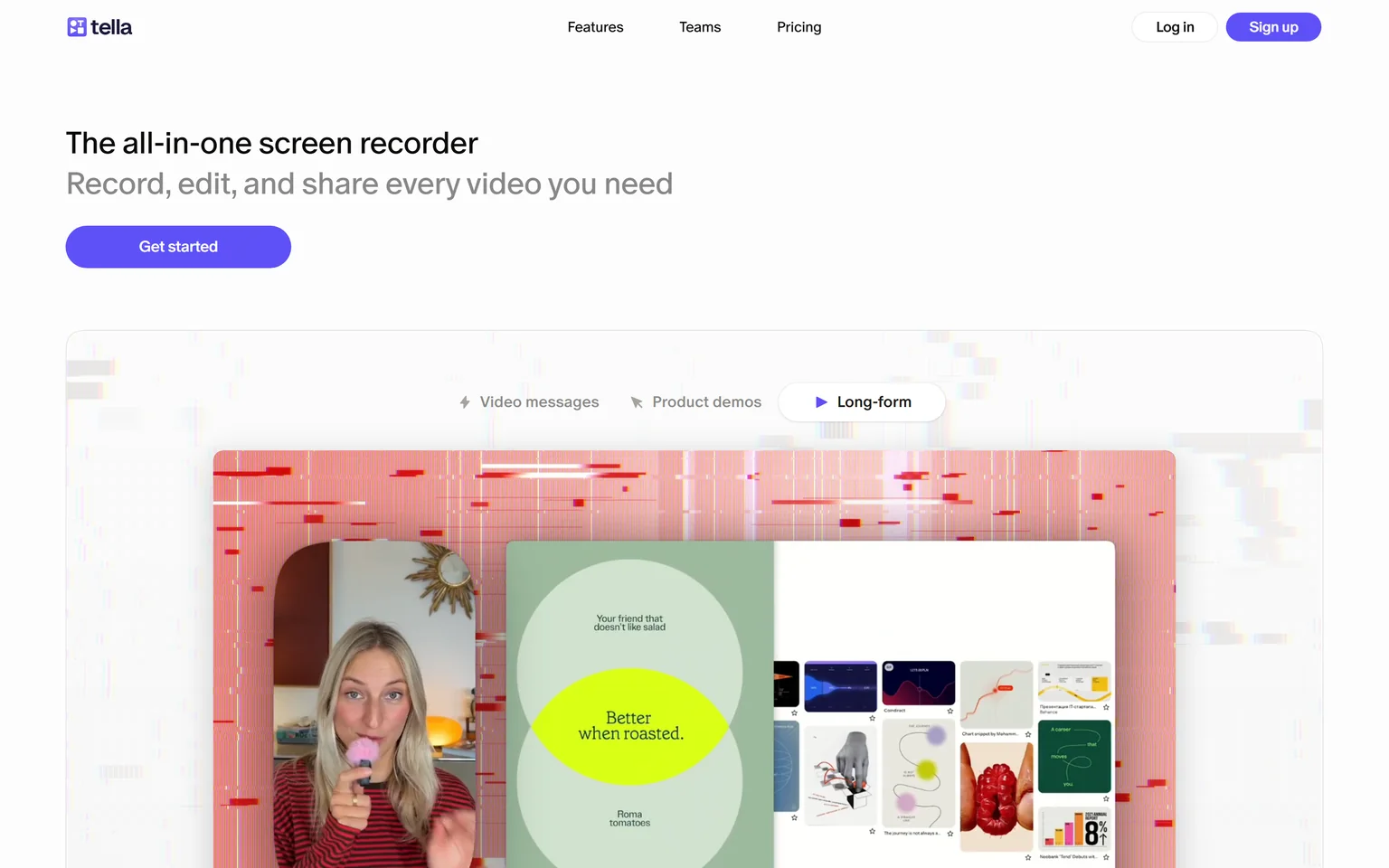
What Tella does
Tella records in clips, so you can redo one part without starting over. Pro includes unlimited videos, 4K export and team collaboration. Viewers watch on a hosted page, and Tella tracks who watched.
Tella pricing
Pro costs $13 per user a month, billed annually. Premium costs $19 per user a month billed annually and removes Tella branding. Enterprise is priced on request.
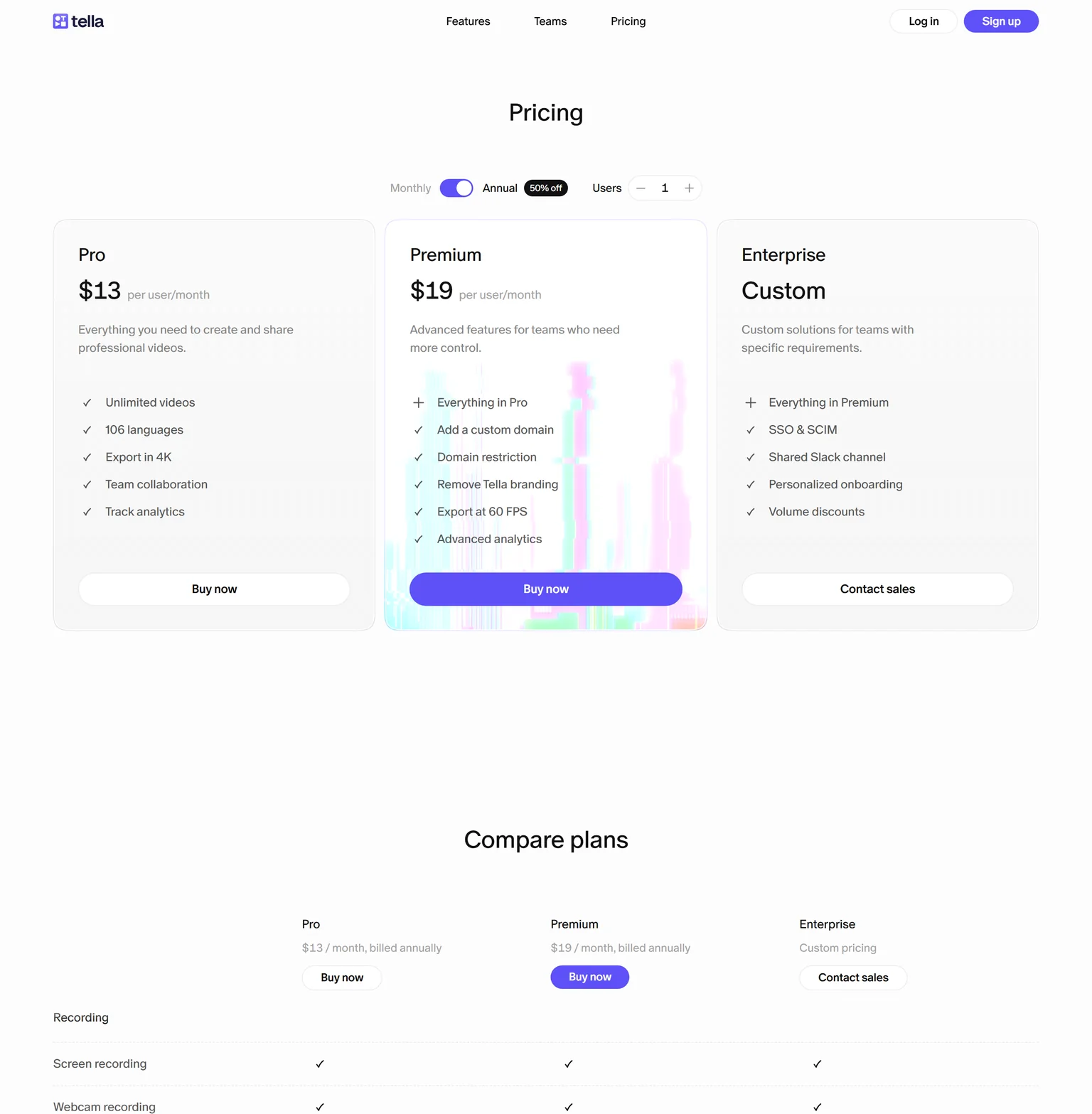
Strengths
- Works on Mac, Windows and in the browser.
- Hosted share pages with analytics.
- Automatic layouts, zooms and subtitles.
Weaknesses
- Priced per user.
- Tella branding stays on Pro.
- No free plan listed on the pricing page.
Who Tella is for
Tella fits product, sales and customer success teams that record often and share by link. A single Mac creator who exports files for YouTube will get more from Screen Studio or CursorClip.
Tella vs Screen Studio
Screen Studio is a Mac app that exports polished files. Tella runs on Mac, Windows or in the browser and hosts the video for you. Tella Pro costs $13 per user a month billed annually, against Screen Studio at $9 a month billed yearly. Pick Tella for a team on mixed computers.
7. Loom: best for quick video messages to a team
Loom is built for recording and sharing AI-powered video messages. It trades Screen Studio's visual polish for speed. You record, and a link is ready to paste. Teams that send updates, bug reports and walkthroughs every day get the most from it. People who publish finished demos will miss the zooms. We compare its own rivals on the Loom alternatives page.
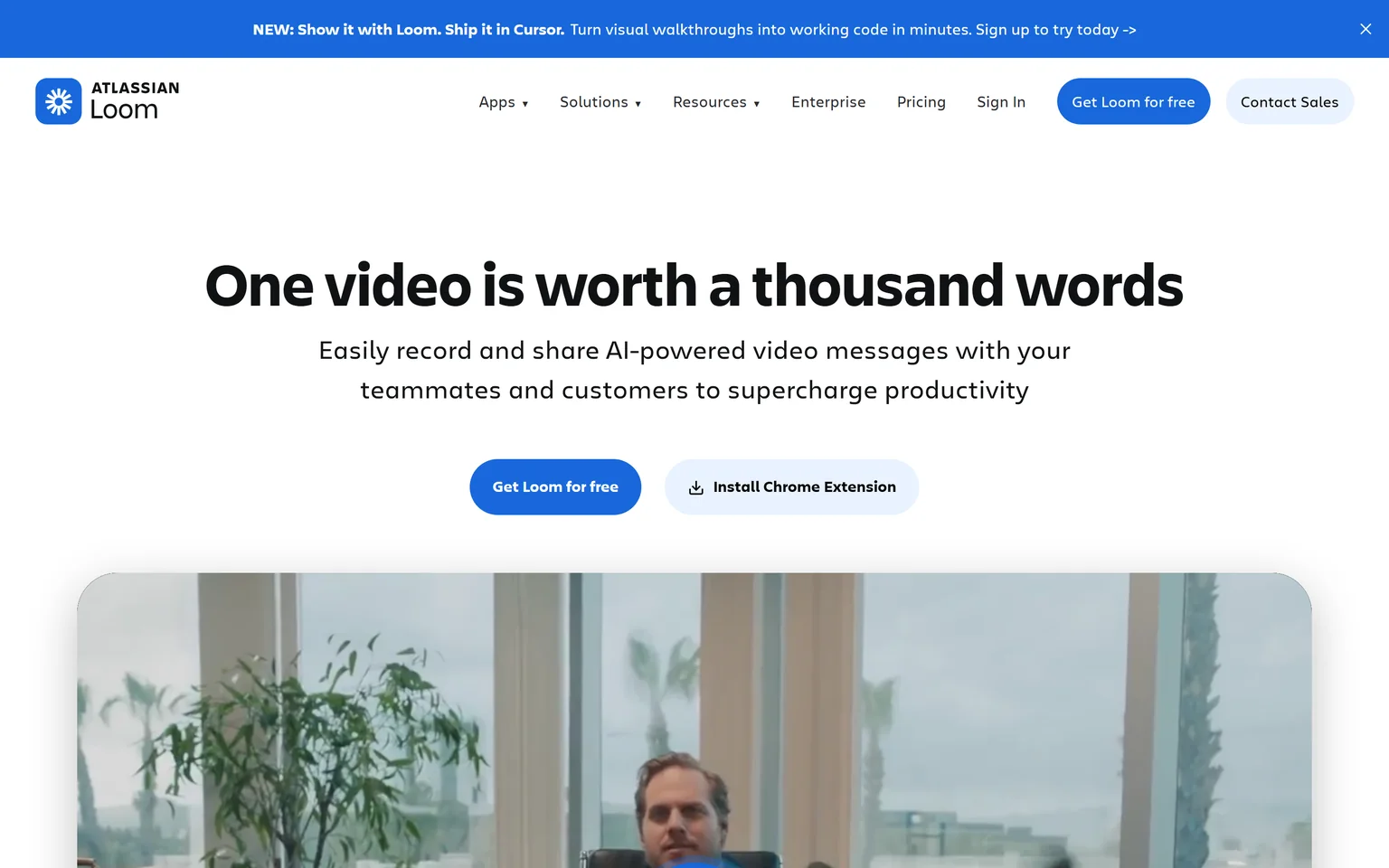
What Loom does
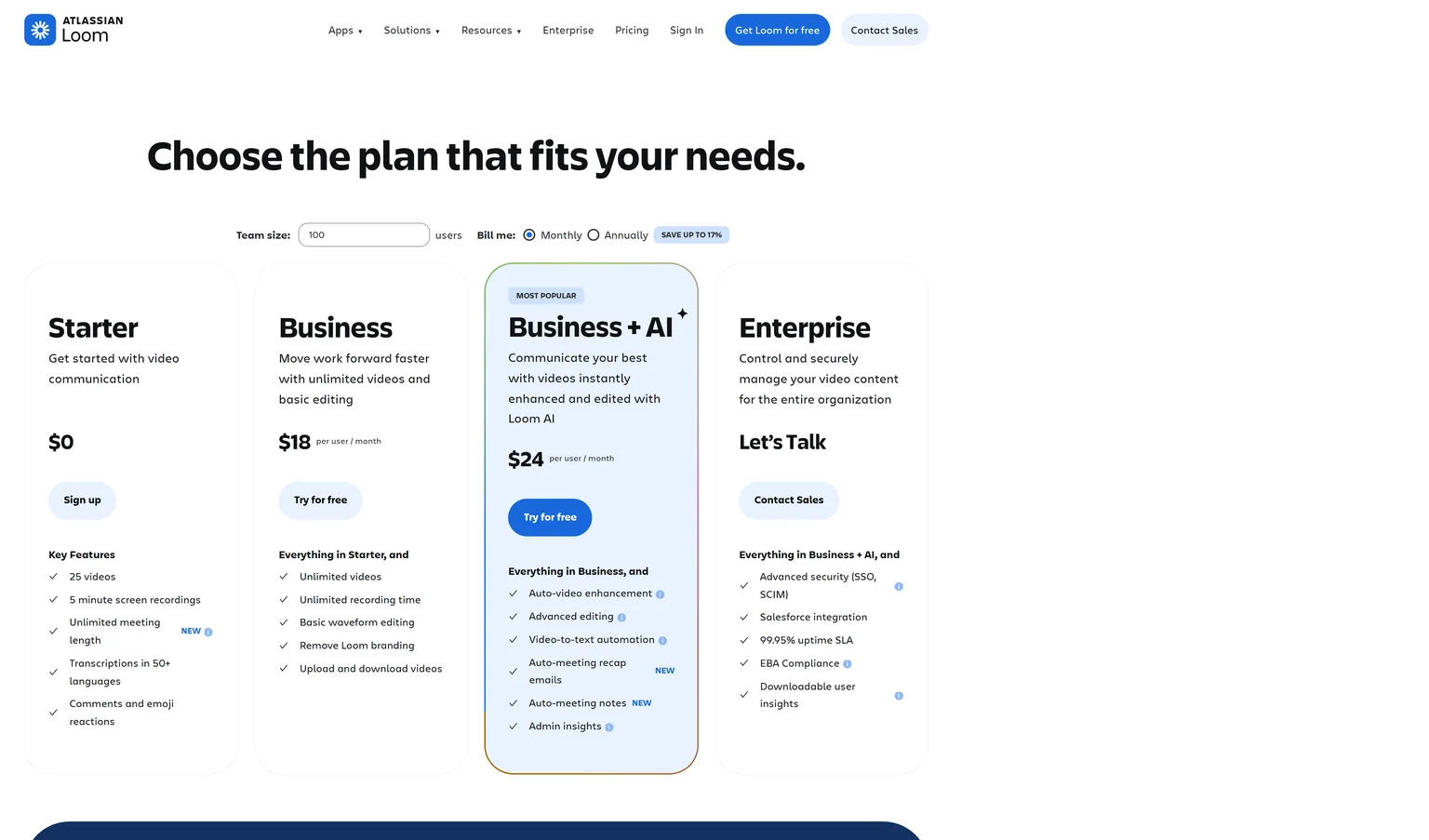
Loom records the screen and camera from a browser extension or desktop app and uploads as you go. Business + AI costs $24 per user a month and adds auto-video enhancement and filler word removal. Viewers can comment and react on the video page.
Loom pricing
Starter is free with 25 videos and 5 minute screen recordings. Business costs $18 per user a month billed monthly, with unlimited videos, unlimited recording time and Loom branding removed.
Strengths
- A share link the moment you stop recording.
- A free plan for light use.
- Comments and reactions for teams.
Weaknesses
- Little of Screen Studio's zoom and cursor polish.
- The free plan limits video count and length.
- Priced per user.
Who Loom is for
Loom fits teams that use video in place of meetings and long messages. Creators who publish polished demos or tutorials should pick Screen Studio, FocuSee or CursorClip.
Loom vs Screen Studio
Screen Studio makes a polished file to publish. Loom makes a quick link to share. Loom's free Starter plan allows 25 videos of 5 minutes, and Business costs $18 per user a month. Screen Studio is one plan at $29 a month billed monthly. Pick Loom for team messages and Screen Studio for public demos.
8. OBS Studio: best for free recording with full manual control
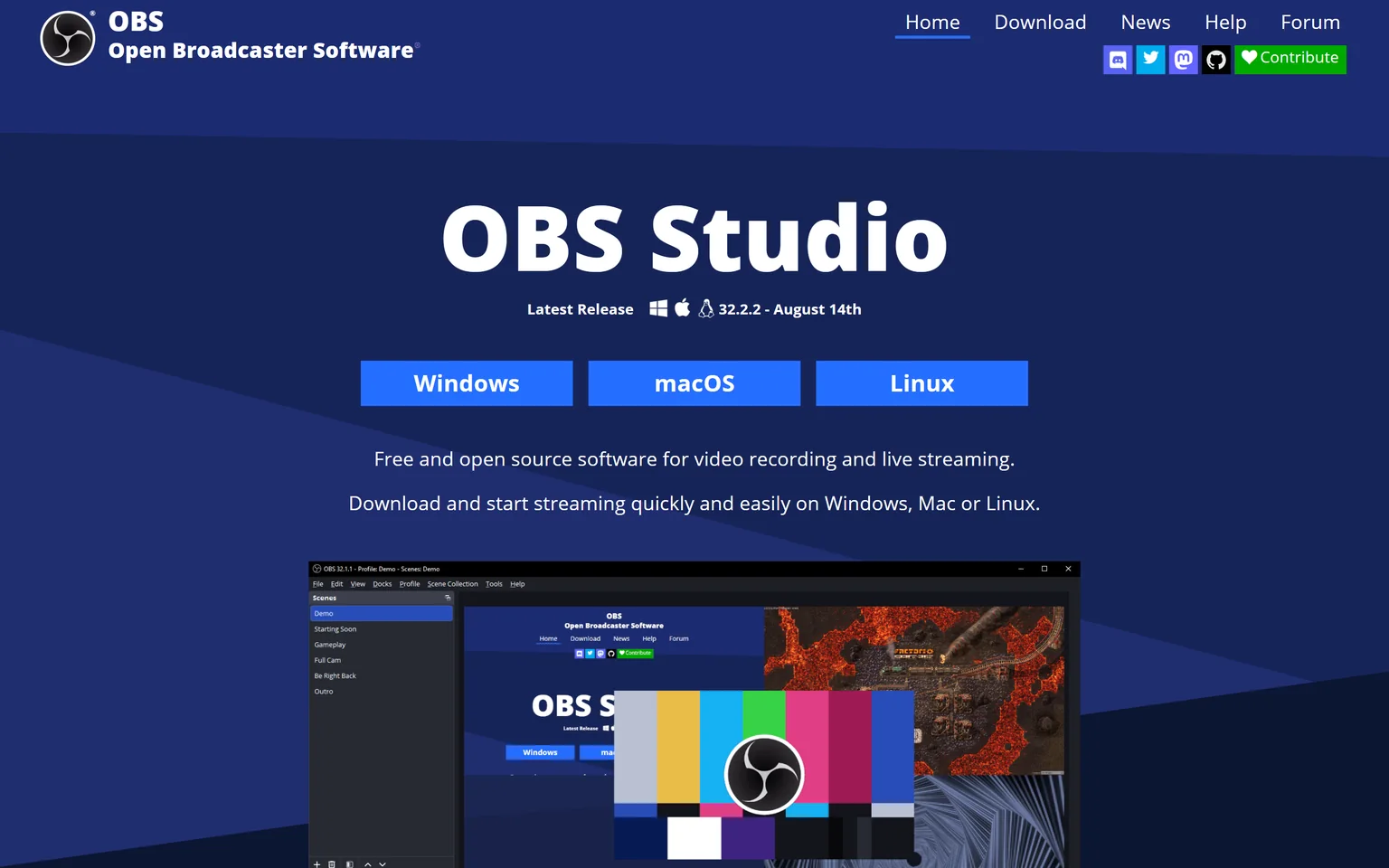
OBS Studio is free and open source software for video recording and live streaming, and it runs on Windows, Mac or Linux. It records anything, but it adds no automatic zoom or cursor smoothing. People on a zero budget who are happy to edit the result in another app get the most from it.
What OBS Studio does
OBS Studio builds scenes from windows, webcams, images and text, then records or streams them. The zoom and cursor effects that Screen Studio adds must be made by hand in an editor.
OBS Studio pricing
OBS Studio has no pricing page because it is free and open source. The project is funded by sponsors and backers.
Strengths
- Completely free, with no watermark or limits.
- Runs on Windows, Mac and Linux.
- Records and streams complex scenes.
Weaknesses
- No automatic zoom or cursor polish.
- A steep setup for first-time users.
- Needs a separate editor for a finished demo.
Who OBS Studio is for
OBS Studio fits streamers, gamers and technical creators who want full control at no cost. People who want a polished demo in minutes should pick Cap for free, or Screen Studio or FocuSee if they will pay.
OBS Studio vs Screen Studio
OBS Studio is free and records far more kinds of scenes. Screen Studio costs $9 a month billed yearly but does the zooms, cursor and background for you. Pick OBS Studio for control and live streams. Pick Screen Studio when polish matters more than price.
Which Screen Studio alternative should you choose
Pick by your computer and by how you want to pay. If the video is a product demo or explainer for your own SaaS, GuideClarity generates it with no recording. If you still want to record, FocuSee and Canvid cover Windows, Cap and OBS Studio are free, and CursorClip is the Mac app you buy once.
- If you ship features often and want the demo video, explainer video, shorts and blog post the same day, pick GuideClarity.
- If you are on Windows and want Screen Studio style zooms, pick FocuSee or Canvid.
- If you want to pay once, pick CursorClip on a Mac, or the Canvid or FocuSee one-time license.
- If you want a free tool with zooms, pick Cap.
- If your team records on mixed computers and shares links, pick Tella.
- If you mostly send quick updates to a team, pick Loom.
- If you need free recording with full control, pick OBS Studio.
- If you are on a Mac and the subscription is fine, stay with Screen Studio. Its automatic zoom and cursor smoothing remain its strength.
Frequently asked questions about Screen Studio alternatives
What is a good free alternative to Screen Studio?
Cap is the closest free option. It is free for personal use, with no time limit on local recordings, and it lets you click to generate zoom segments. OBS Studio is free and open source but has no automatic zoom. CursorClip is free to record, and a paid plan unlocks export. Loom's Starter plan is free with 25 videos.
Is there a free version of Screen Studio?
No free plan appears on Screen Studio's site. It sells one plan with all features and shareable links, billed monthly or yearly. The price is $29 a month billed monthly, or $9 a month billed yearly. If you want to start free, Cap and OBS Studio cost nothing, and CursorClip lets you record and edit before you pay.
Is there a Screen Studio for Windows?
Screen Studio is a macOS screen recorder and offers a download for macOS. For Windows, FocuSee runs on Windows or Mac with auto zoom. Canvid is a screen recorder for Windows and Mac. Cap has downloads for Windows and macOS, and Tella also runs in the browser.
Which Screen Studio alternative has a one-time license?
Several do. CursorClip Lifetime costs $70 once. Canvid Desktop is a one-time purchase of $75. Cap offers $58 once for a license that never renews. FocuSee Advanced is a one-time purchase of 199.99 EUR for up to 5 computers. Screen Studio itself now sells a subscription.
What do most YouTubers use to screen record?
OBS Studio is a common choice, because it is free and open source and runs on Windows, Mac or Linux. Tutorial and tech channels that want zooms without editing often use Screen Studio on a Mac, or FocuSee and Canvid on Windows. For a SaaS product walkthrough, our guide to AI explainer videos for SaaS compares the formats.
Is there a better recorder than OBS for demos?
For polished demos, yes. OBS Studio records well but adds no zoom or cursor effects. Screen Studio, FocuSee, Canvid and CursorClip add those for you, and Cap lets you click to generate zoom segments for free. For SaaS product demos, GuideClarity generates the video from your live product without a recording.
How did you verify the prices on this page?
We opened each vendor's pricing page in a browser on September 26, 2026 and saved its text. A script then checked every quoted price, platform and limit against that saved page. Screen Studio draws its prices as animated digits, so we read those from our own screenshot. FocuSee showed us euros, and we quote them as shown.
Sources and verification
Every fact above was read on the pages below on September 26, 2026. The vendor's own page wins over any third-party listing when they disagree. Prices change and may differ by country, so check the vendor before you buy.
- Screen Studio homepage and pricing section, checked September 26, 2026.
- GuideClarity pricing page, checked September 26, 2026.
- GuideClarity homepage, checked September 26, 2026.
- FocuSee pricing page, checked September 26, 2026.
- FocuSee homepage, checked September 26, 2026.
- Canvid pricing page, checked September 26, 2026.
- Cap pricing page, checked September 26, 2026.
- Cap homepage, checked September 26, 2026.
- CursorClip pricing page, checked September 26, 2026.
- CursorClip homepage, checked September 26, 2026.
- Tella pricing page, checked September 26, 2026.
- Tella homepage, checked September 26, 2026.
- Loom pricing page, checked September 26, 2026.
- Loom homepage, checked September 26, 2026.
- OBS Studio homepage, checked September 26, 2026.
Recording product demos in Screen Studio because your SaaS keeps shipping features? GuideClarity generates the demo video, the explainer video, the shorts, the blog post and the social posts from your live product. There is nothing to record and nothing to zoom by hand.
The free plan includes 3 video guide recordings with AI voiceover, so you can run a real feature through it before paying.