TL;DR
Screen Studio vs Trupeer comes down to recording yourself against letting AI narrate. Screen Studio is better for Mac users who present their own product, because it makes a recording look cinematic at capture and costs little. Trupeer is better for training and docs, because its AI rewrites the script, adds a voice and builds a written guide from the same recording.
- Pick Screen Studio if you record on a Mac, narrate yourself and want smooth zooms and 4K exports for launches and social posts.
- Pick Trupeer if you want an AI voice, a written guide and translations from one recording, on any computer.
- Pick GuideClarity if you want product demo videos and explainer videos generated from your live SaaS product for every release, plus the docs, shorts and blog post.
Screen Studio vs Trupeer at a glance
The table compares Screen Studio and Trupeer on the points buyers check first. Starting price is the cheapest paid plan in US dollars a month, with yearly billing on both. A tinted cell marks the side with the edge. We read every price and limit on each vendor's own page on September 27, 2026.
| Criterion | Screen Studio | Trupeer |
|---|---|---|
| Best for | Cinematic Mac recordings | AI-narrated videos and docs |
| Starting price | $9 a month, yearly | $40 a month, yearly |
| Visual polish | Auto zoom and cursor smoothing | AI captions and auto zoom |
| AI voiceover | Your own microphone | AI voiceover |
| Written guides | Not offered | DOC, PDF and Markdown |
| Platforms | macOS only | Browser extension and uploads |
| Exports | Up to 4K 60fps and GIF | MP4 with captions |
| Languages | No translation listed | 120+ languages |
| Biggest limitation | Mac only, no AI voice or docs | Higher price, short recordings on Pro |
How we compared Screen Studio and Trupeer
Screen Studio records and polishes your own screen video, and Trupeer rebuilds a recording with an AI voice and a written guide. So the choice is about how much you want to present yourself. We compared them on eight things buyers weigh. Those are workflow, visual polish, AI narration, price, documentation, platforms, languages and sharing.
- Own screenshots. Every homepage and pricing screenshot on this page is ours, taken on September 27, 2026 at 1440 pixels wide.
- Verified facts. Every price, limit and plan detail comes from the vendor's own page, and a script re-checked each one on September 27, 2026. The Sources section lists each page.
- An edge on every criterion. Each section ends with the side that wins it and the one fact that decides it. A tie is called when the answer depends on the team.
- No affiliate links. No vendor on this page pays us for a mention or a click.
GuideClarity publishes this page. It is not one of the two tools compared, but it competes with both for product videos. Where it fits and where it does not is stated in its own section, with the same directness as the strengths and weaknesses of Screen Studio and Trupeer.
What Screen Studio and Trupeer are
Screen Studio in brief
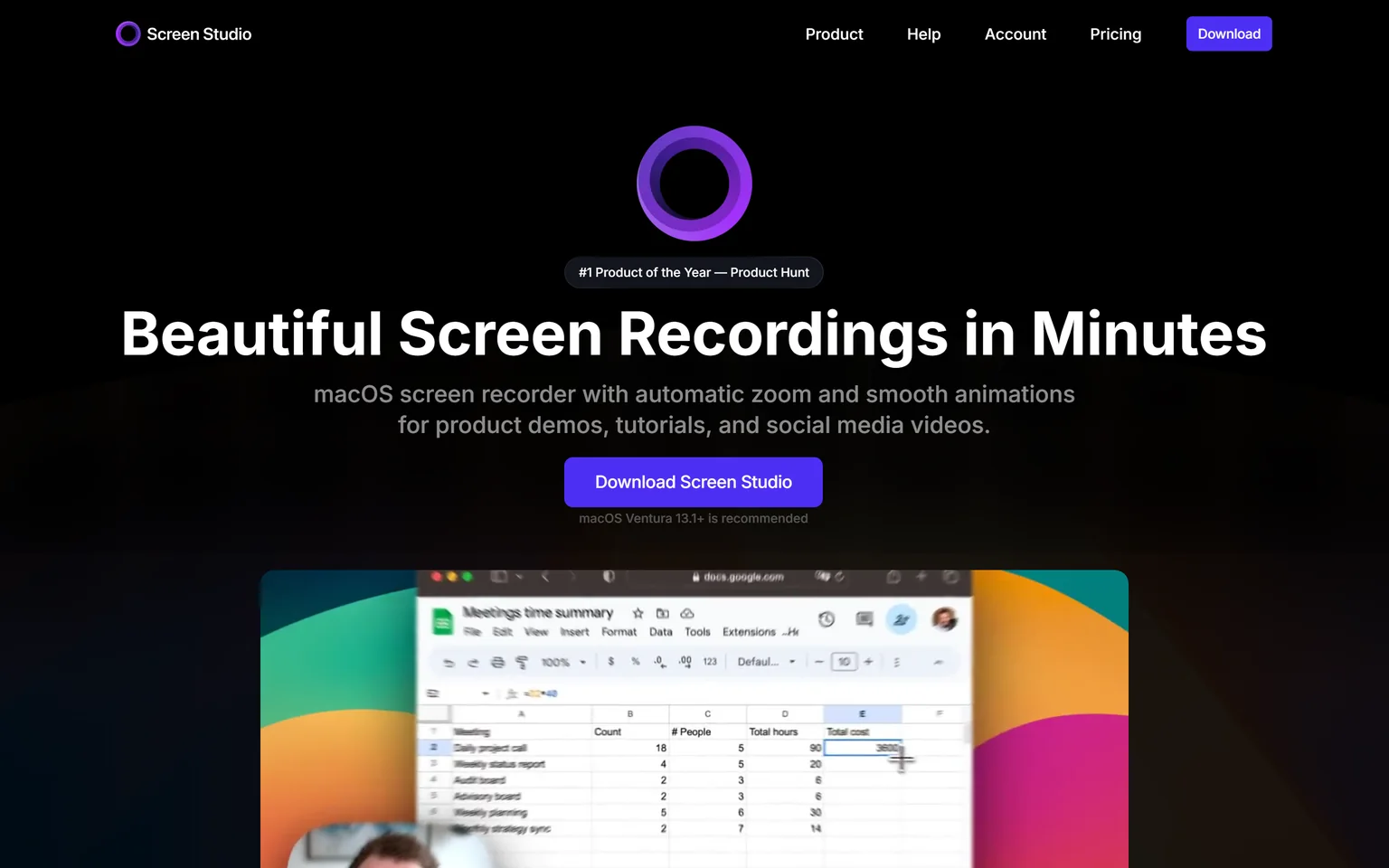
Screen Studio is a macOS screen recorder. It automatically zooms in on your cursor, increases the cursor size and smooths its movements, so a plain recording looks produced. Founders, indie makers and product marketers on a Mac use it for launch videos and tutorials. We compare its rivals on our Screen Studio alternatives page.
Trupeer in brief
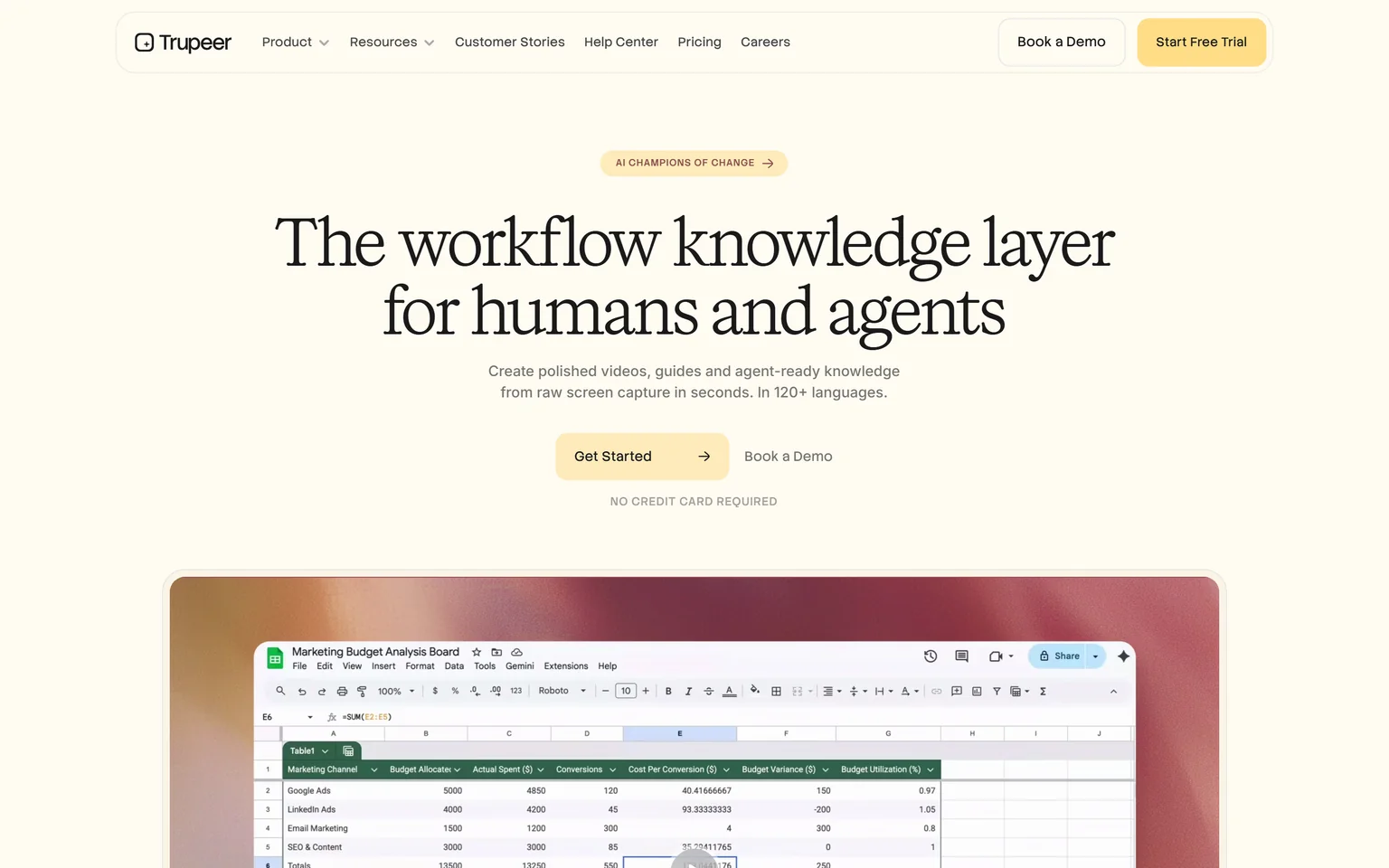
Trupeer creates polished videos, guides and agent-ready knowledge from raw screen capture, in 120+ languages. You record a rough walkthrough, and its AI fixes the script, adds a voice and builds a document. Training, support and product teams use it. We compare its rivals on our Trupeer alternatives page.
Screen Studio vs Trupeer workflow
Screen Studio wins on workflow speed for people who present well. You record on your Mac, and the zooms and cursor effects are applied as you capture. There is no script to review and no voice to pick. Trupeer starts from you hitting record on a screen and talking through it, then its AI rebuilds the narration before you share the video.
Capture
Screen Studio records webcam, microphone, system audio or any iOS device. Trupeer captures through a browser extension, uploads existing video, and handles mobile and vertical recordings. Screen Studio keeps your face and voice in the video, which suits founders and sales demos.
After recording
Screen Studio lets you change the cursor size after recording and hide a static cursor automatically. Trupeer lets you edit the script and regenerate the voice, so a stumble never needs a retake. If your first take is usually good, Screen Studio is faster.
Edge Screen Studio, because the polish happens during the recording itself.
Screen Studio vs Trupeer visual polish
Screen Studio wins on visual polish. Its automatic cursor zoom, larger cursor and smoothed movements are what the tool is known for. It exports video in up to 4K 60fps or as optimized GIFs. Trupeer lists AI captions and auto zoom, which tidy a walkthrough but aim at clarity more than cinematic motion.
Editing
Trupeer Pro adds editing with trim, split, skip, sync and crop, and auto annotations. Scale adds a brand kit with logos, backgrounds and music. Screen Studio focuses on how the screen itself moves. A product launch clip often looks better from Screen Studio, while a tutorial reads clearer from Trupeer.
Edge Screen Studio, because its zoom and cursor motion make screen video look cinematic.
Screen Studio vs Trupeer AI narration
Trupeer wins on AI narration. Trupeer lists AI voiceover, AI captions and auto zoom, and its AI rewrites the script from your rough talk. Trupeer also offers lifelike avatars without a camera, and Scale adds premium AI voices. Screen Studio records your own voice through the microphone and does not generate narration.
Who needs an AI voice
Some people dislike hearing their own voice, or speak English as a second language. Trupeer gives them a clean, even narration every time. Others want their own voice, because a real founder explaining the product builds trust. Screen Studio keeps that personal touch. Try both on a short clip and play it to a colleague.
Edge Trupeer, because it writes the script and voices it for you.
Screen Studio vs Trupeer pricing
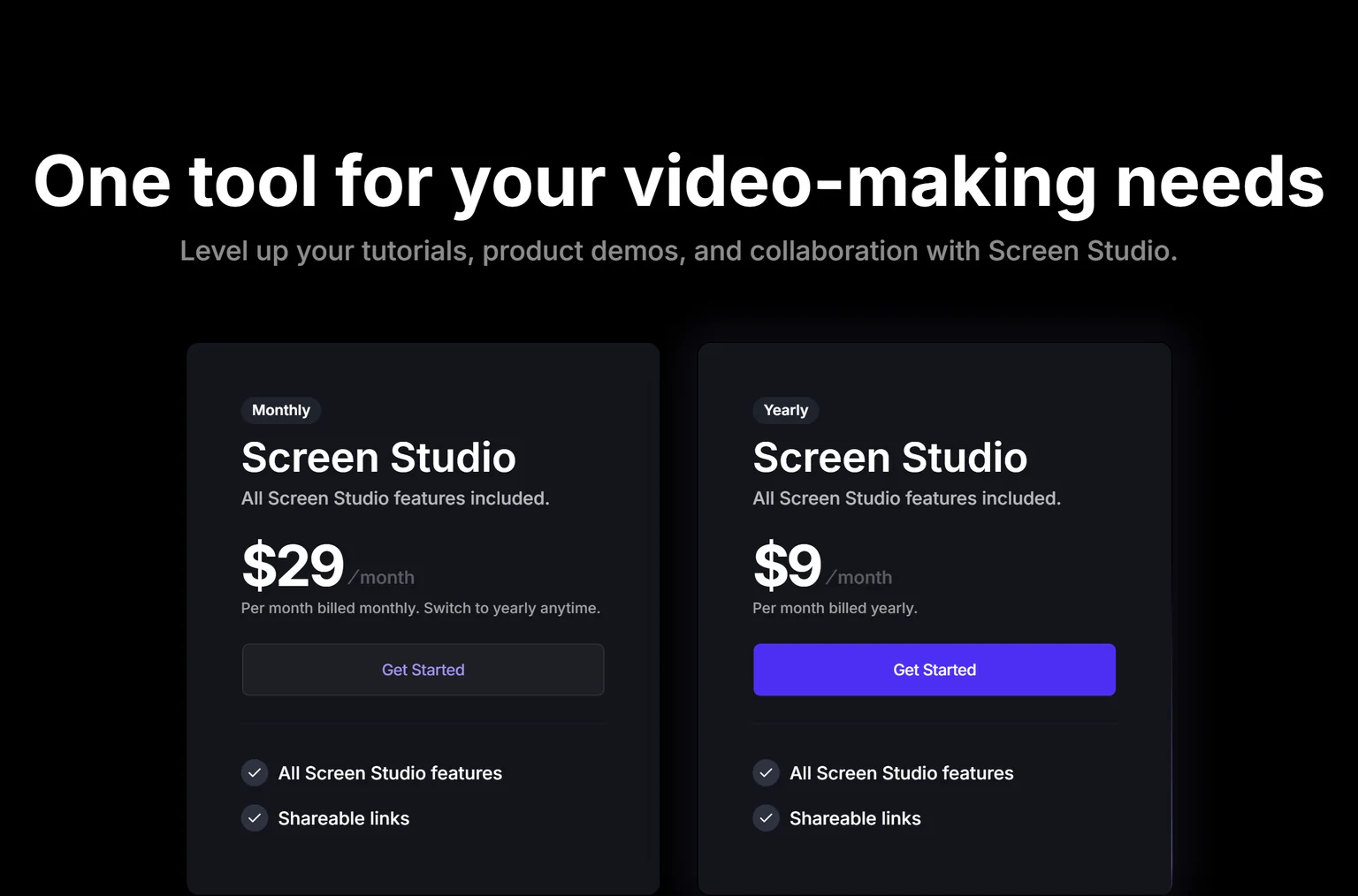
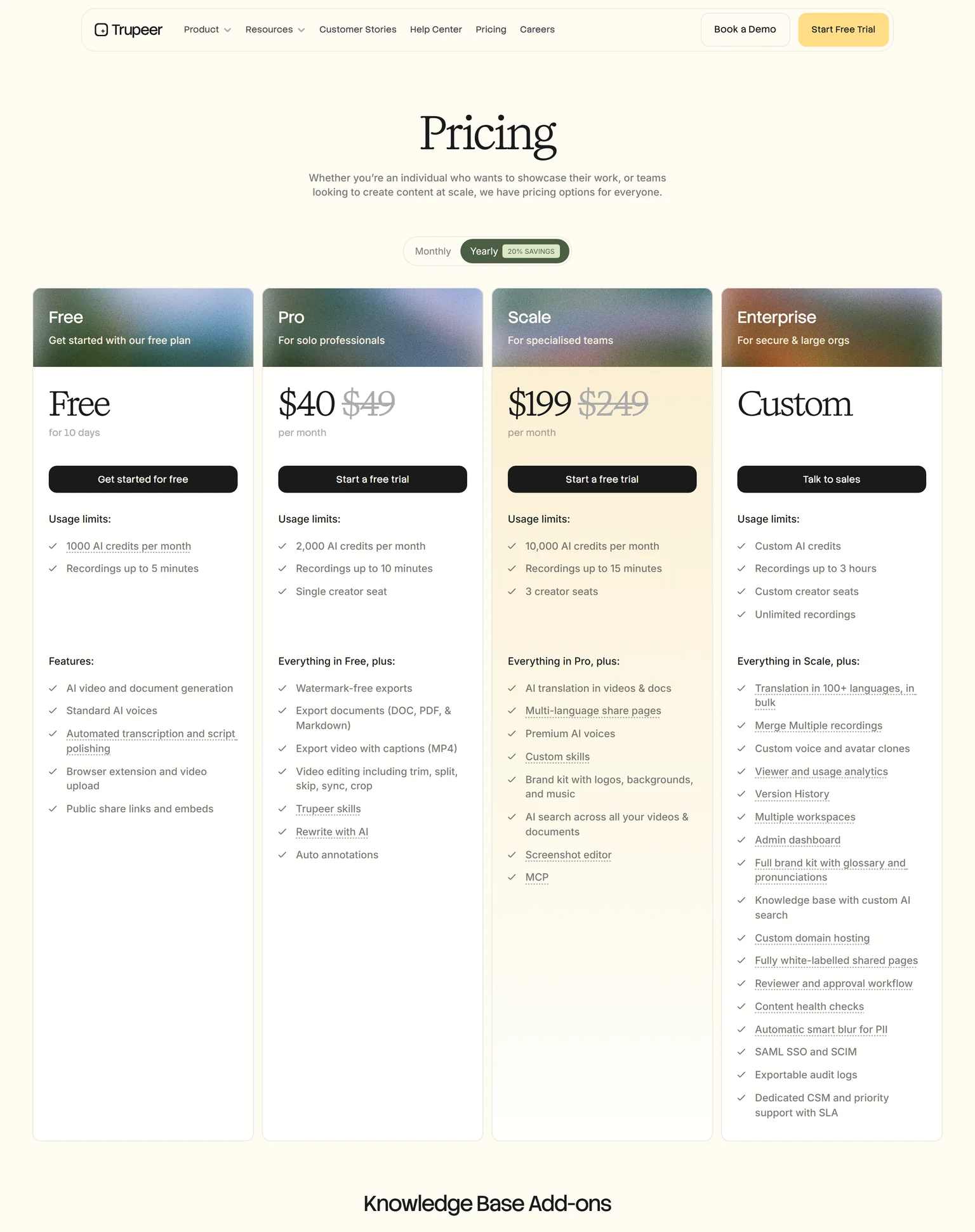
Screen Studio wins on price. Screen Studio costs $9 a month billed yearly, or $29 a month billed monthly. Trupeer Pro costs $40 a month billed yearly, or $49 billed monthly. Screen Studio sells one plan with all features and shareable links, so there is no tier to outgrow.
Screen Studio pricing
Every feature comes in the one plan. Screen Studio's FAQ also answers customers who bought a one-time license in the past, so older buyers keep their access.
Trupeer pricing
Trupeer's Free plan lasts 10 days. Scale costs $199 a month billed yearly or $249 monthly, with 10,000 AI credits a month, 3 creator seats and recordings up to 15 minutes. Pro and Scale start with a free trial.
What the same money buys
A year of Screen Studio costs less than three months of Trupeer Pro. Trupeer's price buys the AI voice, documents and translation that Screen Studio does not offer.
Edge Screen Studio, because its single plan costs a fraction of Trupeer Pro.
Screen Studio vs Trupeer documentation
Trupeer wins on documentation, because Screen Studio does not make documents. Trupeer's Free plan includes AI video and document generation, and Pro exports documents to DOC, PDF and Markdown. Its Knowledge Base add-on costs $120 a month billed yearly, with unlimited articles. Screen Studio outputs a video file or a link.
Who needs this
Support and training teams want a written guide next to each video, so people can skim the steps. Trupeer builds both from one recording. A founder posting a launch clip on social media will not need a document. Our guide on making a SaaS demo video that converts covers when a video alone is enough.
Edge Trupeer, because it turns each recording into a written guide as well.
Screen Studio vs Trupeer platforms
Trupeer wins on platforms. Screen Studio is a macOS screen recorder and recommends macOS Ventura 13.1 or newer. Windows and Linux users cannot run it. Trupeer captures through a browser extension, uploads existing video, and handles mobile and vertical recordings, so it works on any computer with a browser.
What this means for teams
A mixed team with Windows laptops cannot standardize on Screen Studio. A solo founder on a Mac will not notice the limit. Screen Studio can record any iOS device, which helps mobile app makers on a Mac. Check which machines your whole team uses before you buy.
Security for teams
Trupeer's homepage says it is ISO 27001, SOC 2 and GDPR certified, and Enterprise adds automatic smart blur for PII. Screen Studio does not list certifications, since it is a desktop app for individuals.
Edge Trupeer, because it runs in any browser while Screen Studio needs a Mac.
Screen Studio vs Trupeer languages
Trupeer wins on languages. Trupeer works in 120+ languages, and Scale adds AI translation in videos and docs with multi-language share pages. Screen Studio does not list translation. To reach another market with Screen Studio, you record the video again in that language, which takes a native speaker and more studio time.
What this means for global teams
Trupeer Scale includes two languages, and Enterprise includes ten. Translation uses AI credits, so count the minutes of video you plan to translate each month. Trupeer Enterprise adds bulk translation in 100+ languages. Machine translation still needs a native speaker to check product terms.
Edge Trupeer, because it translates voice and captions while Screen Studio does not translate.
Screen Studio vs Trupeer sharing and exports
Screen Studio wins on exports. Screen Studio outputs horizontal and vertical video and re-adjusts the zooms for social media exports. It has export presets for the web, social media or further editing in another video editor, and shares a video by generating a link. Trupeer exports MP4 with captions and shares through public share links and embeds.
What this means for marketing
A launch needs a landscape video for the site and a vertical cut for social feeds. Screen Studio makes both from one recording and re-frames the zooms. Trupeer suits help centers and training pages, where a captioned video and a guide sit together. Our SaaS demo software buyers guide covers where each format works.
Edge Screen Studio, because it re-frames each video for social formats and exports up to 4K.
Screen Studio vs Trupeer: which should you choose
Choose by who does the talking. If you present your own product on a Mac and want it to look great, Screen Studio wins, at a low price. If you want AI to narrate, write a guide and translate, on any computer, Trupeer wins. Many makers record launch clips in Screen Studio and build training in a tool like Trupeer.
Screen Studio strengths and weaknesses
Strengths
- Automatic zoom and smooth cursor motion.
- Exports up to 4K 60fps and GIF.
- Horizontal and vertical social exports.
- One low-priced plan with every feature.
Weaknesses
- macOS only.
- No AI voice or script rewrite.
- No written guides or translation.
Trupeer strengths and weaknesses
Strengths
- AI voiceover, script rewrite and avatars.
- Docs in DOC, PDF and Markdown.
- Works in any browser.
- 120+ languages and translation on Scale.
Weaknesses
- A much higher price.
- The free plan lasts 10 days.
- Less cinematic motion than Screen Studio.
- If you record launch videos on a Mac, pick Screen Studio.
- If you want vertical cuts for social media, pick Screen Studio.
- If you prefer an AI voice to your own, pick Trupeer.
- If your team uses Windows or needs written guides, pick Trupeer.
- If you are weighing either against other tools, see our Screen Studio vs Loom and Scribe vs Trupeer comparisons.
- If you ship SaaS features and want the launch videos and content generated from the product, pick GuideClarity.
Where GuideClarity fits between Screen Studio and Trupeer
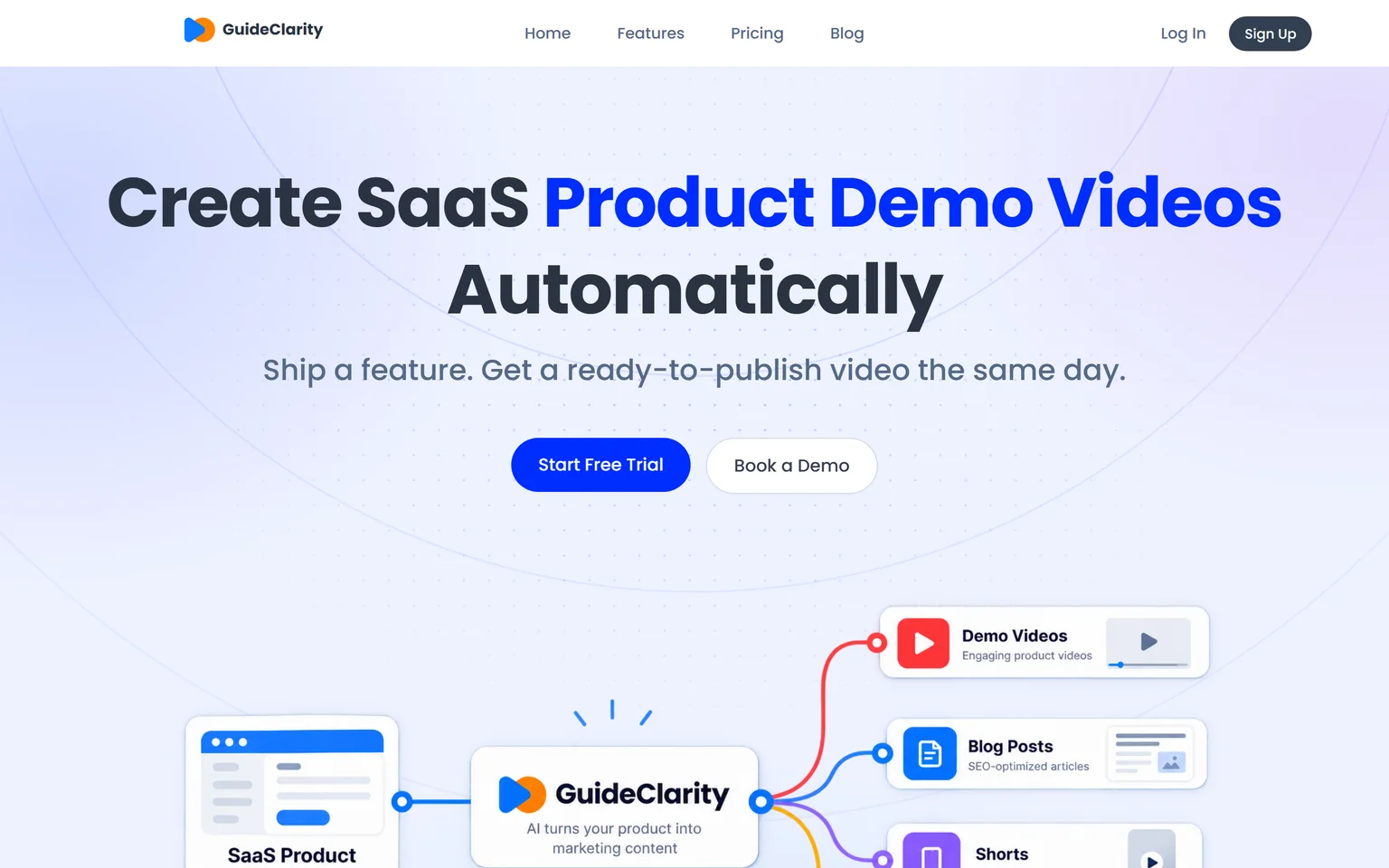
Screen Studio polishes a video you record yourself, and Trupeer narrates and documents one. GuideClarity generates the product demo video and the explainer video for each new feature, then the docs, shorts, blog post and social posts. It suits SaaS teams that ship often and need launch content for every channel. Makers who want to present in their own voice should pick Screen Studio.
GuideClarity pricing
The free plan includes 3 video guide recordings with AI voiceover and 6 marketing videos. Pro costs $59 a month billed monthly, or $49 a month billed yearly. Business costs $99 a month. Paid plans carry a 14-day money-back guarantee.
Strengths
- Builds the product demo video and explainer video from the product.
- One feature in, a whole launch kit out, with shorts, docs and a blog post.
- Works from a browser, not only a Mac.
- A free plan to test on a real feature.
Weaknesses
- Not a manual screen recorder. Presenting in your own voice fits Screen Studio.
- Focused on SaaS products, not on general tutorials.
GuideClarity vs Screen Studio and Trupeer
GuideClarity creates SaaS product demo videos automatically. It turns one release into a demo video, shorts, a blog post, social posts, screenshots and an announcement. Trupeer also narrates with AI, so compare the two on your next feature. The GuideClarity features page lists every output. Our guide to personalized video demos shows how launch videos drive adoption.
Frequently asked questions about Screen Studio vs Trupeer
Is Trupeer better than Screen Studio?
Trupeer is better when you want AI to narrate and document, with AI voiceover and captions and document export on Pro. Screen Studio is better for cinematic recordings on a Mac, with automatic zoom and cursor smoothing at $9 a month billed yearly. So in Trupeer vs Screen Studio, the job decides.
Is Screen Studio good?
Yes, for what it does. Screen Studio automatically zooms in on your cursor, increases the cursor size and smooths its movements, and exports up to 4K 60fps. It is limited to macOS and does not add an AI voice or written guides. For Mac makers who present themselves, it is a strong pick.
What are some good alternatives to Screen Studio?
Trupeer is an alternative when you want an AI voice and written guides. Loom suits quick team messages, and GuideClarity generates product demo videos from each release without recording. Our Screen Studio alternatives page compares more options with verified prices, including tools that run on Windows.
Does Screen Studio work on Windows?
No. Screen Studio is a macOS screen recorder and recommends macOS Ventura 13.1 or newer. Windows users need another tool. Trupeer captures through a browser extension and uploads existing video, so it works on Windows, Mac and Linux through the browser.
Which is cheaper, Screen Studio or Trupeer?
Screen Studio is cheaper. Screen Studio costs $9 a month billed yearly, or $29 billed monthly. Trupeer Pro costs $40 a month billed yearly, or $49 monthly. Trupeer's price includes AI voice, documents and credits for translation. A year of Screen Studio costs less than three months of Trupeer Pro.
How did you verify the prices on this page?
We opened each vendor's pricing page in a browser on September 27, 2026 and saved its text. A script then checked every quoted price and limit against that saved page. Screen Studio's prices were checked against our own screenshot of its pricing section, and we clicked Yearly on Trupeer.
Sources and verification
Every fact above was read on the pages below on September 27, 2026. The vendor's own page wins over any third-party listing when they disagree. Prices change, so check the vendor before you buy.
- Screen Studio homepage and pricing, checked September 27, 2026.
- Trupeer pricing page, checked September 27, 2026.
- Trupeer homepage, checked September 27, 2026.
- GuideClarity pricing page, checked September 27, 2026.
- GuideClarity homepage, checked September 27, 2026.
Need product videos for every release? GuideClarity generates the demo video, the explainer video, the shorts, the blog post and the social posts from your live product.
The free plan includes 3 video guide recordings with AI voiceover, so you can run a real feature through it before paying.