TL;DR
The best Tango alternatives depend on whether you want a written guide or a video. GuideClarity is the pick for SaaS teams that want product demo videos and explainer videos generated from the live product with no capture. The docs, shorts and blog post come with them. Scribe is the closest like-for-like guide tool, Folge is the one-time purchase, and Guidde adds narration. Clueso makes polished videos, Supademo and Iorad make interactive demos, and Loom is raw video.
- GuideClarity, best for generating product demo videos and explainer videos from a live product feature automatically, plus the docs, shorts and blog post.
- Scribe, best for written step-by-step guides captured from your clicks.
- Guidde, best for narrated video documentation with a free plan.
- Folge, best for offline desktop guides at a one-time price.
- Clueso, best for polished customer-facing videos from one recording.
- Supademo, best for interactive demos and SOP guides from one capture.
- Iorad, best for interactive click-through tutorials with unlimited learners.
- Loom, best for quick video walkthroughs when a guide is overkill.
Tango alternatives compared at a glance
The table compares the eight Tango alternatives on the things buyers check first. Starting price is the cheapest paid plan in US dollars. It is at monthly billing where the vendor shows it, and at annual billing where the cell says so. The free plan column gives the cap that matters most. We read every price on the vendor's own pricing page on September 24, 2026.
| Tool | Best for | Starting price | Free plan | Biggest limitation |
|---|---|---|---|---|
| GuideClarity | Product videos, explainers, blog posts and other marketing assets from product features | $59 a month | Yes, 3 video guide recordings | Built for SaaS product content only |
| Scribe | Written SOPs | $25 per seat a month, yearly | Yes, web apps only | Team plan starts at five seats |
| Guidde | Narrated video documentation | $29 per creator a month | Yes, 25 how-to videos | Web apps only until Business |
| Folge | Offline desktop guides | $89 once | Yes, 5 guides | Desktop only, no cloud workspace |
| Clueso | Customer-facing videos | $40 a month, yearly | Yes, 10 minutes of exports a month | Export minutes are metered |
| Supademo | Interactive demos | $38 per creator a month, yearly | Yes, 5 interactive demos | Demos first, guides second |
| Iorad | Interactive tutorials | $200 a month | Yes, $0 a month | Priced for training departments |
| Loom | Quick video walkthroughs | $18 per user a month | Yes, 25 videos of 5 minutes | Video only, no written steps |
Why people look for Tango alternatives
Tango at tango.ai is the process documentation tool covered here, not the Tango Live streaming app and not the dance. Tango turns any workflow into a step-by-step guide with screenshots, highlights and descriptions. Teams look elsewhere for three reasons. The output is a guide and never a video, every extra user is a paid seat, and the features that make guides useful at scale sit on Enterprise.
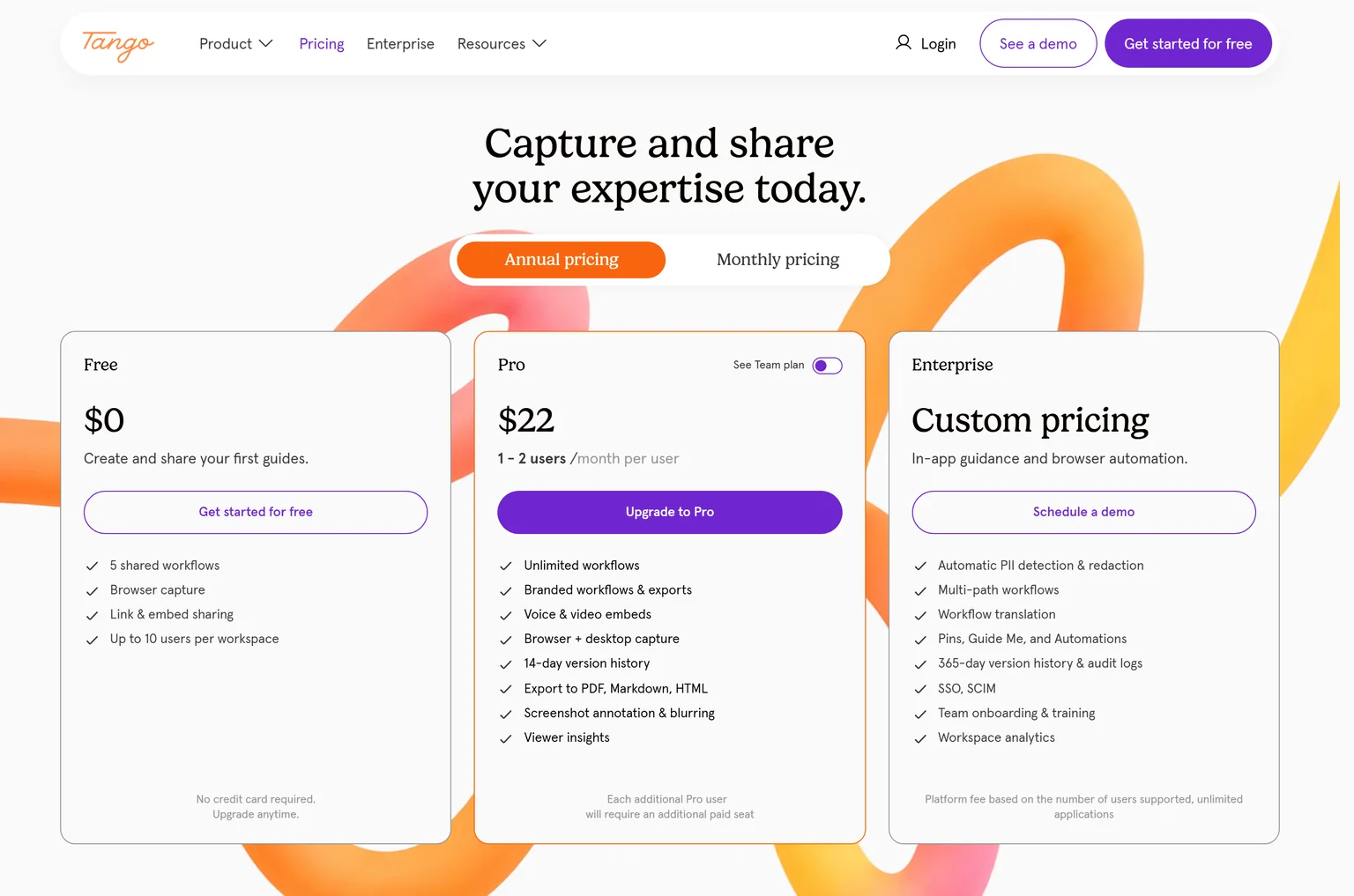
Tango says it is trusted by 1M+ users, works in Salesforce, Workday, Epic and other web tools, and turns speech into written steps with voice transcription. Pro includes browser and desktop capture, export to PDF, Markdown and HTML, and screenshot annotation and blurring.
- A guide is the only output. Tango captures clicks and writes steps. A team that needs a product video, a narrated tutorial or a launch asset needs a second tool.
- Every user is a paid seat. Pro costs $22 per user a month on annual pricing for 1 to 2 users, and $15 per user a month for teams of 3 or more. Each additional Pro user requires an additional paid seat.
- The free plan is small. The Free plan costs $0 with 5 shared workflows, browser capture and up to 10 users per workspace. Pro adds unlimited workflows, branded workflows and exports, voice and video embeds, 14-day version history and viewer insights.
- Scale features are Enterprise. Enterprise is custom priced and adds workflow translation, automatic PII redaction and SSO with SCIM. It also adds multi-path workflows, Pins, Guide Me and Automations, 365-day version history with audit logs, and a platform fee based on the number of users supported.
- Subscription fatigue. The Reddit and forum threads that rank for this query ask for a one-time purchase and cleaner exports. Folge answers the first, and Scribe and Guidde the second.
How we picked and checked these Tango alternatives
A tool qualified when it turns a product or a screen task into a guide, a video or a demo without a writer or an editor. We started from the tools that appear most often across the top search results for Tango alternatives, ignored the results about the streaming app, and kept eight. Each one was judged on what it produces, how clear its pricing is, the caps on its cheapest plans, and the team it fits.
- Own screenshots. Every homepage and pricing screenshot on this page is ours, taken on September 24, 2026 at 1440 pixels wide.
- Verified facts. Every price, limit and plan detail comes from the vendor's own page, and a script re-checked each one on September 24, 2026. The Sources section lists each page.
- Dropped tools. Trainual and Process Street are training and workflow platforms rather than capture tools, Notion is a docs tool, and WalkMe and Appcues are digital adoption platforms. Glitter, Whale, Trails, Supered and Trainn appear only on a single list, usually their own. Tango Live is a different product.
- No affiliate links. No vendor on this page pays us for a mention or a click.
GuideClarity publishes this page and is listed first. We describe its weaknesses with the same directness as everyone else's, and the facts about it come from the same public pages.
1. GuideClarity: best for SaaS teams that want product demo videos, explainer videos, blog posts and other marketing assets generated automatically from their product features
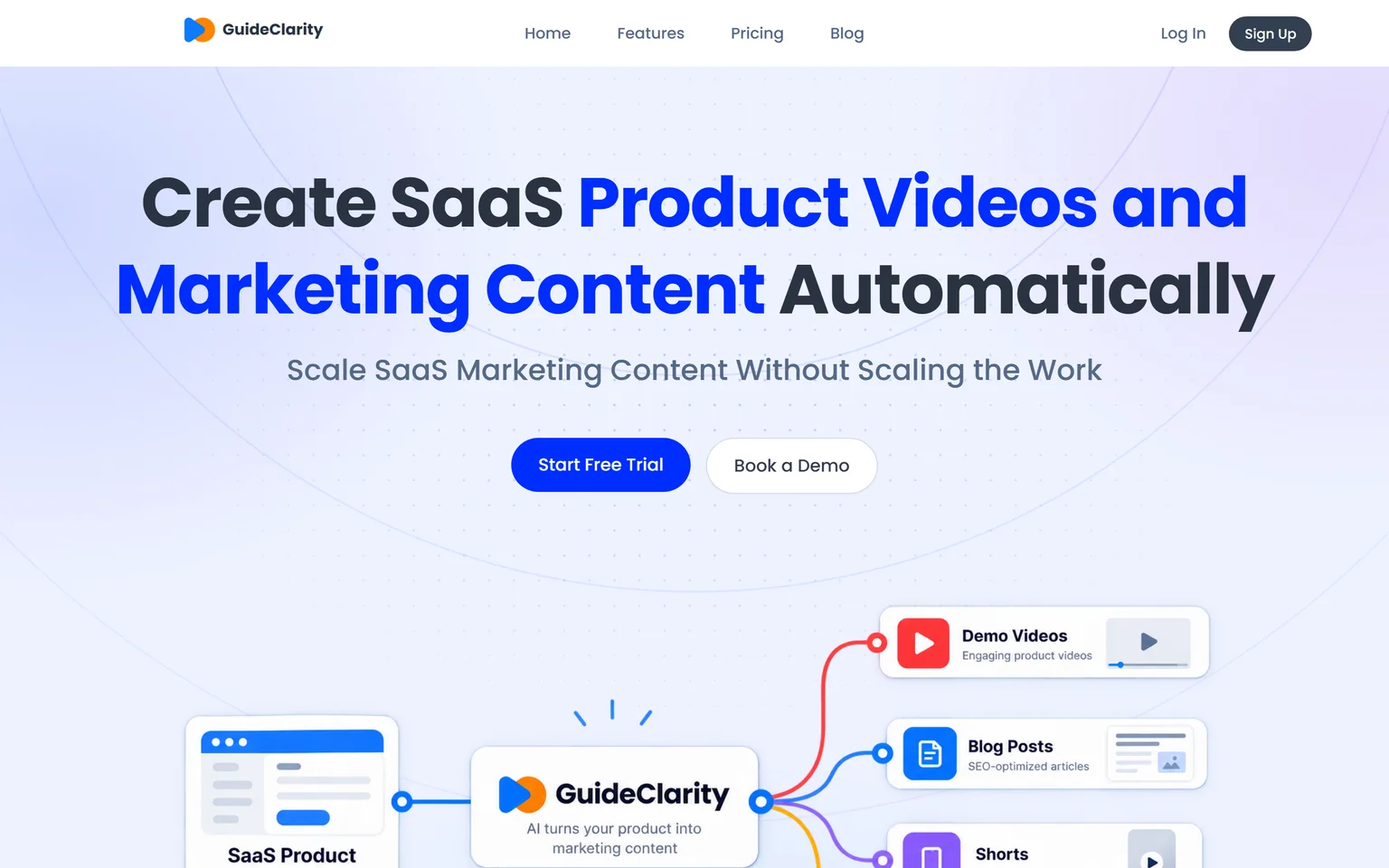
GuideClarity creates SaaS product videos and marketing content automatically. It is best for SaaS teams that want to turn product features into marketing content automatically, without manually recording, scripting, editing and recreating the same content for every channel. It creates demo videos, feature explainers, shorts, blog posts, screenshots and launch assets. SaaS companies that ship features often get the most from it, from a single founder to a large marketing team.
What GuideClarity does
Tango writes down the clicks you made. GuideClarity starts from your product. It generates the demo video and the explainer video automatically from your live product URL, so nobody captures, scripts or narrates. From the same feature it produces the documentation, vertical shorts, an SEO blog post and social posts, a complete marketing package. Our SaaS onboarding video playbook shows where a written guide ends and a product video begins.
GuideClarity pricing
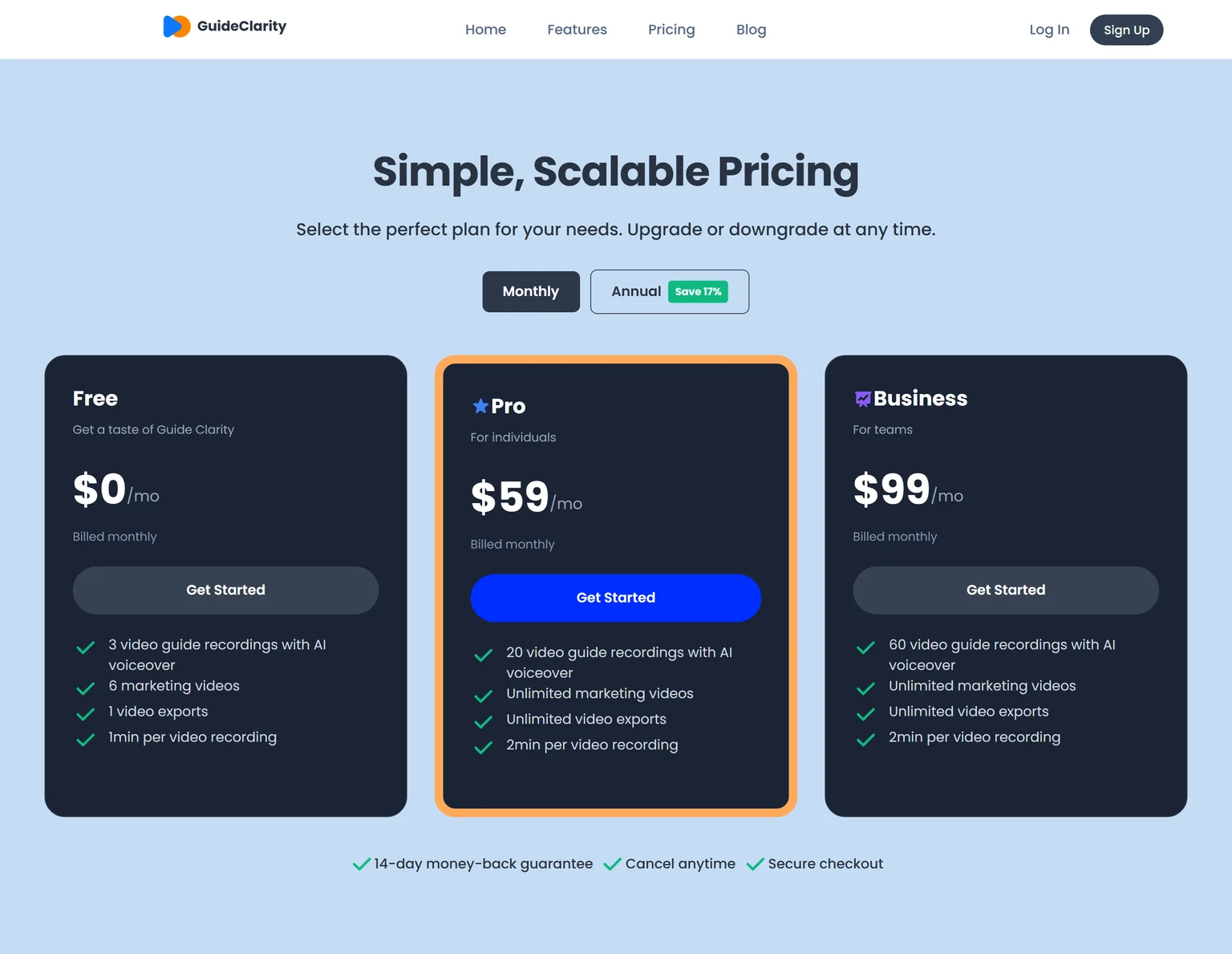
GuideClarity has three plans. The free plan includes 3 video guide recordings with AI voiceover and 6 marketing videos. Pro costs $59 a month billed monthly and includes 20 video guide recordings, or $49 a month billed annually. Business costs $99 a month and includes 60 video guide recordings. Every paid plan carries a 14-day money-back guarantee.
Strengths
- No capture, no script and no narration. Review and publish is the work.
- The product itself is on screen in a demo or explainer video, generated from the live URL.
- One feature in, a whole launch kit out, with the videos, docs, shorts and blog post shaped for their channels.
- Plans are priced per workspace, not per user, so a bigger team does not mean a bigger bill.
- A free plan to test on a real feature before paying.
Weaknesses
- Built for SaaS product and feature content, not for physical products or other non-software businesses.
- Made for marketing, product and founder teams. Operations and IT teams that need click-by-click SOPs for third-party tools are better served by a guide tool.
- Not for agencies that document client software.
Who GuideClarity is for
GuideClarity fits SaaS companies that ship features frequently, product marketing teams, founders and marketing teams of any size, and product teams that need marketing content without slowing down development. It is easy enough to start that small teams adopt it first, and it scales to large marketing teams. The GuideClarity features page lists every output.
GuideClarity vs Tango
Tango turns your clicks into a written guide. GuideClarity generates the demo video and the explainer video automatically from your live product URL and produces the documentation, shorts, blog post and the complete marketing package from the same feature, with no capture step. Tango is the better pick for an internal SOP that an operations team maintains inside Salesforce or Workday. GuideClarity is the better pick when the goal is showing and launching your own software.
2. Scribe: best for written step-by-step guides captured from your clicks
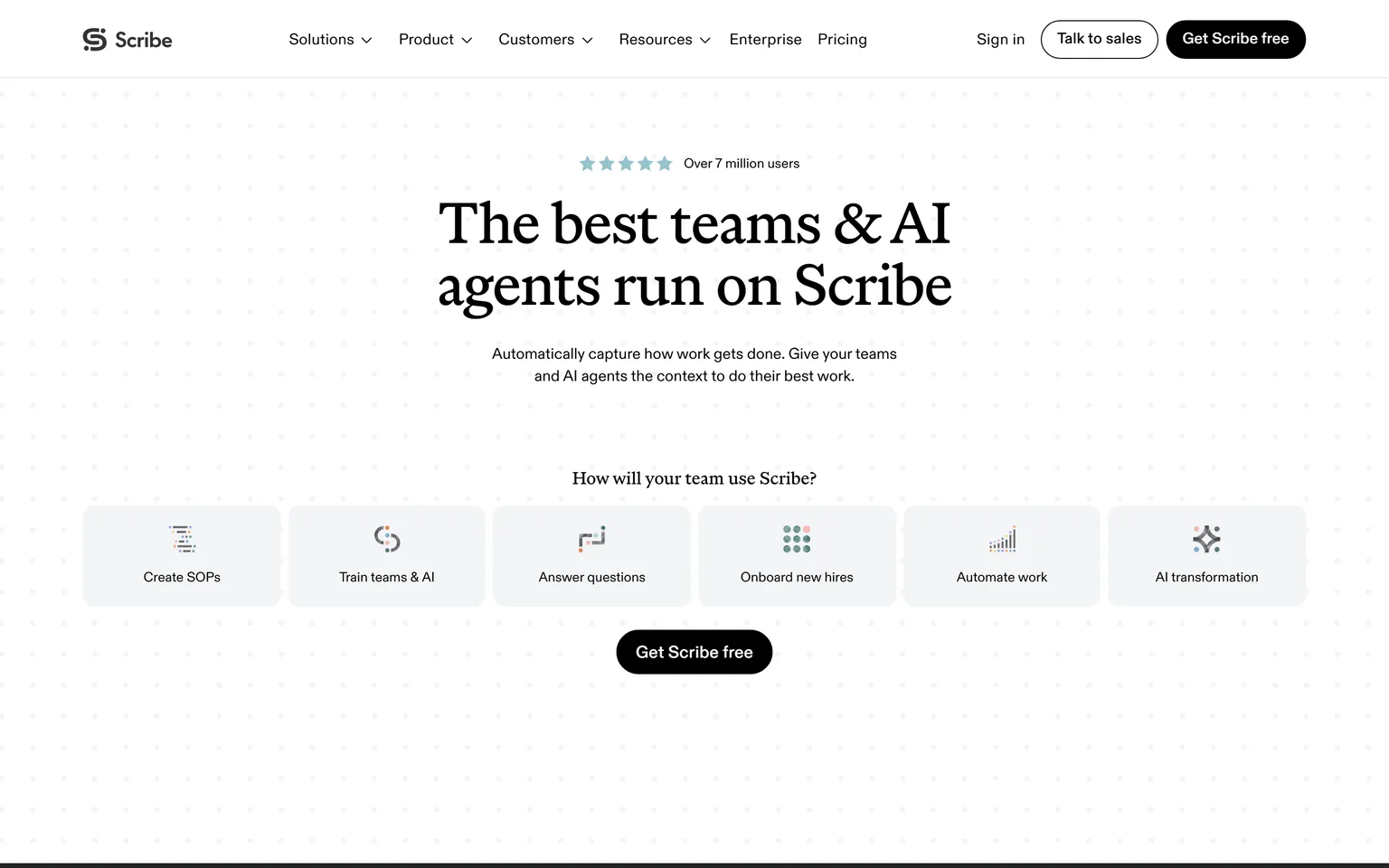
Scribe is the Tango alternative most people name first, because it makes the same thing. It automatically captures how work gets done as step-by-step guides, a screenshot per click with the text written for you. Operations, IT and HR teams that keep an SOP library get the most from it. It is not a fit for anyone who needs a video. We compare its own alternatives on the Scribe alternatives page.
What Scribe does
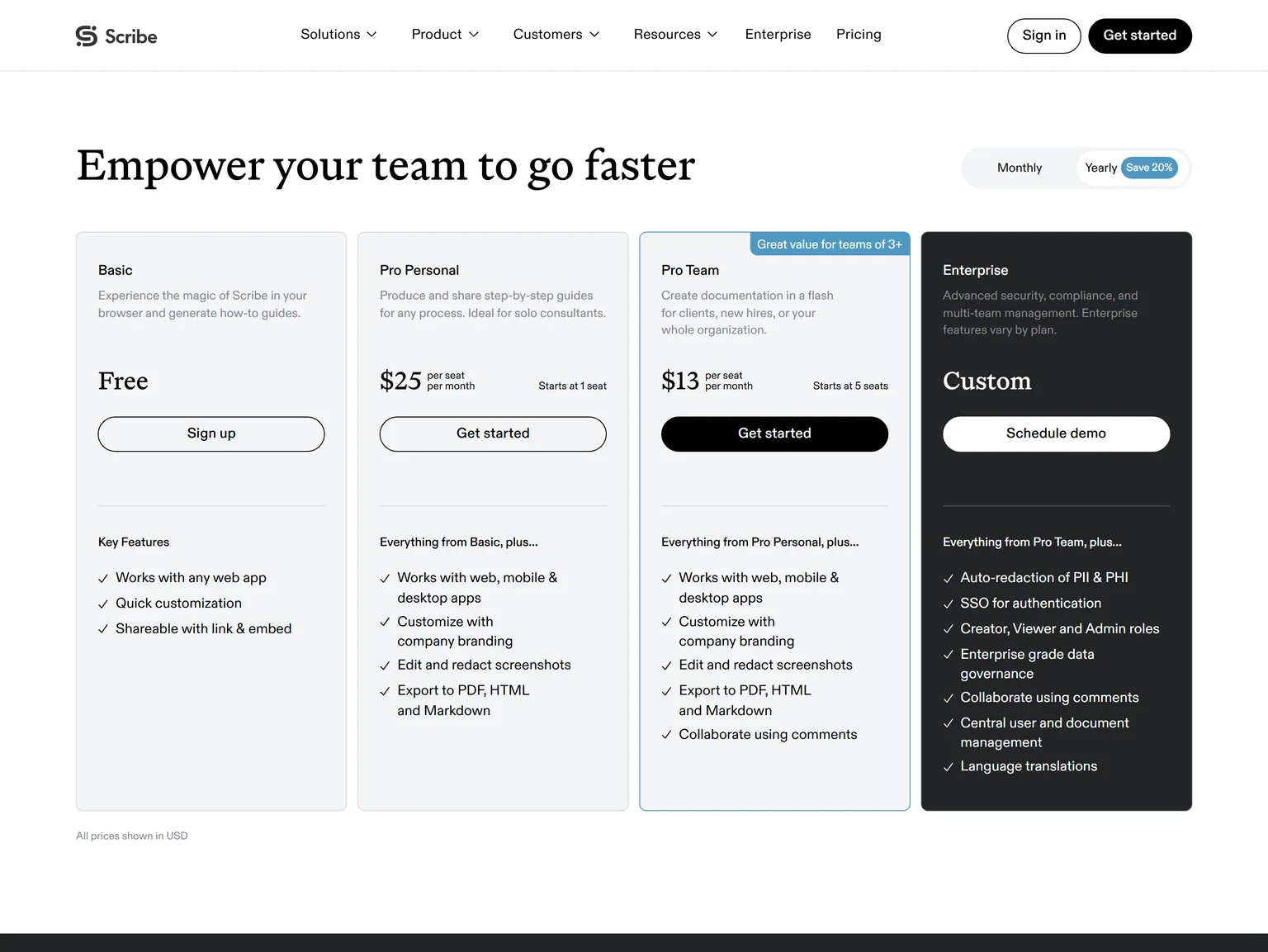
Scribe's browser extension and desktop app record clicks and write the steps as you go. Paid plans work with web, mobile and desktop apps and export to PDF, HTML and Markdown. Enterprise adds auto-redaction of PII and PHI and SSO.
Scribe pricing
Scribe's Basic plan is free and works with any web app. Pro Personal costs $25 per seat a month with the yearly toggle the page shows by default, starting at 1 seat. Pro Team costs $13 per seat a month with yearly billing and starts at 5 seats.
Strengths
- The cheapest per-seat team price on this page for guides.
- A permanent free plan for web apps.
- Enterprise redaction for regulated teams.
Weaknesses
- No video output at all.
- Pro Team starts at five seats.
- Desktop capture needs a paid plan.
Who Scribe is for
Scribe fits operations and IT teams that need a searchable library of written SOPs for five people or more. Teams that need a video should look at Guidde, Clueso or GuideClarity.
Scribe vs Tango
Both make screenshot guides from your clicks. Scribe Pro Team costs $13 per seat a month with yearly billing and starts at 5 seats, against Tango Pro at $15 per user a month for teams of 3 or more.
For one or two people, Tango Pro at $22 per user a month beats Scribe Pro Personal at $25 per seat a month. Tango wins on in-app delivery. Scribe wins on price for a team of five or more.
3. Guidde: best for narrated video documentation with a free plan
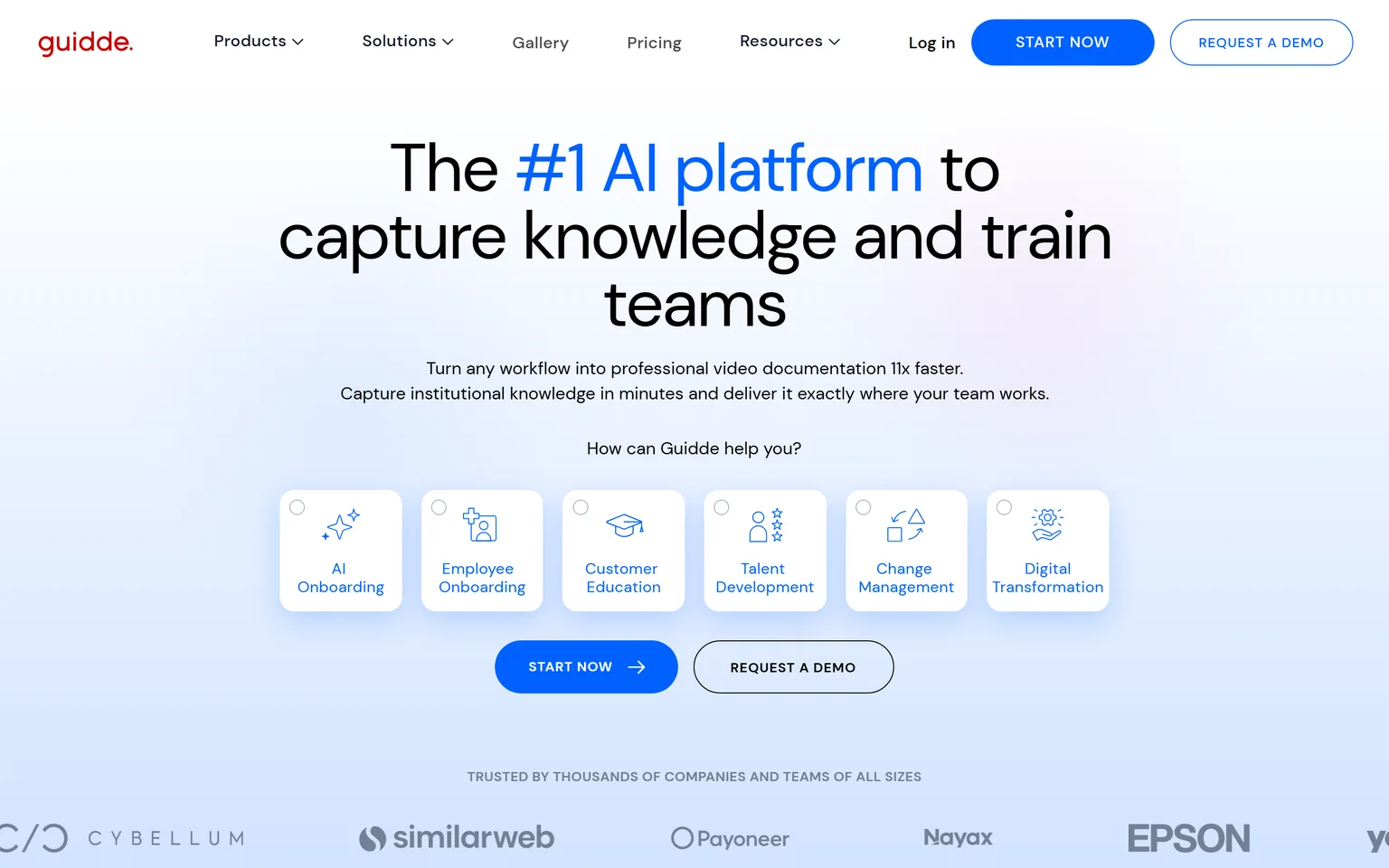
Guidde turns a workflow into video documentation and describes itself as a platform to capture knowledge and train teams. Where Tango gives you a page of steps, Guidde gives you a narrated video with the written steps underneath, without you speaking. Support, enablement and customer education teams that want how-to videos get the most from it. It is not a fit for teams that only want a printable SOP. We compare its own alternatives on the Guidde alternatives page.
What Guidde does
Guidde captures your clicks, writes a script, adds an AI voice and produces a video plus a step-by-step article. Free and Pro work with web apps only, and desktop app capture starts on Business. Enterprise adds multi-language translation and SSO.
Guidde pricing
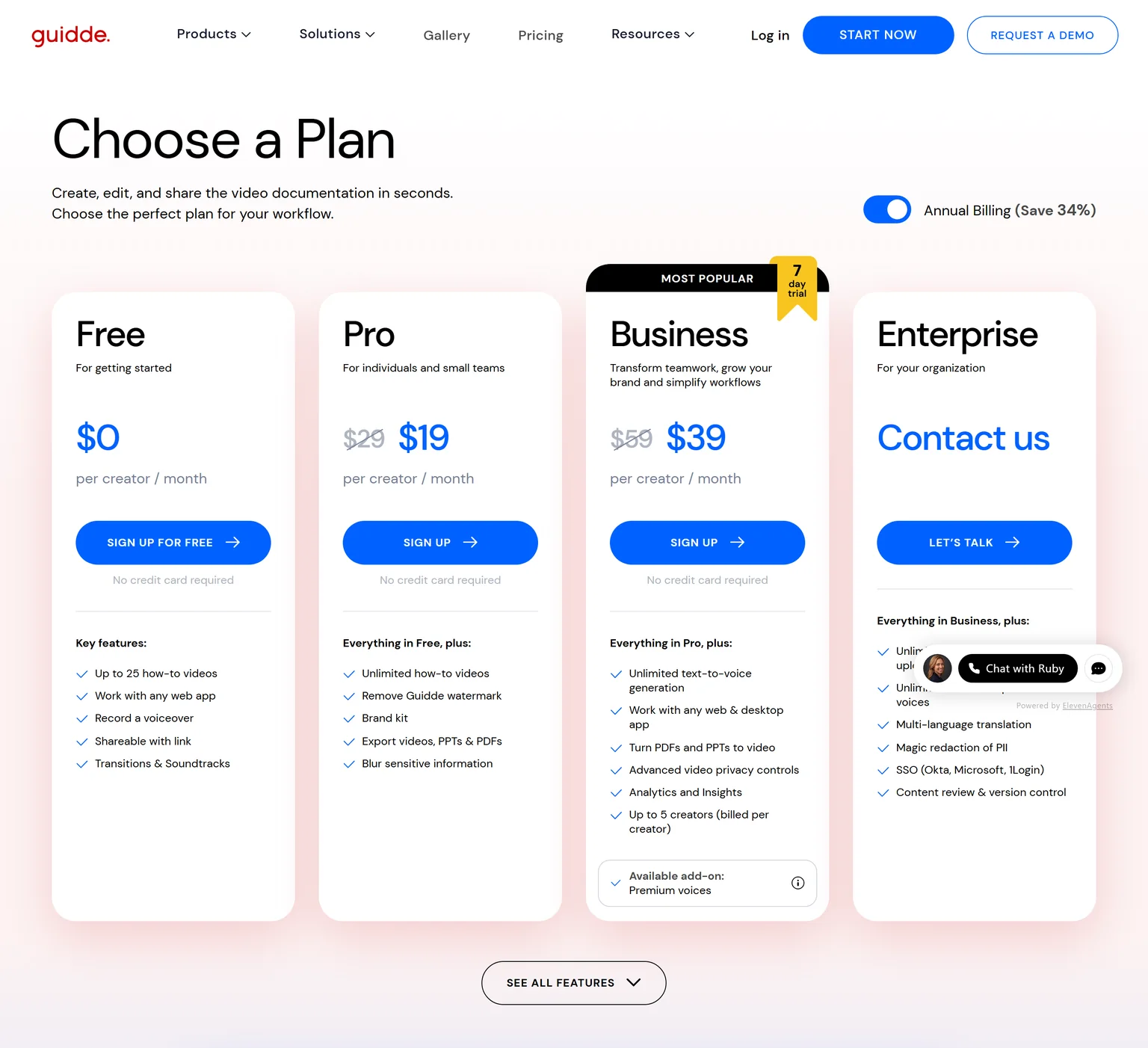
Guidde's Free plan costs $0 per creator a month and includes up to 25 how-to videos. Pro costs $29 per creator a month, or $19 per creator a month billed annually, with unlimited how-to videos and the watermark removed. Business costs $59 per creator a month, or $39 billed annually, for up to 5 creators.
Strengths
- A video and a written article from the same capture.
- A generous free plan for a tool that produces video.
- Narration is generated, so nobody needs a microphone.
Weaknesses
- Desktop app capture waits for the Business plan.
- Videos follow the click path, so they look like tutorials rather than marketing.
- Translation is an Enterprise feature.
Who Guidde is for
Guidde fits support and enablement teams that answer the same how-to question many times and want a video answer. Teams that want a launch video generated from the product itself should pick GuideClarity.
Guidde vs Tango
Both capture clicks. Tango produces a guide and shows it in the app, Guidde produces a narrated video. Guidde Pro costs $29 per creator a month, or $19 billed annually against Tango Pro at $22 per user a month on annual pricing for 1 to 2 users. Tango wins on desktop capture at the first paid tier. Guidde wins when the answer should be a video.
4. Folge: best for offline desktop guides at a one-time price
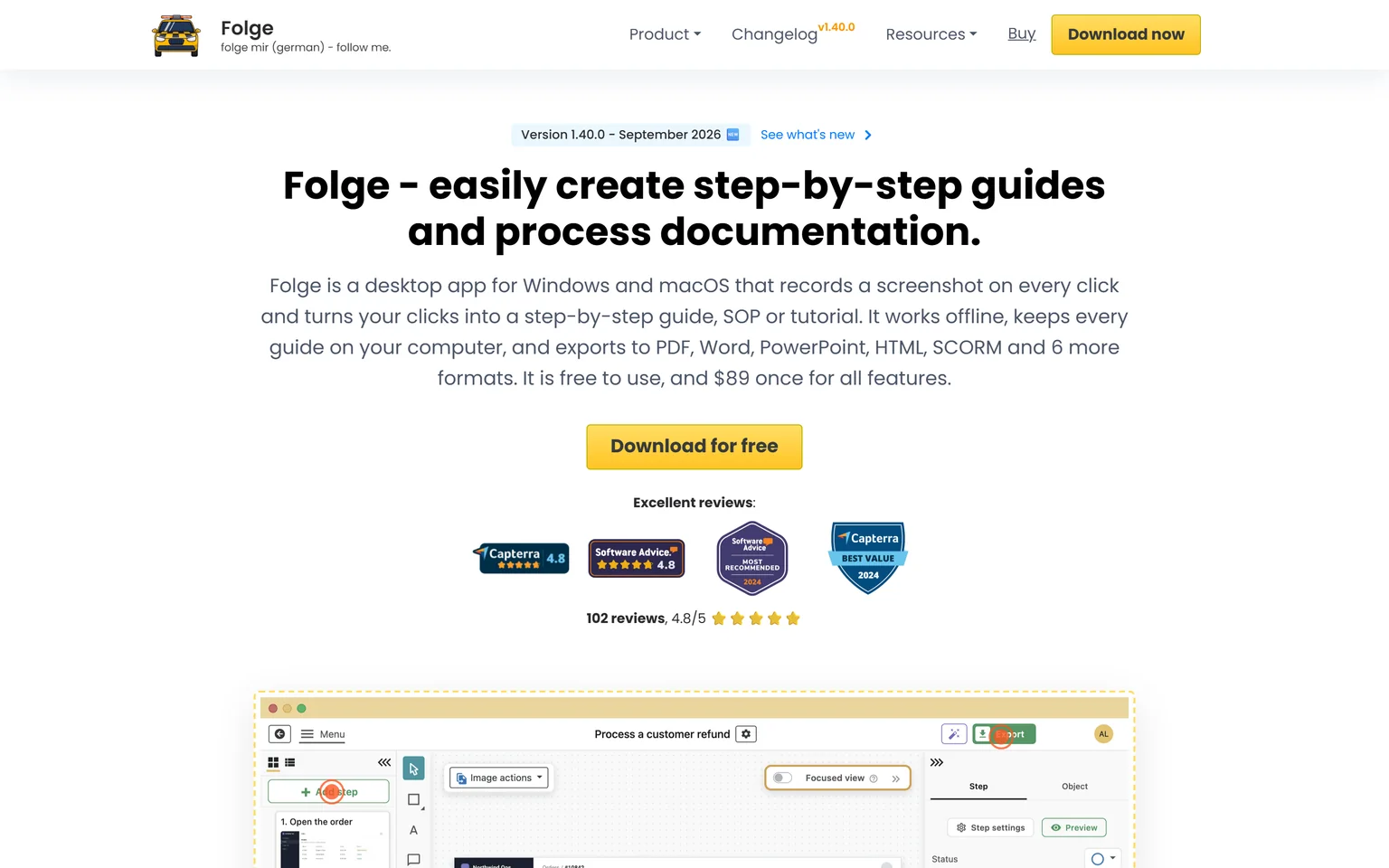
Folge is a desktop app for Windows and macOS that records a screenshot on every click, works offline, keeps every guide on your computer, and exports to PDF, Word, PowerPoint, HTML, SCORM and 6 more formats. It is the Tango alternative for the people on Reddit asking for a guide tool without a subscription. Consultants, trainers and privacy-minded teams get the most from it. It is not a fit for teams that need shared editing in the browser.
What Folge does
Folge captures a screenshot on every click, then opens an editor where you annotate, crop and write the step text. Guides stay on your machine and export to documents, slides, web pages and SCORM packages for an LMS. Nothing is uploaded unless you choose the online hosting option.
Folge pricing
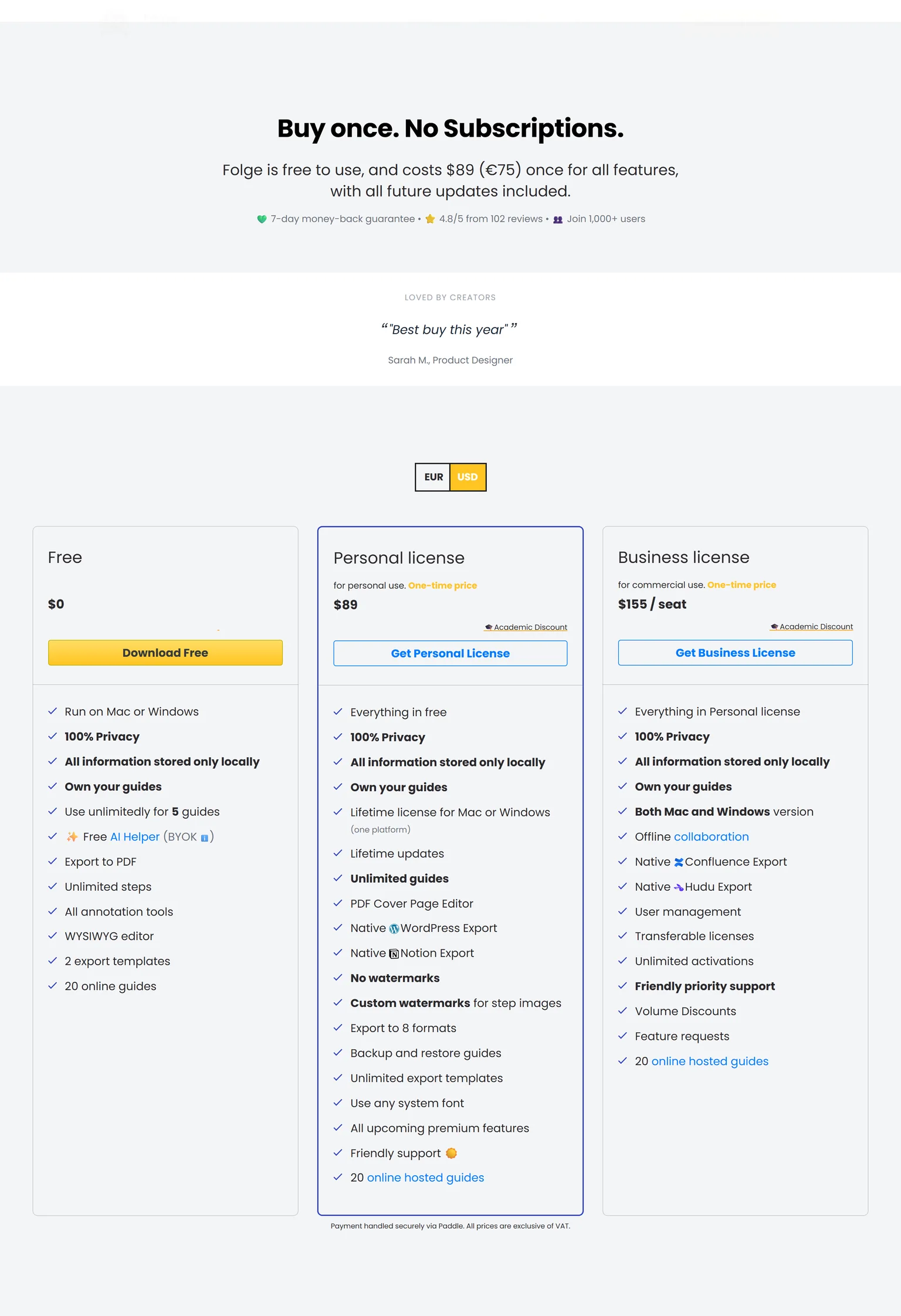
Folge is free to use and costs $89 once for all features with all future updates included. The free version runs on Mac or Windows and allows unlimited use for 5 guides with 20 online guides.
The Personal license is a one-time price for personal use with a lifetime license for one platform, and the Business license is a one-time price per seat for commercial use with both Mac and Windows versions. With the currency switched to US dollars, the Business license costs $155 per seat one time. There is a 7-day money-back guarantee.
Strengths
- Pay once, keep it, no subscription and no paid seats.
- Works offline and keeps guides on your own computer.
- Exports to more formats than Tango, including SCORM and Word.
Weaknesses
- Desktop only, so there is no shared browser workspace.
- Collaboration is file-based rather than live.
- Prices show in euros until you switch the currency toggle.
Who Folge is for
Folge fits solo consultants, trainers and small teams that write guides now and then and dislike subscriptions. Teams that need everyone editing the same guide library should look at Scribe.
Folge vs Tango
Tango is a cloud workspace billed per user per month. Folge is a desktop app bought once. Folge costs $89 once for all features, which is about four months of Tango Pro at $22 per user a month. Tango wins on team sharing, in-app guidance and enterprise controls. Folge wins on cost and on privacy.
5. Clueso: best for polished customer-facing videos from one recording
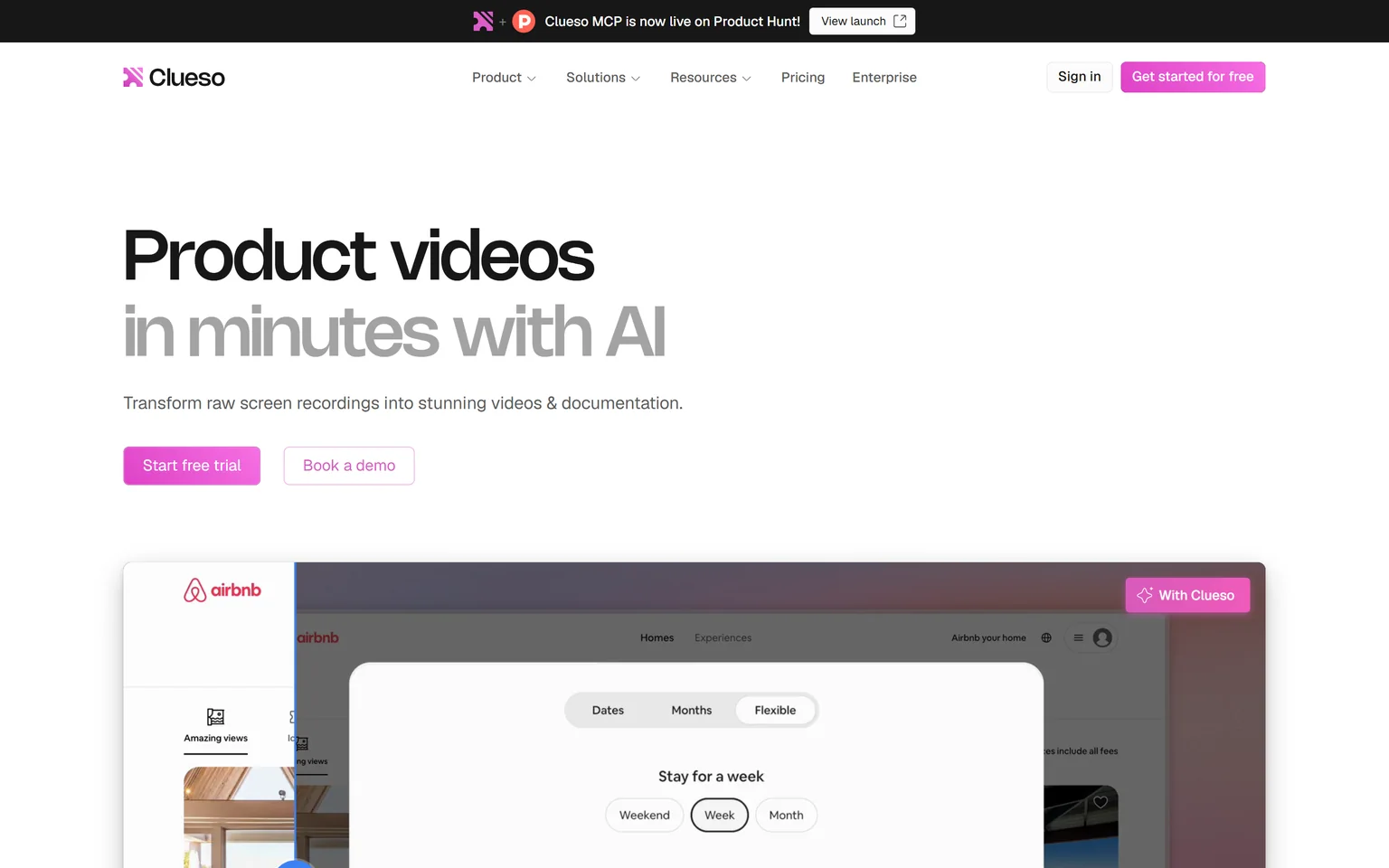
Clueso turns raw screen recordings into videos and documentation, with AI voiceovers and auto-generated SOPs. Where Tango produces a guide, Clueso produces a help center video with zooms and a studio voice, plus the article. Product and support teams that publish customer-facing how-to videos get the most from it. It is not a fit for teams that want to stop recording. We compare its own alternatives on the Clueso alternatives page.
What Clueso does
Clueso takes a raw recording, cleans the audio, adds zooms and an AI voice, and writes the matching article. It translates voiceover, captions and documentation in one click. Input recordings are capped, with 10 minutes per video on Free and 20 minutes per video on Solo.
Clueso pricing
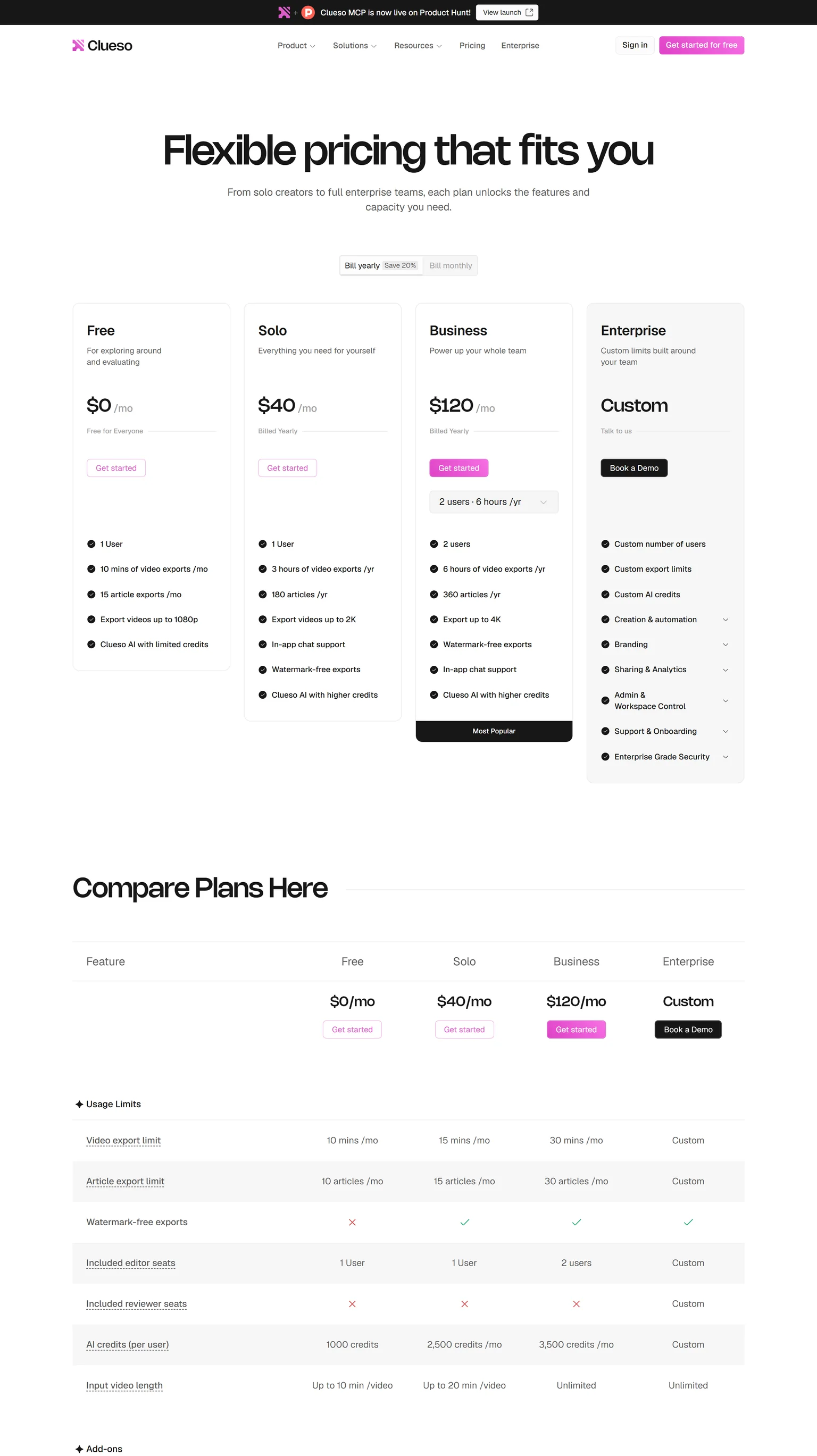
Clueso's Free plan costs $0 and includes 10 minutes of video exports a month, 15 article exports a month and 1 user. Solo costs $40 a month billed yearly, with 3 hours of video exports a year and 180 articles a year, or $50 a month billed monthly, with 15 minutes of video exports a month.
Business costs $120 a month billed yearly for 2 users with 6 hours of video exports a year, or $150 a month billed monthly. Watermark-free exports start on the Solo plan.
Strengths
- Video polish that reads as customer-facing, not internal.
- One-click translation of the video and the article on the base plans.
- A permanent free plan with real export minutes.
Weaknesses
- You still record and narrate the session yourself.
- Export minutes are metered on every plan.
- Business is priced for two users, with more seats costing extra.
Who Clueso is for
Clueso fits product and support teams that want a help video and its article from each recording. Teams that want the video generated from the product with no recording should pick GuideClarity.
Clueso vs Tango
Tango writes a guide from clicks. Clueso makes a video and a guide from a narrated recording. Clueso Solo costs $40 a month billed yearly against Tango Pro at $22 per user a month on annual pricing. Tango is cheaper and simpler for a text SOP. Clueso is the better pick when the same session should also become a video.
6. Supademo: best for interactive demos and SOP guides from one capture
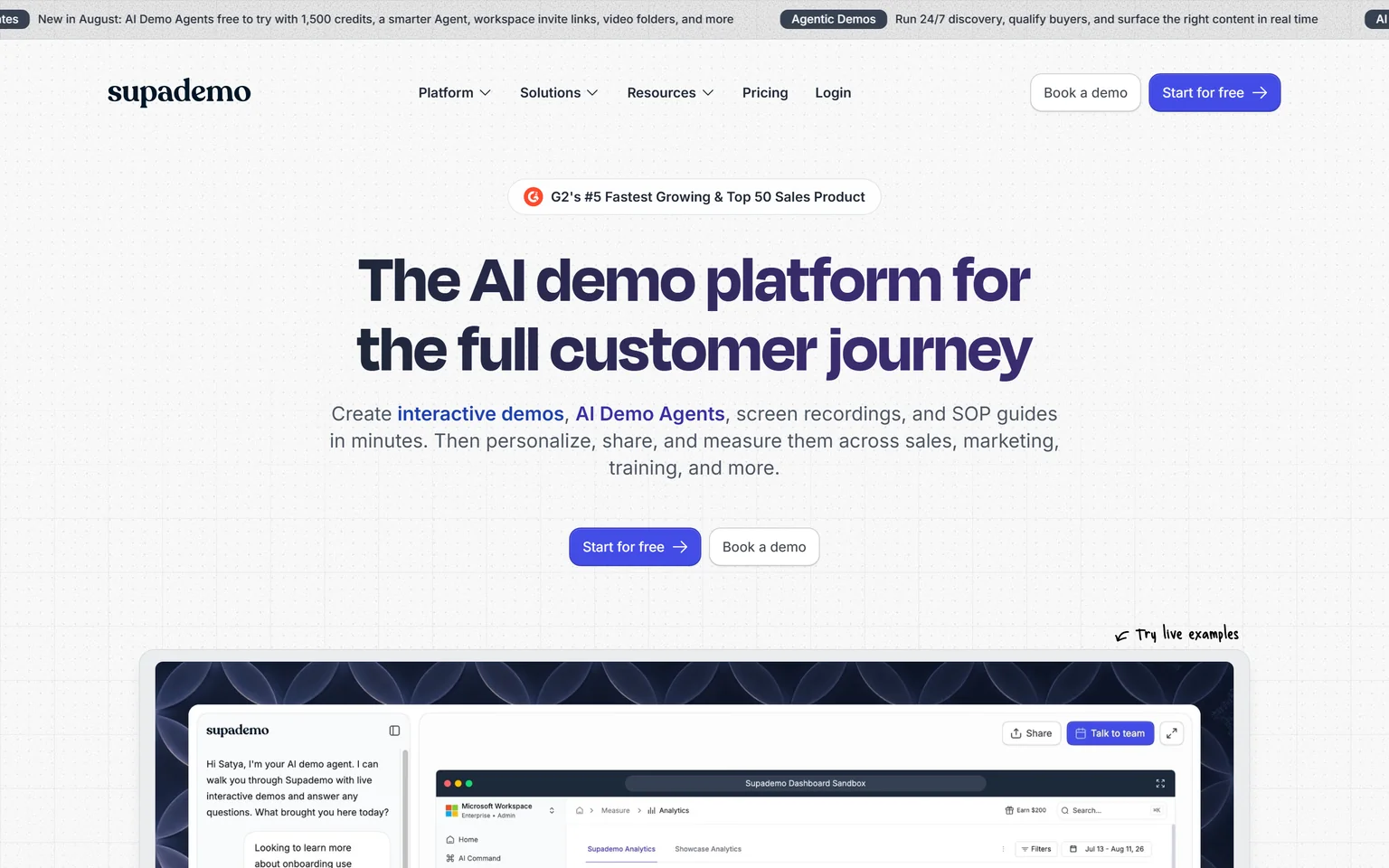
Supademo creates interactive demos, AI demo agents and an SOP generator. One capture becomes a click-through demo for prospects, a video, or a written guide for a team, which makes it the Tango alternative for teams that face customers as well as colleagues. Sales, customer success and product teams get the most from it. It is not a fit for teams that only need internal SOPs.
What Supademo does
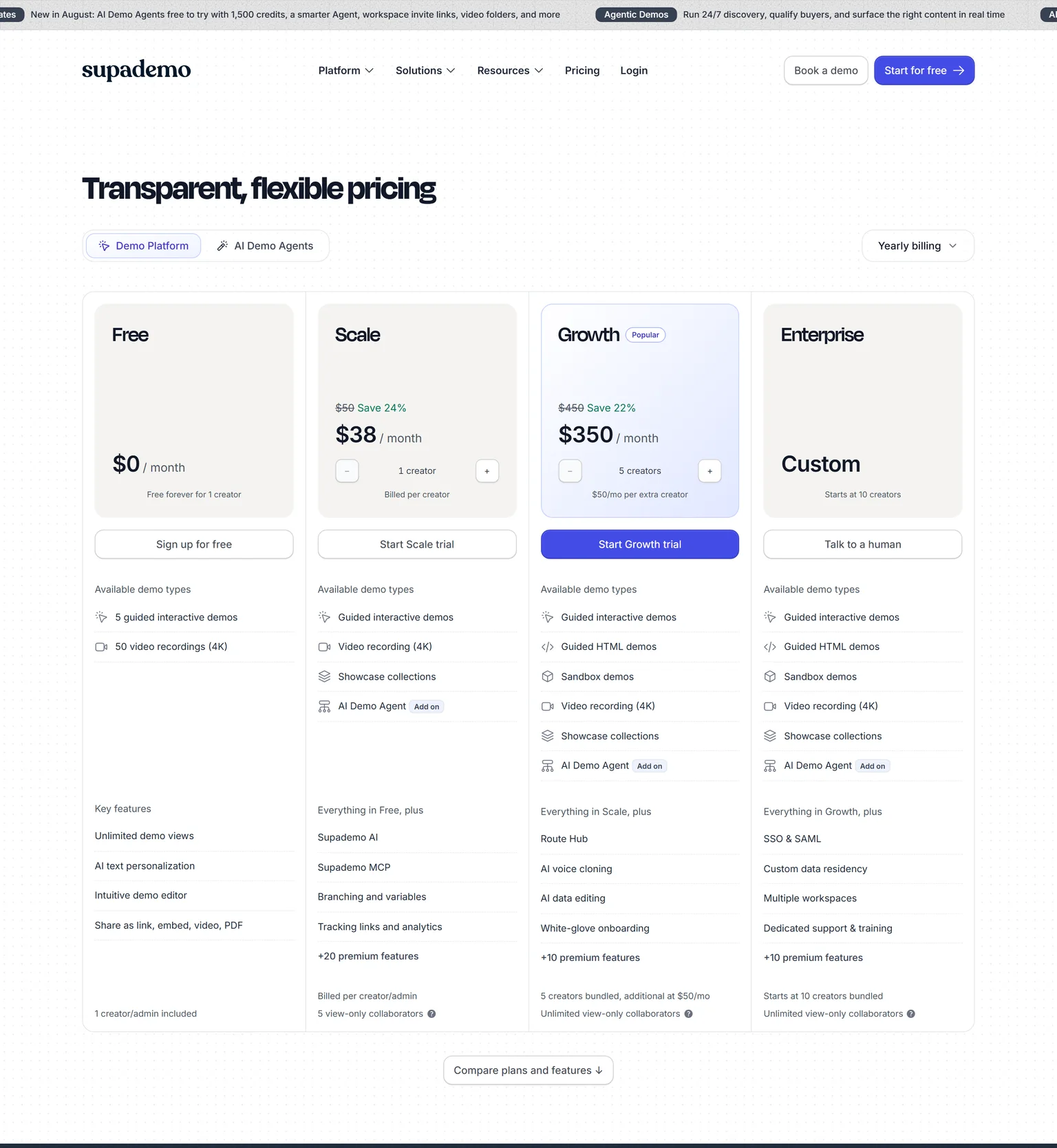
Supademo records a flow through a browser extension and turns it into an interactive demo with hotspots, a video, or an SOP with screenshots. Scale adds branching and variables, tracking links and analytics, and 5 view-only collaborators. Enterprise starts at 10 creators and adds SSO and SAML.
Supademo pricing
Supademo's Free plan is free forever for 1 creator with 5 guided interactive demos and 50 video recordings. Scale costs $38 per creator a month billed yearly, or $50 monthly. Growth costs $350 a month billed yearly for 5 creators, with extra creators at $50 a month.
Strengths
- Interactive demo, video and SOP from one capture.
- Free forever for 1 creator, with real demos included.
- Analytics on who viewed and where they dropped off.
Weaknesses
- Demos are the focus, so guides get less attention.
- Priced per creator on every paid plan.
- Enterprise starts at ten creators.
Who Supademo is for
Supademo fits sales and customer success teams that send prospects a walkthrough and want to see how far they clicked. Operations teams that want plain SOPs should stay with a guide tool.
Supademo vs Tango
Tango makes a guide to read. Supademo makes a demo to click through, with a guide as one of the outputs. Supademo Scale costs $38 per creator a month billed yearly against Tango Pro at $22 per user a month on annual pricing. Pick Tango for internal process documentation. Pick Supademo for anything a prospect or customer will click.
7. Iorad: best for interactive click-through tutorials with unlimited learners
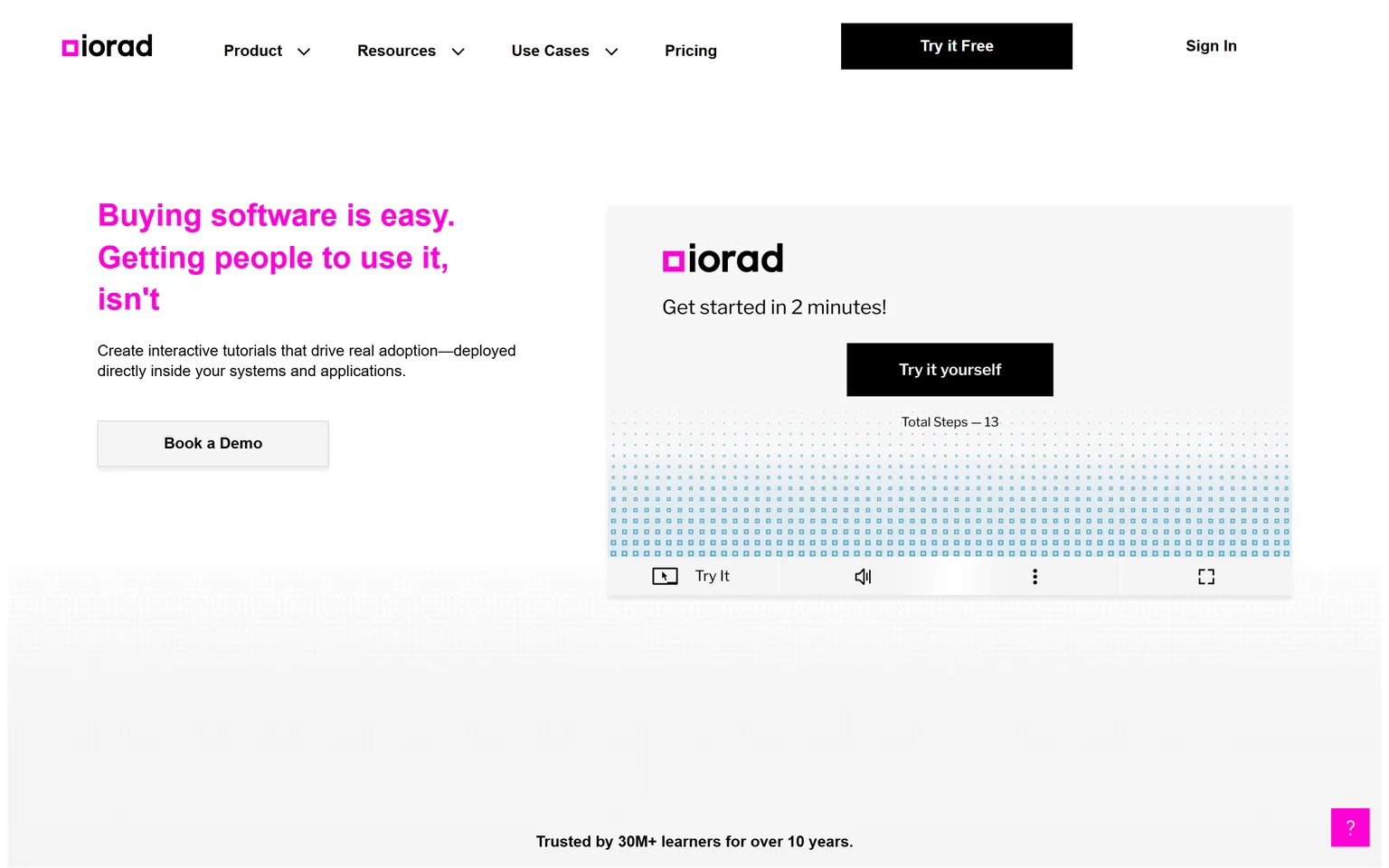
Iorad creates interactive tutorials deployed inside your systems and applications, and says it is trusted by 30M+ learners. Instead of reading Tango's steps, the learner clicks through a copy of the screen. Training departments and universities that onboard many users get the most from it. It is not a fit for a small team on a budget.
What Iorad does
Iorad captures a browser task and produces one tutorial that plays in several modes, including watch, try and do, with narration. Tutorials can be embedded in the application itself. Every plan includes unlimited learners and unlimited tutorials, so the price does not grow with the audience.
Iorad pricing
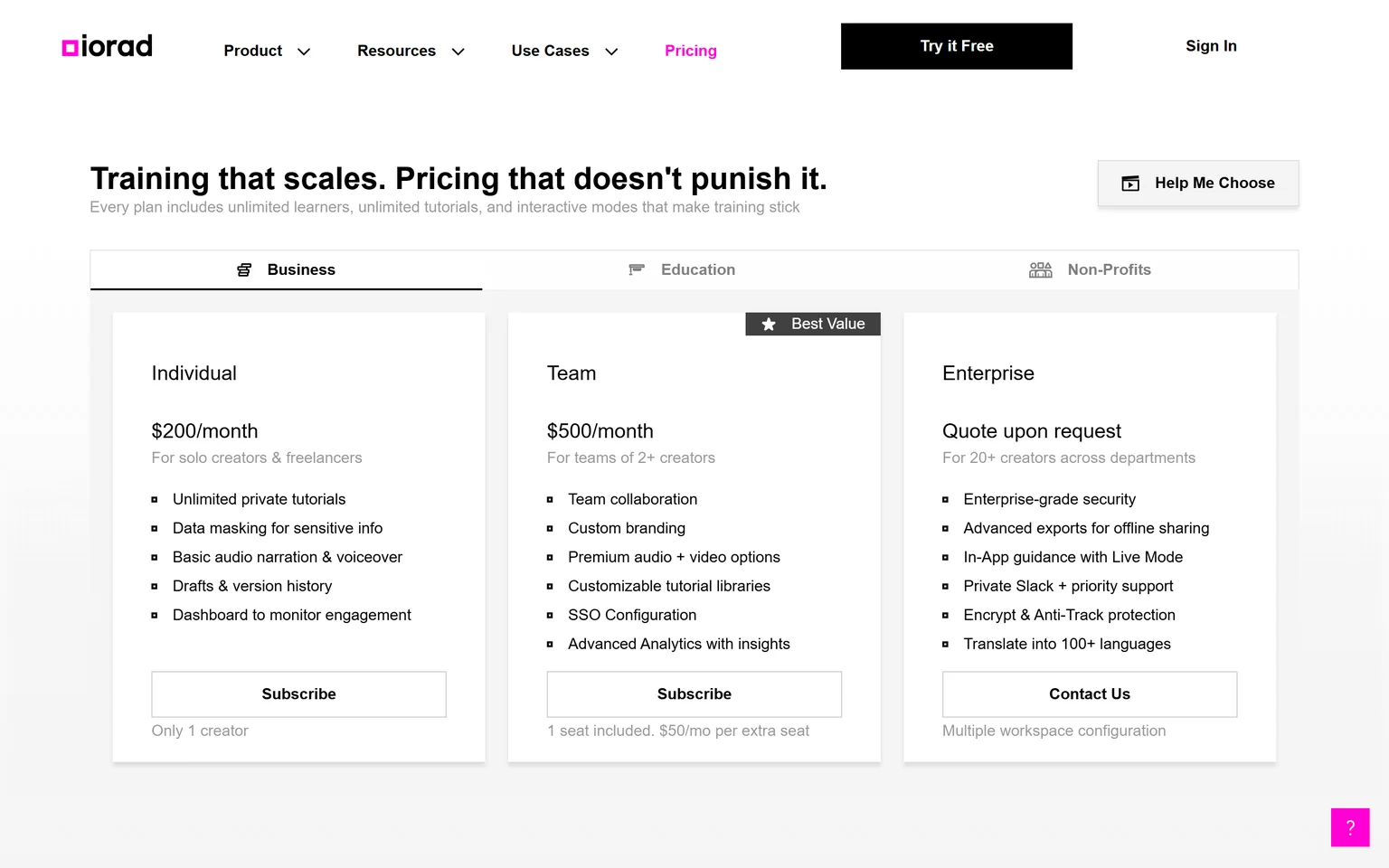
Iorad has a Free plan at $0 a month. Individual costs $200 a month for a single creator with unlimited private tutorials. Team costs $500 a month with 1 seat included and $50 a month per extra seat, and adds SSO configuration. Enterprise is quoted on request and adds in-app guidance with Live Mode and translation into 100+ languages.
Strengths
- Learners practise the task instead of reading about it.
- Unlimited learners and tutorials on every plan.
- Tutorials live inside the application being taught.
Weaknesses
- The first paid plan costs many times more than Tango's.
- Priced per creator, so every author is a seat.
- Built for training, not for marketing.
Who Iorad is for
Iorad fits training and IT teams rolling out software to hundreds or thousands of users, and education institutions. Small teams that want a quick guide should look at Scribe or Folge.
Iorad vs Tango
Both can guide people inside the app, but Tango keeps that for Enterprise while Iorad builds it into the tutorial. Iorad Individual costs $200 a month for a single creator against Tango Pro at $22 per user a month, but Iorad charges nothing per learner. Pick Iorad when thousands of people must learn one system. Pick Tango for everyday SOPs.
8. Loom: best for quick video walkthroughs when a guide is overkill
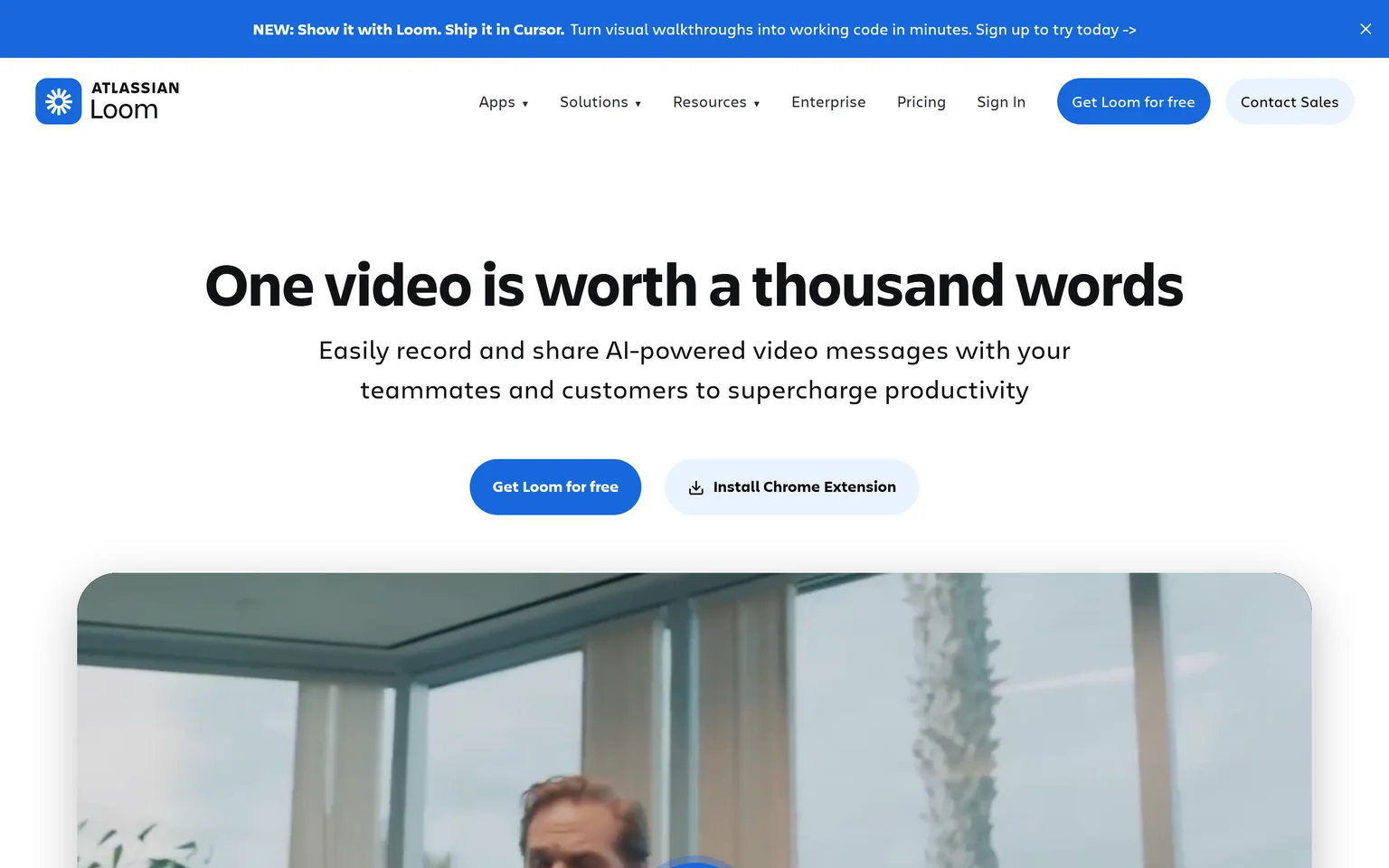
Loom is built for recording and sharing AI-powered video messages. It is the Tango alternative for the moment when a two-minute screen recording answers the question faster than a written guide. Managers, support agents and anyone who explains things to colleagues get the most from it. It is not a fit for documentation people need to search and follow step by step. We compare its own alternatives on the Loom alternatives page.
What Loom does
Loom records your screen and camera, hosts the video, and adds AI titles, summaries and chapters. Viewers comment on the timeline. It is fast and familiar, and it produces a video message rather than a document.
Loom pricing
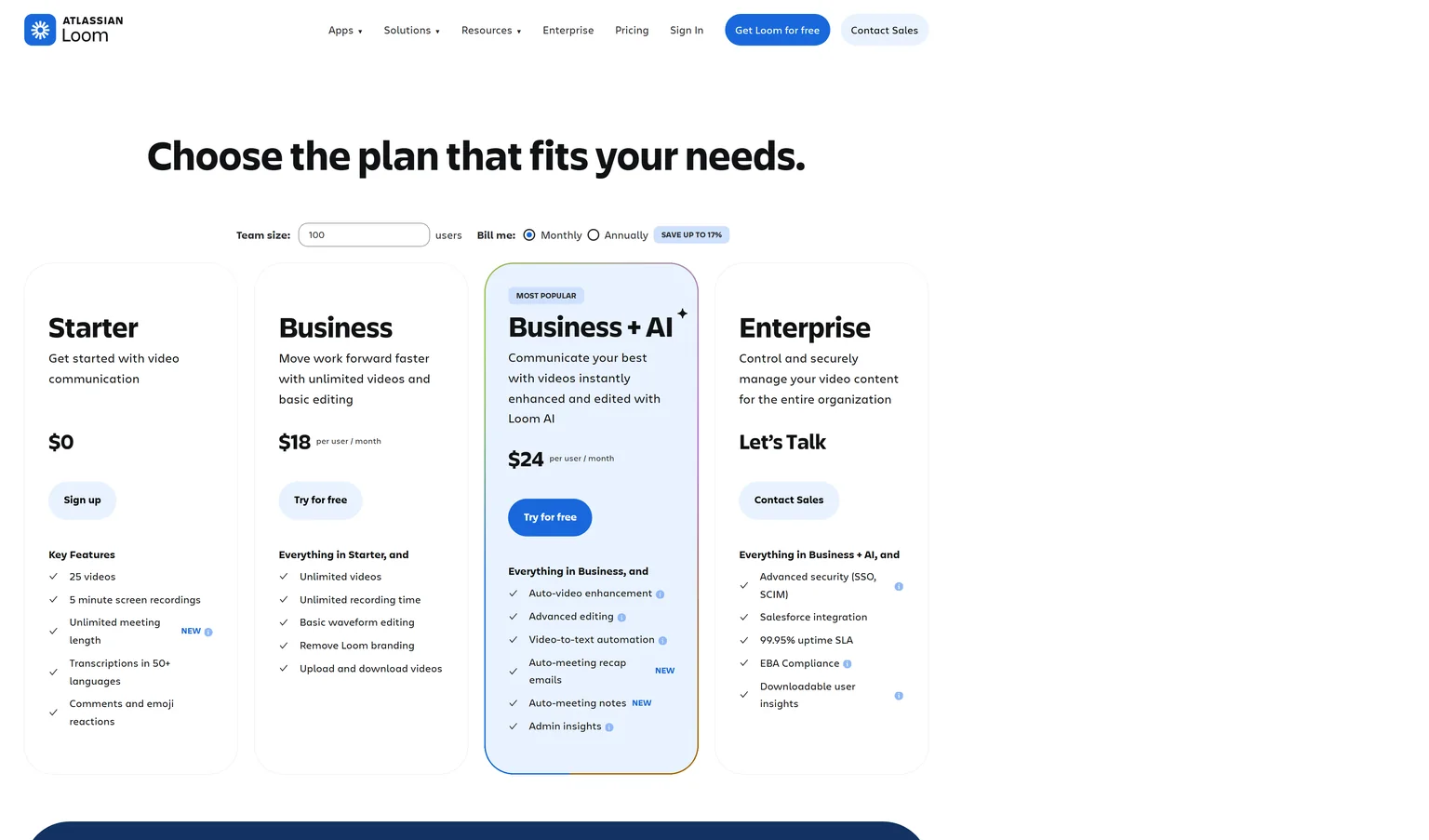
Loom's Starter plan is free with 25 videos and 5 minute screen recordings. Business costs $18 per user a month billed monthly, with unlimited videos, unlimited recording time and Loom branding removed. Business + AI costs $24 per user a month billed monthly and adds auto-video enhancement and filler word removal. Enterprise adds SSO and SCIM and a Salesforce integration.
Strengths
- Recording and sharing take seconds.
- AI summaries and chapters make longer videos skimmable.
- Most colleagues already know how to watch a Loom.
Weaknesses
- No written steps, so nothing to search or print.
- Five-minute recordings on the free plan.
- Videos go stale the moment the interface changes.
Who Loom is for
Loom fits managers and support agents who explain something once to a few people. Teams that need a maintained library of how-to content should pick Scribe, Guidde or GuideClarity.
Loom vs Tango
Tango writes down the steps. Loom records you doing them. Loom Business costs $18 per user a month billed monthly against Tango Pro at $26 per user a month for 1 to 2 users at monthly pricing. Tango is the better pick for a searchable SOP library. Loom is the better pick for a quick answer that does not need to last.
Which Tango alternative should you choose
Pick by the output you need. If it is a product demo or explainer video for customers and the launch content around it, GuideClarity generates all of it from your product. If it is a screenshot guide like Tango makes, Scribe is cheaper for a team of five and Folge has no subscription. Guidde adds narration, Clueso makes it look produced, Supademo makes it clickable, Iorad scales it to thousands of learners, and Loom is a raw recording.
- If you ship features regularly and want the launch content the same day, pick GuideClarity. One shipped feature becomes the demo video, the explainer, the shorts, the blog post and the social posts.
- If you want Tango's screenshot guides for a team of five or more, pick Scribe.
- If the answer should be a narrated how-to video, pick Guidde.
- If you want to pay once and keep your guides offline, pick Folge.
- If the video will be seen by customers and must look produced, pick Clueso.
- If prospects should click through your product, pick Supademo.
- If thousands of people must learn one system, pick Iorad.
- If a quick raw recording is enough, pick Loom.
- If Tango's in-app guidance and desktop capture already fit, stay with Tango. Its capture inside Salesforce and Workday and its price for one or two users remain strong.
Frequently asked questions about Tango alternatives
Is this page about Tango the app or Tango the documentation tool?
The documentation tool at tango.ai. It captures clicks and turns them into step-by-step guides for SOPs and training. Tango Live at tango.me is a live streaming app, and the dance is something else again. None of the tools above replace the streaming app.
Is Tango better than Scribe?
For one or two people, Tango Pro at $22 per user a month on annual pricing costs less than Scribe Pro Personal at $25 per seat a month, and Tango includes desktop capture on that plan. For five people or more, Scribe Pro Team at $13 per seat a month costs less than Tango at $15 per user a month for teams of 3 or more. Both make the same kind of guide.
Is there a free Tango alternative?
Several tools are free to start. Scribe's Basic plan is free and works with any web app. Guidde's Free plan includes up to 25 how-to videos. Folge's free version runs on Mac or Windows and allows unlimited use for 5 guides. Supademo's Free plan is free forever for 1 creator. GuideClarity's free plan includes 3 video guide recordings with AI voiceover and 6 marketing videos.
How much does Tango cost?
The Free plan costs $0 with 5 shared workflows. Pro costs $22 per user a month on annual pricing for 1 to 2 users, and $15 per user a month for teams of 3 or more. At monthly pricing Pro costs $26 per user a month for 1 to 2 users, and $20 for 3 or more. Enterprise is custom priced.
Which Tango alternative does not need a subscription?
Folge. It is free to use and costs $89 once for all features with all future updates included, and the Business license costs $155 per seat one time. It runs on the desktop and keeps guides on your own computer. Every other tool on this page bills monthly or yearly.
Which Tango alternative makes videos instead of guides?
Guidde and Clueso both make narrated videos from a capture or a recording, and Loom records raw video. GuideClarity goes further for SaaS teams, because it generates product demo videos and explainer videos from your live product URL, along with the docs, shorts, blog post and social posts, with no capture. Our guide on AI explainer videos for SaaS compares the formats.
How did you verify the prices on this page?
We opened each vendor's pricing page in a browser on September 24, 2026 and saved its text. A script then checked every quoted price and limit against that saved page, including billing toggles and Folge's currency switch. We took our own screenshots the same day, and the Sources section lists every page. Our SaaS demo software buyers guide explains the categories.
Sources and verification
Every fact above was read on the pages below on September 24, 2026. The vendor's own page wins over any third-party listing when they disagree. Prices change, so check the vendor before you buy.
- Tango pricing page, checked September 24, 2026.
- Tango homepage, checked September 24, 2026.
- GuideClarity pricing page, checked September 24, 2026.
- GuideClarity homepage, checked September 24, 2026.
- Scribe pricing page, checked September 24, 2026.
- Scribe homepage, checked September 24, 2026.
- Guidde pricing page, checked September 24, 2026.
- Guidde homepage, checked September 24, 2026.
- Folge buy page, checked September 24, 2026.
- Folge homepage, checked September 24, 2026.
- Clueso pricing page, checked September 24, 2026.
- Clueso homepage, checked September 24, 2026.
- Supademo pricing page, checked September 24, 2026.
- Supademo homepage, checked September 24, 2026.
- Iorad pricing page, checked September 24, 2026.
- Iorad homepage, checked September 24, 2026.
- Loom pricing page, checked September 24, 2026.
- Loom homepage, checked September 24, 2026.
Leaving Tango because a page of screenshots is not how you want to show your software? GuideClarity generates the demo video, the explainer video, the shorts, the blog post and the social posts from your live product, with nothing to capture and no paid seats.
The free plan includes 3 video guide recordings with AI voiceover, so you can run a real feature through it before paying.