
A product launch video for SaaS works when it does one job. It shows one feature, one workflow and one visible result in about one to two minutes, then ends with a clear next step. This feature launch video checklist covers the four weeks before launch, launch-day distribution and what to measure after. The biggest mistake is trying to explain everything.
What is a product launch video?
A product launch video decides whether people notice what your team just shipped. It is a short video that introduces a new product or a new feature to the people who will use or buy it. For SaaS teams in 2026, the most common form is the feature launch video. It is a one to two minute clip that shows one new capability working inside the real product.
The video lives in several places at once. It sits on the homepage or the changelog, in launch emails, inside the app and on social channels, cut to fit each one.
A product launch video is not a full demo. A demo walks a buyer through many workflows, often live on a call. A launch video makes one change impossible to misunderstand and then sends the viewer somewhere. They can try it, read more or book a call. That difference shapes every decision below, from the script to the length to the last frame.
Why most SaaS launch videos fail
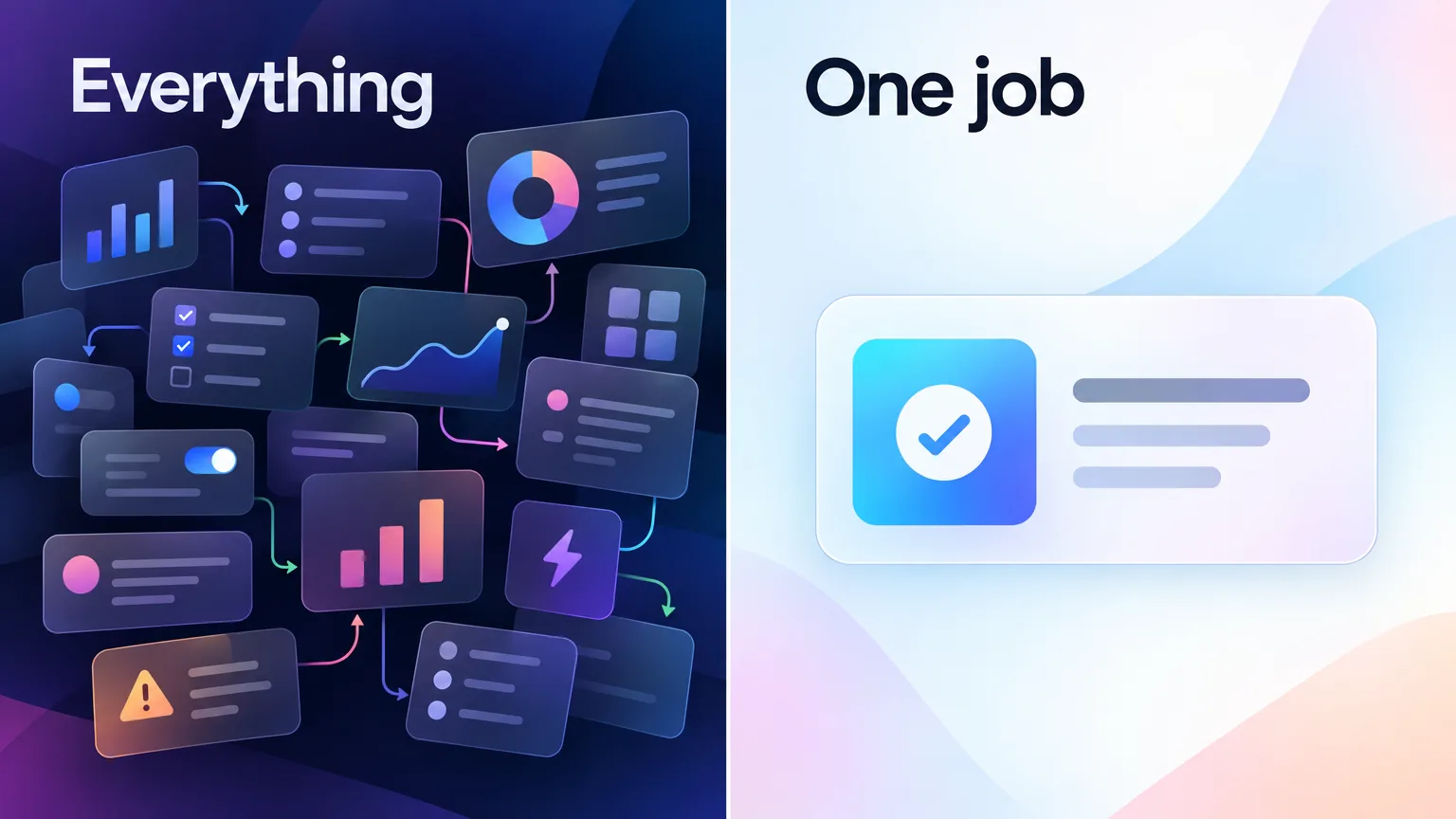
Most SaaS launch videos fail because they try to explain everything. Every feature, every workflow and every edge case goes in. Then the team wonders why nobody watches to the end. A complex product needs a simple video. The real work is finding the core value, showing only what matters and cutting the rest.
Published SaaS videos show the same pattern. In an ADVIDS study of 106 enterprise SaaS explainers, the median video runs 1:14 and 81.1% run two minutes or less. Only 34.9% end with a URL or an ask. So most teams already keep videos short, yet most still leave the viewer with nowhere to go.
A second ADVIDS study of 149 tech product videos found a deeper gap. Only 50.3% show the product producing a visible result. The rest show screens without ever proving the product works.
From the author. I have worked with SaaS companies doing millions in revenue and with startups that were just getting started. The launch videos that worked all did the same thing. They took a complicated product and made it feel simple. Good SaaS video is not about more transitions, more motion or more effects. It is about making one thing impossible to miss.
So a strong video for product launch day does less, on purpose. The rest of this checklist shows how to choose what stays.
What has changed for launch videos in 2026?
Three things changed how SaaS teams make a product launch video in 2026. Buyers expect to see the product rather than a brand film. AI tools now handle recording, voiceover and editing. And one launch now needs many cuts of the same video, from a homepage loop to a vertical short. Each change makes focus more valuable, not less.
Buyers want the product first. WayaFrame's study of 1,536 SaaS websites found that only 3.7% feature a product demo video on the homepage, even though 32.3% use homepage video. Most launch budgets still go to motion and atmosphere. A launch video that shows the real product working stands out because so few do it.
AI does the production work. Scripting, voiceover, captions and edits that took a week now take hours. Our guide to AI video generation for SaaS teams compares the tool categories. Faster production makes discipline matter more, because a long video nobody needs is now easy to make.
One launch feeds many formats. A single launch now needs a homepage clip, a YouTube upload, LinkedIn and X posts, an email GIF and an in-app tooltip. Plan those cuts before you record, not after.
The 5 types of feature launch video
SaaS teams use five common types of feature launch video, and each fits a different kind of launch. Pick the type before you write a word, because the type sets the length, the voice and the call to action. Most SaaS teams need the feature update video far more often than the big hero film, since they ship features every few weeks.
| Type | Best for | Typical length | Call to action |
|---|---|---|---|
| Hero launch video | A new product or a major release that changes the homepage | 60 to 120 seconds | Start a trial or book a demo |
| Feature update video | An incremental feature in an existing product | 30 to 90 seconds | Try the feature now |
| Founder announcement | A launch where the story and the reason matter | 60 to 120 seconds | Read the launch post |
| Event highlight | A launch announced at a conference or keynote | 60 to 180 seconds | Watch the full session |
| Customer proof video | After launch, to show the feature in real use | 60 to 120 seconds | Talk to sales |
The feature update video is the workhorse. It ships with every meaningful release, so it needs a repeatable process rather than a big budget. The checklist below is built for that case, and it scales up to a hero launch when you need one.
A hero video is the wrong choice more often than teams think. If the feature only matters to existing users, a hero film on the homepage speaks to the wrong audience. A short feature update video inside the app reaches the people who will use it. Save the hero format for launches that change what a new buyer should understand about the whole product.
Product launch video examples: the four beats to copy
Good product launch video examples share a structure more than a style. The best product launch video for a SaaS feature usually follows four beats, whatever the brand or budget. Use these beats as your saas product launch video template, and the script almost writes itself.
- The problem in one line. Name the friction the feature removes, in the viewer's own words.
- The feature working. Show the real product doing the job, in one workflow.
- The result on screen. Show the moment the product finishes the job. In the ADVIDS study of tech product videos, the first result lands at a median 0:34.
- The next step. Tell the viewer exactly what to do. They can try it, read the post or book a call.
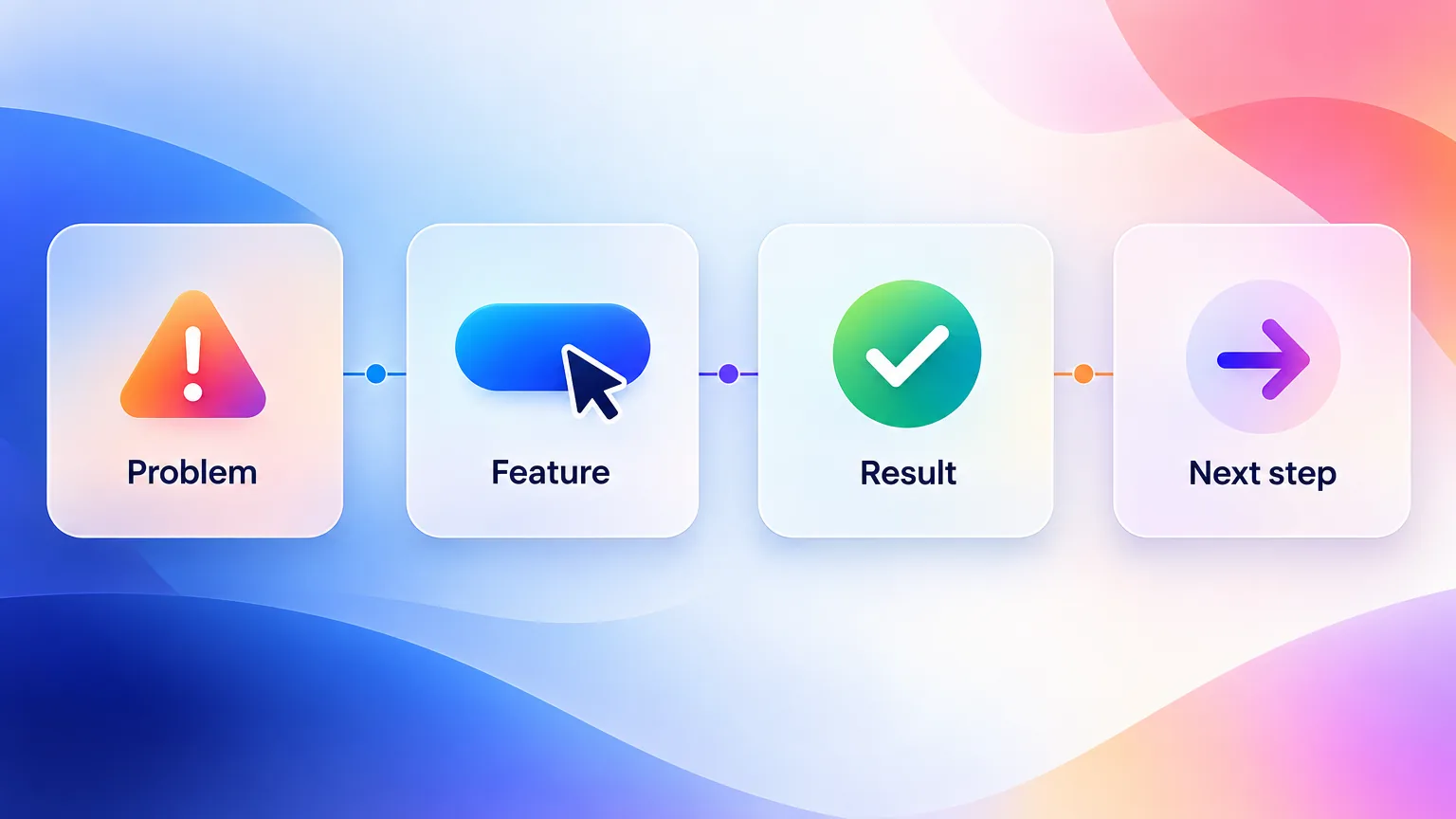
A new product launch video for a whole product follows the same beats, with a wider problem and a longer middle. It is still tempting to show five features. Pick the one feature that best proves the product works, and save the rest for follow-up videos.
Here is what the four beats look like as a script. This illustrative example is for a task-assignment feature in a project management app, and it runs about 45 seconds.
- Problem. "Assigning work across a team still takes three tools and a follow-up message."
- Feature. "Now you can assign any task from the board. Pick the teammate, set the due date, done."
- Result. "Your teammate gets the task, the due date and the context in one notification."
- Next step. "Open any board and try it now."
The product launch video checklist: 4 weeks to launch
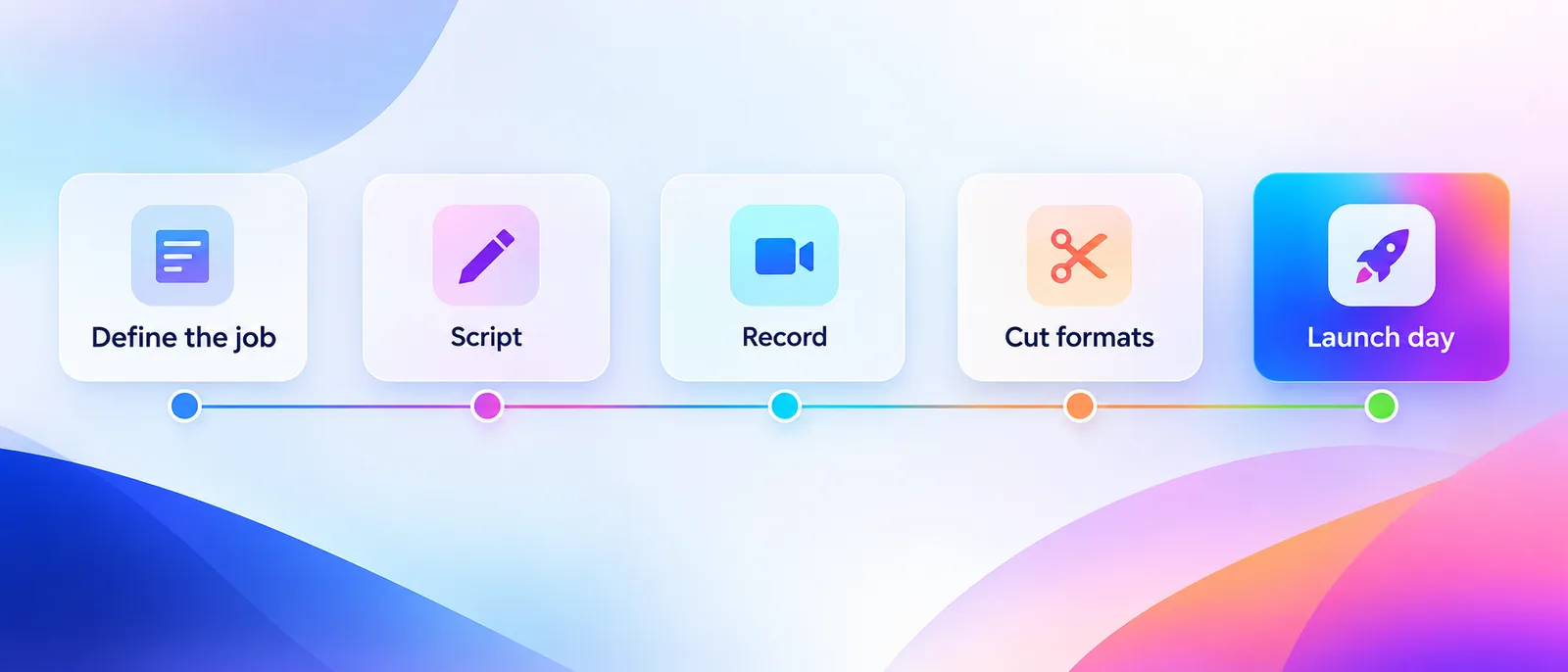
The product launch checklist below breaks a launch video into four weeks of work, with one focus per week. Teams that start the video in the final week cut corners on the parts that matter most, like the job and the result. Use the weeks as a guide and compress them for small features. Week 3 scripts against the four beats above.
Week 4: Define the one job
Write one sentence that says what the video must make the viewer understand or do. For example, "Show a team lead how to assign a task to a teammate in one click." If you cannot write that sentence, the feature is not ready for a video yet.
- Name the single viewer, such as a new user, an existing customer or a buyer.
- Name the single result the viewer should see on screen.
- Choose the call to action that fits the type of video.
- List what you will leave out. This list matters as much as what goes in.
Week 3: Script and storyboard around the result
Write the script backward from the result. Start with the frame where the product finishes the job, then work back to the first click. Keep the problem to one or two sentences. A voiced explainer in the ADVIDS enterprise set speaks a median 158 words, which makes a useful ceiling for the whole script.
Our guide on making a product demo video that converts covers script timing in depth. For a launch video the rule is simpler. Get to the product within the first ten seconds and get to the result well before the end.
How to record and cut a product launch video
Recording and cutting a product launch video takes the last two weeks before launch. Week 2 turns the script into a finished master video of the real product, with voiceover and captions. Week 1 cuts that master into every format the launch needs, so launch day is about publishing in order rather than producing under pressure.
Week 2: Record and produce
Record the real product, not mockups, with clean demo data. Show the cursor, zoom on the click that matters and keep each shot on one action. Then add the voiceover, the on-screen text and the captions.
- Record at a high resolution so zooms stay sharp.
- Use realistic data that looks like a real customer account.
- Burn captions into social cuts, since many feeds autoplay without sound.
- Keep brand colors, fonts and the intro consistent with past launches.
Captions are an easy place to stand out. In the same ADVIDS enterprise study, only 10.4% of explainers burned captions into the picture, even though 69.8% used voiceover.
How you record matters as much as what you record. Pick the approach that fits the type of video and how often you ship.
| Approach | Examples | Use it when | Avoid it when |
|---|---|---|---|
| Manual screen recording | Loom, Screen Studio | You need a quick, informal clip for internal or sales use | The video carries the brand on the homepage |
| Recording plus editor | Camtasia, Descript | A designer or editor has time to polish one hero video | You ship features every week and need a video for each |
| Interactive demo | Arcade, Storylane | Buyers should click through the feature themselves | The video plays on social feeds or in email |
| AI video agent | GuideClarity | You want a finished video for every release from a plain request | The launch needs custom animation or live footage |
Week 1: Cut every format
Cut the master video into every format the launch needs. A record once, publish everywhere workflow turns one recording into the homepage loop, the YouTube upload, vertical shorts and an email GIF. Write the copy for each channel at the same time, so launch day is about publishing rather than producing.
Launch day: Publish in order
Publish in a planned order rather than everywhere at once. The distribution checklist below gives the exact sequence.
A worked example: one task in 15 seconds
A worked example shows the one-job rule better than any list. GuideClarity, the platform behind this blog, made the 15-second example video below on its own from a plain request. The request was a single task in a real web app, and the video shows only that task, from the first frame to the result.
A 15-second example made by GuideClarity. It shows one task in a real web app, from the first click to the result.
The video follows the checklist closely:
- Product on screen from the first frame. There is no logo intro and no title card.
- One workflow. It searches for a video, opens it, opens the share menu and copies the link.
- Zooms on the clicks that matter. The viewer never has to hunt for the cursor.
- Ends on the result. The last frames show the copied link, the outcome the viewer came for.
This example is a short tutorial in a third-party app, not a customer's feature launch. Treat it as a pattern rather than a case study. The same structure scales to a 60 to 90 second launch video. Show the problem in one line, the feature working, the result and the next step.
The GuideClarity AI video agent produced it by opening the app, working out the workflow, recording the screens and adding the zooms. That speed makes a launch video realistic for every release, not only the big ones.
The launch-day distribution checklist
A launch-day distribution checklist decides where each cut of the product launch video goes, and in what order. Publish on owned channels first, so every social post and email has somewhere to send people. Then reach existing customers, then social, then sales. The order matters because each channel feeds the next.
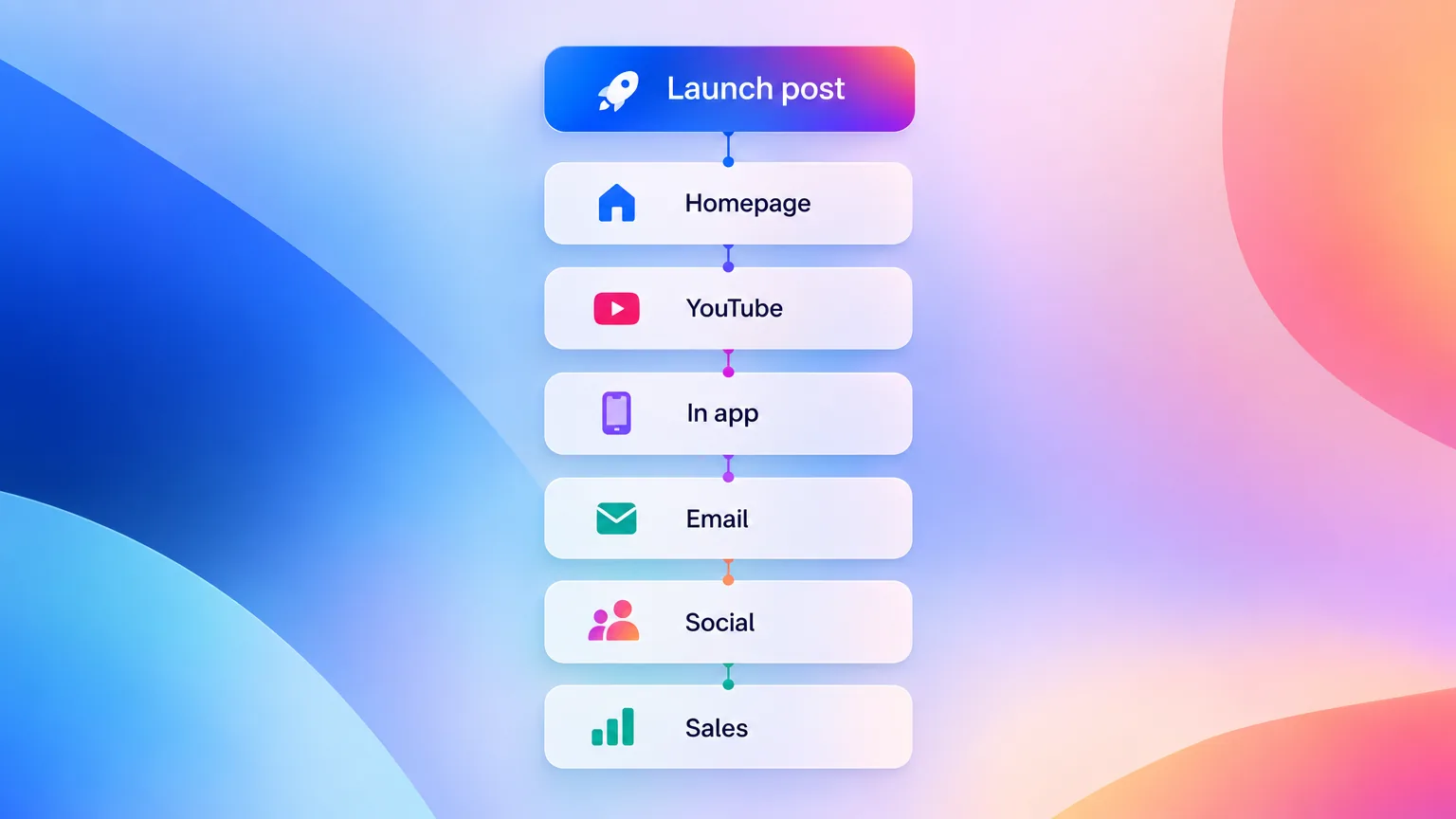
| Order | Channel | Which cut | Why it goes here |
|---|---|---|---|
| 1 | Changelog and launch blog post | Full video | Every other post links here |
| 2 | Homepage or feature page | Short loop, no sound | The first thing new visitors see |
| 3 | YouTube | Full video with chapters | Search and embeds |
| 4 | In-app announcement | 30 second cut | Reaches active users at the moment of use |
| 5 | Customer email | GIF or thumbnail linking to the video | Existing customers learn about the feature |
| 6 | LinkedIn and X | Vertical or square short | Reach and sharing |
| 7 | Sales and success teams | Full video plus the one-sentence job | Follow-ups and demos |
The in-app placement matters most for adoption. A user who sees the feature where they would use it is far more likely to try it. Our SaaS onboarding video playbook covers in-app video placement in detail.
Sales teams need the video too. Short, personal clips work well in follow-ups, and our guide to personalized video demos shows how reps send them at scale.
Launch platforms need their own cut. On Product Hunt, the gallery video plays inside a small frame next to screenshots, so a short loop that shows the result in the first seconds works best. Link the full video from your launch post for people who want more.
Who owns the product launch video?
A product launch video usually belongs to product marketing, with help from product, design and the people who talk to customers. Clear ownership keeps the video from stalling between teams. One person owns the one-sentence job and signs off the cut, and everyone else contributes a defined piece. In a small startup, one founder often plays every role.
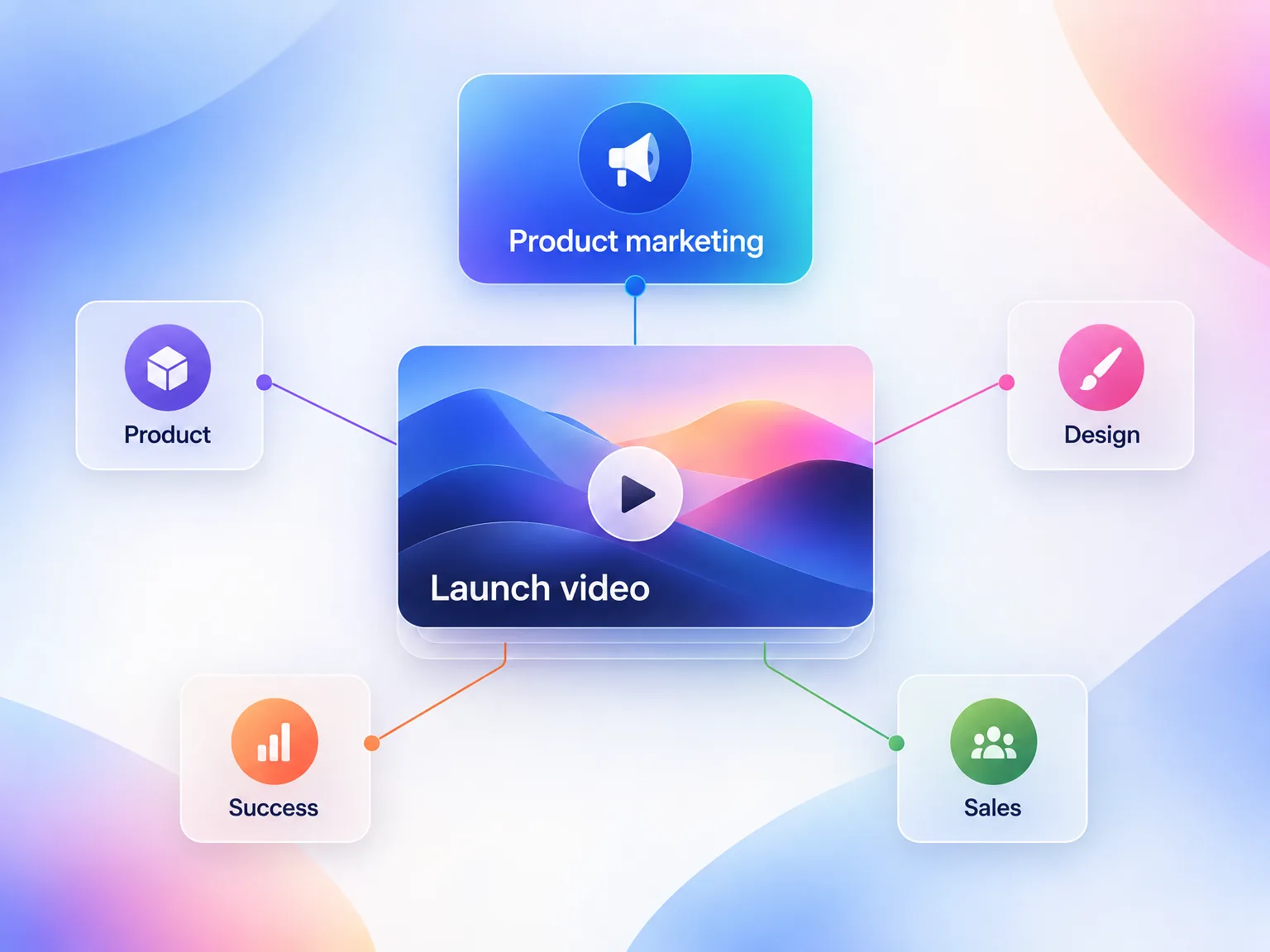
| Role | Owns | When |
|---|---|---|
| Product marketing | The one-sentence job, the script and final sign-off | Weeks 4 to 1 |
| Product manager | What the feature does and what it does not do | Week 4 |
| Design or video | Recording, brand style and the format cuts | Weeks 2 and 1 |
| Customer success | The real problem in the customer's words | Weeks 4 and 3 |
| Sales | The follow-up use and buyer questions | Launch day |
How do you measure a product launch video?
You measure a product launch video against the one job you defined in week 4. Views tell you about reach. Completion and clicks tell you whether the video did its job. Feature adoption tells you whether the launch worked. Check each at a set time after launch, so the numbers are comparable from one launch to the next.
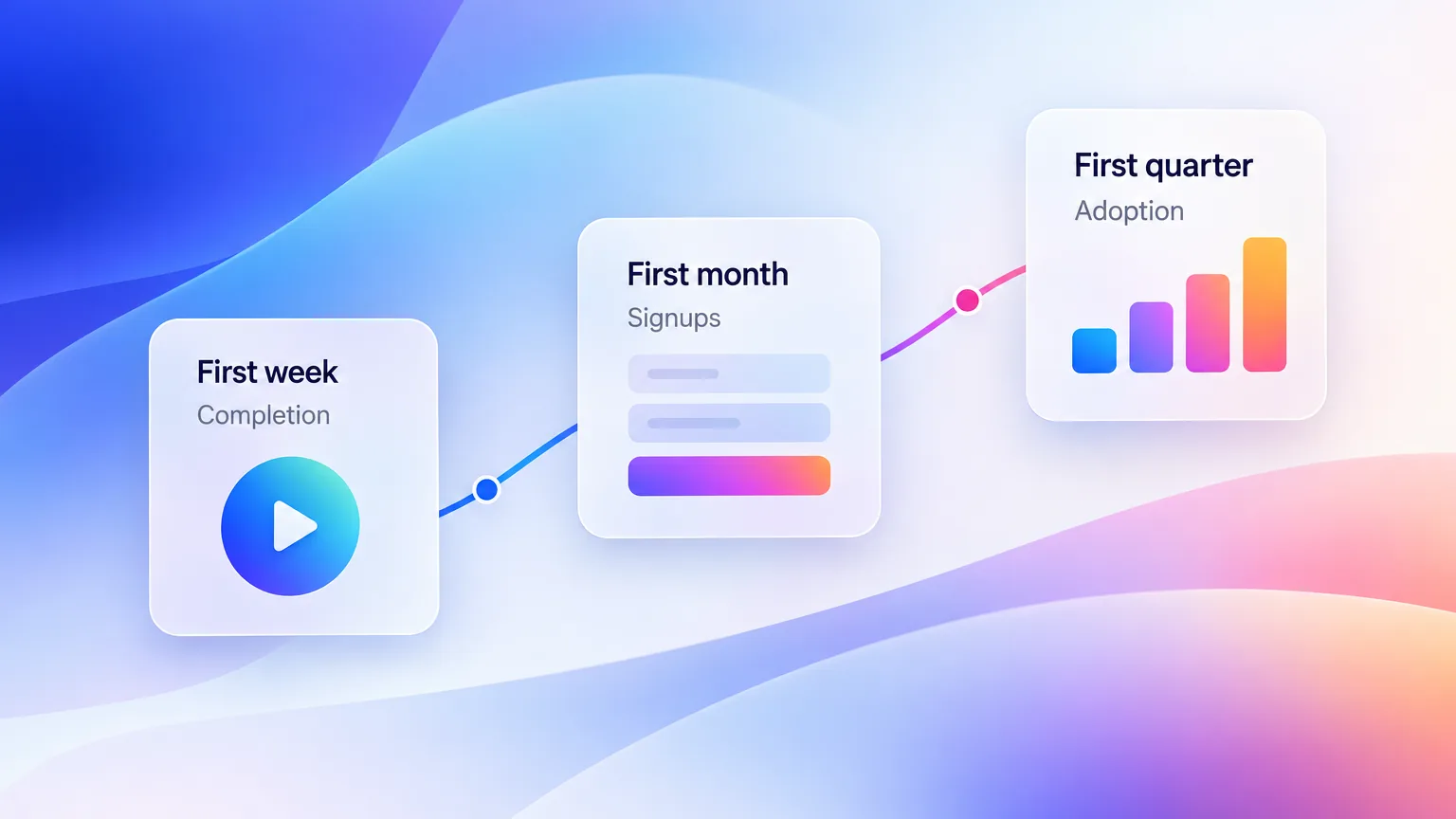
| When | Metric | What it tells you |
|---|---|---|
| Day 7 | Play rate on the homepage and changelog | Whether the thumbnail and placement work |
| Day 7 | Completion rate | Whether the video holds attention to the result |
| Day 7 | Click-through on the call to action | Whether the next step is clear |
| Day 30 | Visits and signups that watched the video first | Whether the video assists conversion |
| Day 90 | Adoption of the launched feature | Whether the launch changed behavior |
If completion drops before the result appears, the video is too long or the result arrives too late. Cut the middle, never the result.
Set targets against your own past launches rather than industry averages. Public completion benchmarks vary widely by placement, length and audience, so your previous launch is the most honest baseline. Record the day 7 numbers for every launch in one sheet, and the trend tells you whether the one-job approach is working.
Common product launch video mistakes
The most common product launch video mistakes come from doing too much, too late or without a plan. Each one has a simple fix that costs nothing but discipline. Check your video against this list before it ships, and you avoid the problems that sink most launch videos.
| Mistake | The fix |
|---|---|
| Explaining every feature | Show one feature and one workflow. Save the rest for follow-up videos. |
| A long logo intro | Put the product on screen in the first few seconds. |
| Showing screens but no result | End on the moment the product finishes the job. |
| No call to action | Close with one clear next step. Only 34.9% of enterprise SaaS explainers do. |
| No captions | Burn captions into every social cut. |
| One file for every channel | Cut formats for the homepage, YouTube, social, email and the app. |
| No measurement plan | Pick the day 7, day 30 and day 90 metrics before launch. |
One exception is worth knowing. A deep technical audience, such as developers evaluating an API, often wants a longer walkthrough. For them a launch video can point to a full demo rather than replace it.
Copy this product launch video checklist
Copy this SaaS product launch checklist into your launch project. It condenses every step above into one list you can tick off for each feature launch or feature announcement. Paste it into your project tool, assign an owner to each line and reuse it for every release.
- Write the one-sentence job for the video.
- Name the viewer, the on-screen result and the call to action.
- List what you will leave out.
- Script backward from the result, in about 150 words.
- Get to the product in the first ten seconds.
- Record the real product with realistic data.
- Zoom on the clicks that matter.
- Add voiceover, on-screen text and burned-in captions.
- Cut the homepage loop, YouTube, social, email and in-app versions.
- Publish in order, starting with the changelog post.
- Give sales and success the video and the one-sentence job.
- Check play rate, completion and clicks on day 7.
- Check assisted signups on day 30 and adoption on day 90.
Every item on this list serves one idea. A product launch video is not the place to show everything your team built. It is the place to make one thing impossible to miss. Pick the job, show the result and point to the next step.
Key Takeaways
- Do one job. A product launch video works when it shows one feature, one workflow and one visible result.
- Keep it short. Polished SaaS explainers run a median 1:14, and 81.1% run two minutes or less, according to ADVIDS.
- End with a next step. Only 34.9% of enterprise SaaS explainers end with a URL or an ask, so a clear call to action already sets you apart.
- Show the result. Only about half of tech product videos show the product producing a result.
- Plan four weeks out. Give each week one focus and cut every format before launch day.
- Publish in order. Start with owned channels, then reach customers, social and sales.
- Measure the job. Check completion and clicks at day 7 and feature adoption at day 90.
Frequently Asked Questions
How long should a SaaS launch video be?
A SaaS launch video should usually run 60 to 90 seconds, and rarely more than two minutes. In an ADVIDS study of 106 enterprise SaaS explainers, the median ran 1:14 and 81.1% ran two minutes or less. A feature update video can be shorter, around 30 to 60 seconds.
What should a product launch video include?
A product launch video should include four things. It shows the problem in one line, the feature working in the real product, the result on screen and one clear next step. Leave out extra features, long intros and edge cases, which belong in follow-up videos and documentation.
How do I distribute a SaaS launch video?
Distribute a SaaS launch video in a set order. Publish it on the changelog or launch post first, then the homepage, YouTube and an in-app announcement. Send it to existing customers by email, post short cuts on LinkedIn and X, and give the full video to sales and success teams.
What is the difference between a launch video and a demo video?
A launch video introduces one new product or feature in about one to two minutes and sends the viewer to a next step. A demo video walks a buyer through many workflows, often live and often longer. A launch video makes one change clear, while a demo answers many questions.
What is a launch video?
A launch video is a short video that announces a new product, feature or release to the people who will use or buy it. In SaaS it usually shows the new capability working in the real product. Teams publish it across the website, the app, email and social channels on launch day.
How do you make a product launch video?
You make a product launch video by defining one job, scripting backward from the result and recording the real product. Then you add voiceover and captions, cut a version for each channel and publish in order. The four-week checklist above breaks those steps down week by week.
How much does a SaaS launch video cost?
A SaaS launch video can cost very little or a lot, depending on the type. A feature update video recorded from the real product with AI tools takes hours of team time. A hero launch video with custom animation from an agency costs far more and takes weeks.
Related Reading
- SaaS demo software compared. Ten tools across three categories.
- Product demo statistics from 8 public studies. Length, captions, results and endings.
- How to make a product demo video. Script timing and structure.
- The content repurposing workflow. One recording, many formats.